My Renault
تم التحديث
الإصدار الحالي
6.0.6
تقديم

لا داعي للقلق بشأن الشحن الزائد عند استخدام My Renault على هاتفك. تحرر من قيود الشاشة الصغيرة واستمتع به على شاشة أكبر باستخدام لوحة المفاتيح والفأرة. يوفر MEmu جميع الميزات الرائعة التي تتوقعها: تثبيت سريع، إعداد سهل، أدوات تحكم بديهية، ودون قيود على عمر البطارية، أو استخدام البيانات، أو المكالمات الواردة. يُعد MEmu 9 الجديد الخيار الأمثل لتجربة My Renault على جهاز الكمبيوتر. بفضل تقنية التشفير الفريدة، يتيح لك مدير الحسابات المتعددة تشغيل حسابين أو أكثر في وقت واحد. والأهم من ذلك، أن محرك المحاكاة الفريد يستغل أداء جهاز الكمبيوتر بالكامل، مما يُحسّن تجربة التطبيق ويجعل كل شيء سلسًا للغاية.
أظهر المزيد
قم بتنزيل My Renault على الكمبيوتر بإستخدام جهاز مقلد أندروز MEmu.استمتع بمتعة اللعب على الشاشة الكبيرة. Always keep your Renault at your fingertips with the My Renault application.
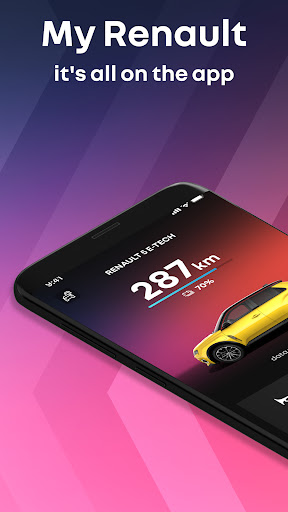
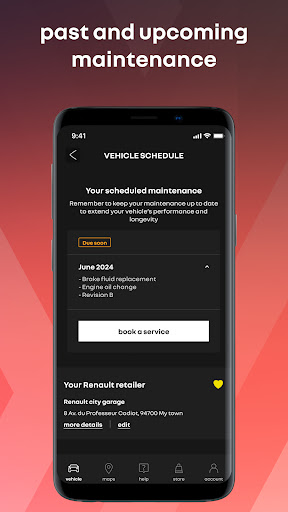
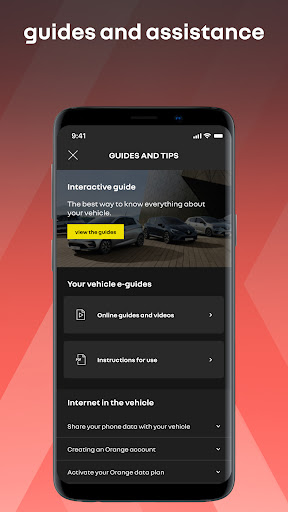
Always keep your Renault at your fingertips with the My Renault application.
Designed to accompany and enrich the usage of your Renault vehicle.
My Renault is here for all your daily mobility needs and improves your journey by offering numerous features and personalised offers*
ALWAYS STAY CONNECTED TO YOUR VEHICLE:
Check your vehicle’s remaining range and mileage in real-time
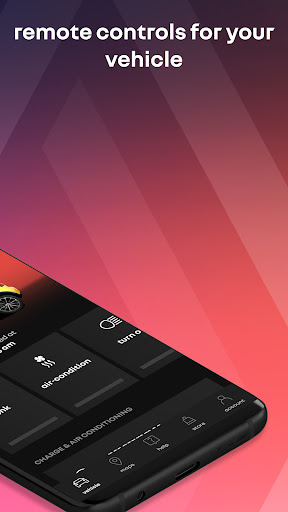
Program and manage the air-conditioning and heating remotely
Locate it on the map available in the application
As your approach your vehicle, find it by activating the lights remotely
ENJOY SIMPLIFIED CHARGE MANAGEMENT:
Remotely check and manage your electric vehicle's charging
Find local charging points and manage your Mobilize Charge Pass subscription
Simplify your charging experience on the go with Plug & Charge technology (for compatible charging points)
Visualise your electric vehicle's reachable area based on its remaining range
MANAGE YOUR VEHICLE WITH EASE:
Track your order in real-time, from purchase to delivery
Find local petrol stations and Renault retailers
Access your service history and find out about upcoming maintenance
Schedule an appointment with the Renault network in just a few clicks
Find all your service contracts and warranties
Discover all the features of your vehicle through its interactive user guide and video tutorials
Access our customer services team directly for assisstance
Optimise your home charging and electricity bill with Mobilize PowerBox charge points
Do not wait any longer and download My Renault today!
The My Renault application is constantly being enriched with features and fixes.
* Available features depend on the model and engine type of your vehicle, as well as on your geographic location. For most features, synchronisation between the application and your vehicle will be required.
أظهر المزيد

1. قم بتنزيل برنامج MEmu واكمال تثبيته

2. قم بتشغيل برنامج MEmu وفتح Google Play على الصفحة الرئيسية

3. ابح My Renault في Google Play
Install
4. تنزيل وتثبيت My Renault
5. انقر على الرمز للتشغيل بعد اكتمال التثبيت

6. استخدم MEmu لتجربة My Renault على جهاز الكمبيوتر الخاص بك.
تطبيق MEmuهو افضل محاكى اندرويد مجانى وبالفعل 50 مليون شخص يستمتعون حاليا بتجربه اللعب عليه. تمكّنك تقنية MEmu الافتراضية من تشغيل آلاف ألعاب Android بسلاسة على الكمبيوتر الشخصي ، حتى أكثرها استخدامًا للرسومات.
شاشة أكبر وجرافيك افضل ووقت أطول بدون حدود البطارية وباقة التليفون
لوحة مفاتيح كاملة تدعم تحكم كامل عن طريق لوحة المفاتيح و الفأره وجيم باد
عدة العاب وحسابات ومهمات علي جهاز الكمبيوتر في وقت معين عن طريق Memu متعدد النوافذ
Use My Renault on PC by following steps: