Open Camera
تم التحديث
الإصدار الحالي
1.53.1
تقديم

لا داعي للقلق بشأن الشحن الزائد عند استخدام Open Camera على هاتفك. تحرر من قيود الشاشة الصغيرة واستمتع به على شاشة أكبر باستخدام لوحة المفاتيح والفأرة. يوفر MEmu جميع الميزات الرائعة التي تتوقعها: تثبيت سريع، إعداد سهل، أدوات تحكم بديهية، ودون قيود على عمر البطارية، أو استخدام البيانات، أو المكالمات الواردة. يُعد MEmu 9 الجديد الخيار الأمثل لتجربة Open Camera على جهاز الكمبيوتر. بفضل تقنية التشفير الفريدة، يتيح لك مدير الحسابات المتعددة تشغيل حسابين أو أكثر في وقت واحد. والأهم من ذلك، أن محرك المحاكاة الفريد يستغل أداء جهاز الكمبيوتر بالكامل، مما يُحسّن تجربة التطبيق ويجعل كل شيء سلسًا للغاية.
أظهر المزيد
قم بتنزيل Open Camera على الكمبيوتر بإستخدام جهاز مقلد أندروز MEmu.استمتع بمتعة اللعب على الشاشة الكبيرة. Open Camera is a completely free Camera app.
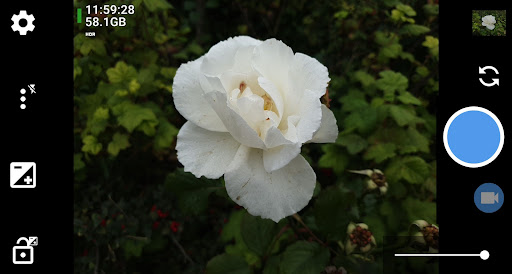
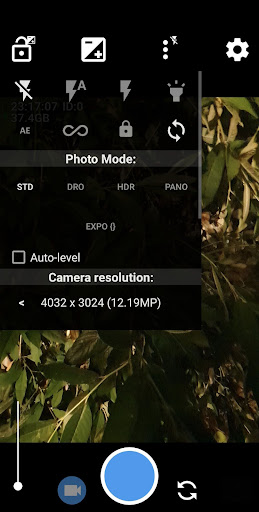
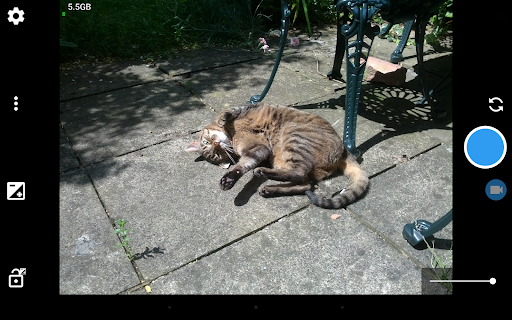
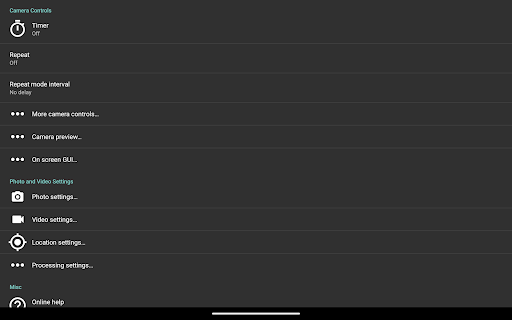
Open Camera is a completely free Camera app. Features:
* Option to auto-level so your pictures are perfectly level no matter what.
* Expose your camera's functionality: support for scene modes, color effects, white balance, ISO, exposure compensation/lock, selfie with "screen flash", HD video and more.
* Handy remote controls: timer (with optional voice countdown), auto-repeat mode (with configurable delay).
* Option to take photo remotely by making a noise.
* Configurable volume keys and user interface.
* Upside-down preview option for use with attachable lenses.
* Overlay a choice of grids and crop guides.
* Optional GPS location tagging (geotagging) of photos and videos; for photos this includes compass direction (GPSImgDirection, GPSImgDirectionRef).
* Apply date and timestamp, location coordinates, and custom text to photos; store date/time and location as video subtitles (.SRT).
* Option to remove device exif metadata from photos.
* Panorama, including for front camera.
* Support for HDR (with auto-alignment and ghost removal) and Exposure Bracketing.
* Support for Camera2 API: manual controls (with optional focus assist); burst mode; RAW (DNG) files; camera vendor extensions; slow motion video; log profile video.
* Noise reduction (including low light night mode) and Dynamic range optimisation modes.
* Options for on-screen histogram, zebra stripes, focus peaking.
* Focus bracketing mode.
* Completely free, and no third party ads in the app (I only run third party ads on the website). Open Source.
(Some features may not be available on all devices, as they may depend on hardware or camera features, the Android version, etc.)
Website (and links to source code): http://opencamera.org.uk/
Note that it's not possible for me to test Open Camera on every Android device out there, so please test before using Open Camera to photo/video your wedding etc :)
App icon by Adam Lapinski. Open Camera also uses content under third party licences, see https://opencamera.org.uk/#licence
أظهر المزيد

1. قم بتنزيل برنامج MEmu واكمال تثبيته

2. قم بتشغيل برنامج MEmu وفتح Google Play على الصفحة الرئيسية

3. ابح Open Camera في Google Play
Install
4. تنزيل وتثبيت Open Camera
5. انقر على الرمز للتشغيل بعد اكتمال التثبيت

6. استخدم MEmu لتجربة Open Camera على جهاز الكمبيوتر الخاص بك.
تطبيق MEmuهو افضل محاكى اندرويد مجانى وبالفعل 50 مليون شخص يستمتعون حاليا بتجربه اللعب عليه. تمكّنك تقنية MEmu الافتراضية من تشغيل آلاف ألعاب Android بسلاسة على الكمبيوتر الشخصي ، حتى أكثرها استخدامًا للرسومات.
شاشة أكبر وجرافيك افضل ووقت أطول بدون حدود البطارية وباقة التليفون
لوحة مفاتيح كاملة تدعم تحكم كامل عن طريق لوحة المفاتيح و الفأره وجيم باد
عدة العاب وحسابات ومهمات علي جهاز الكمبيوتر في وقت معين عن طريق Memu متعدد النوافذ
Use Open Camera on PC by following steps: