Open Camera
تازہ کاری
موجودہ ورژن
1.53.1
پیشکش بذریعہ

اپنے موبائل فون پر Open Camera کا استعمال کرتے وقت زیادہ چارج ہونے کی فکر نہ کریں، خود کو چھوٹی اسکرین سے آزاد کریں اور ایپ کو زیادہ بڑے ڈسپلے پر استعمال کرنے کا لطف اٹھائیں۔ اس کے بعد سے کی بورڈ اور ماؤس کے ساتھ اپنے ایپ کا فل اسکرین کا تجربہ حاصل کریں۔ MEmu آپ کو وہ تمام حیران کن خصوصیات پیش کرتا ہے جن کی آپ کو توقع کرتے ہیں: فوری انسٹال اور آسان سیٹ اپ، وجدانی کنٹرول، مزید بیٹری، موبائل ڈیٹا کی کوئی حد نہیں اور اب مزید پریشان کن کالز نہیں۔ نئے برانڈ کا MEmu 9 آپ کے کمپیوٹر پر Open Camera استعمال کرنے کے لیے بہترین اختیار ہے۔ MEmu کثیر نظیری منیجر بیک وقت 2 یا اس سے زیادہ اکاؤنٹس کھولنا ممکن بناتا ہے۔ اور سب اہم بات، ہمارا خصوصی ایمولیشن انجن آپ کے پی سی کی پوری طاقت ریلیز کرتے ہوئے ہر چیز ہموار اور قابل تفریح بناتا ہے۔
مزید دکھائیں
Download Open Camera on PC with MEmu Android Emulator. Enjoy playing on big screen. Open Camera is a completely free Camera app.
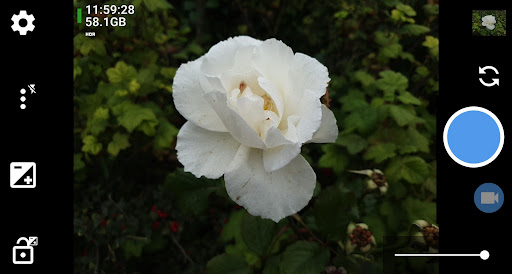
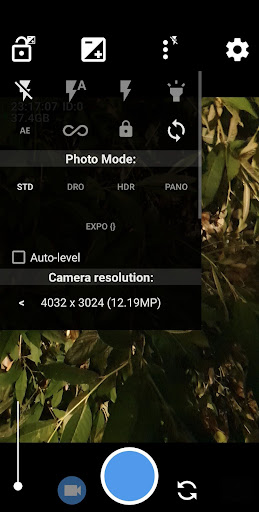
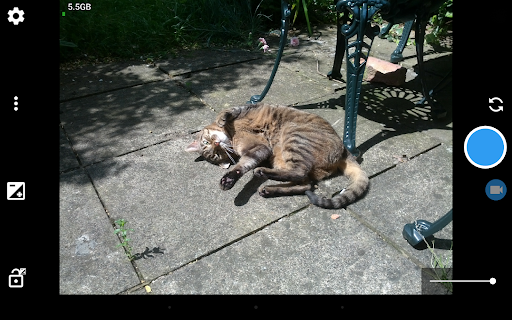
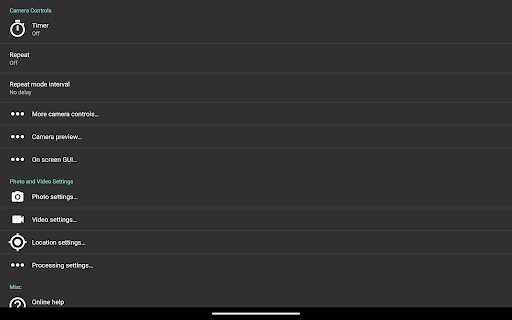
Open Camera is a completely free Camera app. Features:
* Option to auto-level so your pictures are perfectly level no matter what.
* Expose your camera's functionality: support for scene modes, color effects, white balance, ISO, exposure compensation/lock, selfie with "screen flash", HD video and more.
* Handy remote controls: timer (with optional voice countdown), auto-repeat mode (with configurable delay).
* Option to take photo remotely by making a noise.
* Configurable volume keys and user interface.
* Upside-down preview option for use with attachable lenses.
* Overlay a choice of grids and crop guides.
* Optional GPS location tagging (geotagging) of photos and videos; for photos this includes compass direction (GPSImgDirection, GPSImgDirectionRef).
* Apply date and timestamp, location coordinates, and custom text to photos; store date/time and location as video subtitles (.SRT).
* Option to remove device exif metadata from photos.
* Panorama, including for front camera.
* Support for HDR (with auto-alignment and ghost removal) and Exposure Bracketing.
* Support for Camera2 API: manual controls (with optional focus assist); burst mode; RAW (DNG) files; camera vendor extensions; slow motion video; log profile video.
* Noise reduction (including low light night mode) and Dynamic range optimisation modes.
* Options for on-screen histogram, zebra stripes, focus peaking.
* Focus bracketing mode.
* Completely free, and no third party ads in the app (I only run third party ads on the website). Open Source.
(Some features may not be available on all devices, as they may depend on hardware or camera features, the Android version, etc.)
Website (and links to source code): http://opencamera.org.uk/
Note that it's not possible for me to test Open Camera on every Android device out there, so please test before using Open Camera to photo/video your wedding etc :)
App icon by Adam Lapinski. Open Camera also uses content under third party licences, see https://opencamera.org.uk/#licence
مزید دکھائیں

1. MEmu انسٹالر ڈاؤن لوڈ کریں اور سیٹ اپ مکمل کریں

2. MEmu شروع کریں اسکے بعد ڈیسکٹاپ پر Google Play کھولیں

3. Google Play میں Open Camera تلاش کریں
Install
4. Open Camera ڈاؤن لوڈ کریں اور انسٹال کریں
5. انسٹال مکمل ہونے کے بعد سٹارٹ کرنے کے لیے آئیکن پر کلک کریں

6. MEmu کے ساتھ پی سی پر Open Camera کھیلنے کا لطف لیں
MEmu پلے بہترین اینڈرائڈ ایمولیٹر ہے اور 100 ملین لوگ اس کے زبردست اینڈرائڈ گیمنگ تجربہ سے لطف اندوز ہو رہے ہیں۔ MEmu کی ورچولائزیشن ٹیکنالوجی آپ کو اپنے PC پر ہزاروں اینڈرائڈ گیمز یہاں تک کہ انتہائی گرافک والے گیمز باسہولت کھیلنے کی طاقت دیتی ہے۔
بہتر گرافکس کے ساتھ بڑی اسکرین؛ طویل دورانیہ، بیٹری یا لامحدود موبائل ڈیٹا کے بغیر۔
کی بورڈ اور ماؤس یا گیم پیڈ کے عین مطابق کنٹرول کے لیے کی میپنگ کا پورا سپورٹ۔
کثیر مثالی منیجر کے ساتھ بیک وقت ایک پی سی پر متعدد گیم اکاؤنٹس یا ٹاسکس۔
پی سی پر درج ذیل مراحل پر عمل کرتے ہوئے پر Open Camera استعمال کریں: u003c/p>