Shadowsocks
تم التحديث
الإصدار الحالي
1631844951
تقديم

لا داعي للقلق بشأن الشحن الزائد عند استخدام Shadowsocks على هاتفك. تحرر من قيود الشاشة الصغيرة واستمتع به على شاشة أكبر باستخدام لوحة المفاتيح والفأرة. يوفر MEmu جميع الميزات الرائعة التي تتوقعها: تثبيت سريع، إعداد سهل، أدوات تحكم بديهية، ودون قيود على عمر البطارية، أو استخدام البيانات، أو المكالمات الواردة. يُعد MEmu 9 الجديد الخيار الأمثل لتجربة Shadowsocks على جهاز الكمبيوتر. بفضل تقنية التشفير الفريدة، يتيح لك مدير الحسابات المتعددة تشغيل حسابين أو أكثر في وقت واحد. والأهم من ذلك، أن محرك المحاكاة الفريد يستغل أداء جهاز الكمبيوتر بالكامل، مما يُحسّن تجربة التطبيق ويجعل كل شيء سلسًا للغاية.
أظهر المزيد
قم بتنزيل Shadowsocks على الكمبيوتر بإستخدام جهاز مقلد أندروز MEmu.استمتع بمتعة اللعب على الشاشة الكبيرة. Shadowsocks is a high-performance cross-platform secured socks5 proxy.
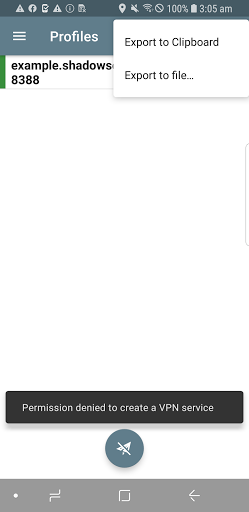
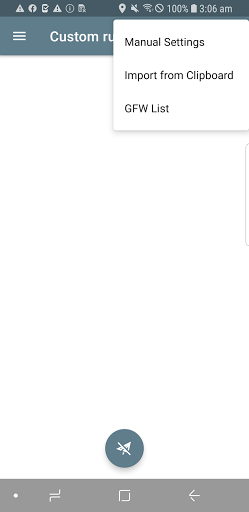
Shadowsocks is a high-performance cross-platform secured socks5 proxy. It will help you surf the internet privately and securely.
*NOTE: You may need to unisntall and reinstall the app, after upgrading to 3.x or above.*
FEATURES
1. Bleeding edge techniques with Asynchronous I/O and Event-driven programming.
2. Low resource comsumption, suitable for low end boxes and embedded devices.
3. Avaliable on multiple platforms, including PC, MAC, Mobile (Android and iOS) and Routers (OpenWRT).
4. Open source implementions in python, node.js, golang, C#, and pure C.
Visit our project site for more details: https://www.shadowsocks.org
SETUP
1. To setup your own server, please refer to: https://shadowsocks.org/en/download/servers.html
2. To view the source codes or build your own apk, please refer to: https://github.com/shadowsocks/shadowsocks-android
FAQ
https://github.com/shadowsocks/shadowsocks-android/wiki/FAQ
LICENSE
Copyright (C) 2016 by Max Lv
Copyright (C) 2016 by Mygod Studio
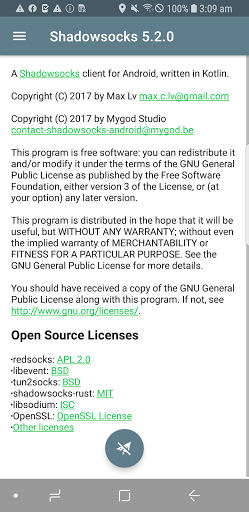
This program is free software: you can redistribute it and/or modify it under the terms of the GNU General Public License as published by the Free Software Foundation, either version 3 of the License, or (at your option) any later version.
This program is distributed in the hope that it will be useful, but WITHOUT ANY WARRANTY; without even the implied warranty of MERCHANTABILITY or FITNESS FOR A PARTICULAR PURPOSE. See the GNU General Public License for more details.
You should have received a copy of the GNU General Public License along with this program. If not, see http://www.gnu.org/licenses/.
Other open source licenses can be found here: https://github.com/shadowsocks/shadowsocks-android/blob/master/README.md#open-source-licenses
أظهر المزيد

1. قم بتنزيل برنامج MEmu واكمال تثبيته

2. قم بتشغيل برنامج MEmu وفتح Google Play على الصفحة الرئيسية

3. ابح Shadowsocks في Google Play
Install
4. تنزيل وتثبيت Shadowsocks
5. انقر على الرمز للتشغيل بعد اكتمال التثبيت

6. استخدم MEmu لتجربة Shadowsocks على جهاز الكمبيوتر الخاص بك.
تطبيق MEmuهو افضل محاكى اندرويد مجانى وبالفعل 50 مليون شخص يستمتعون حاليا بتجربه اللعب عليه. تمكّنك تقنية MEmu الافتراضية من تشغيل آلاف ألعاب Android بسلاسة على الكمبيوتر الشخصي ، حتى أكثرها استخدامًا للرسومات.
شاشة أكبر وجرافيك افضل ووقت أطول بدون حدود البطارية وباقة التليفون
لوحة مفاتيح كاملة تدعم تحكم كامل عن طريق لوحة المفاتيح و الفأره وجيم باد
عدة العاب وحسابات ومهمات علي جهاز الكمبيوتر في وقت معين عن طريق Memu متعدد النوافذ
Use Shadowsocks on PC by following steps: