Shadowsocks
更新日
現在のバージョン
1631844951
提供元

スマートフォンは不要!パソコンと同じようにキーボードとマウスで操作できます。MEmu Playは、あなたが待ち望んでいたすべての楽しみをお届けします。バッテリー残量や小さな画面を気にすることなく、Shadowsocksをご利用ください。最新のMEmu 9は、ShadowsocksをPCで体験するのに最適です!完璧なキーマッピングシステムにより、PCのようなスムーズな操作性を実現します。マルチインスタンス機能により、複数のアプリケーションを同時に実行できます。独自の仮想化エンジンがPCのパフォーマンスを最大限に引き出します。アプリを使用するだけでなく、高品質な体験を得ることができます。
もっと見る
ShadowsocksをPCでダウンロード!大画面でより楽しむ。電源が落ちてしまうとか通信料が足りないとかの問題を心配する必要がなく、PCの大画面でより快適にゲームを楽しましょう! Shadowsocks is a high-performance cross-platform secured socks5 proxy.
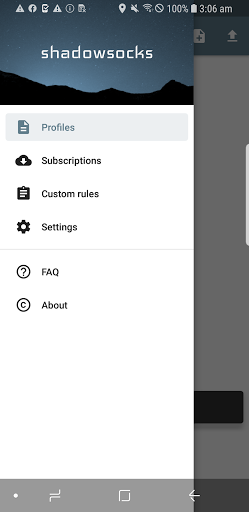
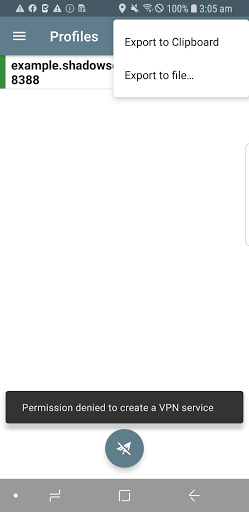
Shadowsocks is a high-performance cross-platform secured socks5 proxy. It will help you surf the internet privately and securely.
*NOTE: You may need to unisntall and reinstall the app, after upgrading to 3.x or above.*
FEATURES
1. Bleeding edge techniques with Asynchronous I/O and Event-driven programming.
2. Low resource comsumption, suitable for low end boxes and embedded devices.
3. Avaliable on multiple platforms, including PC, MAC, Mobile (Android and iOS) and Routers (OpenWRT).
4. Open source implementions in python, node.js, golang, C#, and pure C.
Visit our project site for more details: https://www.shadowsocks.org
SETUP
1. To setup your own server, please refer to: https://shadowsocks.org/en/download/servers.html
2. To view the source codes or build your own apk, please refer to: https://github.com/shadowsocks/shadowsocks-android
FAQ
https://github.com/shadowsocks/shadowsocks-android/wiki/FAQ
LICENSE
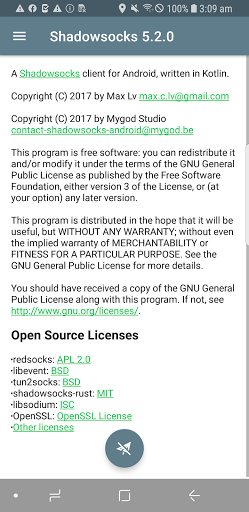
Copyright (C) 2016 by Max Lv
Copyright (C) 2016 by Mygod Studio
This program is free software: you can redistribute it and/or modify it under the terms of the GNU General Public License as published by the Free Software Foundation, either version 3 of the License, or (at your option) any later version.
This program is distributed in the hope that it will be useful, but WITHOUT ANY WARRANTY; without even the implied warranty of MERCHANTABILITY or FITNESS FOR A PARTICULAR PURPOSE. See the GNU General Public License for more details.
You should have received a copy of the GNU General Public License along with this program. If not, see http://www.gnu.org/licenses/.
Other open source licenses can be found here: https://github.com/shadowsocks/shadowsocks-android/blob/master/README.md#open-source-licenses
もっと見る

1. MEmuインストーラーをダウンロードしてセットアップを完了する

2. MEmuを起動し、デスクトップでのPlayストアを開く

3. PlayストアでShadowsocksを検索する
Install
4. Shadowsocksをダウンロードしてインストールする
5. インストールが完了したら、アイコンをクリックしてスタート

6. MEmuを使ってパソコンでShadowsocksを体験する
MEmu Playは現在、最高の無料Androidエミュレーターであり、5,000万人のユーザーが優れたAndroidアプリ体験を楽しんでいます。MEmuの仮想化テクノロジーにより、数千ものAndroidアプリをコンピューターでスムーズに実行できます。
大画面でより精細;無限の待機、電池とドラフィックの極限を超え
キーボード・マウス・コントローラーを全力でサポート、より快適
マルチインスタンスで複数のゲームを同時に実行
Use Shadowsocks on PC by following steps: