WASticker - Romantic Stickers
تم التحديث
الإصدار الحالي
1.3
تقديم

لا داعي للقلق بشأن الشحن الزائد عند استخدام WASticker - Romantic Stickers على هاتفك. تحرر من قيود الشاشة الصغيرة واستمتع به على شاشة أكبر باستخدام لوحة المفاتيح والفأرة. يوفر MEmu جميع الميزات الرائعة التي تتوقعها: تثبيت سريع، إعداد سهل، أدوات تحكم بديهية، ودون قيود على عمر البطارية، أو استخدام البيانات، أو المكالمات الواردة. يُعد MEmu 9 الجديد الخيار الأمثل لتجربة WASticker - Romantic Stickers على جهاز الكمبيوتر. بفضل تقنية التشفير الفريدة، يتيح لك مدير الحسابات المتعددة تشغيل حسابين أو أكثر في وقت واحد. والأهم من ذلك، أن محرك المحاكاة الفريد يستغل أداء جهاز الكمبيوتر بالكامل، مما يُحسّن تجربة التطبيق ويجعل كل شيء سلسًا للغاية.
أظهر المزيد
استمتع بتجربة رائعة لاستخدام WASticker - Romantic Stickers على جهاز الكمبيوتر مع MEmu Play. إنه محاكي أندرويد قوي ومجاني يوفر لك آلاف تطبيقات أندرويد لإصدار سطح المكتب. استمتع بالتواصل مع أصدقائك وحسّن عملك بكفاءة أعلى! Romantic Stickers for WhatsApp – Love & Couple WASticker Packs.
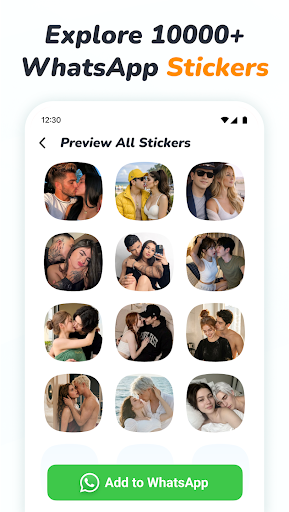
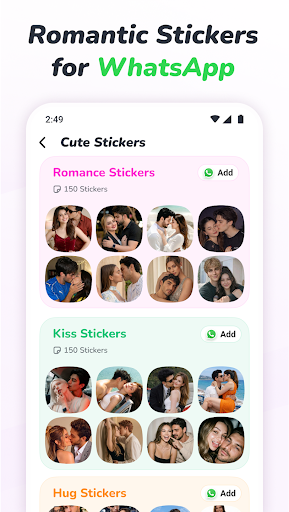
Romantic Stickers for WhatsApp – Love & Couple WASticker Packs
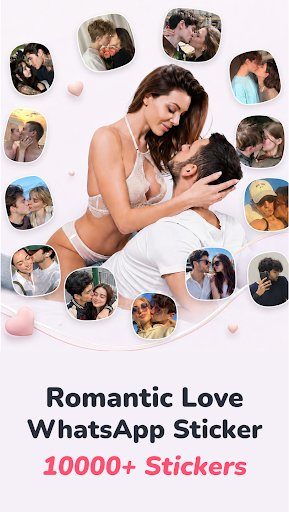
Express your feelings with romantic WhatsApp stickers. Explore 1000+ love stickers, cute couple stickers, kiss stickers, hearts, and animated sticker packs to make your everyday conversations more personal.
Say “I Love You,” “I Miss You,” or “Good Night” with a sticker that matches your mood. From sweet morning wishes to thoughtful messages for your partner, find a creative way to share your affection.
A Sticker for Every Loving Moment
Love & Romance: Send romantic love stickers when words alone are not enough.
Cute Couples: Share playful and affectionate moments with your partner.
Kisses & Hearts: Add a little warmth to your chats with kiss stickers and expressive hearts.
Love Emojis: Let cute expressions say how you feel.
Missing You & Sorry: Show someone you are thinking of them or send a heartfelt apology.
Morning & Night Wishes: Start the day with a loving message and end it with a sweet good night.
Birthdays & Special Days: Celebrate birthdays, Valentine’s Day, and anniversaries with thoughtful stickers.
Animated Love Stickers
Bring movement to your messages with animated romantic stickers. Choose an expressive sticker to share excitement, affection, or a playful moment in your WhatsApp conversations.
Simple to Explore, Easy to Share
Browse 1000+ romantic and love stickers.
Choose from static and animated WASticker packs.
Find couple, heart, kiss, and greeting designs in one place.
Add your favorite sticker packs to WhatsApp in a few simple steps.
Enjoy clear graphics and an easy-to-use layout.
Make Everyday Conversations More Personal
Send a small reminder that you care, surprise your partner with a cute message, or stay connected in a long-distance relationship. Whether you are celebrating a special occasion or simply saying hello, a thoughtful sticker can warm up the moment.
Explore different packs and choose the style that suits your conversation—from sweet and playful to romantic and heartfelt.
How to Add Stickers to WhatsApp
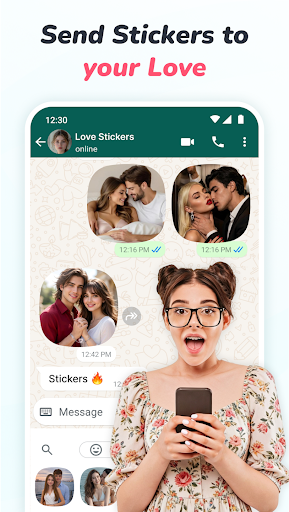
1. Open the Romantic Stickers Love Sticker app and browse the sticker collection.
2. Choose your favorite sticker pack.
3. Tap “Add to WhatsApp” and confirm.
4. Open a WhatsApp chat and find the added pack in the stickers section.
5. Select a sticker and share it.
Discover your favorite romantic sticker packs and share a little love in your next conversation.
Disclaimer
This is an independent sticker app and is not affiliated with, sponsored by, or endorsed by WhatsApp. WhatsApp is a trademark of its respective owner.
أظهر المزيد

1. قم بتنزيل برنامج MEmu واكمال تثبيته

2. قم بتشغيل برنامج MEmu وفتح Google Play على الصفحة الرئيسية

3. ابح WASticker - Romantic Stickers في Google Play
Install
4. تنزيل وتثبيت WASticker - Romantic Stickers
5. انقر على الرمز للتشغيل بعد اكتمال التثبيت

6. استخدم MEmu لتجربة WASticker - Romantic Stickers على جهاز الكمبيوتر الخاص بك.
تطبيق MEmuهو افضل محاكى اندرويد مجانى وبالفعل 50 مليون شخص يستمتعون حاليا بتجربه اللعب عليه. تمكّنك تقنية MEmu الافتراضية من تشغيل آلاف ألعاب Android بسلاسة على الكمبيوتر الشخصي ، حتى أكثرها استخدامًا للرسومات.
شاشة أكبر وجرافيك افضل ووقت أطول بدون حدود البطارية وباقة التليفون
لوحة مفاتيح كاملة تدعم تحكم كامل عن طريق لوحة المفاتيح و الفأره وجيم باد
عدة العاب وحسابات ومهمات علي جهاز الكمبيوتر في وقت معين عن طريق Memu متعدد النوافذ
Use WASticker - Romantic Stickers on PC by following steps: