WASticker - Romantic Stickers
আপডেট করা হয়েছে
বর্তমান সংস্করণ
1.3
অফার করেছে

আপনার মোবাইলে WASticker - Romantic Stickers ব্যবহার করার সময় অতিরিক্ত চার্জ নিয়ে চিন্তা করা বন্ধ করুন, নিজেকে ছোট পর্দা থেকে মুক্ত করুন এবং অনেক বড় ডিসপ্লেতে অ্যাপ ব্যবহার করে উপভোগ করুন। এখন থেকে, কীবোর্ড এবং মাউস দিয়ে আপনার অ্যাপের একটি পূর্ণ-স্ক্রীন অভিজ্ঞতা পান। MEmu আপনাকে সমস্ত আশ্চর্যজনক বৈশিষ্ট্যগুলি অফার করে যা আপনি আশা করেছিলেন: দ্রুত ইনস্টল এবং সহজ সেটআপ, স্বজ্ঞাত নিয়ন্ত্রণ, ব্যাটারির আর কোন সীমাবদ্ধতা নেই, মোবাইল ডেটা এবং বিরক্তিকর কল৷ একদম নতুন MEmu 9 হল আপনার কম্পিউটারে WASticker - Romantic Stickers ব্যবহার করার সেরা পছন্দ। MEmu মাল্টি-ইনস্ট্যান্স ম্যানেজার একই সময়ে 2 বা তার বেশি অ্যাকাউন্ট খোলা সম্ভব করে তোলে। এবং সবচেয়ে গুরুত্বপূর্ণ, আমাদের একচেটিয়া ইমুলেশন ইঞ্জিন আপনার পিসির সম্পূর্ণ সম্ভাবনা প্রকাশ করতে পারে, সবকিছুকে মসৃণ এবং উপভোগ্য করে তুলতে পারে।
বেশি দেখান
MEmu Play ব্যবহার করে পিসিতে WASticker - Romantic Stickers ব্যবহারের এক অসাধারণ অভিজ্ঞতা উপভোগ করুন। এটি একটি শক্তিশালী বিনামূল্যের অ্যান্ড্রয়েড এমুলেটর যা আপনাকে তাদের ডেস্কটপ সংস্করণের জন্য হাজার হাজার অ্যান্ড্রয়েড অ্যাপ সরবরাহ করে। বন্ধুদের সাথে সংযোগ স্থাপন এবং উচ্চ দক্ষতার সাথে আপনার কাজকে আরও সুন্দর করে তোলার উপভোগ করুন! Romantic Stickers for WhatsApp – Love & Couple WASticker Packs.
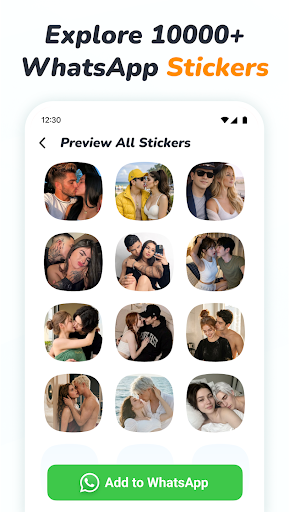
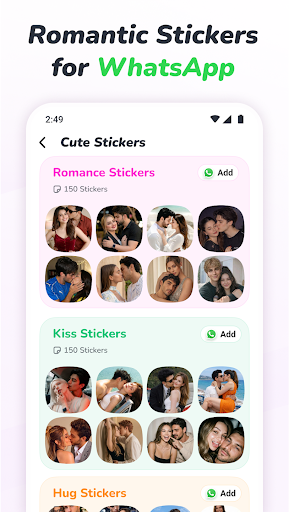
Romantic Stickers for WhatsApp – Love & Couple WASticker Packs
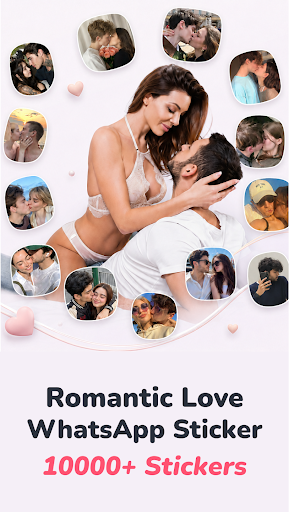
Express your feelings with romantic WhatsApp stickers. Explore 1000+ love stickers, cute couple stickers, kiss stickers, hearts, and animated sticker packs to make your everyday conversations more personal.
Say “I Love You,” “I Miss You,” or “Good Night” with a sticker that matches your mood. From sweet morning wishes to thoughtful messages for your partner, find a creative way to share your affection.
A Sticker for Every Loving Moment
Love & Romance: Send romantic love stickers when words alone are not enough.
Cute Couples: Share playful and affectionate moments with your partner.
Kisses & Hearts: Add a little warmth to your chats with kiss stickers and expressive hearts.
Love Emojis: Let cute expressions say how you feel.
Missing You & Sorry: Show someone you are thinking of them or send a heartfelt apology.
Morning & Night Wishes: Start the day with a loving message and end it with a sweet good night.
Birthdays & Special Days: Celebrate birthdays, Valentine’s Day, and anniversaries with thoughtful stickers.
Animated Love Stickers
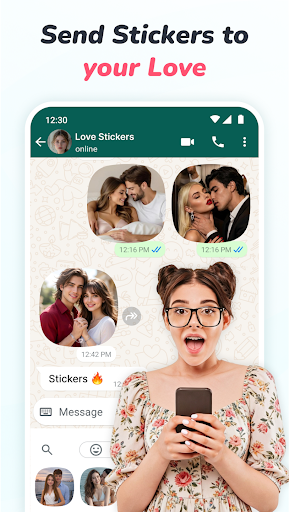
Bring movement to your messages with animated romantic stickers. Choose an expressive sticker to share excitement, affection, or a playful moment in your WhatsApp conversations.
Simple to Explore, Easy to Share
Browse 1000+ romantic and love stickers.
Choose from static and animated WASticker packs.
Find couple, heart, kiss, and greeting designs in one place.
Add your favorite sticker packs to WhatsApp in a few simple steps.
Enjoy clear graphics and an easy-to-use layout.
Make Everyday Conversations More Personal
Send a small reminder that you care, surprise your partner with a cute message, or stay connected in a long-distance relationship. Whether you are celebrating a special occasion or simply saying hello, a thoughtful sticker can warm up the moment.
Explore different packs and choose the style that suits your conversation—from sweet and playful to romantic and heartfelt.
How to Add Stickers to WhatsApp
1. Open the Romantic Stickers Love Sticker app and browse the sticker collection.
2. Choose your favorite sticker pack.
3. Tap “Add to WhatsApp” and confirm.
4. Open a WhatsApp chat and find the added pack in the stickers section.
5. Select a sticker and share it.
Discover your favorite romantic sticker packs and share a little love in your next conversation.
Disclaimer
This is an independent sticker app and is not affiliated with, sponsored by, or endorsed by WhatsApp. WhatsApp is a trademark of its respective owner.
বেশি দেখান

1. MEmu ইনস্টলার ডাউনলোড করুন এবং সেটআপ শেষ করুন

2. MEmu শুরু করুন তারপর ডেস্কটপে Google Play খুলুন

3. Google Play এ WASticker - Romantic Stickers খুঁজুন
Install
4. WASticker - Romantic Stickers ডাউনলোড এবং ইনস্টল করুন
5. ইনস্টল সমাপ্তি শুরু করতে আইকনে ক্লিক করুন

6. MEmu ব্যবহার করে আপনার কম্পিউটারে WASticker - Romantic Stickers উপভোগ করুন
MEmu Play হল সেরা অ্যান্ড্রয়েড এমুলেটর, যার ১০ কোটিরও বেশি ব্যবহারকারী এর উন্নত অ্যান্ড্রয়েড অ্যাপ অভিজ্ঞতা উপভোগ করছেন। MEmu 9 এর ভার্চুয়ালাইজেশন প্রযুক্তি আপনাকে আপনার কম্পিউটারে হাজার হাজার অ্যান্ড্রয়েড অ্যাপ মসৃণভাবে চালাতে দেয়, এমনকি সবচেয়ে চাহিদাসম্পন্ন অ্যাপগুলিও।
ভালো গ্রাফিক্সের সাথে বড় স্ক্রীন; লম্বা অবধি, ব্যাটারি বা মোবাইল ডাটা'র কোন সীমা ছাড়া।
কীবোর্ড এবং মাউস বা গেমপ্যাডের সুনির্দিষ্ট নিয়ন্ত্রণের জন্য সম্পূর্ণ কীম্যাপিং সমর্থন।
মাল্টি-ইনস্ট্যান্স ম্যানেজারের সাথে একটি পিসিতে একাধিক গেম অ্যাকাউন্ট বা কাজ।
নিম্নলিখিত ধাপগুলোর মাধ্যমে পিসি এ WASticker - Romantic Stickers ব্যবহার করুন: