YouTube Kids for Android TV
تم التحديث
الإصدار الحالي
1.21.01
تقديم

لا داعي للقلق بشأن الشحن الزائد عند استخدام YouTube Kids for Android TV على هاتفك. تحرر من قيود الشاشة الصغيرة واستمتع به على شاشة أكبر باستخدام لوحة المفاتيح والفأرة. يوفر MEmu جميع الميزات الرائعة التي تتوقعها: تثبيت سريع، إعداد سهل، أدوات تحكم بديهية، ودون قيود على عمر البطارية، أو استخدام البيانات، أو المكالمات الواردة. يُعد MEmu 9 الجديد الخيار الأمثل لتجربة YouTube Kids for Android TV على جهاز الكمبيوتر. بفضل تقنية التشفير الفريدة، يتيح لك مدير الحسابات المتعددة تشغيل حسابين أو أكثر في وقت واحد. والأهم من ذلك، أن محرك المحاكاة الفريد يستغل أداء جهاز الكمبيوتر بالكامل، مما يُحسّن تجربة التطبيق ويجعل كل شيء سلسًا للغاية.
أظهر المزيد
قم بتنزيل YouTube Kids for Android TV على الكمبيوتر بإستخدام جهاز مقلد أندروز MEmu.استمتع بمتعة اللعب على الشاشة الكبيرة. A video app made just for kids.
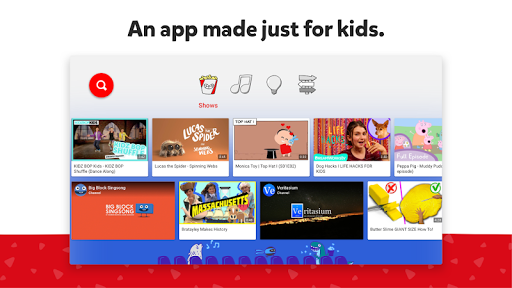
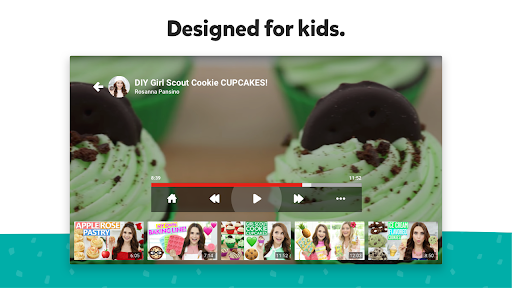
A video app made just for kids
YouTube Kids was created to give kids a more contained environment that makes it simpler and more fun for them to explore on their own, and easier for parents and caregivers to guide their journey as they discover new and exciting interests along the way. Learn more at youtube.com/kids
A safer online experience for kids
We work hard to keep the videos on YouTube Kids family-friendly and use a mix of automated filters built by our engineering teams, human review, and feedback from parents to protect our youngest users online. But no system is perfect and inappropriate videos can slip through, so we’re constantly working to improve our safeguards and offer more features to help parents create the right experience for their families. You can also customize your families experience you can turn search on or off while using YouTube Kids on TV. Or, check your child’s watch history with the ‘Watch it Again’ feature.
Customize your child’s experience with individual profiles
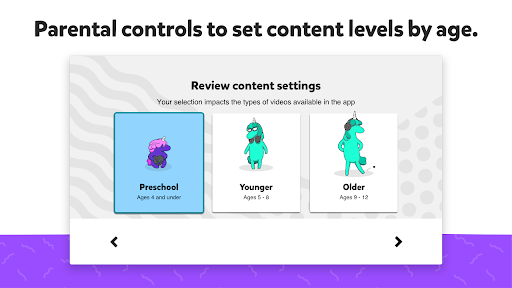
Create individual experiences as unique as your kids on our mobile app and use them on your TV or on the web. First, download YouTube Kids from the iOS App Store or Google Play store on a mobile or tablet device, then log in to create profiles. Every profile has its own viewing preferences, video recommendations, and settings. Select an age category that fits your child, "Preschool" (4 & under), "Younger" (5-8), or "Older" 9+) or choose "Approved Content Only" mode.
If you select "Approved Content Only" you can handpick the videos, channels and/or collections that you’ve approved for your child to watch. In this mode, searching for videos is unavailable. Approved videos must first be selected on your mobile or tablet device. Once chosen, they will be reflected on all your devices with YouTube Kids.
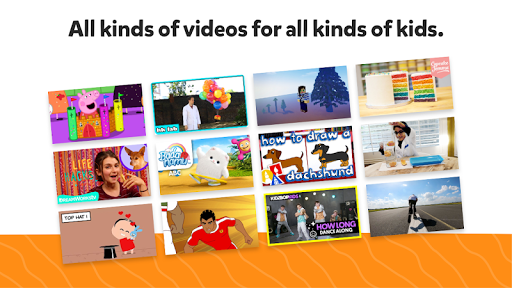
All kinds of videos for all kinds of kids
Our library is filled with family-friendly videos on all different topics, igniting your kids’ inner creativity and playfulness. It’s everything from their favorite shows and music to learning how to build a model volcano (or make slime!), and everything in between.
Other important information:
Parental setup is needed to ensure the best experience possible for your kid.
Your kid may also see videos with commercial content from YouTube creators that are not paid ads. The Privacy Notice for Google Accounts managed with Family Link describes our privacy practices when your kid uses YouTube Kids with their Google Account. When your kid uses YouTube Kids without signing into their Google Account, the YouTube Kids Privacy Notice applies.
أظهر المزيد

1. قم بتنزيل برنامج MEmu واكمال تثبيته

2. قم بتشغيل برنامج MEmu وفتح Google Play على الصفحة الرئيسية

3. ابح YouTube Kids for Android TV في Google Play
Install
4. تنزيل وتثبيت YouTube Kids for Android TV
5. انقر على الرمز للتشغيل بعد اكتمال التثبيت

6. استخدم MEmu لتجربة YouTube Kids for Android TV على جهاز الكمبيوتر الخاص بك.
تطبيق MEmuهو افضل محاكى اندرويد مجانى وبالفعل 50 مليون شخص يستمتعون حاليا بتجربه اللعب عليه. تمكّنك تقنية MEmu الافتراضية من تشغيل آلاف ألعاب Android بسلاسة على الكمبيوتر الشخصي ، حتى أكثرها استخدامًا للرسومات.
شاشة أكبر وجرافيك افضل ووقت أطول بدون حدود البطارية وباقة التليفون
لوحة مفاتيح كاملة تدعم تحكم كامل عن طريق لوحة المفاتيح و الفأره وجيم باد
عدة العاب وحسابات ومهمات علي جهاز الكمبيوتر في وقت معين عن طريق Memu متعدد النوافذ
Use YouTube Kids for Android TV on PC by following steps: