YouTube Music الحاسوب

تحميل YouTube Music علي جهاز الحاسوب

YouTube Music الحاسوب
  • تم التحديث

  • الإصدار الحالي

    1734118709

  • تقديم

    YouTube Music الحاسوب

ميزات إصدار YouTube Music للكمبيوتر الشخصي

لا داعي للقلق بشأن الشحن الزائد عند استخدام YouTube Music على هاتفك. تحرر من قيود الشاشة الصغيرة واستمتع به على شاشة أكبر باستخدام لوحة المفاتيح والفأرة. يوفر MEmu جميع الميزات الرائعة التي تتوقعها: تثبيت سريع، إعداد سهل، أدوات تحكم بديهية، ودون قيود على عمر البطارية، أو استخدام البيانات، أو المكالمات الواردة. يُعد MEmu 9 الجديد الخيار الأمثل لتجربة YouTube Music على جهاز الكمبيوتر. بفضل تقنية التشفير الفريدة، يتيح لك مدير الحسابات المتعددة تشغيل حسابين أو أكثر في وقت واحد. والأهم من ذلك، أن محرك المحاكاة الفريد يستغل أداء جهاز الكمبيوتر بالكامل، مما يُحسّن تجربة التطبيق ويجعل كل شيء سلسًا للغاية.

أظهر المزيد

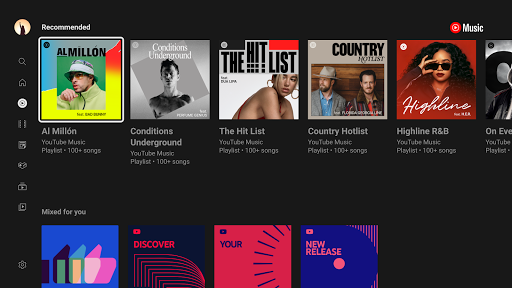
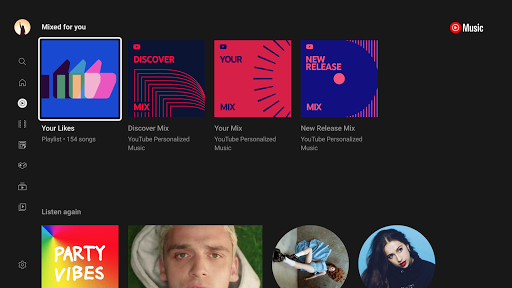
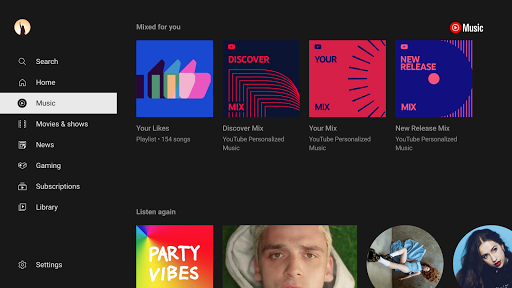
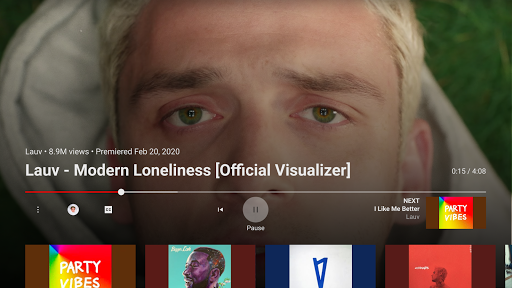
استخدم لقطات شاشة ومقاطع فيديو لـ YouTube Music على جهاز الكمبيوتر الخاص بك.

قم بتنزيل YouTube Music على الكمبيوتر بإستخدام جهاز مقلد أندروز MEmu.استمتع بمتعة اللعب على الشاشة الكبيرة. Connecting you to the world of music:.

معلومات التطبيق

Connecting you to the world of music:
● Music content including live performances, covers, remixes and music content you can’t find elsewhere
● Thousands of curated playlist across many genres and activities

Get personalized music, perfect for every moment:
● Personalized playlists and Mixes made just for you, built around your favorite types of music
● Personalized activity mixes for your Workout, Relax, and Focus sessions
● Create playlists with song suggestions or collaborate with other music fans to create the perfect playlist
● Personalized Library to see all of your liked and added songs, playlists, artists, and albums

Stay on top of the trend and discover new music:
● Check out curated for you mixes such Discover Mix and New Release Mix
● Discover music based genres (Hip Hop, Pop, Country, Dance & Electronic, Blues, Indie & Alternative, Jazz, Kpop, Latin, Rock, and more)
● Discover music based mood (Chill, Feel Good, Energy Booster, Sleep, Focus, Romance, Workout, Commute, Party)
● Explore top charts from all over the world

Enhanced your listening experience with unique features:
● Song lyrics so you can sing along to your favorites
● Switch seamlessly between audio and video
● Listen on your phone, desktop, smart speaker, smart TV, car, smart watch and within your favorite apps.
● Add a Tile on your Wear OS watch to quickly access your music.
● Compatible with Google Maps, Waze, Google Assistant, and more.

Upgrade to Music Premium (available in select countries) to enjoy:
● Listen to music ad-free
● Play music in the background
● Access your music downloads, including smart downloads
● Switch seamlessly between song audio and music videos, only with YouTube Music

----------
Only first-time YouTube Red, Music Premium, YouTube Premium and Google Play Music subscribers are eligible for free trials, introductory offers or promotional pricing.

أظهر المزيد

تحميل YouTube Music علي جهاز الحاسوب

  • YouTube Music الحاسوب

    1. قم بتنزيل برنامج MEmu واكمال تثبيته

  • YouTube Music الحاسوب

    2. قم بتشغيل برنامج MEmu وفتح Google Play على الصفحة الرئيسية

  • YouTube Music الحاسوب

    3. ابح YouTube Music في Google Play

  • YouTube Music الحاسوب Install

    4. تنزيل وتثبيت YouTube Music

  • YouTube Music الحاسوب

    5. انقر على الرمز للتشغيل بعد اكتمال التثبيت

  • YouTube Music الحاسوب
    YouTube Music الحاسوب YouTube Music الحاسوب

    6. استخدم MEmu لتجربة YouTube Music على جهاز الكمبيوتر الخاص بك.

لماذا تستخدم MEmu لتجربة ل YouTube Music

تطبيق MEmuهو افضل محاكى اندرويد مجانى وبالفعل 50 مليون شخص يستمتعون حاليا بتجربه اللعب عليه. تمكّنك تقنية MEmu الافتراضية من تشغيل آلاف ألعاب Android بسلاسة على الكمبيوتر الشخصي ، حتى أكثرها استخدامًا للرسومات.

  • شاشة أكبر وجرافيك افضل ووقت أطول بدون حدود البطارية وباقة التليفون

  • لوحة مفاتيح كاملة تدعم تحكم كامل عن طريق لوحة المفاتيح و الفأره وجيم باد

  • عدة العاب وحسابات ومهمات علي جهاز الكمبيوتر في وقت معين عن طريق Memu متعدد النوافذ

هل أنت مستعد للبدء في استخدامه؟

موضوعات ساخنة

YouTube Music - FAQs

  • كيفية استخدام YouTube Music على جهاز الكمبيوتر الشخصي؟

    Use YouTube Music on PC by following steps:

    • Download MEmu, then install and launch it
    • Login to Google Play Store, install the app
    • Enjoy using the app on PC with MEmu
  • ما هو الحد الأدنى لمتطلبات النظام لتشغيل YouTube Music على جهاز الكمبيوتر الشخصي؟
    • Intel or AMD Processor
    • Microsoft Windows 7 and above
    • 2GB of memory
    • 5GB of free disk space
    • Hardware Virtualization Technology