ZEEKR
تم التحديث
الإصدار الحالي
2.5.0
تقديم

لا داعي للقلق بشأن الشحن الزائد عند استخدام ZEEKR على هاتفك. تحرر من قيود الشاشة الصغيرة واستمتع به على شاشة أكبر باستخدام لوحة المفاتيح والفأرة. يوفر MEmu جميع الميزات الرائعة التي تتوقعها: تثبيت سريع، إعداد سهل، أدوات تحكم بديهية، ودون قيود على عمر البطارية، أو استخدام البيانات، أو المكالمات الواردة. يُعد MEmu 9 الجديد الخيار الأمثل لتجربة ZEEKR على جهاز الكمبيوتر. بفضل تقنية التشفير الفريدة، يتيح لك مدير الحسابات المتعددة تشغيل حسابين أو أكثر في وقت واحد. والأهم من ذلك، أن محرك المحاكاة الفريد يستغل أداء جهاز الكمبيوتر بالكامل، مما يُحسّن تجربة التطبيق ويجعل كل شيء سلسًا للغاية.
أظهر المزيد
قم بتنزيل ZEEKR على الكمبيوتر بإستخدام جهاز مقلد أندروز MEmu.استمتع بمتعة اللعب على الشاشة الكبيرة. About ZEEKR.
About ZEEKR
ZEEKR is the global luxury electric mobility technology brand from Geely Holding Group. ZEEKR aims to create a fully integrated user ecosystem with innovation as standard. The brand utilizes the Sustainable Experience Architecture (SEA) and includes its own battery technologies, battery management systems, electric motor technologies and electric vehicle supply chain.
ZEEKR APP features
ZEEKR App includes multiple features as described below (each a “Service” and collectively the “Services”):
News
These functionalities allow you to browse the latest news of ZEEKR, give your likes to the articles and share the article link to your friends.
Tips
These functionalities allow you to browse the car using instruction articles, give your like to the articles and share the article link to your friends
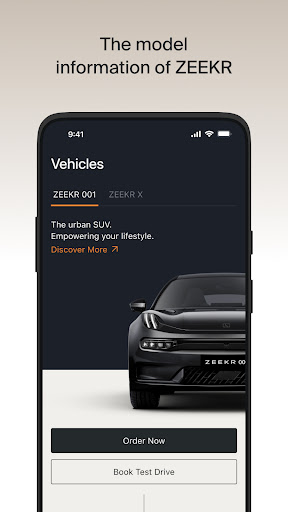
Model
These functionalities allow you to browse the model information of ZEEKR.
Car Control
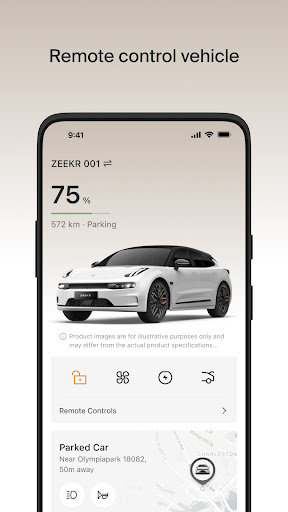
These functionalities allow you to lock/unlock the vehicle remotely through the App, check the car status, tire pressure, open/close the trunk of the vehicle, start engine and air conditioner, etc.
Map
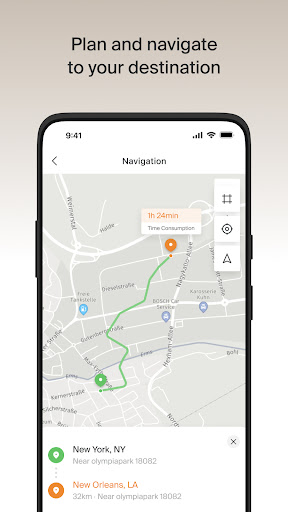
These functionalities allow you to check the map, check car location, plan and navigate to your destination, receive last mile navigation notification from car, set and turn on/off Geo-fencing, check journey log, find the nearby charging stations in charging map.
Remote Charge
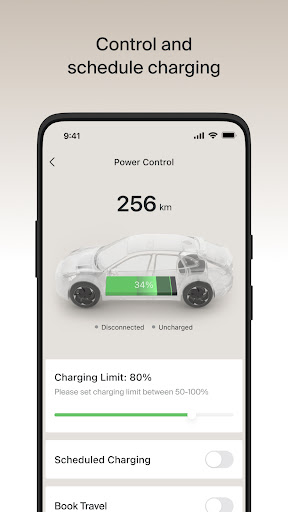
These functionalities allow you to check the status of charging, start/stop charging and discharging, set scheduled charging.
User Center
These functionalities allow you to edit and update your profile name, profile photo, introduction.
Setting
These functionalities allow you register account, log in/out, check account info, payment info and address info, switch country/language, make settings of APP notification and permission.
أظهر المزيد

1. قم بتنزيل برنامج MEmu واكمال تثبيته

2. قم بتشغيل برنامج MEmu وفتح Google Play على الصفحة الرئيسية

3. ابح ZEEKR في Google Play
Install
4. تنزيل وتثبيت ZEEKR
5. انقر على الرمز للتشغيل بعد اكتمال التثبيت

6. استخدم MEmu لتجربة ZEEKR على جهاز الكمبيوتر الخاص بك.
تطبيق MEmuهو افضل محاكى اندرويد مجانى وبالفعل 50 مليون شخص يستمتعون حاليا بتجربه اللعب عليه. تمكّنك تقنية MEmu الافتراضية من تشغيل آلاف ألعاب Android بسلاسة على الكمبيوتر الشخصي ، حتى أكثرها استخدامًا للرسومات.
شاشة أكبر وجرافيك افضل ووقت أطول بدون حدود البطارية وباقة التليفون
لوحة مفاتيح كاملة تدعم تحكم كامل عن طريق لوحة المفاتيح و الفأره وجيم باد
عدة العاب وحسابات ومهمات علي جهاز الكمبيوتر في وقت معين عن طريق Memu متعدد النوافذ
Use ZEEKR on PC by following steps: