Zoom Rooms Controller
تم التحديث
الإصدار الحالي
6.2.6
تقديم

لا داعي للقلق بشأن الشحن الزائد عند استخدام Zoom Rooms Controller على هاتفك. تحرر من قيود الشاشة الصغيرة واستمتع به على شاشة أكبر باستخدام لوحة المفاتيح والفأرة. يوفر MEmu جميع الميزات الرائعة التي تتوقعها: تثبيت سريع، إعداد سهل، أدوات تحكم بديهية، ودون قيود على عمر البطارية، أو استخدام البيانات، أو المكالمات الواردة. يُعد MEmu 9 الجديد الخيار الأمثل لتجربة Zoom Rooms Controller على جهاز الكمبيوتر. بفضل تقنية التشفير الفريدة، يتيح لك مدير الحسابات المتعددة تشغيل حسابين أو أكثر في وقت واحد. والأهم من ذلك، أن محرك المحاكاة الفريد يستغل أداء جهاز الكمبيوتر بالكامل، مما يُحسّن تجربة التطبيق ويجعل كل شيء سلسًا للغاية.
أظهر المزيد
قم بتنزيل Zoom Rooms Controller على الكمبيوتر بإستخدام جهاز مقلد أندروز MEmu.استمتع بمتعة اللعب على الشاشة الكبيرة. Meet Happy.
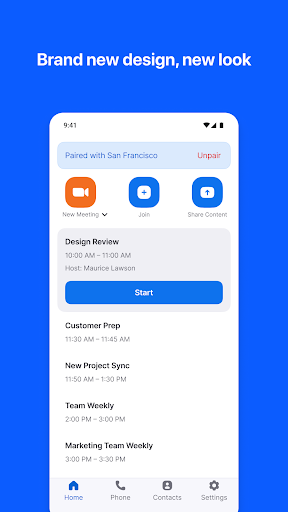
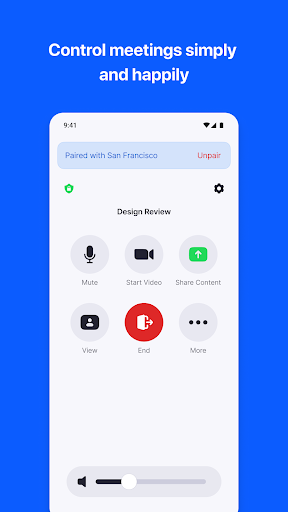
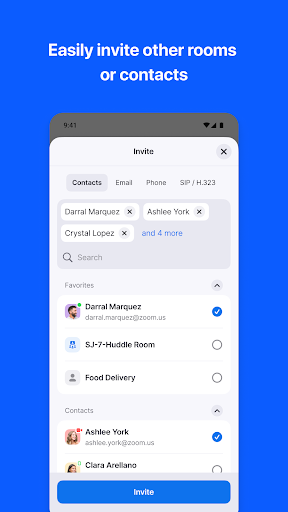
Meet Happy. Bring beautiful, simple, scalable video conferencing with wireless content sharing and integrated audio to any meeting space – conference rooms, training rooms, huddle rooms, and executive offices with Zoom Rooms.
Zoom Rooms video conferencing systems use appliance or custom hardware deployments to bring high quality video, audio and sharing to any type of space - making it extremely flexible. Easily connect to participants on mobile devices, desktops, and in other rooms, anywhere.
The Android Tablet app allows you to connect to a Mac, PC, or Zoom Rooms Appliance as the dedicated Zoom Rooms Controller for that room. The Android Phone app allows you to pair with a Zoom Room, giving you similar control functionality on your personal mobile device.
The tablet screen can be switched to the Scheduling Display mode and placed outside the room to show current availability, display upcoming meetings, and allow you to reserve time for an instant Zoom meeting.
Simply install the app and follow the on-screen instructions.
KEY FEATURES:
● Best video and screen sharing quality
● Quick setup to install Zoom Rooms with Google Calendar, Office 365, or Microsoft Exchange.
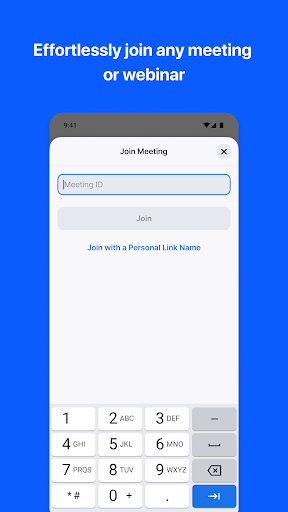
● One-touch to join or start a meeting
● Intuitive room controls to easily manage audio, video, participants, and more
● Wireless screen sharing from any device
● Supports up to 3 HD screens to fit any conference room
● Supports native room control integration to control lighting, projectors, and more
● Supports unlimited scheduling displays for simplified booking
● Supports unlimited digital signage to remotely push content to screens in and out of conference rooms
● Ability to pair and control Zoom Rooms and Zoom for Home devices from your personal mobile device
● View the active speaker, content, or gallery view with 49 video feeds
● Up to 1,000 interactive Meeting participants or 10,000 view-only Zoom Video Webinar attendees
● Record your meetings to share or review later
● Connect with anyone using Zoom Rooms, Android, iOS, Windows, Mac, SIP/H.323 room systems, telephones, and other devices
Follow us on social @zoom!
Have a question? Contact us at http://support.zoom.us.
أظهر المزيد

1. قم بتنزيل برنامج MEmu واكمال تثبيته

2. قم بتشغيل برنامج MEmu وفتح Google Play على الصفحة الرئيسية

3. ابح Zoom Rooms Controller في Google Play
Install
4. تنزيل وتثبيت Zoom Rooms Controller
5. انقر على الرمز للتشغيل بعد اكتمال التثبيت

6. استخدم MEmu لتجربة Zoom Rooms Controller على جهاز الكمبيوتر الخاص بك.
تطبيق MEmuهو افضل محاكى اندرويد مجانى وبالفعل 50 مليون شخص يستمتعون حاليا بتجربه اللعب عليه. تمكّنك تقنية MEmu الافتراضية من تشغيل آلاف ألعاب Android بسلاسة على الكمبيوتر الشخصي ، حتى أكثرها استخدامًا للرسومات.
شاشة أكبر وجرافيك افضل ووقت أطول بدون حدود البطارية وباقة التليفون
لوحة مفاتيح كاملة تدعم تحكم كامل عن طريق لوحة المفاتيح و الفأره وجيم باد
عدة العاب وحسابات ومهمات علي جهاز الكمبيوتر في وقت معين عن طريق Memu متعدد النوافذ
Use Zoom Rooms Controller on PC by following steps: