Free Fire: Best Settings for Headshots
 |
|
Landing headshots in Free Fire is extremely important for increasing your damage. Your ability to land headshots can be the difference between one won fight and a lost one. As a mobile game, aiming in Free Fire can be somewhat tricky compared to other systems. Therefore, we'll want to make sure our settings are the best they can be to improve the number of headshots we land. Here are the best settings for headshots in Free Fire.

Free Fire: 9th Anniversary
Adjust Your Sensitivity
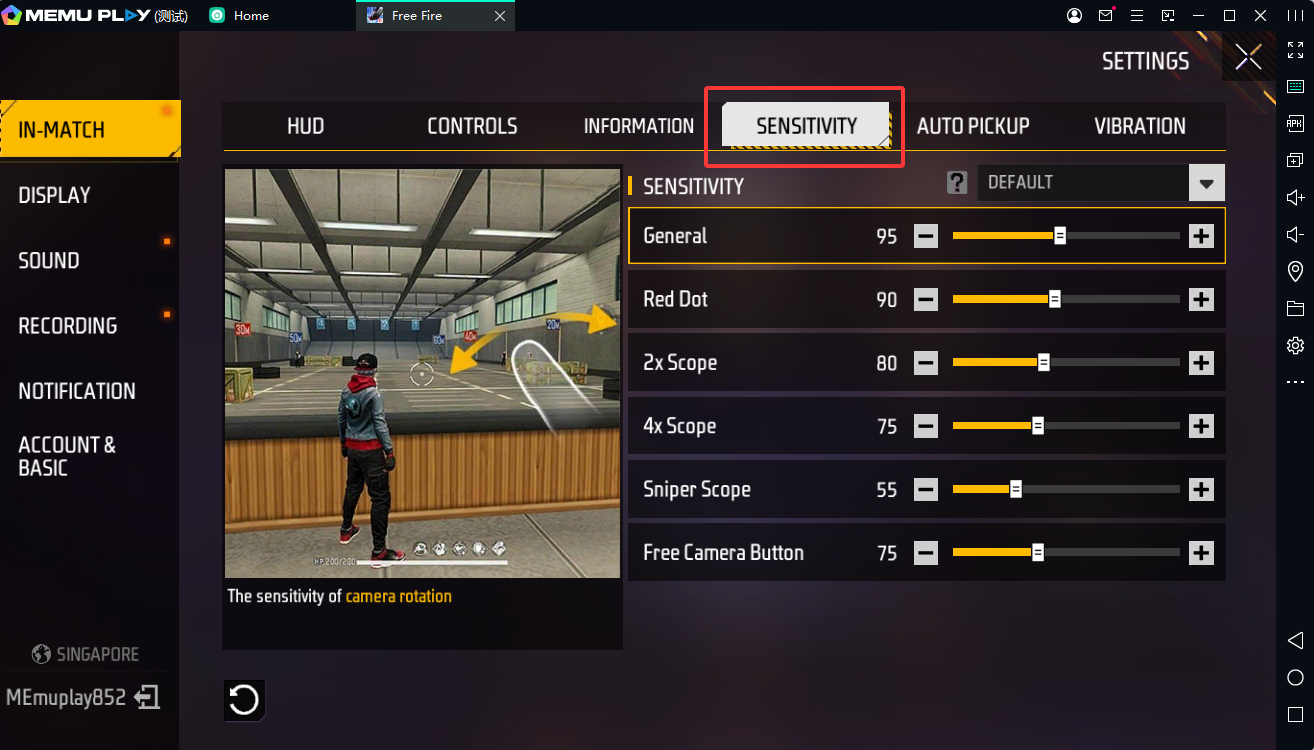
First, navigate to the settings in Free Fire. There are two crucial settings you'll need to adjust to improve your headshot rate. Click the "Sensitivity" tab. It's recommended to use the following settings here:
- General: 90 - 100
- Red Dot: 90 - 100
- 2x Scope: 90 - 100
- 4x Scope: 90 - 100
- Sniper Scope: 40 - 50
- Free Look: 90 - 100
Fix Your Controls
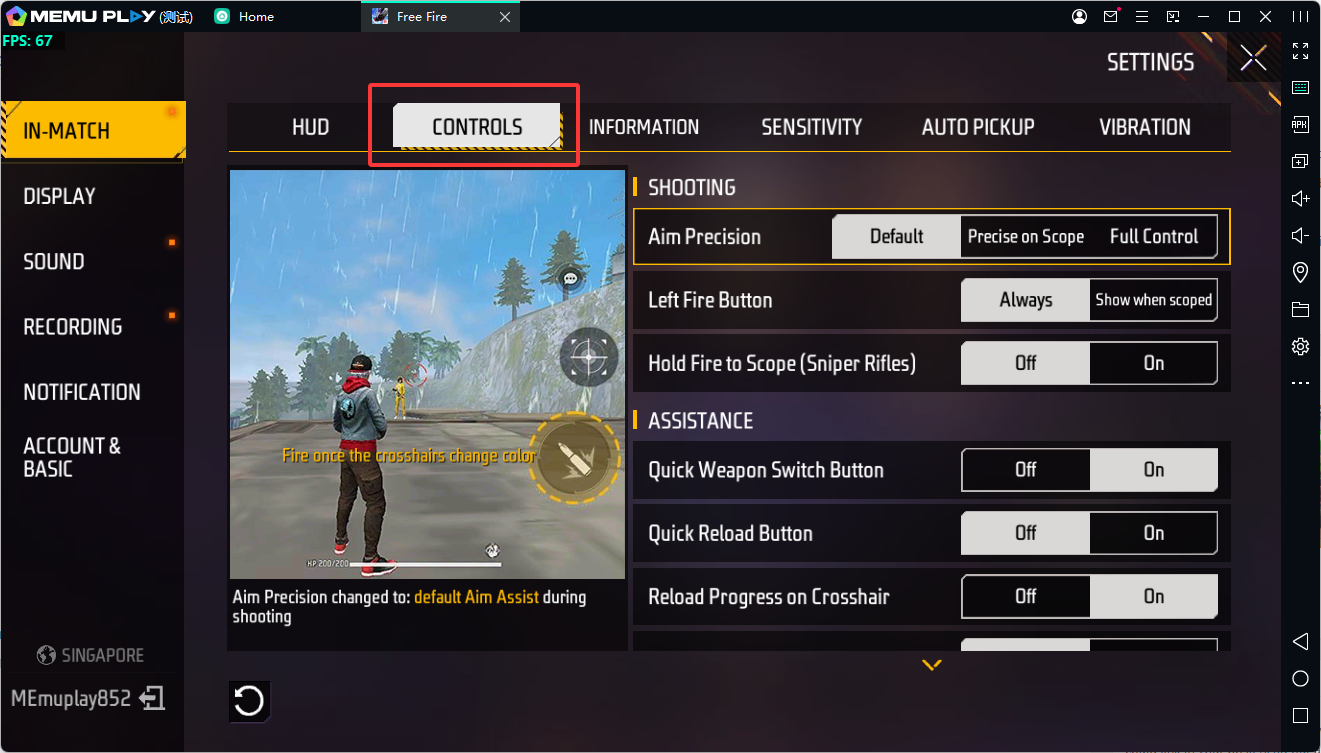
Next, let's adjust our controls. Make sure the following settings are turned on:
- Aim Precision: Set to default.
- Left Fire Button: Always.
- Quick Weapon Switch: On.
- Quick Reload: Off.
- Reload Progress on Crosshair: Off.
- Free Look: On.
- Hold Fire to Scope: On.
- Grenade Slot: Double Slot.
- Vehicle Controls; Two-handed.
- Auto-parachute: On.
- Run Mode: Classic.
Discover More
Download Garena Free Fire on PC with MEmu
Latest Free Fire Redeem Codes August 2026
Free Fire Best Characters Tier List 2026
Best Free Fire Sensitivity Settings: Complete Guide 2026
Free Fire: How to Get Free Diamonds Legally (2026 Guide)
Free Fire: The BEST Weapons for Every Situation