Escape from ChungaChanga: How to Download and Play on PC with MEmu Emulator
 |
|
Contents
What Is Escape from ChungaChanga?
Escape from ChungaChanga is a crazy survival horror adventure game developed by Spaghetti House. The game combines escape mechanics, puzzle solving, exploration, absurd humor, and unexpected story events.


Escape from ChungaChanga
After a mysterious shipwreck, players find themselves trapped on a deserted island surrounded by jungles, abandoned huts, strange objects, and hidden dangers. The main goal is to survive, explore the island, solve puzzles, collect useful items, and find a way to escape.
However, escaping from the island is not as simple as it sounds.
A strange island character named ChungaChanga is always nearby. His unpredictable behavior creates both scary and hilarious moments throughout the adventure. Sometimes he appears dangerous, while other times he may become an unexpected companion.
Escape from ChungaChanga Gameplay Features
Survival Horror Adventure
The game places you on a mysterious island where every area hides secrets, traps, and unexpected events.
Players need to:
- Explore the island
- Search for useful items
- Avoid dangerous situations
- Discover hidden locations
- Find different escape methods
Puzzle and Escape Challenges
Unlike traditional horror games, Escape from ChungaChanga focuses on creativity.
You need to:
- Solve puzzles
- Find clues
- Use objects around the environment
- Try different strategies to escape
Every decision can lead to different outcomes.
Horror Mixed With Absurd Humor
One of the biggest features of the game is its unique combination of horror and comedy.
The game includes:
- Funny situations
- Meme-style humor
- Strange characters
- Unexpected endings
- Crazy interactions
Instead of only being frightening, the game creates a strange and entertaining adventure experience.
Why Play Escape from ChungaChanga on PC?
Although Escape from ChungaChanga is designed for Android devices, playing it on PC with an emulator provides several advantages.
Benefits of Playing on MEmu Emulator
Larger Screen
Experience the island environment, puzzles, and character details on a bigger display.
Better Controls
Using keyboard and mouse can provide:
- More accurate movement
- Easier exploration
- Better control during gameplay
Improved Performance
PC emulators can provide:
- Stable frame rates
- Better hardware performance
- Longer gaming sessions without draining your phone battery
How to Download Escape from ChungaChanga on MEmu Emulator
Follow these steps:
Step 1: Install MEmu Emulator
Download and install the latest version of MEmu Emulator on your Windows PC.
Step 2: Open Google Play Store
Launch MEmu Emulator and sign in with your Google account.
Step 3: Search for Escape from ChungaChanga
Open Google Play Store inside the emulator and search: Escape from ChungaChanga
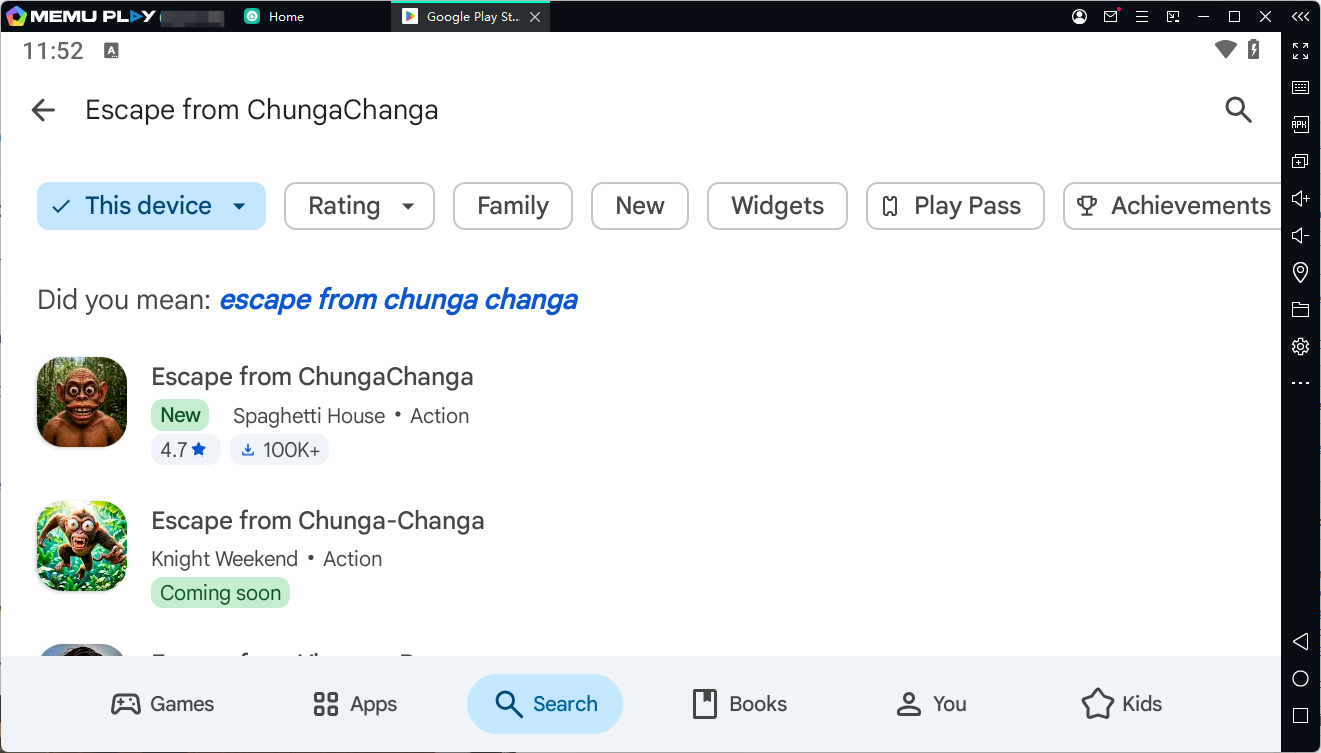
The official game is published by Spaghetti House.
Step 4: Install the Game
Click: Install → Wait for Download → Open Game
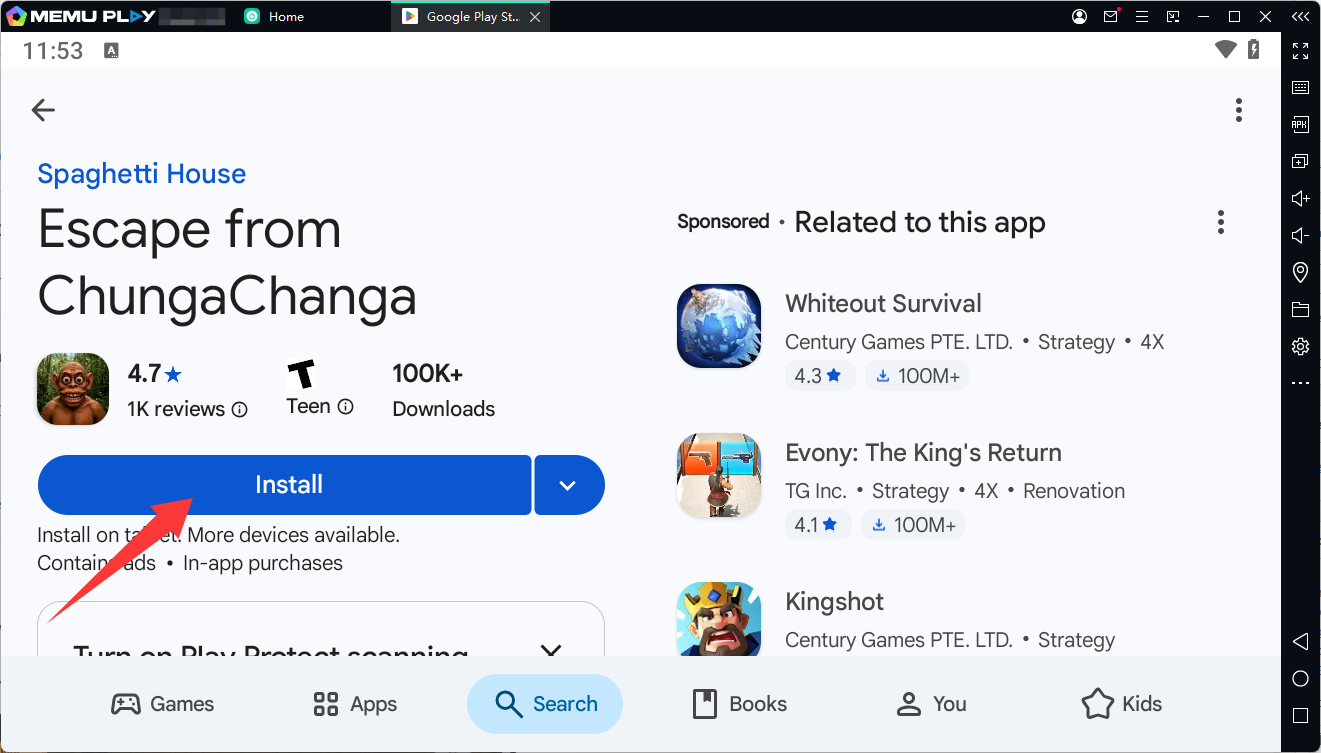
After installation, you can start exploring the island and begin your escape adventure.
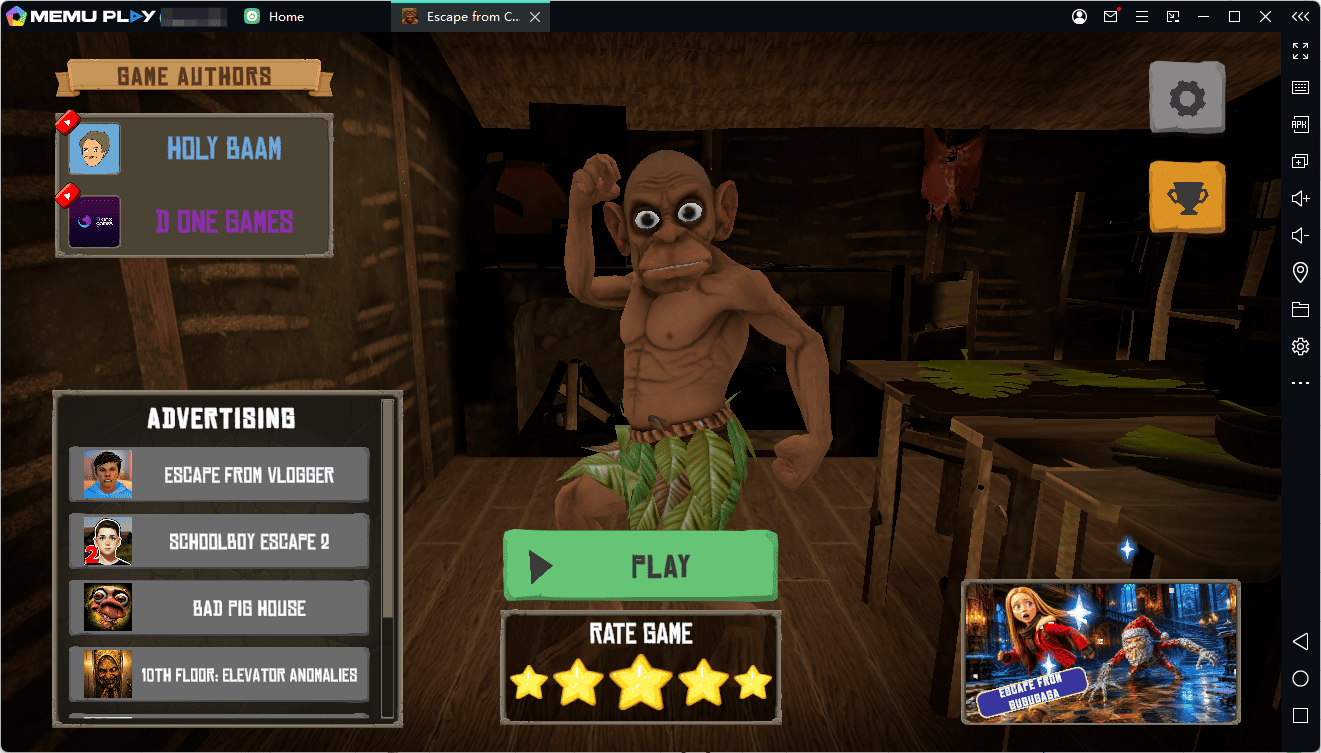
Escape from ChungaChanga PC Requirements
Recommended:
- Windows 10/11
- 8GB RAM or higher
- Modern Intel/AMD processor
- Stable internet connection
- Updated graphics drivers
For smoother performance:
- Enable virtualization (VT)
- Allocate more RAM and CPU cores in emulator settings
- Close unnecessary background applications
Escape from ChungaChanga FAQ
Is Escape from ChungaChanga free?
Yes, the game is available on Google Play with optional in-game purchases.
Can I play Escape from ChungaChanga on PC?
Yes. You can install the Android version through an emulator such as MEmu Emulator.
Is Escape from ChungaChanga scary?
The game combines survival horror elements with comedy, puzzles, and absurd situations.
Who developed Escape from ChungaChanga?
The game was developed by Spaghetti House.
Escape from ChungaChanga