How to Play Gangstar Mirage City on PC with MEmu
 |
|
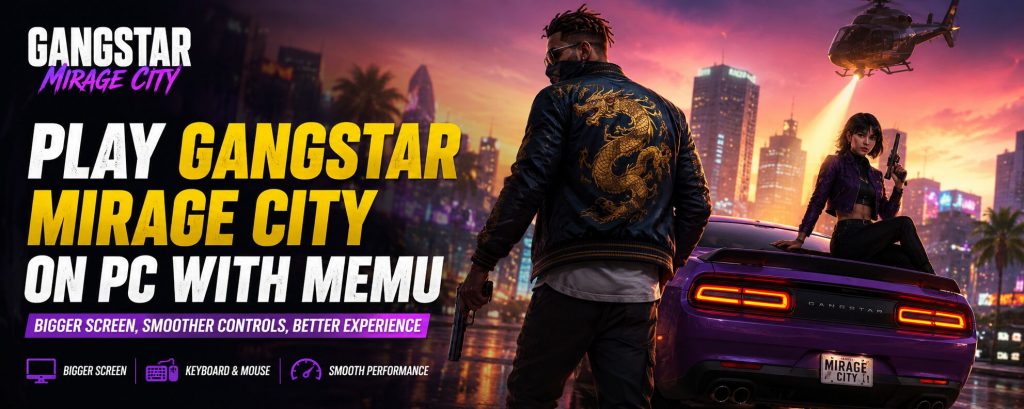
Gangstar Mirage City is a multiplayer open-world action RPG published by Level Infinite and officially licensed by Gameloft. The game takes you into the streets of Mirage City, where crime, cars, heists, and rival gangs are part of everyday life.
You can explore the city, complete missions, join co-op heists, collect cars, customize weapons, and grow your underground empire. There are also PvP battles and street races for players who want more action.
However, an open-world action game can feel very different on a small phone screen. Driving, aiming, and moving around the city may be easier with a larger display and physical controls.
Therefore, if you want to play Gangstar Mirage City on PC, MEmu gives you another way to enjoy the Android version of the game on Windows.
Contents
What to Expect in Gangstar Mirage City
Gangstar Mirage City puts you inside a large urban playground filled with missions, vehicles, weapons, businesses, and other players.
Instead of following only one type of mission, you can explore the city and take part in different activities.
Some of the main features include:
- Open-world exploration — Drive through Mirage City, discover different areas, and find events across the streets.
- Co-op heists — Work with your crew to complete operations that require teamwork and good timing.
- Underground empire building — Run businesses, grow your influence, earn money, and unlock new rewards.
- Vehicle collection — Collect different cars and use them for missions, exploration, and high-speed escapes.
- Weapon customization — Build an arsenal that ranges from pistols to heavier weapons.
- Street battles and races — Compete against other crews in PvP fights and street racing activities.
These systems make Gangstar Mirage City well suited to longer gaming sessions.
At the same time, driving and shooting are important parts of the game. Because of this, playing with keyboard and mouse controls can provide a more comfortable setup.
Why Play Gangstar Mirage City on PC with MEmu
1. Explore Mirage City on a Bigger Screen
Gangstar Mirage City features busy streets, vehicles, buildings, missions, and combat happening across an open world.
A larger PC monitor gives you more room to see what is happening around you.
For example, it can be easier to spot enemies, follow roads, read mission information, and explore the city without looking at a small phone display.
A bigger screen can also make high-speed driving and gunfights easier to follow.
2. Use Keyboard and Mouse Controls
Controls are especially important in an open-world action game.
With MEmu, you can assign Android controls to your keyboard and mouse. As a result, you can create a control setup that feels closer to a PC action game.
For example, you can assign keys for:
- Character movement
- Shooting
- Aiming
- Entering or leaving vehicles
- Driving
- Skills and combat actions
- Other frequently used commands
The mouse can also make it easier to interact with menus and adjust your view.
In addition, you can change the keymapping layout whenever you want.
3. Get Better Control During Driving and Gunfights
Gangstar Mirage City combines shooting with vehicle-based gameplay.
During a mission, you may need to move through the city, fight enemies, escape from danger, or quickly switch between different actions.
Physical controls can make these situations easier to manage.
For instance, using WASD-style movement can feel more natural for players who already play action games on PC.
You can also place important commands close together on the keyboard. This makes it easier to react during fast missions.
4. Enjoy Longer Gaming Sessions
Open-world games often encourage players to spend more time exploring, completing missions, upgrading equipment, and collecting vehicles.
However, long gaming sessions can drain a phone battery. The device may also become warm after extended use.
Playing Gangstar Mirage City on PC with MEmu keeps your phone free for other tasks.
You can continue to use your phone for calls, messages, videos, or other apps while playing the game on your computer.
5. Adjust Performance Settings
Different PCs have different hardware.
Therefore, MEmu lets you change several emulator settings based on your computer.
You can adjust options such as:
- CPU cores
- RAM
- Resolution
- Display settings
- Frame rate settings
If your PC has enough resources, assigning more CPU and RAM may help provide a smoother experience.
However, higher settings also require more PC resources. It is usually better to choose settings that match your hardware.
6. Use Multi-MEmu for Multiple Instances
MEmu includes a multi-instance tool called Multi-MEmu.
It allows you to create and run more than one Android emulator instance on the same computer.
This feature can be useful for players who use multiple game accounts or want separate Android environments.
However, each extra instance requires additional CPU and memory. Therefore, your PC hardware will determine how many instances you can run smoothly.
How to Download and Play Gangstar Mirage City on PC
You can install Gangstar Mirage City on PC with MEmu in a few steps:
- Download and install MEmu Play on your Windows PC.
- Launch MEmu after the installation is complete.
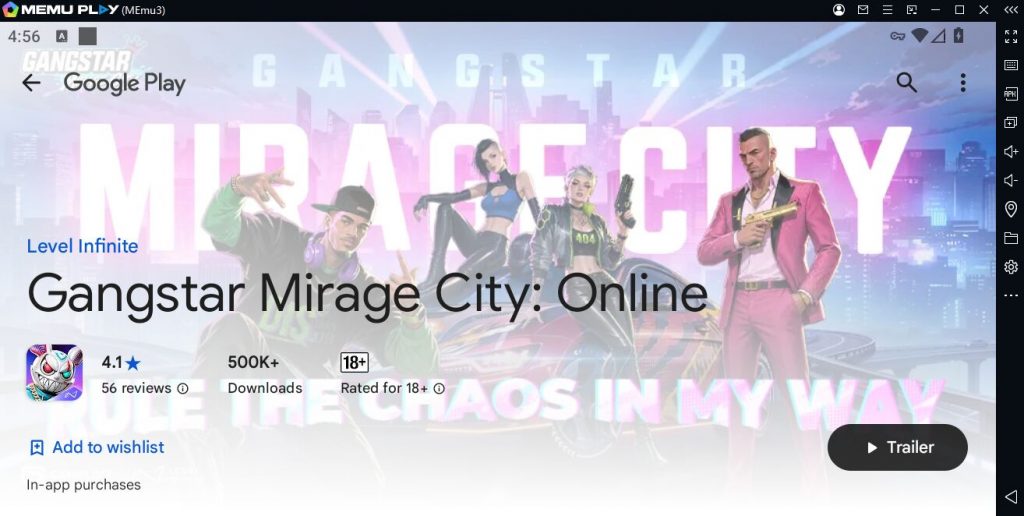
- Open the Google Play Store inside MEmu.
- Sign in with your Google account.
- Search for Gangstar Mirage City.
- Download and install the game.
- Launch Gangstar Mirage City from the MEmu home screen.
- Open the MEmu keymapping tool and customize your controls.
- Enter Mirage City and start building your criminal empire.
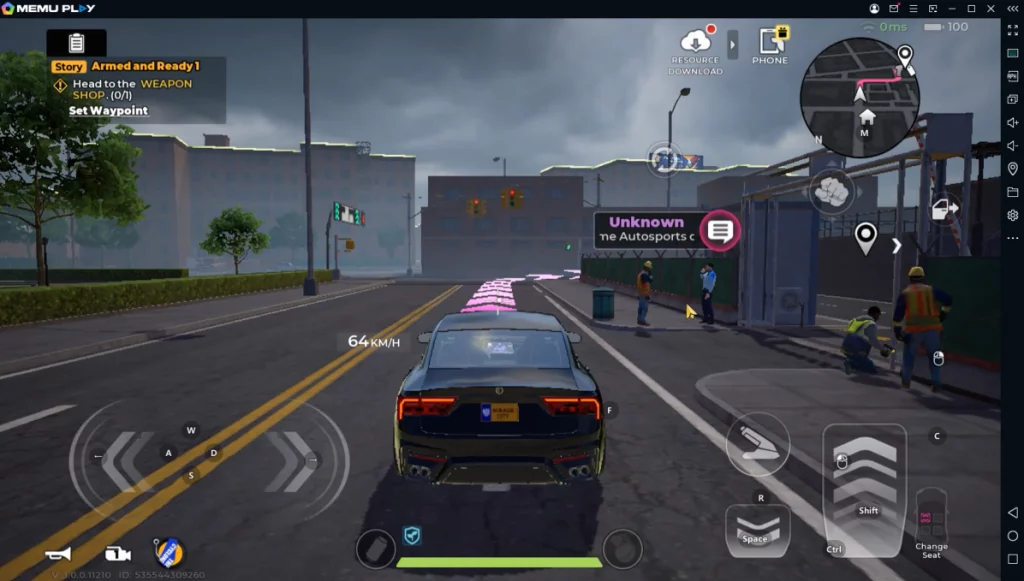
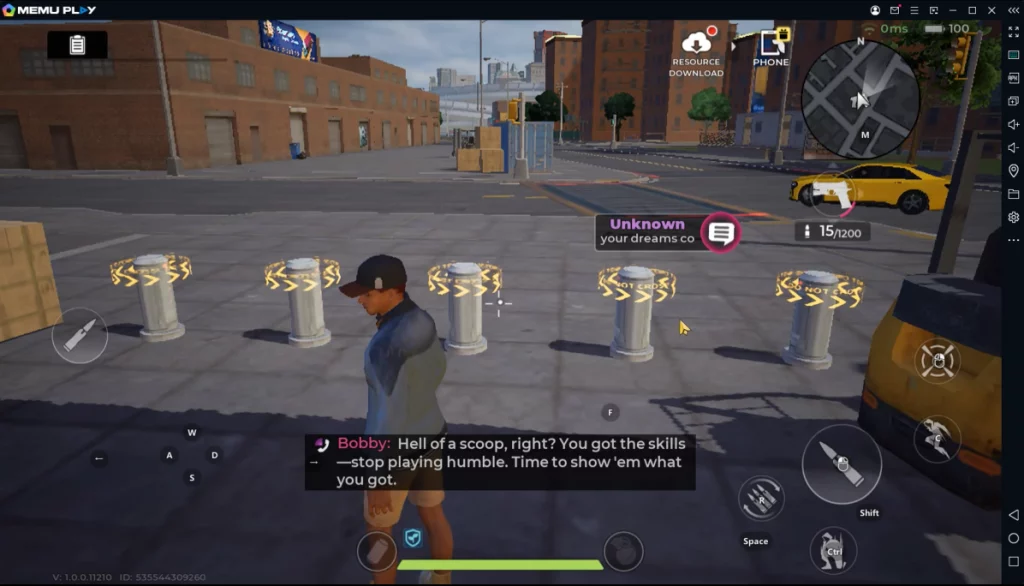
Once the game starts, you can also open MEmu settings to adjust CPU, RAM, resolution, and other performance options.
Recommended MEmu Settings for Gangstar Mirage City
Gangstar Mirage City is an open-world action game, so stable performance is important.
There is no single setting that works best for every PC. Still, you can use the following ideas as a starting point.
CPU and RAM
If your computer has enough resources, give MEmu several CPU cores and enough RAM to handle the game.
Avoid assigning all available resources to the emulator. Windows and other programs also need CPU and memory.
Resolution
A higher resolution can make Mirage City look sharper on a large monitor.
However, higher resolutions also require more graphics power.
If performance drops, try lowering the emulator resolution first.
Frame Rate
A higher frame rate can make driving, camera movement, and combat feel smoother.
You can adjust the frame rate option in MEmu settings. Actual performance will depend on your PC hardware and the frame rates supported by the game.
Graphics Driver
If you experience graphical problems, try switching the graphics rendering option inside MEmu.
Also, keeping your GPU driver updated may help improve compatibility with newer games.
FAQ
Can I play Gangstar Mirage City on PC?
Yes. You can run the Android version of Gangstar Mirage City on a Windows PC with an Android emulator such as MEmu. Install MEmu, open Google Play, search for the game, and install it inside the emulator.
How do I download Gangstar Mirage City on PC with MEmu?
First, download and install MEmu Play. Then open Google Play inside the emulator and sign in with your Google account. Search for Gangstar Mirage City and install the game. Once the installation is complete, launch it from the MEmu home screen.
Can I use keyboard and mouse controls in Gangstar Mirage City?
Yes. MEmu includes a keymapping feature that lets you assign Android controls to keyboard and mouse inputs. This can be useful for movement, shooting, driving, and other actions. You can also customize the layout based on your preferred control style.
What type of game is Gangstar Mirage City?
Gangstar Mirage City is a multiplayer open-world action RPG. It features co-op heists, open-world exploration, vehicles, customizable weapons, underground businesses, PvP battles, and street races.
Who publishes Gangstar Mirage City?
Gangstar Mirage City is officially licensed by Gameloft and published by Level Infinite.
Why should I play Gangstar Mirage City on PC with MEmu?
Playing on PC gives you a larger screen and access to keyboard and mouse controls. MEmu also lets you adjust CPU, RAM, resolution, and other emulator settings. In addition, you can play for longer periods without draining your phone battery. For an open-world game with driving, shooting, and exploration, these features can make the overall experience more comfortable.

Gangstar Mirage City
Conclusion
Gangstar Mirage City combines open-world exploration, co-op heists, cars, weapons, street battles, and criminal empire building in one multiplayer action RPG. Playing Gangstar Mirage City on PC with MEmu gives you a bigger screen, customizable keyboard and mouse controls, and more options for adjusting performance. Download MEmu, install Gangstar Mirage City through Google Play, customize your controls, and start exploring the streets of Mirage City from your PC.