MiniMuse: A Creative Dress-Up Game for Fashion, Storytelling, and Character Design
 |
|
If you enjoy creating unique characters, experimenting with fashion, and turning your ideas into stories, MiniMuse is a dress-up game worth checking out. Developed by Studio Sirenia, MiniMuse is designed for players who want more freedom than a traditional dress-up game, combining character customization with creative storytelling and content creation.

According to the official Google Play listing, MiniMuse is a role-playing game focused on fashion, storytelling, and character design. The game was updated on August 30, 2026.
Contents
What Is MiniMuse?
MiniMuse is a creative dress-up and character-design game from Studio Sirenia. Rather than simply dressing up preset characters, the game focuses on giving players tools to create their own characters and express their ideas through fashion and storytelling.
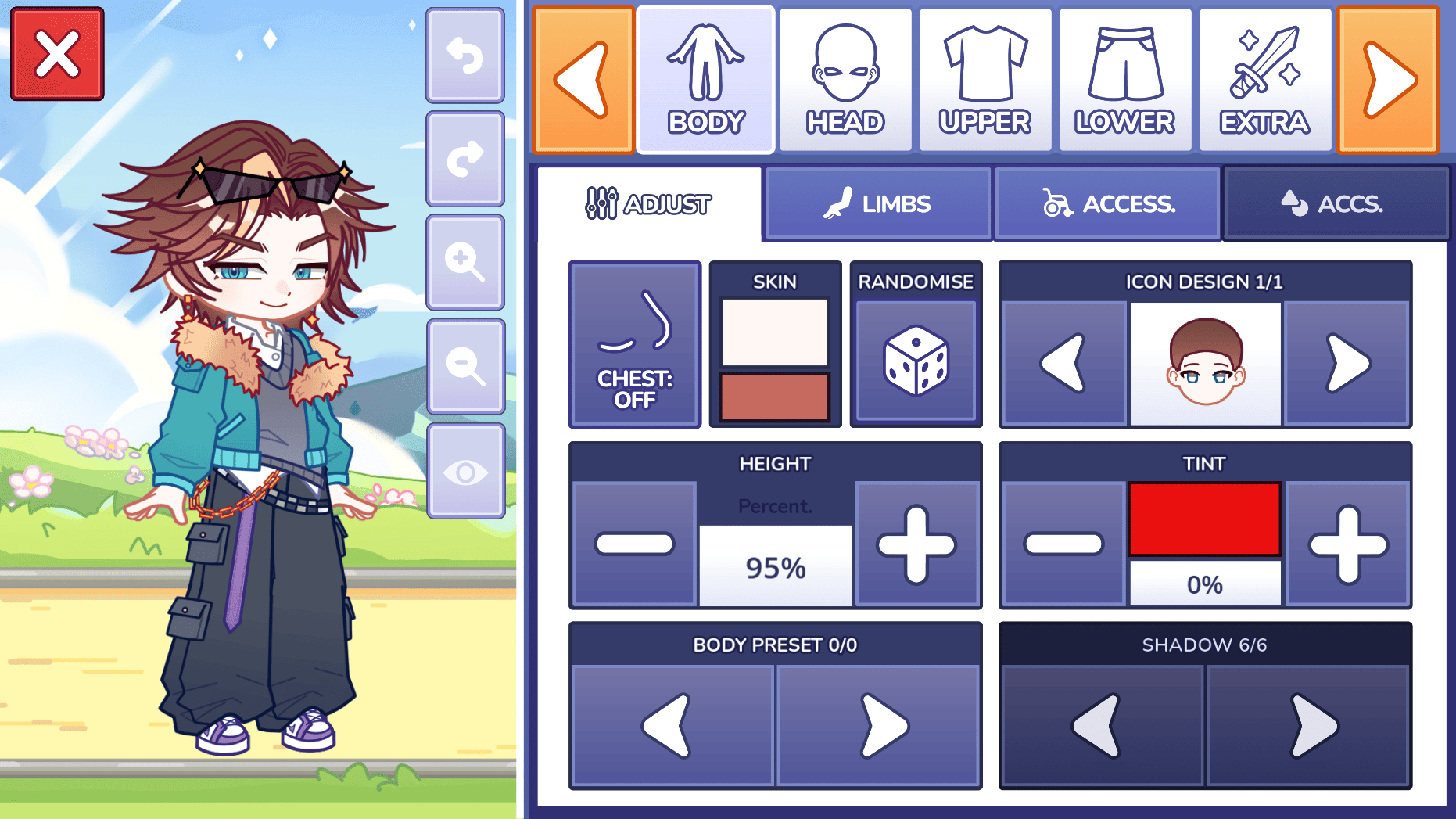
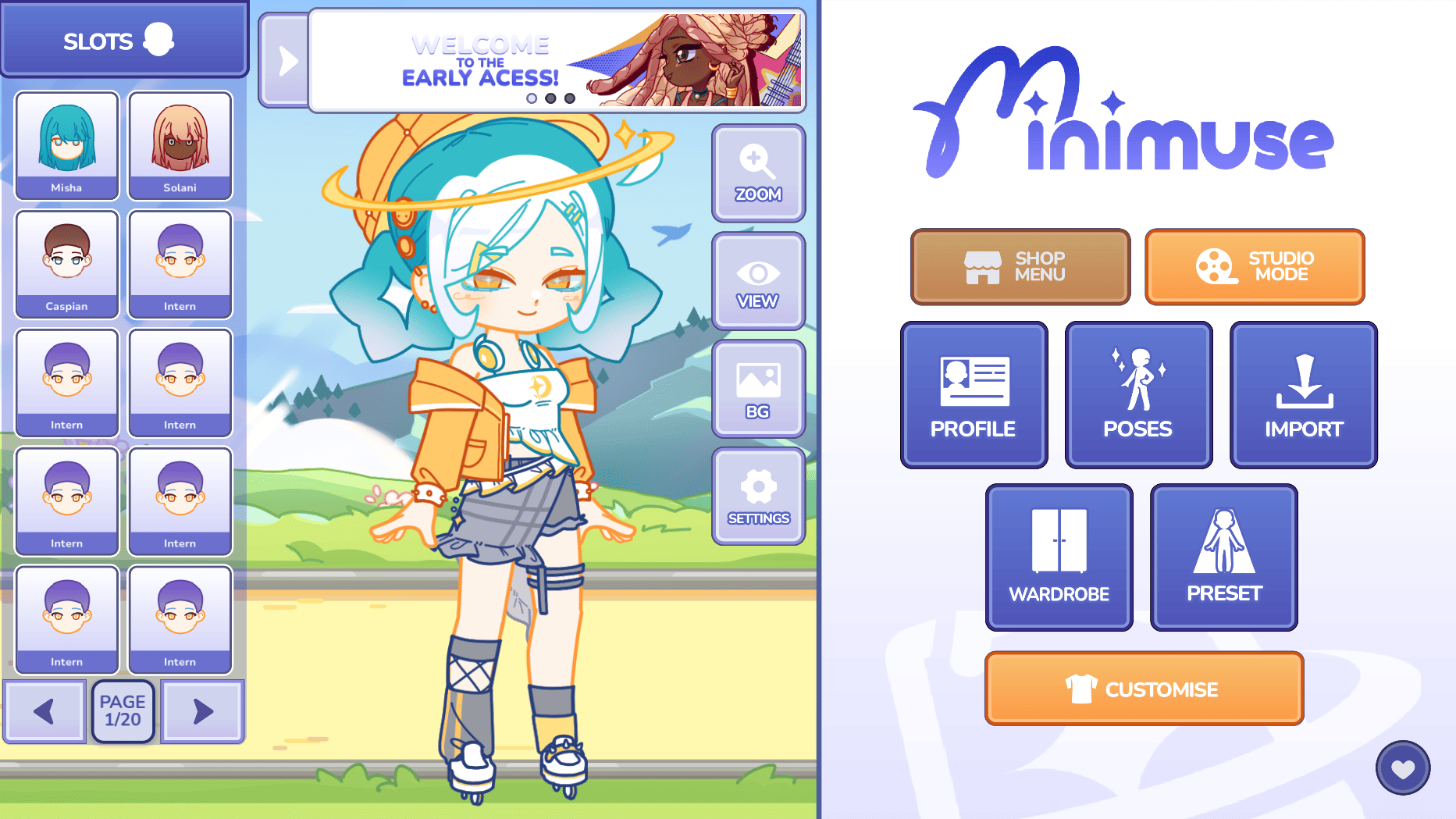
The official Studio Sirenia website describes MiniMuse as a dress-up game with advanced customization features and more than 1,000 assets, as well as built-in video creation tools for turning your creations into stories. The game is currently listed as being in development and is planned for mobile and PC.
The official MiniMuse website also describes the game with the tagline “Your muse, your story” and lists iOS and Android as its launch platforms.
MiniMuse Features
Create Your Own Characters
Character customization is at the heart of MiniMuse. You can experiment with different appearances and fashion choices to create characters that match your personal style.
Whether you want to create a fashionable protagonist, an original character, or an entire cast for your own story, the game's customization-focused design gives you plenty of room to experiment.
Explore Fashion and Styling
MiniMuse is built around fashion and character design, allowing creative players to combine different visual elements to develop their own looks.
With more than 1,000 assets mentioned by Studio Sirenia, the game aims to give players a broad selection of customization options.
Turn Characters Into Stories
MiniMuse goes beyond character creation by incorporating storytelling and video creation tools. This means your customized characters can become part of your own scenes, stories, and creative videos.
The official website specifically highlights built-in video creation tools designed to help players create the stories they imagine.
Share Your Creativity
MiniMuse also supports creative work beyond the game itself. According to the game's official rules, players can use MiniMuse assets in their own character designs, artwork, videos, and streams, including monetized content, provided that MiniMuse is clearly credited and the assets are not redistributed or sold separately.
Why Play MiniMuse on PC with MEmu?
Although MiniMuse is designed for mobile devices, playing it on a PC with an Android emulator can provide a different experience.
With MEmu, you can run Android games and apps on your Windows PC, giving you access to a larger screen and mouse-based PC controls. This can be particularly useful for a customization-heavy game like MiniMuse, where you may want more screen space while creating and editing characters.
MEmu also supports installing Android games directly through Google Play or by importing APK files.
How to Download and Play MiniMuse on MEmu
Step 1: Download and Install MEmu
Download and install the latest version of MEmu Play on your Windows PC.
After installation, launch MEmu to enter the Android environment.
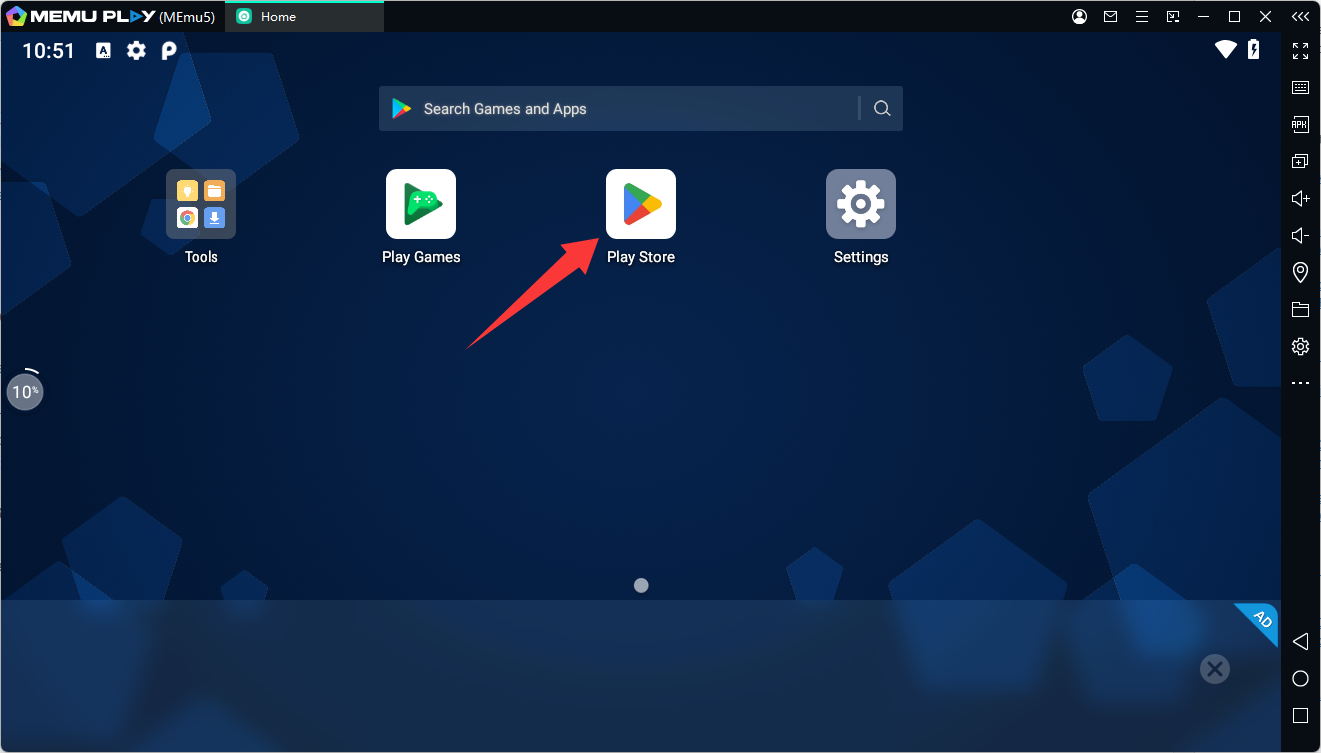
Step 2: Open Google Play Store
Open the Google Play Store from the MEmu home screen and sign in with your Google account if required.
Step 3: Search for MiniMuse
Search for MiniMuse in Google Play.
You can also use the official Google Play listing:
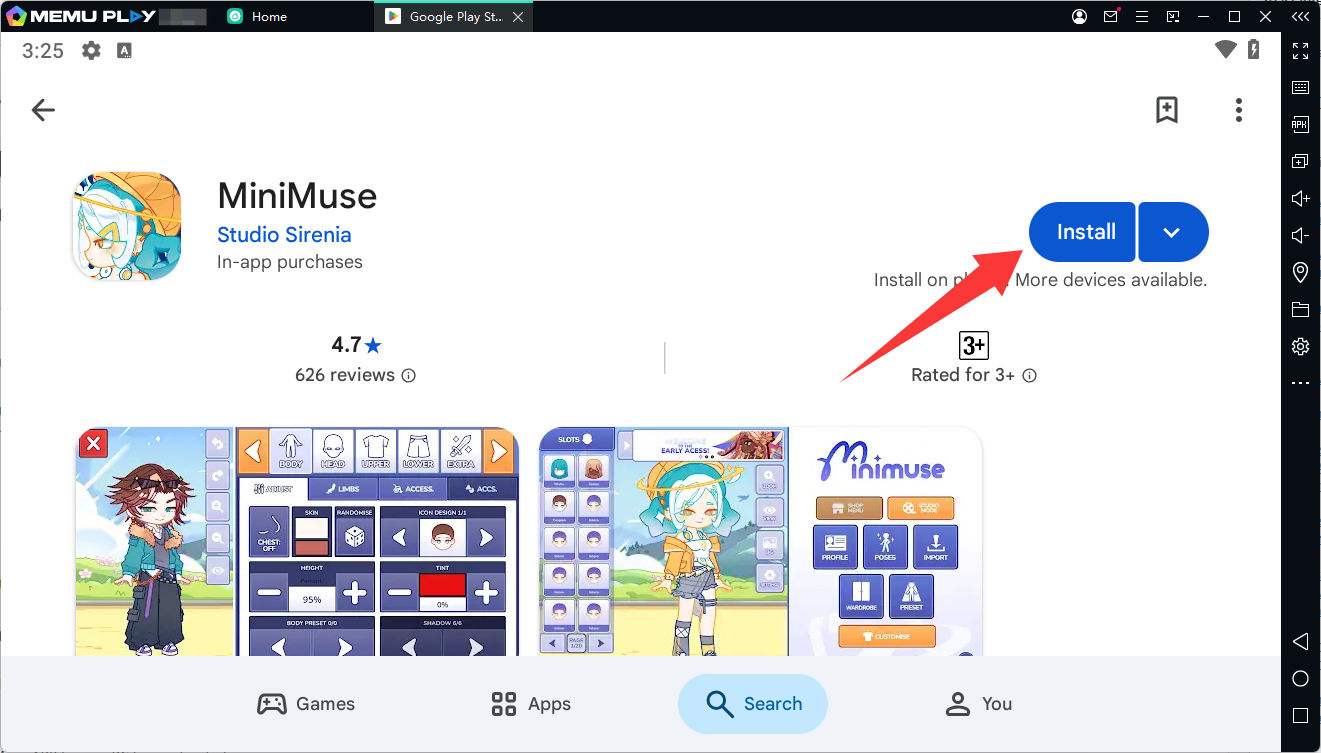
Select MiniMuse by Studio Sirenia and click Install. MEmu's official installation guide confirms that games can be downloaded directly from Google Play inside the emulator.
Step 4: Launch MiniMuse
Once installation is complete, the MiniMuse icon will appear on the MEmu home screen.
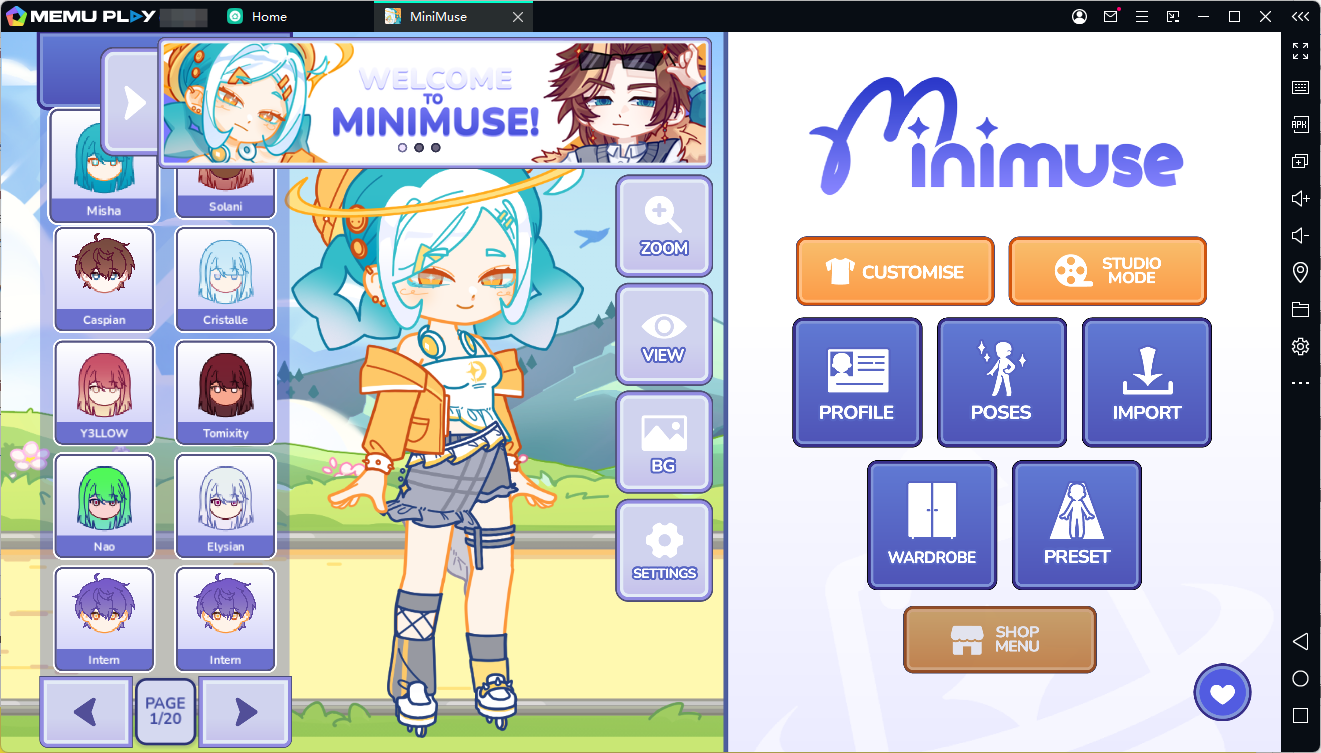
Click the icon to launch the game and start creating your own characters.
How to Install MiniMuse APK on MEmu
If you have a legitimate MiniMuse APK file and need to install it manually, MEmu also supports APK installation.
- Download the MiniMuse APK to your PC from a trusted source.
- Launch MEmu Play.
- Drag the APK file into the MEmu window.
- MEmu will automatically install the APK.
Alternatively, you can click the APK Install button on MEmu's right-side toolbar and select the APK file manually.
Tip: Only use APK files from trusted sources. Avoid modified or repackaged versions of MiniMuse.
MiniMuse on MEmu: A Bigger Canvas for Your Creativity
MiniMuse is aimed at players who enjoy fashion, character customization, storytelling, and creative expression. Its combination of extensive customization options and video creation tools makes it more than a simple dress-up game.
If you want to create characters and stories on a larger screen, MEmu provides a convenient way to run the Android version of MiniMuse on your PC. Download MEmu, install MiniMuse through Google Play, and start building your own muse and your own story.
MiniMuse FAQ
Is MiniMuse free to play?
MiniMuse is listed as free to install on Google Play, with in-app purchases.
Who developed MiniMuse?
MiniMuse is developed by Studio Sirenia, an independent game studio.
What kind of game is MiniMuse?
MiniMuse is a dress-up and character-design game focused on fashion, storytelling, and creative customization. Google Play currently categorizes it as a role-playing game.
Can I play MiniMuse on PC?
Studio Sirenia lists MiniMuse as a mobile and PC project. For the Android version, you can also use MEmu to run the game on a Windows PC.
What is the MiniMuse Android package name?
The Google Play package ID is