Sifu: Game Overview and How to Download and Play on PC with MEmu
 |
|
What Is Sifu?
Sifu is an action-packed third-person fighting game developed by Sloclap and published by Kepler Interactive. Known for its intense Kung Fu combat, cinematic martial arts sequences, and challenging enemies, the game brings a thrilling revenge story to life. The mobile version adapts the original experience for smartphones with redesigned touch controls, improved contextual interactions, a reworked camera system, and full controller support.
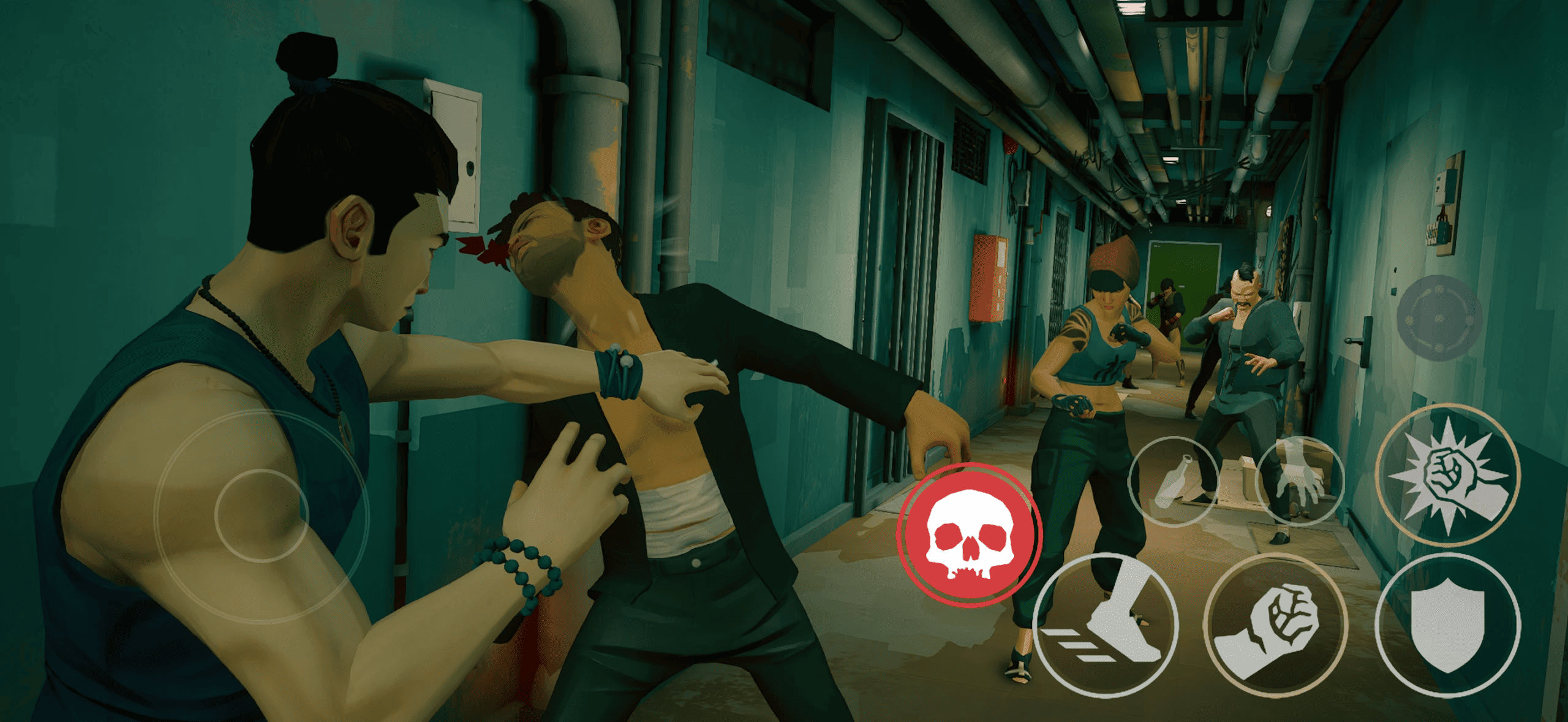
In Sifu, you play as a young martial artist seeking revenge against the assassins responsible for your family's death. With no allies to rely on, you must master your Kung Fu skills, overcome increasingly dangerous opponents, and use your surroundings to survive each encounter.
The game's unique revival mechanic adds another layer of strategy. A mysterious talisman allows you to return to life after being defeated, but each revival comes at the cost of aging. As your character grows older, every mistake becomes more significant, making careful combat decisions essential.
Contents
Key Features of Sifu
1. Intense Kung Fu Combat
Sifu focuses on precise martial arts combat rather than simple button-mashing. Dodge incoming attacks, parry enemy strikes, unleash powerful combos, and use finishing moves to defeat opponents. Learning enemy attack patterns and choosing the right moment to counterattack are essential to mastering the game.
2. A Unique Aging Mechanic
Death is not necessarily the end of your journey. Thanks to the mysterious talisman, you can revive after defeat, but your character ages with each revival. This mechanic creates an additional challenge, encouraging you to improve your fighting skills and complete encounters with fewer mistakes.
3. Interactive Environments
The environment is an important part of combat. Use throwable objects, improvised weapons, windows, and ledges to gain an advantage over your enemies. Smart positioning can help you control crowded encounters and avoid being surrounded by multiple opponents.
4. A Cinematic Revenge Story
Follow your character's quest to hunt down the people responsible for your family's tragedy. Explore distinctive locations, including nightclubs, art galleries, and office buildings, as you fight through waves of enemies and move closer to your ultimate goal.
5. Mobile-Friendly Controls and Controller Support
The mobile version features touch controls designed specifically for mobile devices, enhanced contextual interactions, and a redesigned camera system. It also supports game controllers, giving players another way to experience Sifu's demanding combat.
Why Play Sifu on PC with MEmu?
Playing Android games on a PC with MEmu can offer a different way to experience mobile action games. A larger screen makes it easier to follow combat animations and monitor enemies, while keyboard and mouse controls may provide an alternative to touchscreen inputs.
Here are some potential benefits of playing Sifu with MEmu:
- Larger display: Follow enemy movements and combat animations on your PC monitor.
- Keyboard controls: Configure available keymapping options to suit your preferred playstyle.
- Flexible controls: Use supported keyboard and mouse inputs or a compatible controller, depending on your setup.
- PC multitasking: Switch between the game and other desktop applications when needed.
- Customizable performance settings: Adjust emulator settings according to your computer's hardware.
Compatibility and performance may vary depending on your PC specifications, MEmu version, Android instance, and the game's requirements.
How to Download and Play Sifu on PC with MEmu
Follow these steps to try installing the Android version of Sifu on your PC.
Step 1: Download and Install MEmu
Visit the official MEmu website and download the emulator installer:
Run the installer and follow the on-screen instructions to complete the setup. Launch MEmu Play after installation.
Step 2: Open Google Play Store
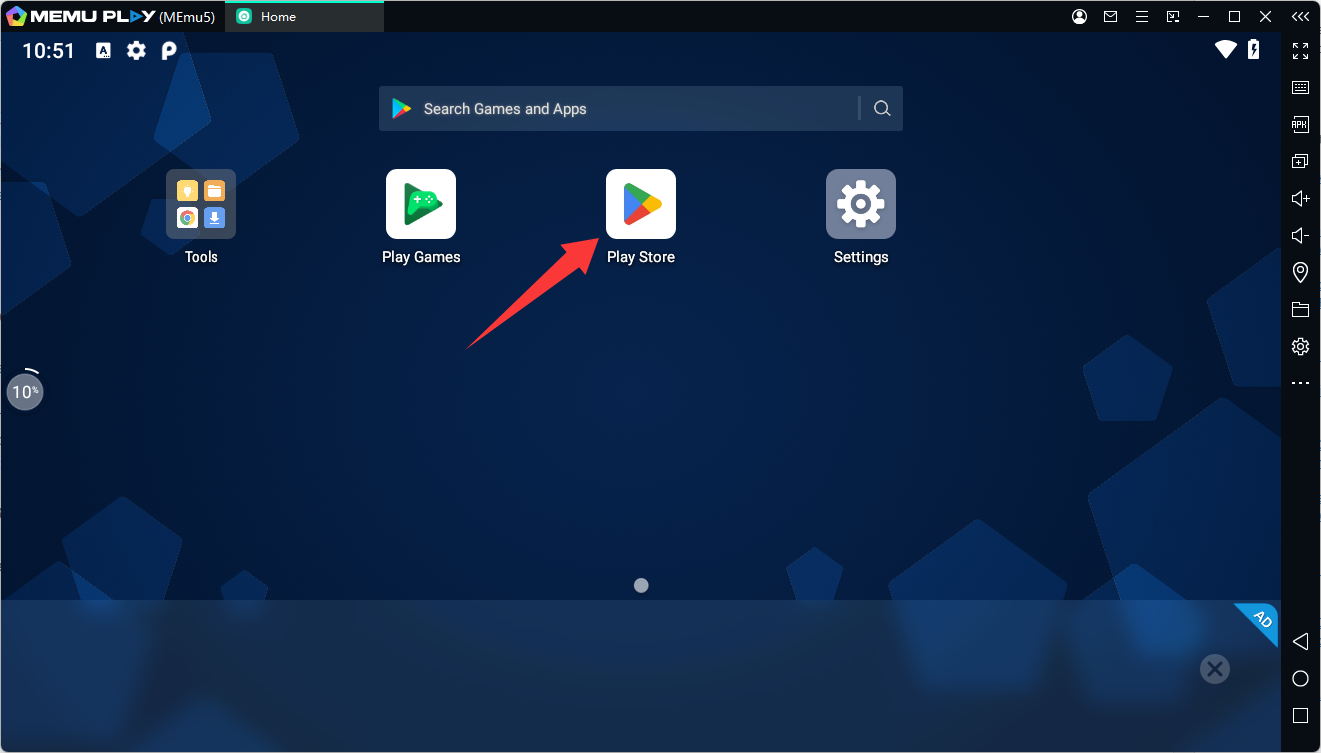
Start the Android environment in MEmu and open Google Play Store. Sign in with your Google account if prompted.
Step 3: Search for Sifu
Search for Sifu in Google Play Store and look for the version published by Kepler Interactive.
You can also open the game's official Google Play listing directly:
https://play.google.com/store/apps/details?id=com.keplerinteractive.sifuthegame
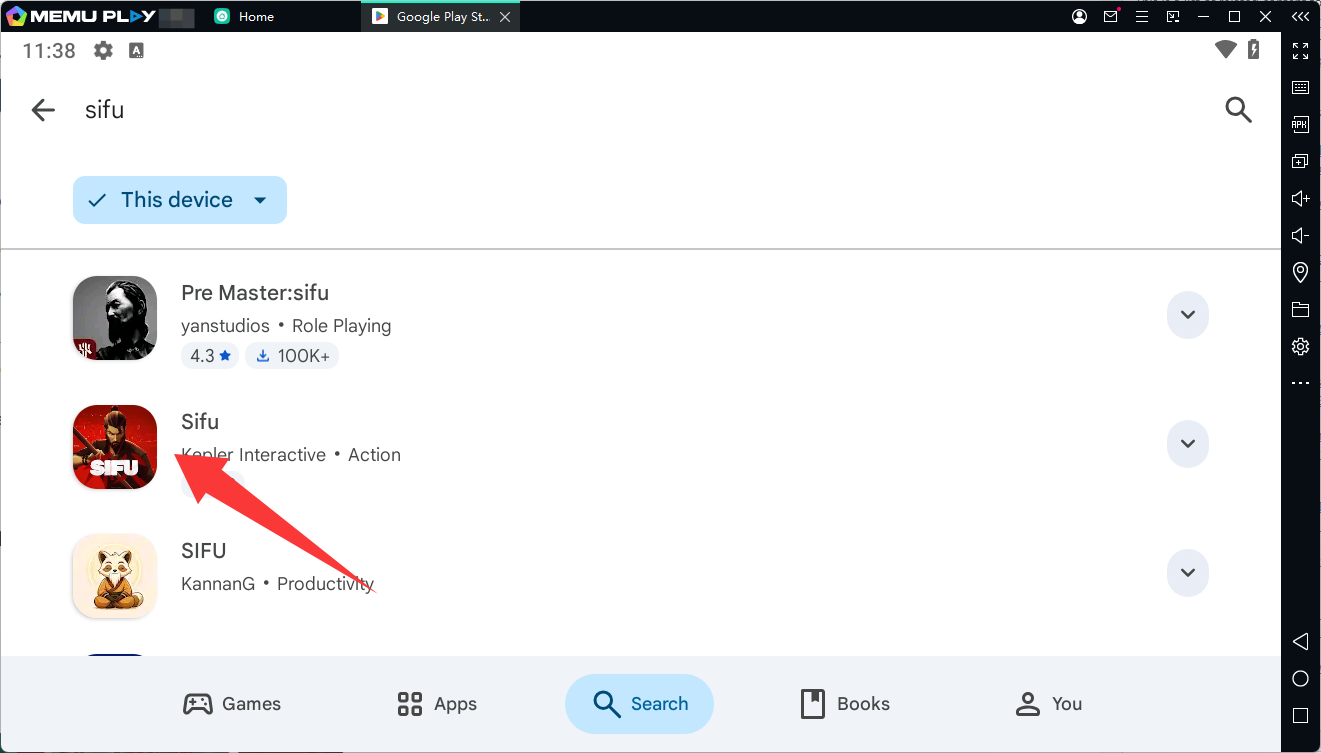
Check whether the game is available for installation in your emulator. Availability may depend on your region, device compatibility, and the current requirements of the game.
Step 4: Install and Launch the Game
If Google Play Store allows installation, click Install and wait for the download to finish. Once installation is complete, launch Sifu from the MEmu home screen.
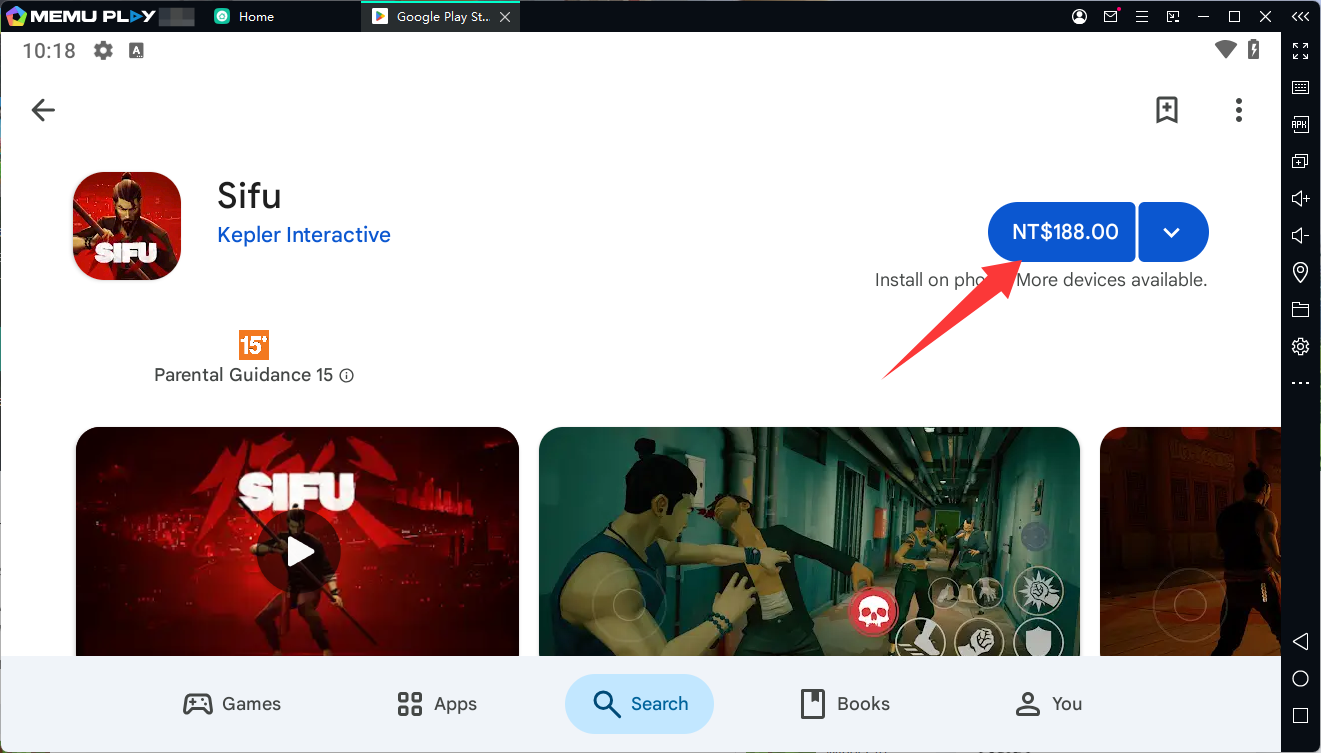
If the game does not appear or is marked as incompatible, check for MEmu updates and review the game's compatibility requirements. Do not assume that every Android game can run successfully in an emulator.
Step 5: Configure Your Controls
After launching the game, check its control settings and MEmu's keymapping options. If the game works correctly with your setup, configure suitable keyboard mappings for movement, attacks, dodging, and other available actions.
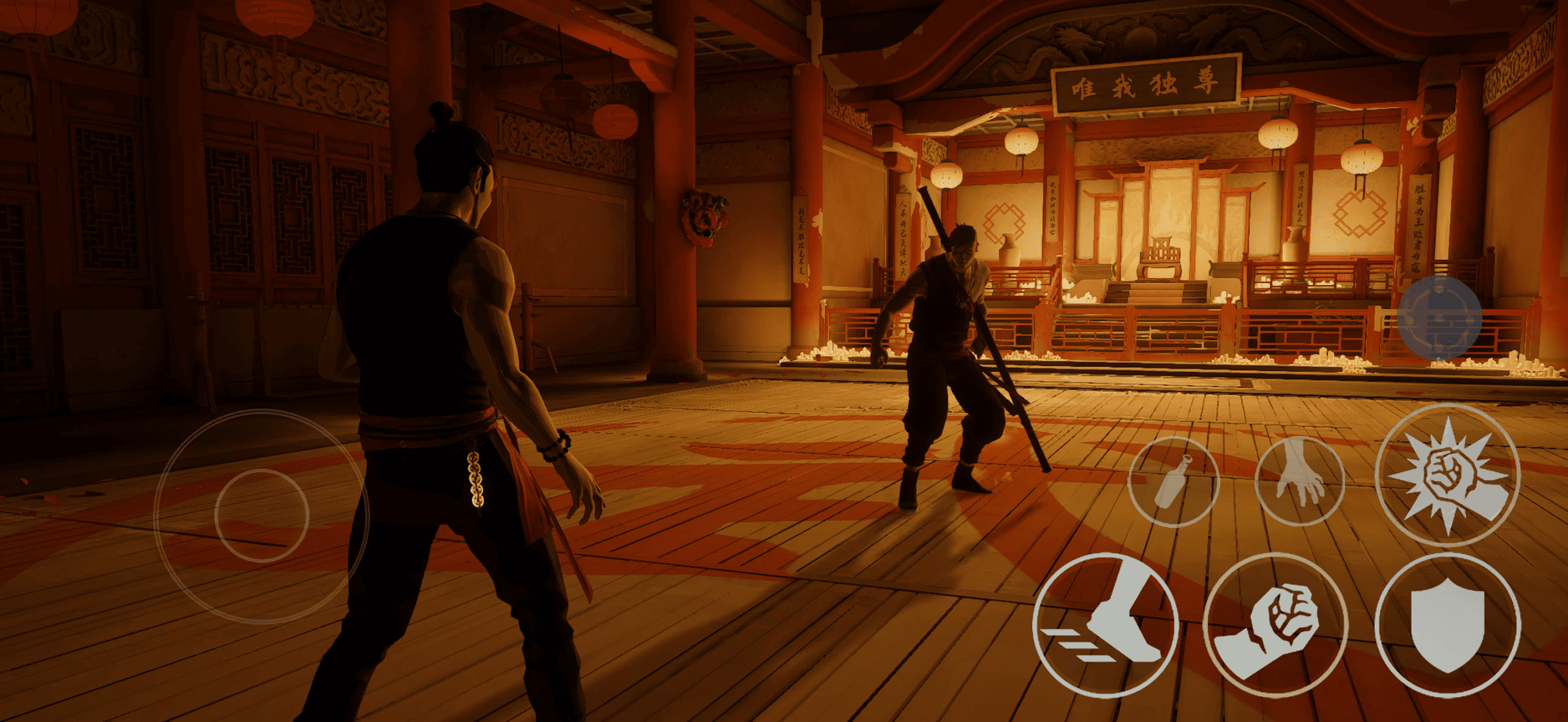
You can also check whether your preferred game controller is supported. Spend some time in the early encounters to get comfortable with the controls before taking on tougher enemies.
Tips for Beginners Playing Sifu
Learn to dodge and parry. Attacking constantly is rarely the best strategy. Observe enemy movements and practice defensive timing to create opportunities for counterattacks.
Use the environment. Pick up available objects and make use of obstacles and nearby structures to manage groups of enemies.
Practice your combos. Understanding how attacks connect will help you respond more effectively to different enemy types.
Avoid unnecessary damage. The aging mechanic makes repeated defeats costly. Improving your defensive skills can help you progress further without relying on frequent revivals.
Experiment with your controls. If you play through MEmu, find a control layout that feels comfortable and responsive for your setup.
Final Thoughts
Sifu combines challenging Kung Fu combat, a distinctive aging mechanic, and a cinematic revenge story into an intense action experience. Its emphasis on timing, positioning, and skill development makes every encounter an opportunity to learn and improve.
If you want to experience the Android version on a larger screen, MEmu offers a way to try running it on your PC. Check Google Play compatibility first, then install the game and configure your controls if your setup supports it.
Ready to begin your journey? Visit the Sifu MEmu Play page and download MEmu to get started.