كيفية تنزيل Pokémon Champions على الكمبيوتر باستخدام محاكي MEmu؟
 |
|
نداء لجميع المدربين! Pokémon Champions يكتسح عالم الألعاب المحمولة، محضرًا معه معارك شرسة واستراتيجيات وبناء فرق مباشرة إلى أطراف أصابعك. ولكن لنكن صادقين—مباريات PvP المكثفة والتنقل في مناطق شاسعة يمكن أن تحول هاتفك الذكي بسرعة إلى سخان بحجم الجيب، ناهيك عن تحذير البطارية المنخفضة المخيف منتصف المعركة.
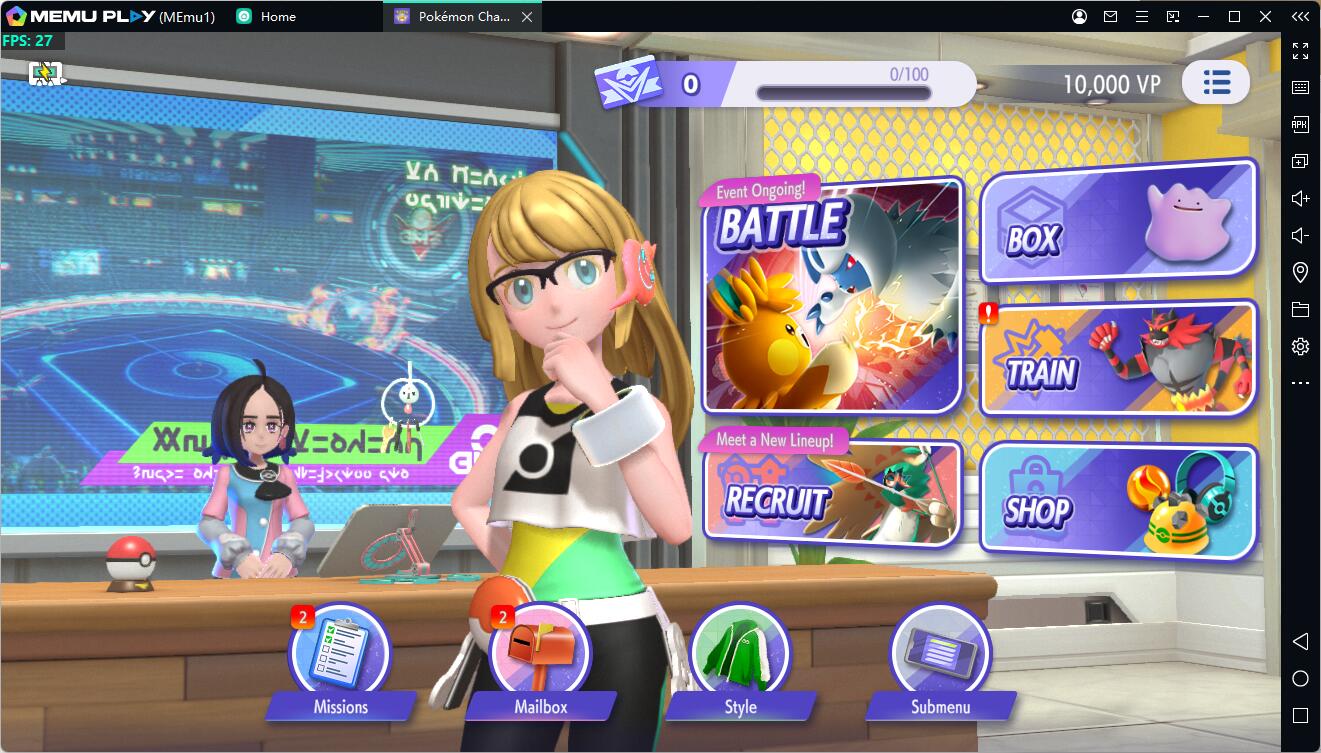

Pokémon Champions
إذا كنت تريد ميزة تنافسية قصوى، ورسومات أفضل، وتحكمًا سلسًا، فقد حان الوقت لنقل رحلتك إلى الشاشة الكبيرة. لعب Pokémon Champions على الكمبيوتر باستخدام محاكي MEmu يمنحك تجربة المدرب النهائية.
إليك دليلنا خطوة بخطوة لإعداده وتعظيم تجربة اللعب لديك.
المحتويات
لماذا تلعب Pokémon Champions على MEmu Play؟
قبل أن نبدأ في الإعداد، إليك سبب كون MEmu هو أفضل منصة لرحلة Pokémon الخاصة بك:
-
عناصر تحكم مخصصة للوحة المفاتيح والماوس: ودعًا لعصا التحكم باللمس غير العملية. تتيح لك تعيينات المفاتيح الذكية من MEmu تعيين حركتك إلى WASD وحركاتك إلى مفاتيح اختصار لاستجابات سريعة كالبرق.
-
رسومات مذهلة على الشاشة الكبيرة: استمتع بالألوان النابضة بالحياة والرسوم المتحركة والحركات النهائية السينمائية لـ Pokémon Champions على شاشة الكمبيوتر الكبيرة لديك.
-
عدم وجود مشاكل في البطارية أو السخونة: العب لساعات متواصلة دون القلق بشأن ارتفاع حرارة هاتفك أو بطئه أو نفاد شحنه أثناء مباراة بطولة حاسمة.
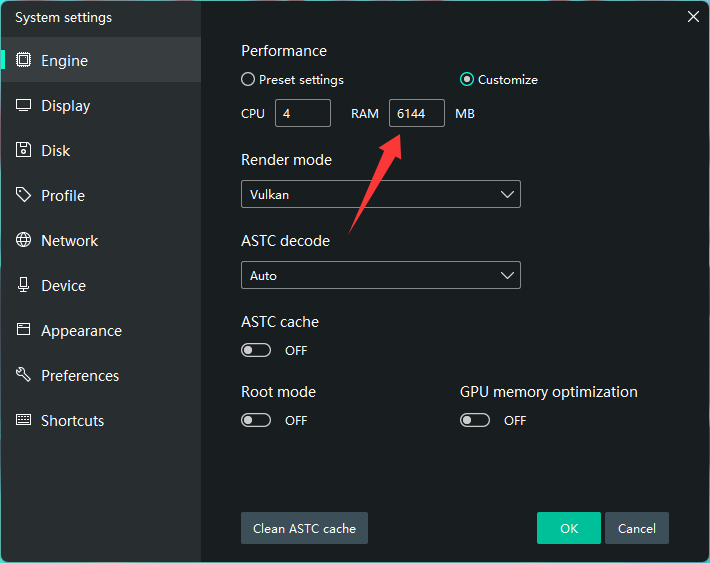
⚠️ نصيحة أداء مهمة: لضمان معدلات إطارات سلسة وعرض خالٍ من العيوب أثناء المعارك ثلاثية الأبعاد الثقيلة، تأكد من تعيين ذاكرة التشغيل المخصصة للمحاكي (RAM) إلى 6GB أو أعلى.
خطوة بخطوة: كيفية تنزيل Pokémon Champions على الكمبيوتر
لا تستغرق البداية أكثر من خمس دقائق. ما عليك سوى اتباع هذه الخطوات البسيطة:
الخطوة 1: تنزيل وتثبيت MEmu Play
-
انتقل إلى [موقع MEmu Play] الرسمي وقم بتنزيل أحدث مثبت.
-
قم بتشغيل المثبت وإكمال الإعداد على جهاز الكمبيوتر الخاص بك.
الخطوة 2: استيراد نسخة Android 12 المخصصة الرسمية
- رابط التنزيل: https://drive.google.com/file/d/1SrIgW-7thKy-0u-3YOpzW-eW5WqDEN7i/view?usp=drive_link
- قم بتغيير RAM الخاص بالمحاكي إلى 6GB أو أعلى
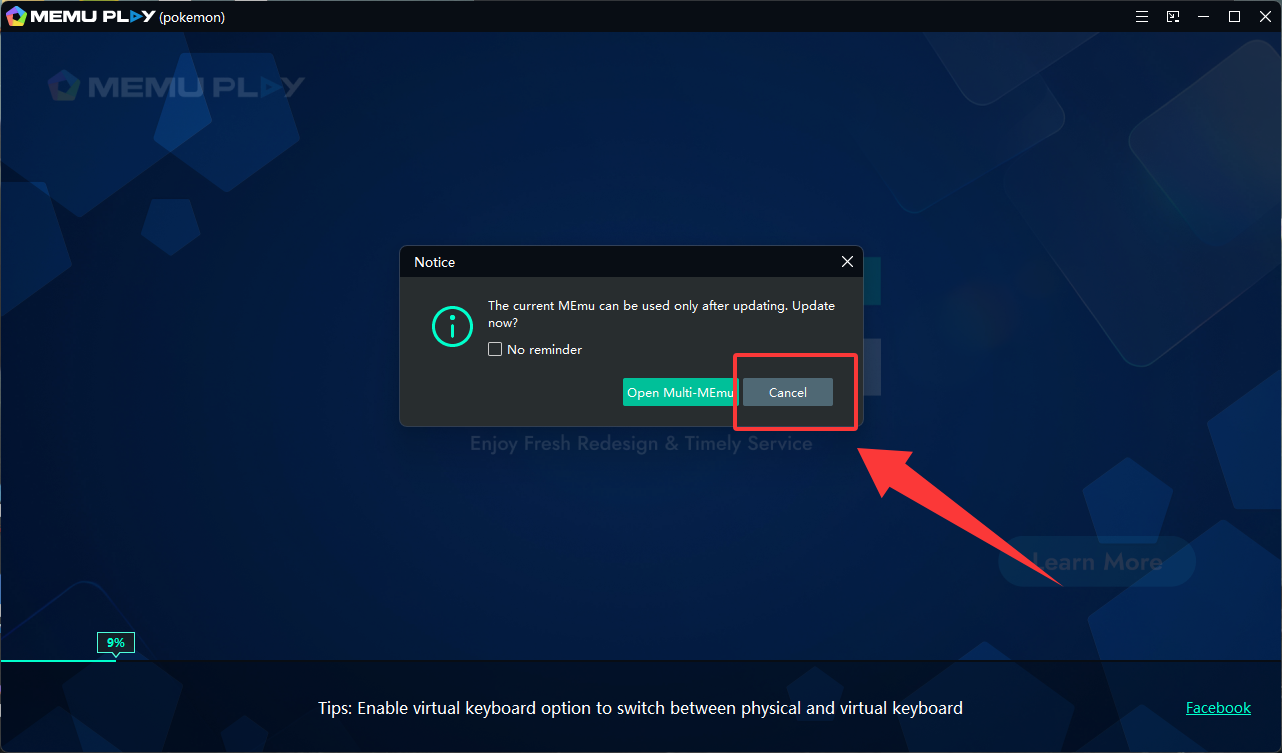
- ابدأ النسخة وإذا ظهرت الرسالة 'The current MEmu can be used only after updating. Update now?'، يرجى النقر فوق Cancel.
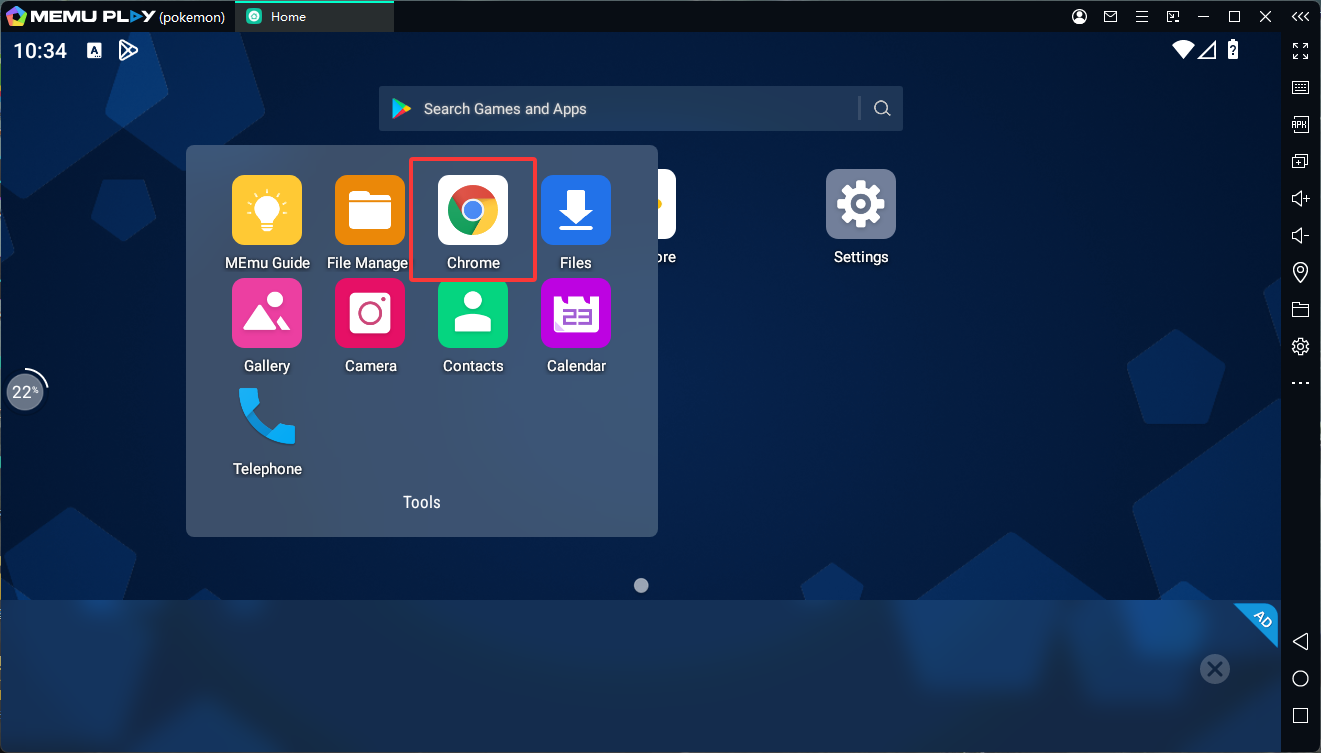
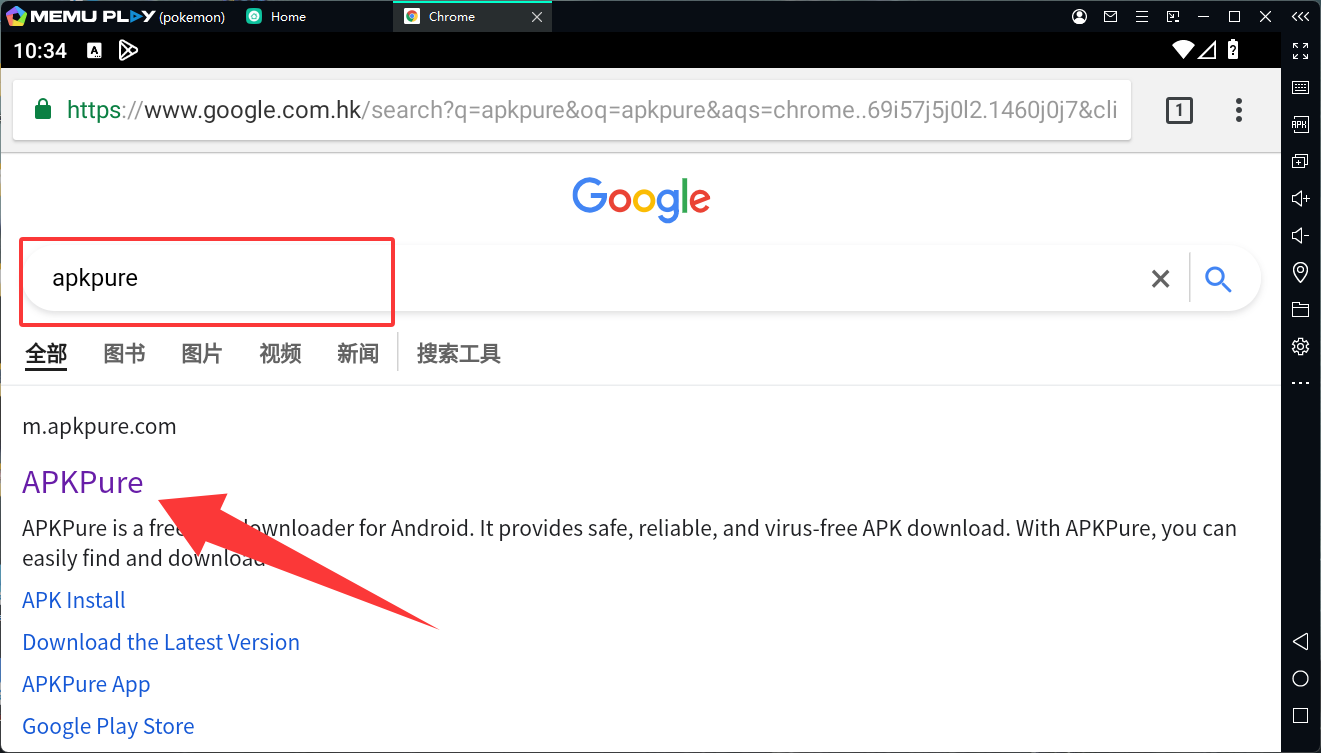
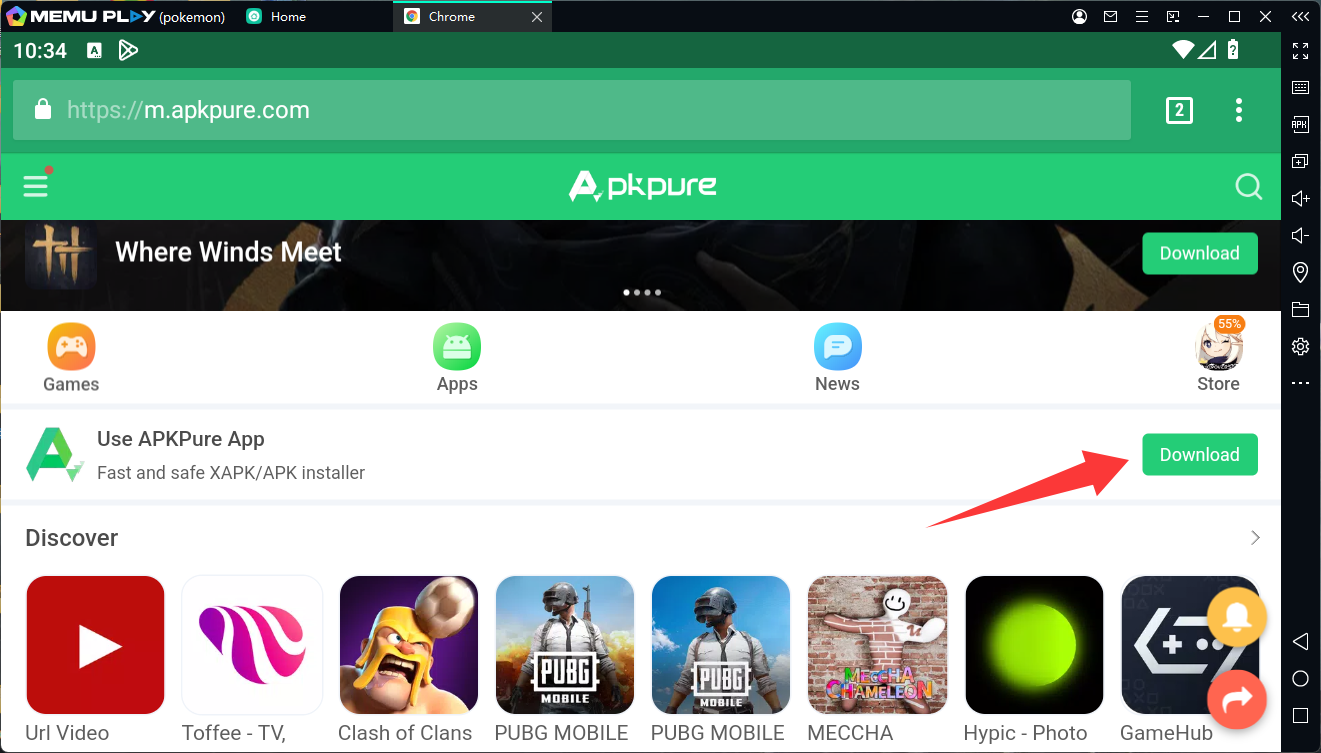
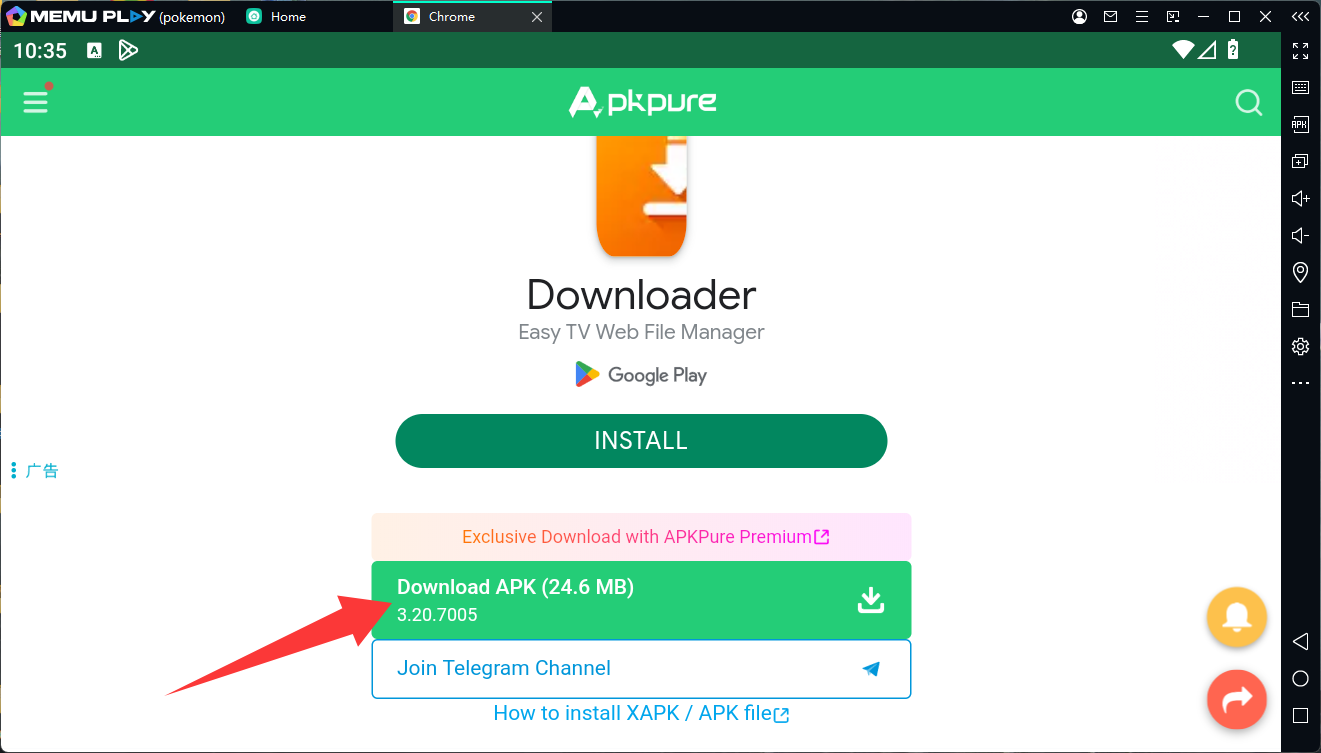
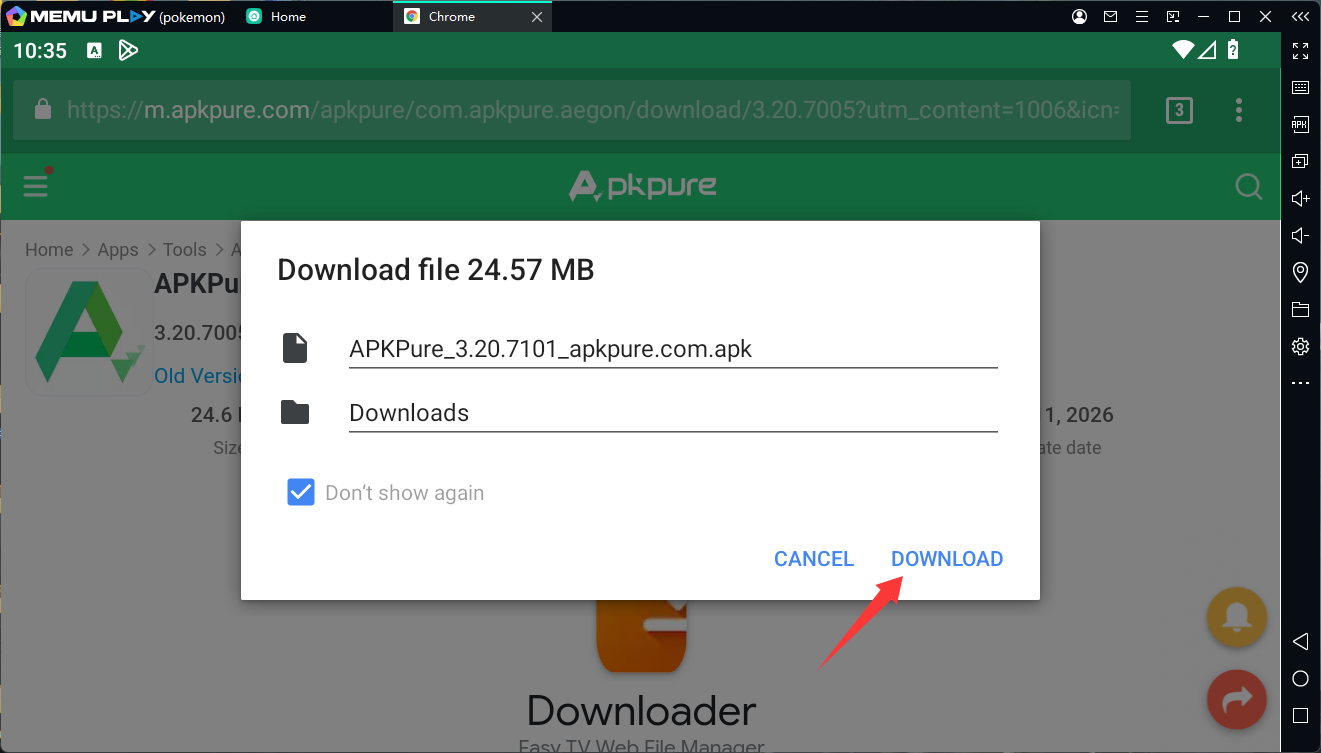
- ابحث عن موقع APKPure الرسمي في متصفح Chrome المدمج في المحاكي، وقم بتنزيل وتثبيت التطبيق.
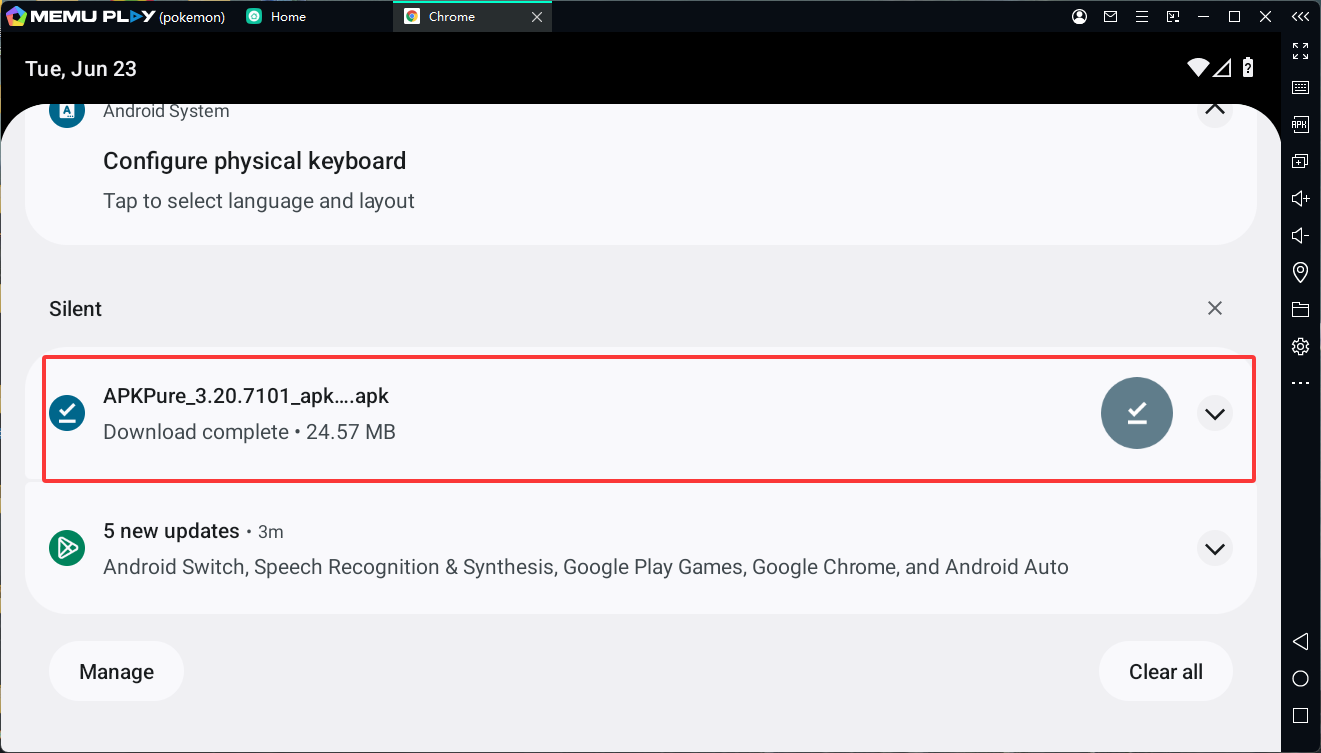
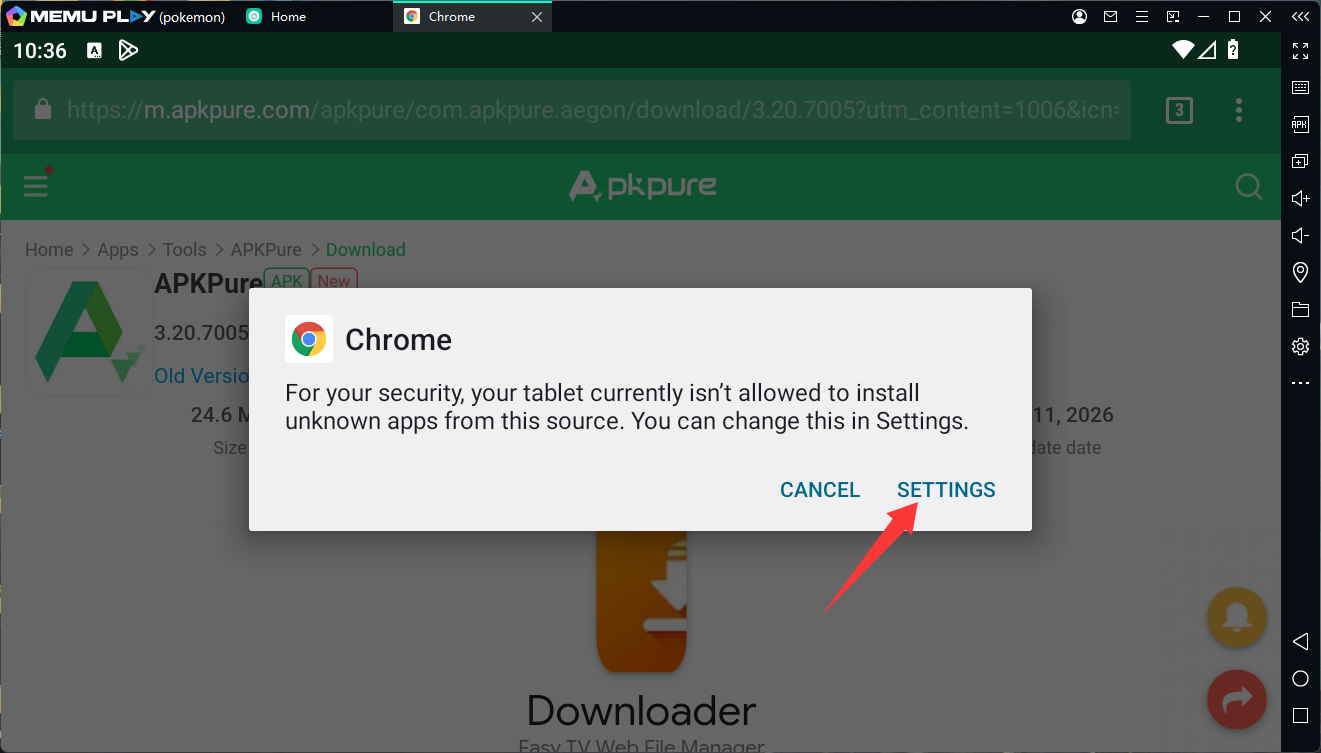
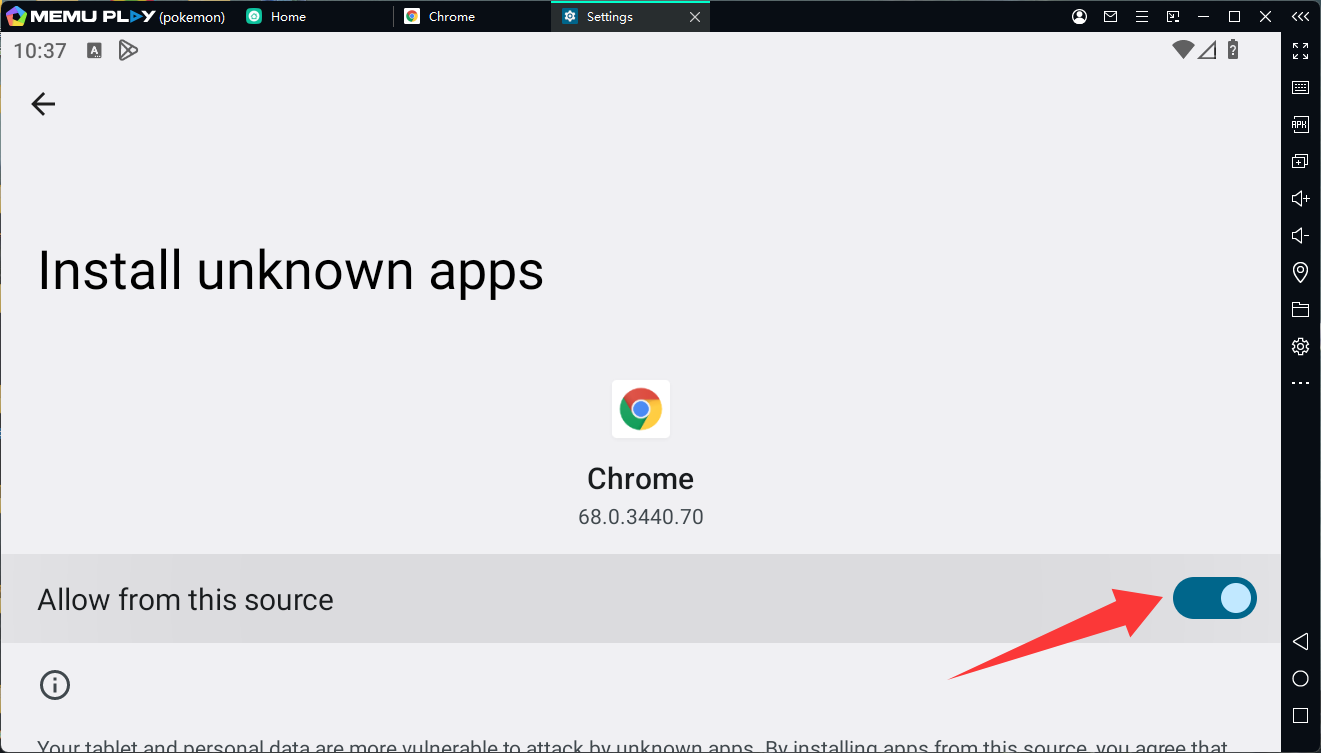
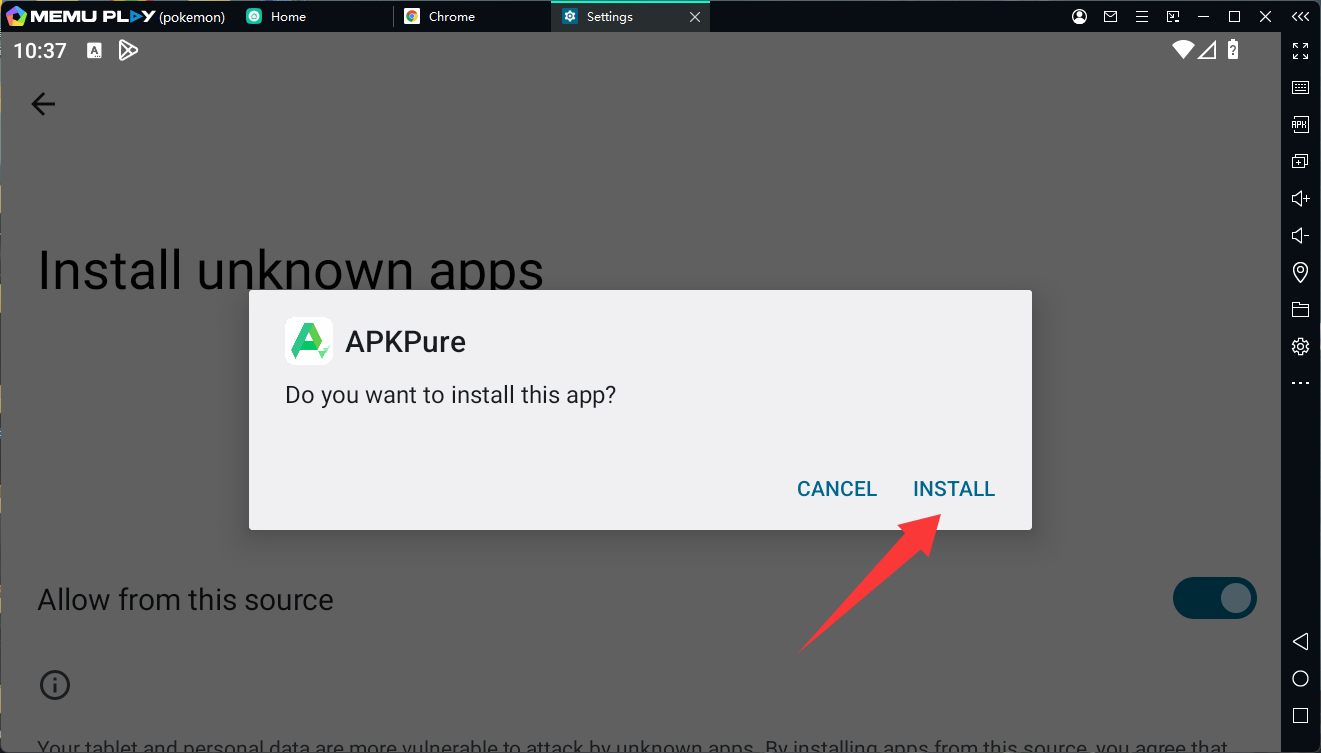
- افتح APKPure وابحث عن Pokémon Champions, وقم بتنزيل وتثبيت اللعبة.
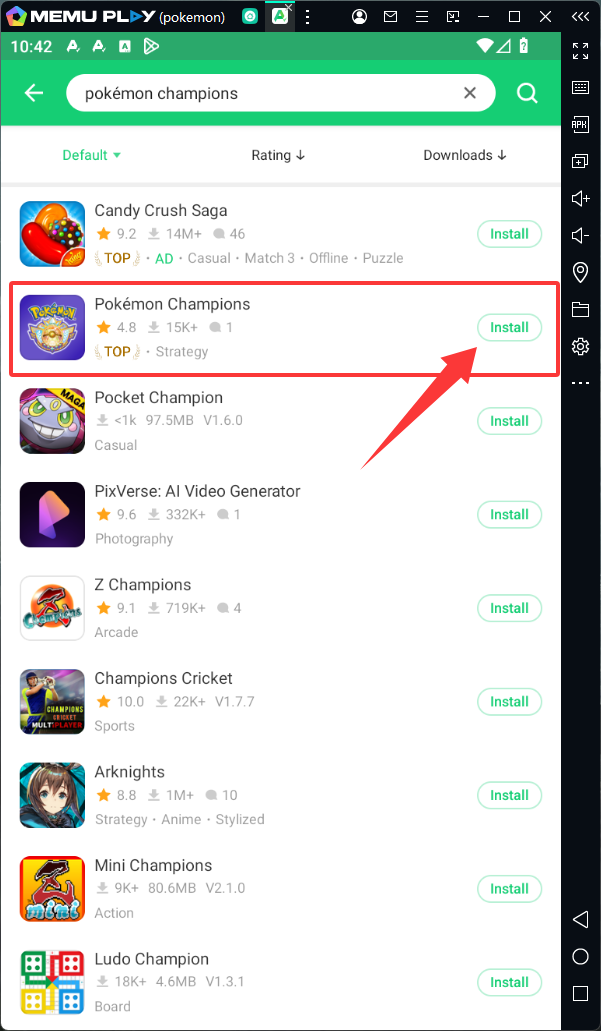
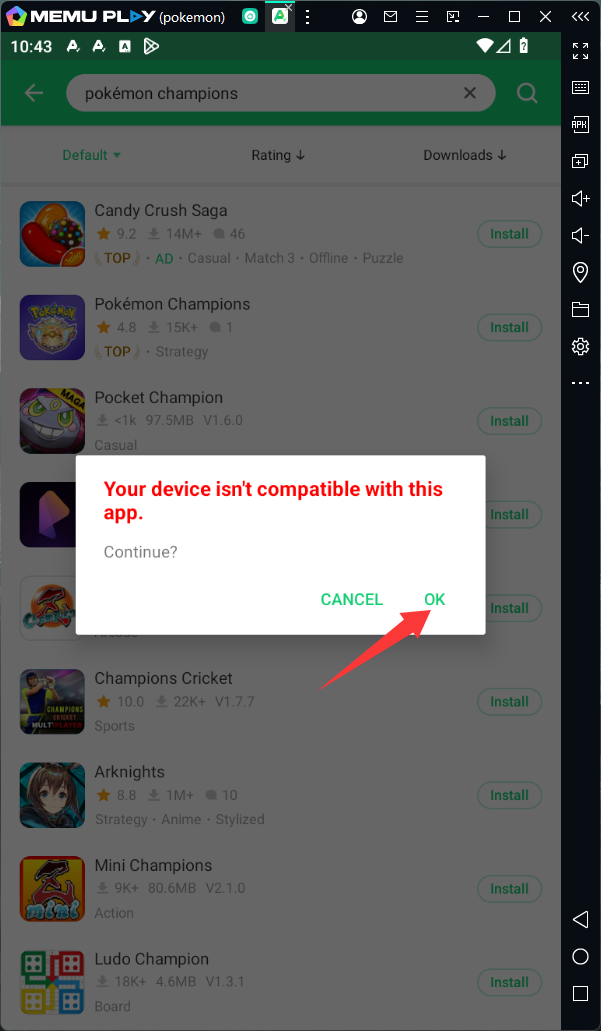
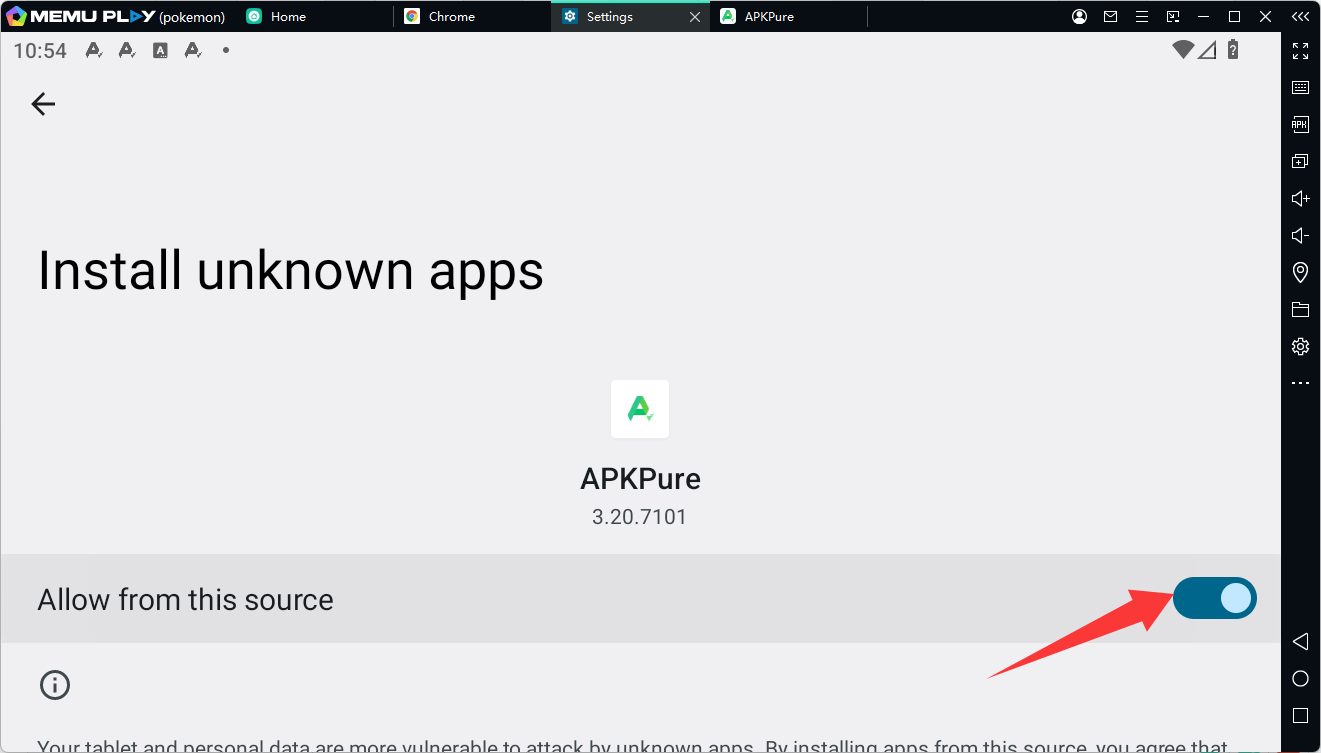
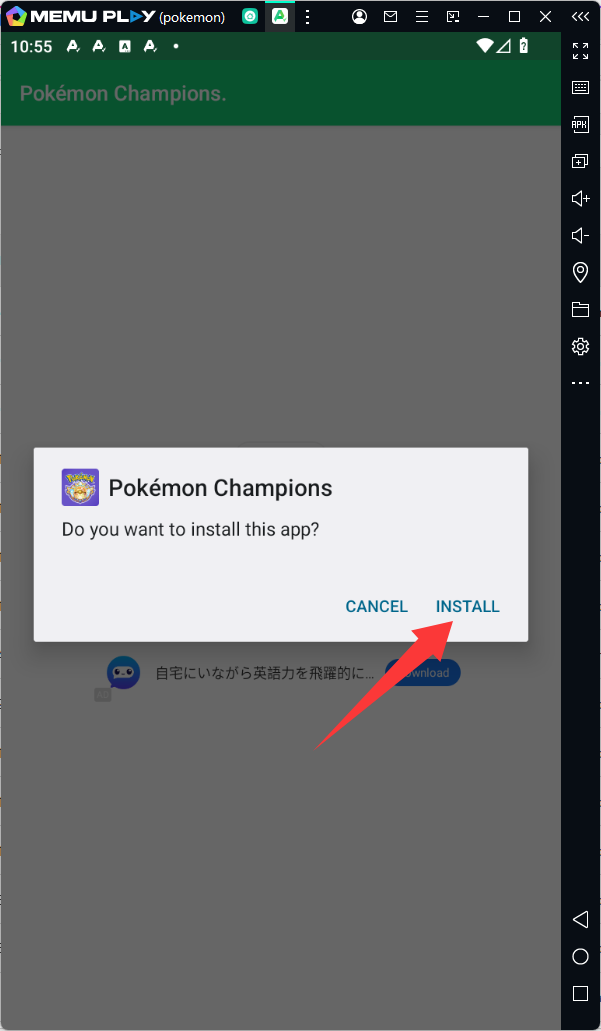
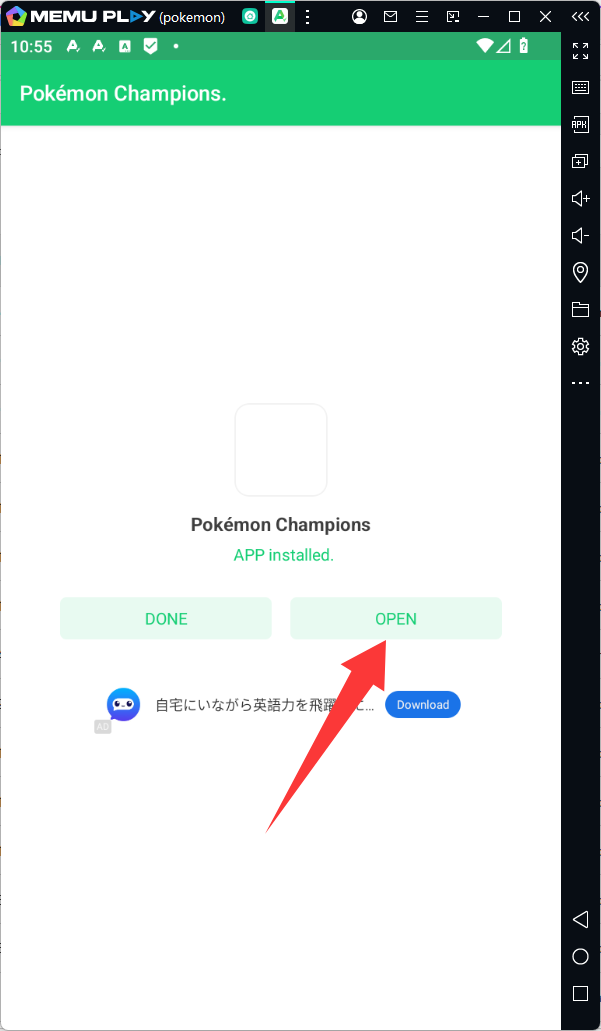
الخطوة 3: إعداد عناصر التحكم وخوض المعركة!
-
انقر على أيقونة Pokémon Champions لتشغيل اللعبة وتنزيل أي تحديثات ضرورية داخل اللعبة.
الخاتمة
لا تدع صغر الشاشة يحد من إمكاناتك كبطل. فمن خلال الترقية إلى اللعب على الكمبيوتر الشخصي باستخدام MEmu Play، ستحصل على الدقة والأداء والجودة البصرية اللازمة للسيطرة على ساحة المعركة.
[قم بتنزيل MEmu Play الآن] وابدأ في بناء فريقك المثالي اليوم!