Contents
Mii Speech Bubbles and Notifications
Tip From Guide Writer Miranda 🐻
How to Calm Angry Miis
How to Get Miis to Date
How to Unlock New Buildings
General Tips
The core loop of Tomodachi Life: Living the Dream is simple: create Miis, fulfill their needs to keep them happy, and provide items to shape their personalities as they level up. While this "Tamagotchi-style" foundation is the heartbeat of the game, there are several nuanced mechanics to master if you want to truly thrive. Having reached island level 122 and completed the Wishing Fountain collection, I've put together this guide to cover the fundamentals and share strategies for managing your Miis' relationships.
<memubtn game_id=352337&ext=20260511></memubtn>
Struggling to get your Mii personalities just right? Check out this comprehensive guide for Tomodachi Life: Living the Dream via our friends at VG247. It breaks down exactly how to get the traits you want and includes a handy comparison of personality names between the North American and UK/AU editions.
You can see which personalities your island is missing or has a surplus of in the Island Info menu. Just hit "+" and you'll spot the menu below the Item Catalog.
Mii Speech Bubbles and Notifications
Struggling to get your Mii personalities just right? Check out this comprehensive guide for Tomodachi Life: Living the Dream via our friends at VG247. It breaks down exactly how to get the traits you want and includes a handy comparison of personality names between the North American and UK/AU editions.
Yellow Speech Bubble
This Mii wants something! They may want food, new clothes, or something else that's specific.
Orange Speech Bubble
The Mii wants to be friends with another Mii or they want to encourage friendship between two other Miis.
Pink Speech Bubble
Romance is in the air! The Mii may ask for your opinion on a romantic interest or if they should take their relationship with the Mii of their affection a step further.
Dark Red Speech Bubble/Fire Aura
Anger, bordering on fury! This Mii has had a fight with another. An easy way to calm them quickly is to give them the top-liked food on their list or to grab their closest friend who can potentially calm them. If those aren't options, you'll need to keep giving them gifts.
Blue Speech Bubble/Blue Aura
This Mii is so sad, they can't gain any happiness until they've been cheered up! Like with anger, you can cheer them up with their favorite items or slowly with new times. You can also try to bring friends by when the Mii is at their house, but if they're out and about this sad, you won't be able to interact with them (nor will other Miis).
Purple Speech Bubble
The Mii is asleep and dreaming. See what they're dreaming about for a reward!
Flashing Blue and Purple
This Mii has hiccups, is frozen in place, or has fallen and can't get up. Help them yourself or grab another Mii to help them. If another Mii helps, it can boost their relationship! It may not give them a whole level, but some progress will be made.
Flashing Yellow Lines
This can be for a request or a scene between Miis and their environment. For requests, it may be for a new item, to take a photo, to ask a question, or something else.
Flashing Green Lines
This Mii wants to play a game! If multiple Mii are standing near each other with the same expression, they'll likely ask you to play a group game.
Yellow Bolts
They had a bad interaction with another Mii, but not enough to make them fully angry. Give them a head rub to cheer them up and gain a decent amount of happiness, or you can bring another Mii over. If they cheer the Mii up, the two Miis will grow closer.
Blue Lines
The Mii had a discouraging interaction with another Mii. Give them a head rub to cheer them up and gain a decent amount of happiness, or you can bring another Mii over. If they cheer the Mii up, the two Miis will grow closer.
Yellow Squiggle Cloud
This one is hard to describe, but this means the Mii is watching another Mii and wants to interact with them. You won't have a notification for this particular emotion. If you spot it and you want the Miis to be friends or closer, encourage them to talk to the other Mii.
Tip From Guide Writer Miranda 🐻
If you see a dream bubble, it's always worth checking out! Every dream viewing rewards you with a treasure, food, or clothing item. They're not always new items, but it's a guaranteed way to add to or grow your collection.
How to Calm Angry Miis
Witnessing a fight? A near breakup?! You'll know by the red, fuming energy around the two Miis in question. In order to calm them (and address the situation), you'll need to choose the Mii you want to get XP for the event as the Mii you calm will be the one that apologizes to the other.
After selecting the Mii, you'll see that you have the option to say you'll find someone or leave them be. Select that you'll find someone, then find the Mii they have the best (or a great) relationship with. Bring them over, and they should help! If they're successful, the Miis in question will grow closer. The formerly angry Mii will then go to apologize to the Mii they were feuding with. If successful, the Mii who apologized will gain the happiness (as mentioned) and the two Miis grow closer.
But just because you smoothed things over with one Mii doesn't mean the other will be up for forgiveness. If this happened, the Mii who apologized will be thrown into a state of Sadness.
Like with breakups or rejections, the only way to cure this is by giving them items, food, and clothes to incrementally reduce the mood. You can also bring another Mii on the top of their friendship list to try and assuage them. If they're close enough, they may successfully completely remove the Sadness!
Sometimes, Miis just won't make up. But with time, you may be given a prompt by one of the feuding Miis to make up and be friends again.
How to Get Miis to Date
This unfortunately isn't an exact science without the former game's handy Compatibility Tester, but there are a few things you can do to encourage two Miis to grow closer. First, and most important, make sure your Miis are romantically compatible. Tomodachi Life: Living the Dream allows you to specify romantic preferences, so make sure those align between the Miis you want to date.
Here are some other quick tips to try and get your Miis to be closer:
Do your best to pair up the Miis as much as possible by dragging them to each other.
If one of the two Miis is sad or upset, especially make sure to bring the other Mii over to cheer them up. If they're successful, they'll likely grow closer!
If one of the Miis has the hiccups, fell, or is frozen, especially bring over the Mii you want them to date. This is always a relationship boost! They can't fail helping them.
Give the Miis the same custom treasures.
Make sure the Miis have the same level-up items.
Once at least one of the Miis is crushing, the best thing you can do is start pairing the non-crushing Mii with the one who is crushing. If the Mii who is crushing confesses their affection too early, there's a chance they'll get rejected if they're early on in getting to know each other.
The other key element of developing a relationship is time. It's unlikely you'll gain much in terms of friendship by dragging the Miis constantly to one another in a short period of time. It'll likely take at least a few days.
I'm testing to see if having two Miis live next to each other helps with their relationship building. If it seemed to work, I'll report back!
How to Unlock New Buildings
The most important things you can do in Tomodachi Life: Living the Dream are:
Make new Miis
Raise the happiness level of Miis
Grant wishes at the Wishing Fountain
If you focus on the above, you'll unlock new buildings quickly. The first few hours of playtime require you to learn the basics of getting Miis to know each other and how to raise their happiness with items before it allows you to make as many Miis as you want. But, once it does, adding new Miis, roughly getting Miis to level 5, and granting a variety of wishes (rooms, little quirks, and others as they unlock) will help you quickly unlock buildings one after another.Here's what you'll unlock:
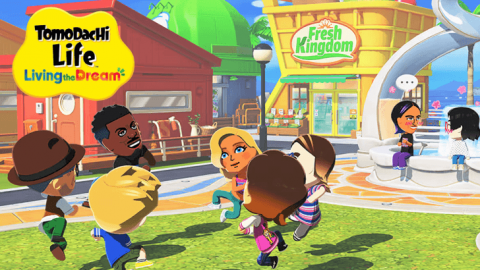
Fresh Kingdom food mart - This is where you'll buy food for Miis. Items rotate daily and any you purchase are added to a permanent catalogue. Try to buy everything!
Where & Wear clothing - The clothing shop. Like the food mart, items rotate daily, so try to buy what you can to add it to your catalogue. Alternate colorways for items are only added to the catalogue after they've been purchased.
MNN news station - You can watch a news broadcast daily featuring strange events on the island.
T&C Reno home supply - Buy different room themes for your Miis here. The rotating room cannot be unlocked at the wishing fountain, so it's good to have some money saved for neat ones on rotation!
Rite Price pawn shop - Sell duplicate treasures here for money
Marketplace - Buy a discount item in the morning and afternoon, then you can get a blind bag featuring three mystery items every night. Occasionally, items sold here will be offered at a deeper discount, so watch to see if you see "Sale" above the market.
Tomoria restaurant - A spot where Miis meet for silly scenes. They can confess their love here!
Palette House workshop - This is unlocked once you're asked to create a food item for your Mii. New creation types can be unlocked at the Wishing fountain.
Foto-Tomo photography - Take photos of Miis in all sorts of situations! New backgrounds unlock as you get new room themes and when your Miis travel.
Ferris wheel - Miis will go here with others from time to time. It's another spot where they can make romantic confessions. They may also ask to play a game here.
Treasure shop - The only building that isn't unlocked through Mii happiness, the number of Miis, and granted wishes is the Treasure Shop. This is only unlocked after creating your first Treasure in the Palette House Workshop.
General Tips
The most important thing you can do to get any sense of progression is to engage with all Tomodachi Life: Living the Dream's systems. Here are some specific tips I've put together after almost 40 hours playing:
Make sure the items you create have identifiable shadows. They'll often appear in guessing games like Double Shadow and Pixel Quiz.
You can give head rub with the controller by swirling the cursor over a Mii's head. Move the L stick in a swirling motion! You can also use the touch screen if you have the Switch 2 undocked. This will give them a small mood boost, but a you'll get a big one if your Mii is feeling down from an interaction. Remember: head pats are an easy and free fix for mildly bad moods!
Drag your Mii to items in the world to have them interact with them. For instance, if a lamp post is off at night, a Mii can turn it on. This includes fire pits, benches, or any other decorative items. You'll see "Show" pop up for applicable items when the Mii is dangled near it.
Games a Mii asks you to play is often determined by the Mii's location. For instance, you won't be asked to play bowling when a Mii is inside. However, some games, like shadow quiz, can be asked to be played anywhere!
You won't lose or gain happiness from losing or winning games, so play them without risk! If you lose, you'll still get a simple consolatory prize, like tissues or toilet paper. You can give the toilet paper and tissues to Miis or sell them.
Want to encourage a relationship between two Miis? Drag them to each other often, and prioritize dragging over the Mii with the lower affection level to the other Mii. This usually helps boost them, so long as they get along in the first place. If they don't, (they may only have "some interest" or "vibes with,") you'll need to work harder to get them connected.
One way to encourage Miis to pair up or spend time together when you're not around is to ensure they have the same items from level rewards. You may see them knitting together or running together.
If a Mii is indifferent to another Mii, dragging them over to the Mii they're indifferent to results in the Mii acknowledging the other, but they won't talk to them... because they're indifferent!
Press "+" to skip a scene. Some repeat.. A lot, so this is helpful to keep in mind if you're just trying to check in quick!
Don't feel like a Mii's personality matches your idea of them? After they give you their card, press Y and go to "edit Mii." There, you can adjust their personality until you feel like you've found the right match!
Engaging with all parts of Tomodachi Life – including creating your own items, unlock certain buildings and special rewards. For instance, placing 30 items unlocks a special item not available through the Wishing Fountain (Tap to Reveal!). So place a variety of items often and make custom items as you feel up to it at the Palette House to gain more rewards.
If a Mii asks for something, like new clothes, you can tell them they look great how they are and they'll accept it and still gain some happiness. If you give them something and they don't like it, however, they won't gain any happiness at all.
Don't forget to buy a mystery bag from the Night Market! It's only $50 and you'll likely get at least one thing good. And if you don't... well, there's always tomorrow.
At level 10, you'll unlock the final two kinds of rewards for Miis: money and clothing gifts!
Not getting new romance prompts? Try adding more Miis. That's what helped us get a prompt for marriage between two Miis wanting marriage that had been dating for 16 days.
If you don't have enough items placed or pathways, Miis will make suggestions to you. You'll have to pay for them, but you won't need to place the paths or items yourself.
Over time, you may place lots of items requested by Miis in strange spots. If you want to get rid of lots of them all at once, use the Batch mode feature in the Island Builder. With it, you can highlight many objects at once. Then, you press "+" to confirm your selection. Then you can store them or move them as a group.
The highest friendship level a Mii can have is "Ultra Friends."
In order to unlock customizing wallpapers and flooring in the House Editor, you'll need to make at least one custom wallpaper or flooring at Palette House workshop. With that done you can mix and match the premade room sets!
Once you get 20 Miis on your island, the Tap to Reveal! This happens again, for the final time, after you've added 35 Miis to your island.