The Choicer Voicer: Game Introduction & How to Download and Play on MEmu Emulator
 |
|
The Choicer Voicer is a fun voice-based party game where your voice becomes the main tool for entertainment. Instead of traditional battles or puzzles, players need to recreate voices, perform lines, and compete through creative vocal performances.


The Choicer Voicer
The game is built around a game-show experience. Players listen to a reference clip, record their own voice performance, and receive scores from virtual judges based on their delivery. With customizable content packs, different hosts, judges, studios, and voice challenges, every session can feel unique.
Whether you enjoy voice acting, funny impressions, character dubbing, or playing party games with friends, The Choicer Voicer offers a creative way to show your performance skills.
Contents
Key Features of The Choicer Voicer

🎤 Voice Acting Challenges
Listen to character lines and recreate them with your own style. Try to match the original tone, timing, and energy to achieve higher scores.
🎬 Dub Mode
The game also includes dubbing-style gameplay, allowing players to create their own voice performances for scenes and clips.
👥 Party Game Experience
Play solo or enjoy local multiplayer sessions with friends. Players can take turns performing and competing for the best voice performance.
🎨 Custom Content
The game supports customizable packs, including voices, judges, hosts, studios, and other show elements, allowing players to create different experiences.
How to Download and Play The Choicer Voicer on MEmu Emulator
MEmu allows players to enjoy mobile games on PC with better controls, a larger screen, and smoother performance.
Follow these steps to install and play:
Step 1: Download and Install MEmu Emulator
Visit the official MEmu website and install the latest version of the emulator on your PC.
Step 2: Install The Choicer Voicer
- Launch MEmu Emulator.
- Open the Google Play Store or APK installer.
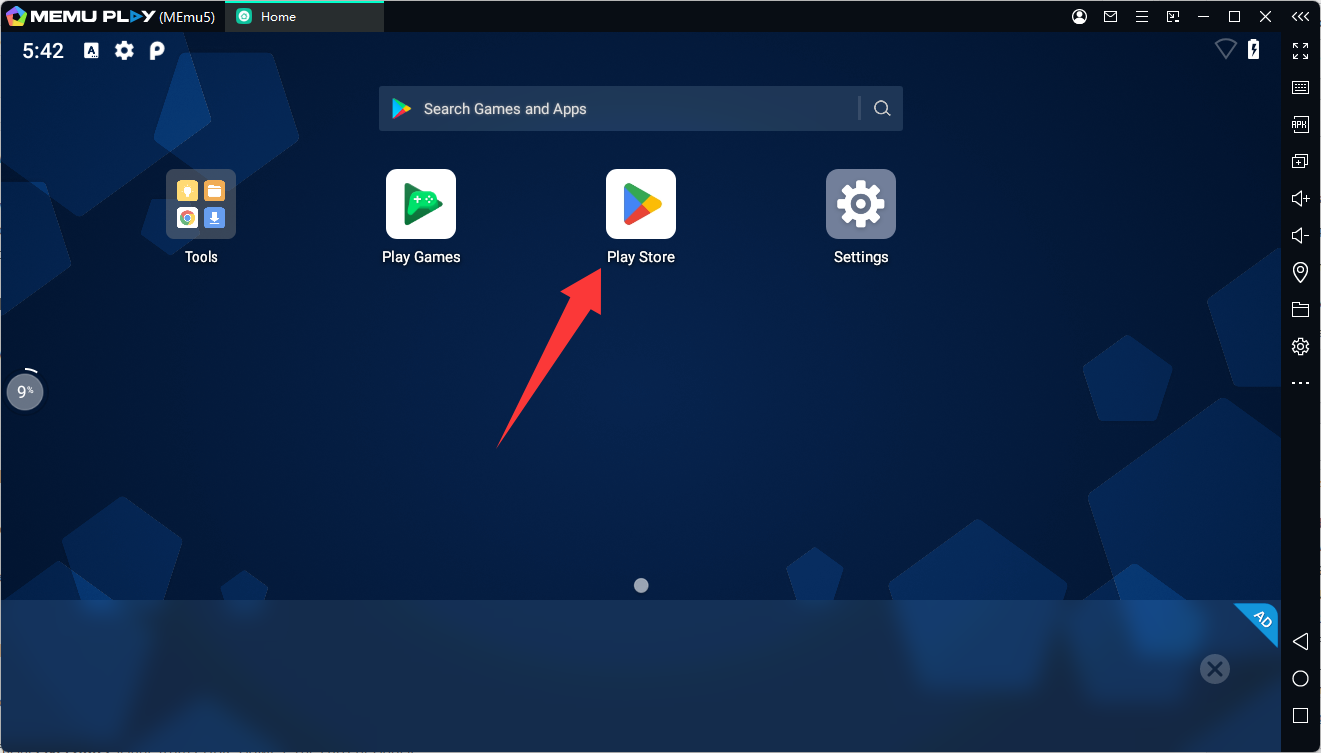
- Search for The Choicer Voicer.
- Download and install the game APK file.
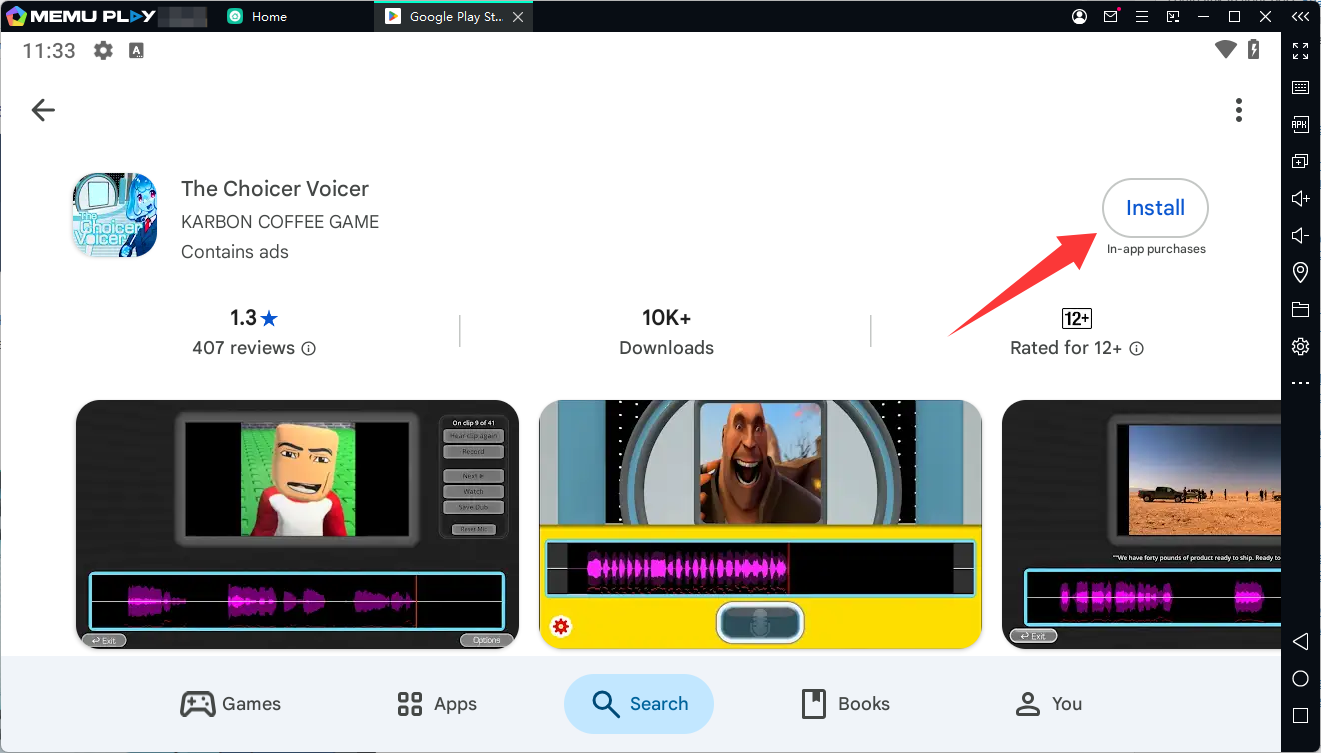
- Wait until the installation is complete.
Step 3: Configure Controls
After launching the game: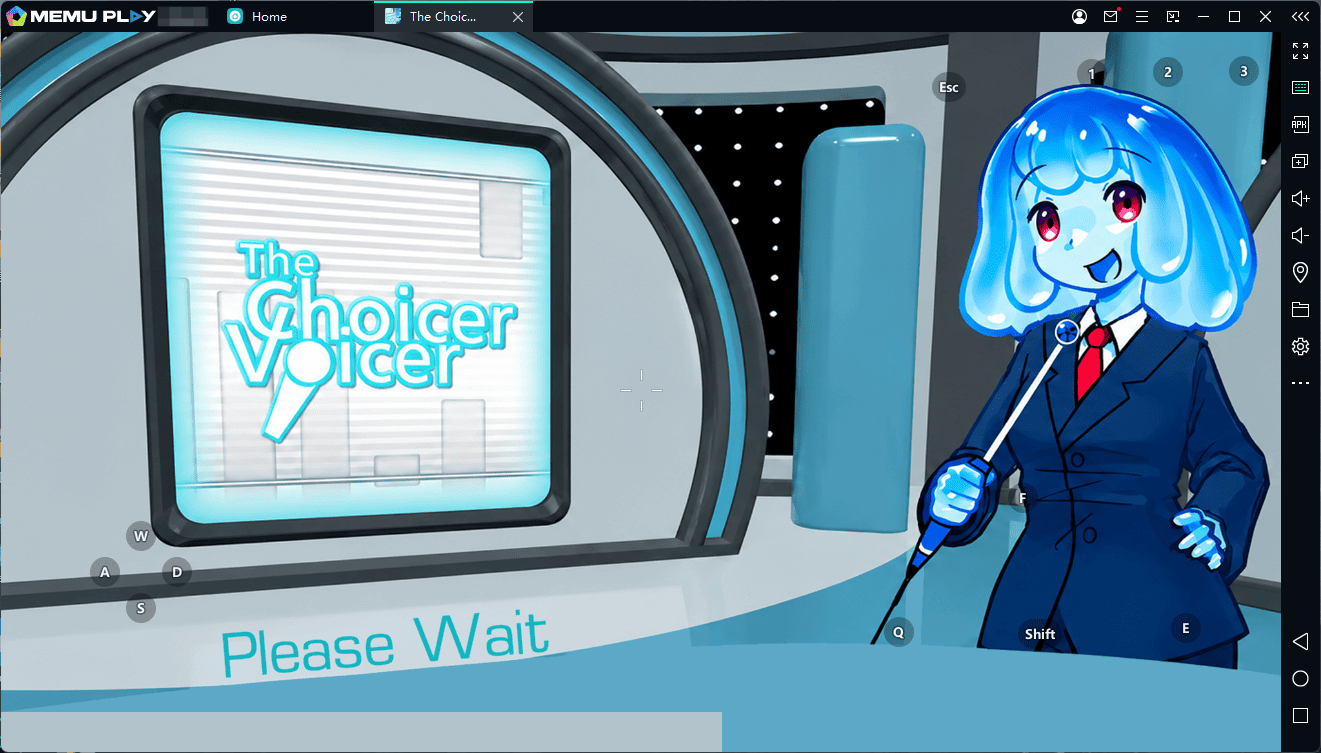
- Enable microphone permission.
- Adjust sound settings.
- Set keyboard shortcuts if needed.
- Test your microphone before starting a voice challenge.
Step 4: Start Playing
Open the game from the MEmu home screen and begin your voice performance. Enjoy a bigger display, stable performance, and convenient PC controls.
Why Play The Choicer Voicer on MEmu?
Playing on MEmu Emulator provides several advantages:
- 🖥️ Larger PC screen for a better game-show experience
- 🎙️ Improved microphone setup
- ⚡ Stable performance with fewer mobile limitations
- ⌨️ Customizable controls
- 🎮 More comfortable long sessions
The Choicer Voicer
If you enjoy creative voice challenges and party games, The Choicer Voicer on MEmu is a great way to experience the game in a new way.