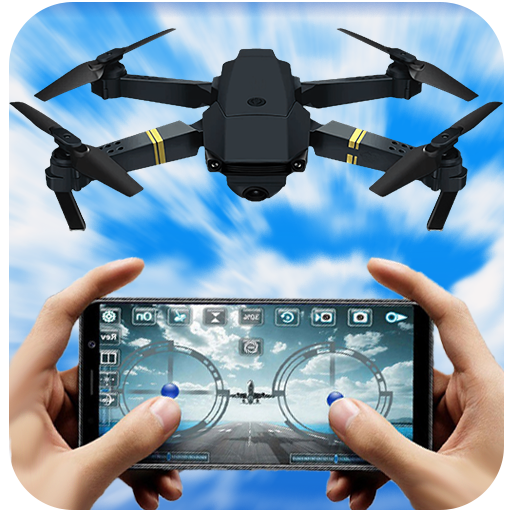
Drone Remote Control
আপডেট করা হয়েছে
বর্তমান সংস্করণ
3.0
অফার করেছে

আপনার মোবাইলে Drone Remote Control ব্যবহার করার সময় অতিরিক্ত চার্জ নিয়ে চিন্তা করা বন্ধ করুন, নিজেকে ছোট পর্দা থেকে মুক্ত করুন এবং অনেক বড় ডিসপ্লেতে অ্যাপ ব্যবহার করে উপভোগ করুন। এখন থেকে, কীবোর্ড এবং মাউস দিয়ে আপনার অ্যাপের একটি পূর্ণ-স্ক্রীন অভিজ্ঞতা পান। MEmu আপনাকে সমস্ত আশ্চর্যজনক বৈশিষ্ট্যগুলি অফার করে যা আপনি আশা করেছিলেন: দ্রুত ইনস্টল এবং সহজ সেটআপ, স্বজ্ঞাত নিয়ন্ত্রণ, ব্যাটারির আর কোন সীমাবদ্ধতা নেই, মোবাইল ডেটা এবং বিরক্তিকর কল৷ একদম নতুন MEmu 9 হল আপনার কম্পিউটারে Drone Remote Control ব্যবহার করার সেরা পছন্দ। MEmu মাল্টি-ইনস্ট্যান্স ম্যানেজার একই সময়ে 2 বা তার বেশি অ্যাকাউন্ট খোলা সম্ভব করে তোলে। এবং সবচেয়ে গুরুত্বপূর্ণ, আমাদের একচেটিয়া ইমুলেশন ইঞ্জিন আপনার পিসির সম্পূর্ণ সম্ভাবনা প্রকাশ করতে পারে, সবকিছুকে মসৃণ এবং উপভোগ্য করে তুলতে পারে।
বেশি দেখান
Download Drone Remote Control on PC with MEmu Android Emulator. Enjoy playing on big screen. Do you want to take control of your drone?
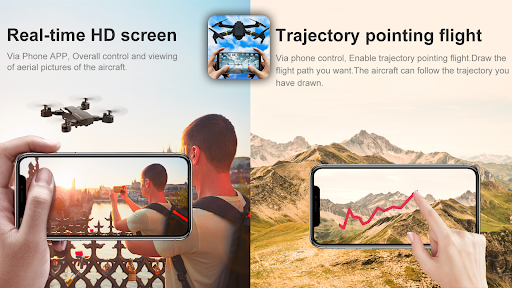
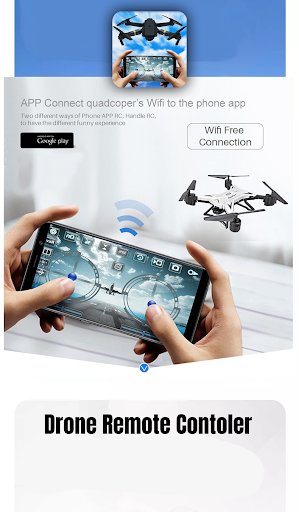
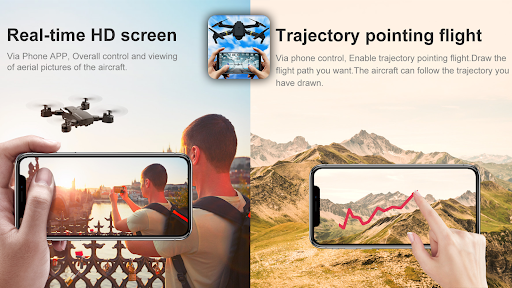
Do you want to take control of your drone? Now it's possible with Drone Remote Control
Use a smartphone to fly a drone with our Drone Remote Control app.
Drone remote controller for all drones,
easily convert your android phone into drone remote controller. It's simple and easy to set up and use, the way of use
is exactly the same as RC Drone.
Do you want to take control of your friends' drones? now you can do it with Drone Remote Control, that's when the real fun will start to happen.
The drone remote control is a tool that can replace your physical rc drone. you can control the drone with camera with the universal drone remote control for all.
Try this amazing and free universal drone remote control app to turn your Android device into a remote control for drones.
Compatible with the latest drones and not compatible with some older hardware:
- Easily make flight plans on any device
- Automate takeoff, flight, image capture and landing
- Live view streaming First Person Shooting (FPV)
- Disable auto-flight and regain control with one click
- Easily continue uninterrupted flights to map large areas
- Drone controller with video.
- Drone controller with FPS capture
- Use the APP to remote your drone, you can receive the view from the drone and take photos, record videos, control the drone.
As you can imagine, this is the best way to fool anyone obsessed with drones like quadcopters or other drone models in general.
If you know such a person, then the perfect thing you can do is go ahead and install Drone Remote Control.
বেশি দেখান

1. MEmu ইনস্টলার ডাউনলোড করুন এবং সেটআপ শেষ করুন

2. MEmu শুরু করুন তারপর ডেস্কটপে Google Play খুলুন

3. Google Play এ Drone Remote Control খুঁজুন
Install
4. Drone Remote Control ডাউনলোড এবং ইনস্টল করুন
5. ইনস্টল সমাপ্তি শুরু করতে আইকনে ক্লিক করুন

6. MEmu ব্যবহার করে আপনার কম্পিউটারে Drone Remote Control উপভোগ করুন
MEmu Play হল সেরা অ্যান্ড্রয়েড এমুলেটর, যার ১০ কোটিরও বেশি ব্যবহারকারী এর উন্নত অ্যান্ড্রয়েড অ্যাপ অভিজ্ঞতা উপভোগ করছেন। MEmu 9 এর ভার্চুয়ালাইজেশন প্রযুক্তি আপনাকে আপনার কম্পিউটারে হাজার হাজার অ্যান্ড্রয়েড অ্যাপ মসৃণভাবে চালাতে দেয়, এমনকি সবচেয়ে চাহিদাসম্পন্ন অ্যাপগুলিও।
ভালো গ্রাফিক্সের সাথে বড় স্ক্রীন; লম্বা অবধি, ব্যাটারি বা মোবাইল ডাটা'র কোন সীমা ছাড়া।
কীবোর্ড এবং মাউস বা গেমপ্যাডের সুনির্দিষ্ট নিয়ন্ত্রণের জন্য সম্পূর্ণ কীম্যাপিং সমর্থন।
মাল্টি-ইনস্ট্যান্স ম্যানেজারের সাথে একটি পিসিতে একাধিক গেম অ্যাকাউন্ট বা কাজ।
নিম্নলিখিত ধাপগুলোর মাধ্যমে পিসি এ Drone Remote Control ব্যবহার করুন: