Leopard Demo Application
আপডেট করা হয়েছে
বর্তমান সংস্করণ
1.20
অফার করেছে

আপনার মোবাইলে Leopard Demo Application ব্যবহার করার সময় অতিরিক্ত চার্জ নিয়ে চিন্তা করা বন্ধ করুন, নিজেকে ছোট পর্দা থেকে মুক্ত করুন এবং অনেক বড় ডিসপ্লেতে অ্যাপ ব্যবহার করে উপভোগ করুন। এখন থেকে, কীবোর্ড এবং মাউস দিয়ে আপনার অ্যাপের একটি পূর্ণ-স্ক্রীন অভিজ্ঞতা পান। MEmu আপনাকে সমস্ত আশ্চর্যজনক বৈশিষ্ট্যগুলি অফার করে যা আপনি আশা করেছিলেন: দ্রুত ইনস্টল এবং সহজ সেটআপ, স্বজ্ঞাত নিয়ন্ত্রণ, ব্যাটারির আর কোন সীমাবদ্ধতা নেই, মোবাইল ডেটা এবং বিরক্তিকর কল৷ একদম নতুন MEmu 9 হল আপনার কম্পিউটারে Leopard Demo Application ব্যবহার করার সেরা পছন্দ। MEmu মাল্টি-ইনস্ট্যান্স ম্যানেজার একই সময়ে 2 বা তার বেশি অ্যাকাউন্ট খোলা সম্ভব করে তোলে। এবং সবচেয়ে গুরুত্বপূর্ণ, আমাদের একচেটিয়া ইমুলেশন ইঞ্জিন আপনার পিসির সম্পূর্ণ সম্ভাবনা প্রকাশ করতে পারে, সবকিছুকে মসৃণ এবং উপভোগ্য করে তুলতে পারে।
বেশি দেখান
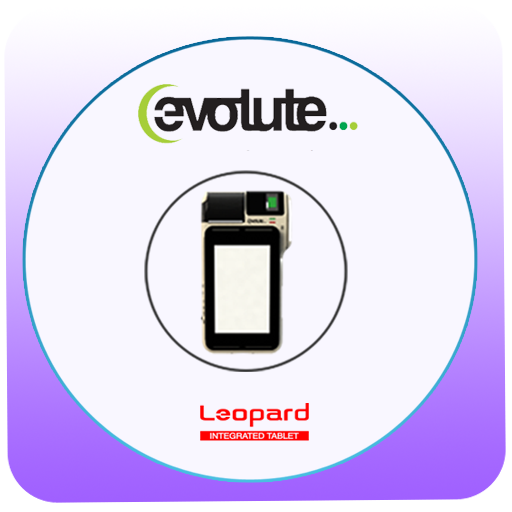
Download Leopard Demo Application on PC with MEmu Android Emulator. Enjoy playing on big screen. LEOPARD is a compact and high performance 7 inch tablet integrated with various modules such as 2 inch Thermal Printer, Finger Print Scanner, Dual Smartcard reader, Magnetic card reader, two Serial Ports, LED and Buzzer.
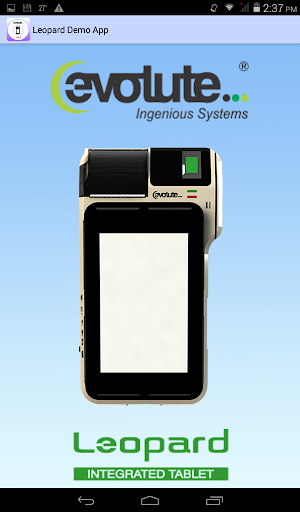
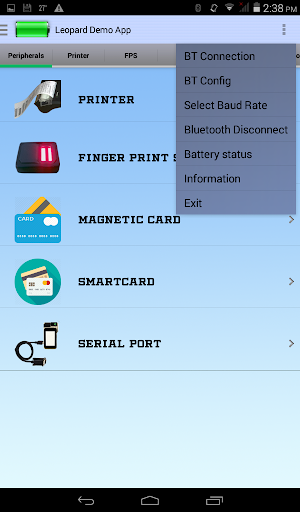
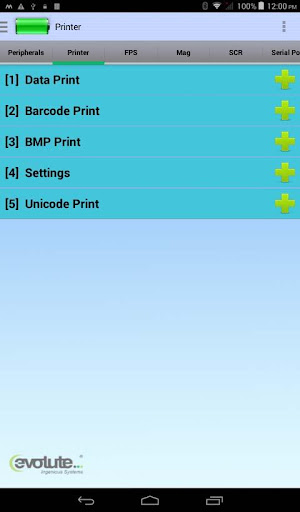
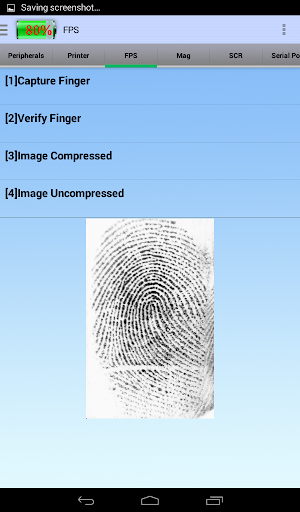
LEOPARD is a compact and high performance 7 inch tablet integrated with various modules such as 2 inch Thermal Printer, Finger Print Scanner, Dual Smartcard reader, Magnetic card reader, two Serial Ports, LED and Buzzer. Leopard can be used in billing, ticketing, public distribution systems, financial and non-financial transactions, e-governance, insurance and many other applications.
Leopard Prowess SDK, developed in android is used to integrate android applications with Leopard device. Leopard Demo is the sample application developed using the Leopard Prowess SDK to explore the features of the Leopard device. Bluetooth is the communication mode between Leopard and Android device.
Features:-
Printer module supports multiple fonts and a wide range of characters and graphics.
Magnetic card reader reads Track1, Track2 and Track3 data from the magnetic card.
Leopard device is integrated with Finger print scanner used for biometric authentication. Finger print scanning essentially provides an identification of a person, based on the acquisition and recognition of unique pattern and ridges in a finger print.
Smartcard reader module is used to read and write data from or to smart card. Leopard comes with dual smart card reader, communication with primary and secondary smart card readers starts with switching them separately.
Serial port is used to communicate with external serial devices with Leopard.
For your queries please contact our support team: support@evolute-sys.com
বেশি দেখান

1. MEmu ইনস্টলার ডাউনলোড করুন এবং সেটআপ শেষ করুন

2. MEmu শুরু করুন তারপর ডেস্কটপে Google Play খুলুন

3. Google Play এ Leopard Demo Application খুঁজুন
Install
4. Leopard Demo Application ডাউনলোড এবং ইনস্টল করুন
5. ইনস্টল সমাপ্তি শুরু করতে আইকনে ক্লিক করুন

6. MEmu ব্যবহার করে আপনার কম্পিউটারে Leopard Demo Application উপভোগ করুন
MEmu Play হল সেরা অ্যান্ড্রয়েড এমুলেটর, যার ১০ কোটিরও বেশি ব্যবহারকারী এর উন্নত অ্যান্ড্রয়েড অ্যাপ অভিজ্ঞতা উপভোগ করছেন। MEmu 9 এর ভার্চুয়ালাইজেশন প্রযুক্তি আপনাকে আপনার কম্পিউটারে হাজার হাজার অ্যান্ড্রয়েড অ্যাপ মসৃণভাবে চালাতে দেয়, এমনকি সবচেয়ে চাহিদাসম্পন্ন অ্যাপগুলিও।
ভালো গ্রাফিক্সের সাথে বড় স্ক্রীন; লম্বা অবধি, ব্যাটারি বা মোবাইল ডাটা'র কোন সীমা ছাড়া।
কীবোর্ড এবং মাউস বা গেমপ্যাডের সুনির্দিষ্ট নিয়ন্ত্রণের জন্য সম্পূর্ণ কীম্যাপিং সমর্থন।
মাল্টি-ইনস্ট্যান্স ম্যানেজারের সাথে একটি পিসিতে একাধিক গেম অ্যাকাউন্ট বা কাজ।
নিম্নলিখিত ধাপগুলোর মাধ্যমে পিসি এ Leopard Demo Application ব্যবহার করুন: