QR Code Scanner,Barcode Reader
আপডেট করা হয়েছে
বর্তমান সংস্করণ
1.6.6
অফার করেছে

আপনার মোবাইলে QR Code Scanner,Barcode Reader ব্যবহার করার সময় অতিরিক্ত চার্জ নিয়ে চিন্তা করা বন্ধ করুন, নিজেকে ছোট পর্দা থেকে মুক্ত করুন এবং অনেক বড় ডিসপ্লেতে অ্যাপ ব্যবহার করে উপভোগ করুন। এখন থেকে, কীবোর্ড এবং মাউস দিয়ে আপনার অ্যাপের একটি পূর্ণ-স্ক্রীন অভিজ্ঞতা পান। MEmu আপনাকে সমস্ত আশ্চর্যজনক বৈশিষ্ট্যগুলি অফার করে যা আপনি আশা করেছিলেন: দ্রুত ইনস্টল এবং সহজ সেটআপ, স্বজ্ঞাত নিয়ন্ত্রণ, ব্যাটারির আর কোন সীমাবদ্ধতা নেই, মোবাইল ডেটা এবং বিরক্তিকর কল৷ একদম নতুন MEmu 9 হল আপনার কম্পিউটারে QR Code Scanner,Barcode Reader ব্যবহার করার সেরা পছন্দ। MEmu মাল্টি-ইনস্ট্যান্স ম্যানেজার একই সময়ে 2 বা তার বেশি অ্যাকাউন্ট খোলা সম্ভব করে তোলে। এবং সবচেয়ে গুরুত্বপূর্ণ, আমাদের একচেটিয়া ইমুলেশন ইঞ্জিন আপনার পিসির সম্পূর্ণ সম্ভাবনা প্রকাশ করতে পারে, সবকিছুকে মসৃণ এবং উপভোগ্য করে তুলতে পারে।
বেশি দেখান
MEmu Play ব্যবহার করে পিসিতে QR Code Scanner,Barcode Reader ব্যবহারের এক অসাধারণ অভিজ্ঞতা উপভোগ করুন। এটি একটি শক্তিশালী বিনামূল্যের অ্যান্ড্রয়েড এমুলেটর যা আপনাকে তাদের ডেস্কটপ সংস্করণের জন্য হাজার হাজার অ্যান্ড্রয়েড অ্যাপ সরবরাহ করে। বন্ধুদের সাথে সংযোগ স্থাপন এবং উচ্চ দক্ষতার সাথে আপনার কাজকে আরও সুন্দর করে তোলার উপভোগ করুন! সব Android ডিভাইসের জন্য ফ্রি এবং সম্পূর্ণ-বৈশিষ্ট্যের QR কোড স্ক্যানার অ্যাপ, আপনাকে সহজেই সব ধরনের QR কোড/বারকোড বিদ্যুৎগতিতে স্ক্যান এবং ডিকোড করতে দেয়। 100% ফ্রি এবং ব্যবহার করা সহজ।.
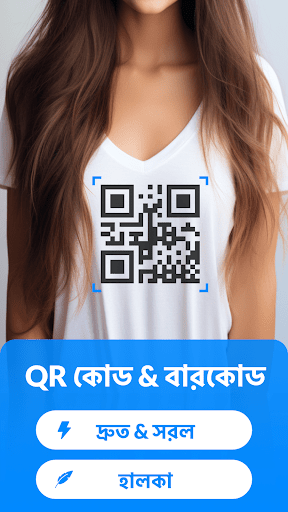
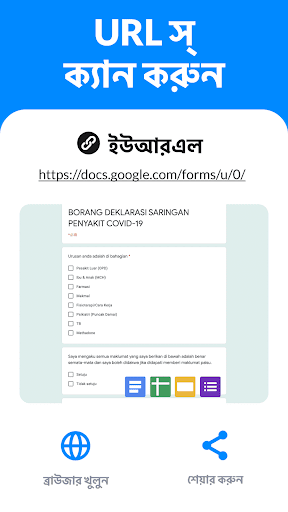
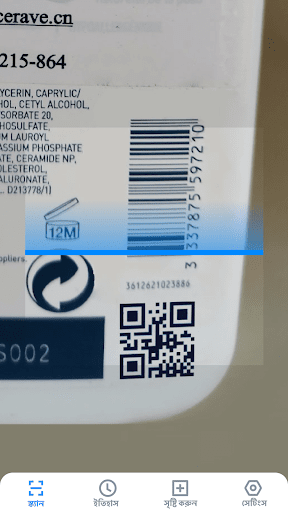
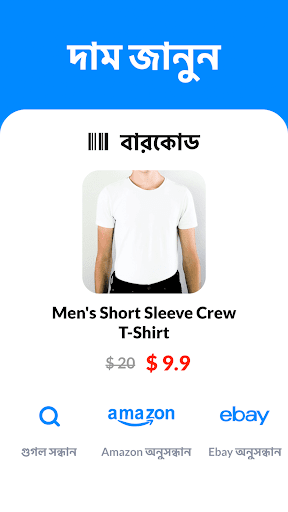
সব Android ডিভাইসের জন্য ফ্রি এবং সম্পূর্ণ-বৈশিষ্ট্যের QR কোড স্ক্যানার অ্যাপ, আপনাকে সহজেই সব ধরনের QR কোড/বারকোড বিদ্যুৎগতিতে স্ক্যান এবং ডিকোড করতে দেয়। 100% ফ্রি এবং ব্যবহার করা সহজ।
*সহজে ব্যবহারযোগ্য স্ক্যানার অ্যাপ*
QR কোড রিডার কেবল আপনার ফোনের ক্যামেরা ব্যবহার করে QR কোড/বারকোড স্ক্যান ও পাঠ করে, তারপর সাথে সাথেই একাধিক বিকল্প সহ পরবর্তী অপারেশনের জন্য় ফলাফল প্রদর্শন করে।
*সকল QR ও বারকোড ফর্ম্যাট সমর্থন করে*
স্বয়ংক্রিয়ভাবে সব ধরনের QR কোড/বারকোড স্ক্যান করে, পাঠ করে ও ডিকোড করে যার অন্তর্গত ওয়াই-ফাই, পরিচিতি, URL, পণ্য, পাঠ্য, বই, ইমেল, অবস্থান, ক্যালেন্ডার, ইত্যাদি। ব্যাচ স্ক্যান সমর্থিত!
*মূল্য স্ক্যানার*
আপনি স্টোরে পণ্যের বারকোড স্ক্যান করতে, পণ্যের উৎস জানতে, বিস্তারিত দেখতে এবং অনলাইনে মূল্যের তুলনা করতে এই QR কোড স্ক্যানার ব্যবহার করতে পারেন। ছাড়ের জন্য প্রোমো/কুপন কোড স্ক্যান করতে এটি ব্যবহার করাও একটি বুদ্ধিমান বিকল্প।
*QR কোড সৃষ্টিকারী*
এটি একটি QR কোড উৎপন্নকারীও বটে, URL, ওয়াই-ফাই, ফোন নম্বর, পরিচিতি, পাঠ্য এবং আরও কিছুর জন্য আপনাকে আপনার নিজস্ব QR কোড তৈরি করতে সাহায্য করে...
*গোপনীয়তার পক্ষে নিরাপদ*
আপনার গোপনীয়তা 100% নিরাপদ। QR কোড স্ক্যানারের শুধু ক্যামেরার অনুমতি প্রয়োজন, আর এটি আপনার ফোনের কোনো ব্যক্তিগত তথ্য অ্যাক্সেস করতে এই অনুমতি ব্যবহার করবে না।
#কেন আপনি QR কোড স্ক্যানার বেছে নেবেন?#
সকল QR ও বারকোড ফরম্যাট সমর্থন করে
স্বয়ংক্রিয় জুম
ব্যাচ স্ক্যান সমর্থিত
গ্যালারি থেকে QR ও বারকোড স্ক্যান করুন
স্ক্যানের ইতিহাস সেভ করা হয়
অন্ধকার মোড সমর্থিত
ফ্ল্যাশলাইট সমর্থিত
গোপনীয়তা নিরাপদ
কোনো ইন্টারনেট সংযোগ প্রয়োজন নেই
কিভাবে ব্যবহার করতে হয়
1. QR কোড/বারকোডের দিকে ক্যামেরা তাক করুন
2. স্বয়ংক্রিয় শনাক্তকরণ, স্ক্যান ও কোড উদ্ধার
3. ফলাফল ও প্রাসঙ্গিক বিকল্পগুলি পান
বেশি দেখান

1. MEmu ইনস্টলার ডাউনলোড করুন এবং সেটআপ শেষ করুন

2. MEmu শুরু করুন তারপর ডেস্কটপে Google Play খুলুন

3. Google Play এ QR Code Scanner,Barcode Reader খুঁজুন
Install
4. QR Code Scanner,Barcode Reader ডাউনলোড এবং ইনস্টল করুন
5. ইনস্টল সমাপ্তি শুরু করতে আইকনে ক্লিক করুন

6. MEmu ব্যবহার করে আপনার কম্পিউটারে QR Code Scanner,Barcode Reader উপভোগ করুন
MEmu Play হল সেরা অ্যান্ড্রয়েড এমুলেটর, যার ১০ কোটিরও বেশি ব্যবহারকারী এর উন্নত অ্যান্ড্রয়েড অ্যাপ অভিজ্ঞতা উপভোগ করছেন। MEmu 9 এর ভার্চুয়ালাইজেশন প্রযুক্তি আপনাকে আপনার কম্পিউটারে হাজার হাজার অ্যান্ড্রয়েড অ্যাপ মসৃণভাবে চালাতে দেয়, এমনকি সবচেয়ে চাহিদাসম্পন্ন অ্যাপগুলিও।
ভালো গ্রাফিক্সের সাথে বড় স্ক্রীন; লম্বা অবধি, ব্যাটারি বা মোবাইল ডাটা'র কোন সীমা ছাড়া।
কীবোর্ড এবং মাউস বা গেমপ্যাডের সুনির্দিষ্ট নিয়ন্ত্রণের জন্য সম্পূর্ণ কীম্যাপিং সমর্থন।
মাল্টি-ইনস্ট্যান্স ম্যানেজারের সাথে একটি পিসিতে একাধিক গেম অ্যাকাউন্ট বা কাজ।
নিম্নলিখিত ধাপগুলোর মাধ্যমে পিসি এ QR Code Scanner,Barcode Reader ব্যবহার করুন: