Baby Panda's Mini Play World
Aktualizováno
Aktuální verze
1732004221
Od vývojáře

With all your passion for playing Baby Panda's Mini Play World, you hands are not supposed to be limited on a tiny screen of your phone. Play like a pro and get full control of your game with keyboard and mouse. MEmu offers you all the things that you are expecting. Download and play Baby Panda's Mini Play World on PC. Play as long as you want, no more limitations of battery, mobile data and disturbing calls. The brand new MEmu 9 is the best choice of playing Baby Panda's Mini Play World on PC. Prepared with our expertise, the exquisite preset keymapping system makes Baby Panda's Mini Play World a real PC game. MEmu multi-instance manager makes playing 2 or more accounts on the same device possible. And the most important, our exclusive emulation engine can release full potential of your PC, make everything smooth.
Show more
Vychutnejte si vynikající zážitek z přehrávání Baby Panda's Mini Play World na PC s MEMU App Player. Je to silný bezplatný emulátor pro Android, který vám umožní hrát tisíce her v systému Android. Welcome to Baby Panda's Mini Play World!
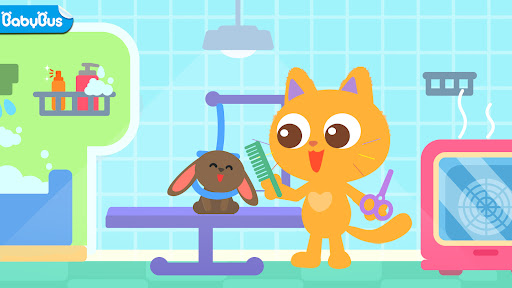

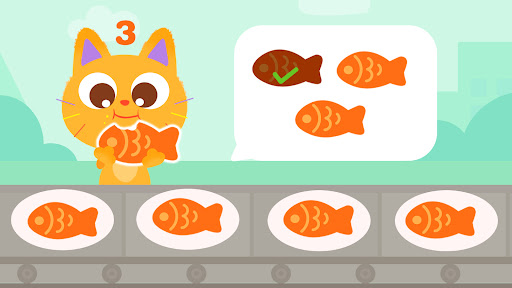
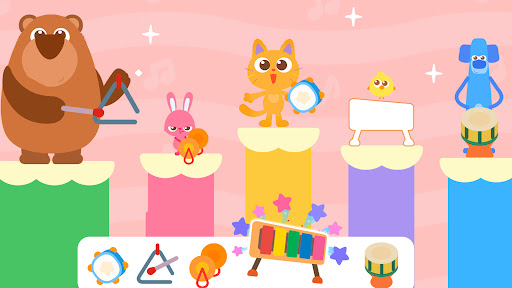
Welcome to Baby Panda's Mini Play World! This learning app for kids of all ages perfectly integrates fun into learning. It guides kids to discover the infinite charm of knowledge in their daily details!
In this world filled with learning games, kids can interact, explore, and imagine to their hearts' content. Every tap brings a fresh adventure, and every interaction marks a step forward in their growth!
SCENES FOR FREE EXPLORATION
We've carefully designed a variety of life scenes, including a pet store, a stadium, a farm, and a flower room! Kids can explore and play freely in these scenes, dressing up their pet cats, joining in soccer games, growing fruits and wheat, dancing with flowers, and more. They can tap and drag anything they see to create wonderful stories in any location to learn more about this fascinating world!
EDUCATIONAL GAMES
Baby Panda's Mini Play World contains a diverse range of educational games, ranging from simple counting and creative coloring to shape puzzles and letter writing. Each game is crafted to spark kids' curiosity and encourage them to explore and develop their early learning skills across various areas.
- Recognize English words, learn to pronounce and write them;
- Learn to count and practice early math skills;
- Recognize colors and enhance creativity through drawing;
- Identify shapes and develop spatial thinking skills;
- Learn the names, appearances, and habits of animals;
- Learn about musical instruments and rhythms, learn to play the piano, and more;
- Learn the names, appearances, and uses of excavators;
- Get familiar with the growing process of flowers, how to make cakes, and more.
VIVID VIDEOS
To make kids' learning experience more colorful, we have especially prepared some vivid and entertaining video lessons, featuring the alphabet dance, introduction to musical instruments, soccer rules, the process of plant growth, and more. Each video presents knowledge in a way that is easy for kids to understand, helping them expand their horizons and get ready for future growth!
Embracing a learning-through-play approach allows kids to have fun playing games while acquiring a vast array of knowledge and developing curiosity and love for the world. Let's work together and take our kids on wonderful adventures where they can grow up with knowledge and fun!
FEATURES:
- Provides lots of learning games for kids of all ages;
- Kids can learn English, math, and science through games;
- Multiple topics and categories to choose from;
- Interact with everything and explore multiple scenes freely;
- Simple, fun, safe, and kid-friendly;
- Supports offline play!
About BabyBus
—————
At BabyBus, we dedicate ourselves to sparking kids' creativity, imagination and curiosity,and designing our products through the kids' perspective to help them explore the world on their own.
Now BabyBus offers a wide variety of products, videos and other educational content for over 600 million fans from ages 0-8 around the world! We have released over 200 children's apps, over 2500 episodes of nursery rhymes and animations, over 9000 stories of various themes spanning the Health, Language, Society, Science, Art and other fields.
—————
Contact us: ser@babybus.com
Visit us: http://www.babybus.com
Show more

1. Stáhněte si instalační program MEmu a dokončete instalaci

2. Spusťte MEmu a poté otevřete Google Play na ploše

3. Vyhledejte Baby Panda's Mini Play World v Google Play
Install
4. Stáhněte a nainstalujte Baby Panda's Mini Play World
5. Po dokončení instalace klikněte na ikonu pro spuštění

6. Užijte si hraní Baby Panda's Mini Play World na PC s MEmu
MEmu je zdarma a ten nejlepší Android emulátor. 50 milionů lidí si užívá jeho nejlepší herní zážitky. Technologie virtualizace MEmu ti dovolí plynule hrát Android hry na PC a to i ty nejnáročnější.
Větší obrazovka s lepší grafikou; Dlouhá výdrž bez omezení baterie nebo mobilních dat.
Plná podpora mapování kláves pro přesné ovládání klávesnice a myši nebo gamepadu.
Více herních účtů nebo úkolů na jednom počítači najednou s Multi-Instance Managerem.
Play Baby Panda's Mini Play World on PC by following steps: