Baby Panda's Mini Play World
Оновлено
Поточна версія
1732004221
Постачальник

Перестаньте турбуватися про надмірні витрати, використовуючи ххх на своєму мобільному телефоні, звільніться від крихітного екрану і насолоджуйтеся використанням програми на набагато більшому дисплеї. Відтепер отримуйте повний екран свого додатка за допомогою клавіатури та миші. MEmu пропонує вам усі дивовижні функції, які ви очікували: швидка установка та просте налаштування, інтуїтивно зрозумілі елементи керування, більше обмежень від акумулятора, мобільних даних та тривожних дзвінків. Новий MEmu 9 - найкращий вибір використання Baby Panda's Mini Play World на вашому комп’ютері. За допомогою нашого поглинання менеджер із кількома примірниками одночасно дозволяє відкрити 2 або більше рахунків. І найголовніше, наш ексклюзивний емуляційний двигун може вивільнити весь потенціал вашого ПК, зробити все гладким і приємним.
Show more
Насолоджуйтесь чудовим досвідом гри на ПК за допомогою програми MEMU App Player. Це потужний безкоштовний емулятор Android, який дозволяє вам грати в тисячі ігор Android. Welcome to Baby Panda's Mini Play World!
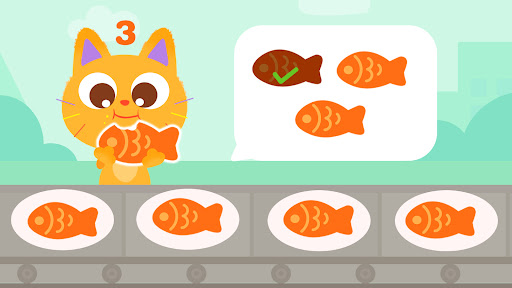
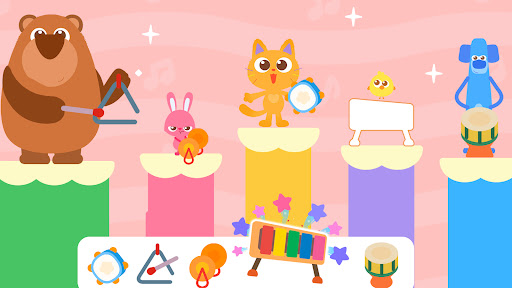
Welcome to Baby Panda's Mini Play World! This learning app for kids of all ages perfectly integrates fun into learning. It guides kids to discover the infinite charm of knowledge in their daily details!
In this world filled with learning games, kids can interact, explore, and imagine to their hearts' content. Every tap brings a fresh adventure, and every interaction marks a step forward in their growth!
SCENES FOR FREE EXPLORATION
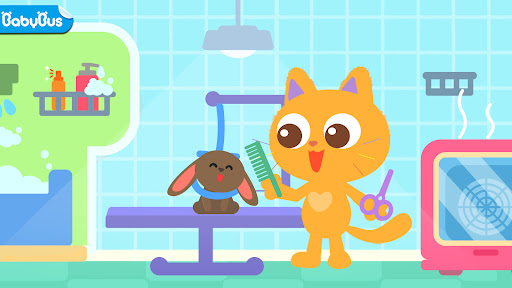
We've carefully designed a variety of life scenes, including a pet store, a stadium, a farm, and a flower room! Kids can explore and play freely in these scenes, dressing up their pet cats, joining in soccer games, growing fruits and wheat, dancing with flowers, and more. They can tap and drag anything they see to create wonderful stories in any location to learn more about this fascinating world!
EDUCATIONAL GAMES
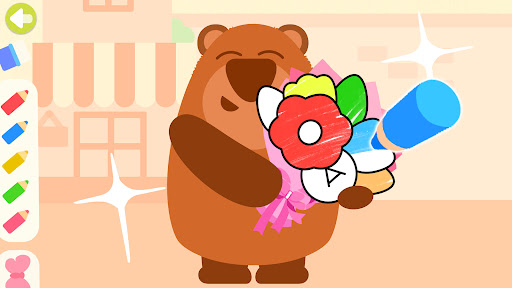
Baby Panda's Mini Play World contains a diverse range of educational games, ranging from simple counting and creative coloring to shape puzzles and letter writing. Each game is crafted to spark kids' curiosity and encourage them to explore and develop their early learning skills across various areas.
- Recognize English words, learn to pronounce and write them;
- Learn to count and practice early math skills;
- Recognize colors and enhance creativity through drawing;
- Identify shapes and develop spatial thinking skills;
- Learn the names, appearances, and habits of animals;
- Learn about musical instruments and rhythms, learn to play the piano, and more;
- Learn the names, appearances, and uses of excavators;
- Get familiar with the growing process of flowers, how to make cakes, and more.
VIVID VIDEOS
To make kids' learning experience more colorful, we have especially prepared some vivid and entertaining video lessons, featuring the alphabet dance, introduction to musical instruments, soccer rules, the process of plant growth, and more. Each video presents knowledge in a way that is easy for kids to understand, helping them expand their horizons and get ready for future growth!
Embracing a learning-through-play approach allows kids to have fun playing games while acquiring a vast array of knowledge and developing curiosity and love for the world. Let's work together and take our kids on wonderful adventures where they can grow up with knowledge and fun!
FEATURES:
- Provides lots of learning games for kids of all ages;
- Kids can learn English, math, and science through games;
- Multiple topics and categories to choose from;
- Interact with everything and explore multiple scenes freely;
- Simple, fun, safe, and kid-friendly;
- Supports offline play!
About BabyBus
—————
At BabyBus, we dedicate ourselves to sparking kids' creativity, imagination and curiosity,and designing our products through the kids' perspective to help them explore the world on their own.
Now BabyBus offers a wide variety of products, videos and other educational content for over 600 million fans from ages 0-8 around the world! We have released over 200 children's apps, over 2500 episodes of nursery rhymes and animations, over 9000 stories of various themes spanning the Health, Language, Society, Science, Art and other fields.
—————
Contact us: ser@babybus.com
Visit us: http://www.babybus.com
Show more

1. Download MEmu installer and finish the setup

2. Start MEmu then open Google Play on the desktop

3. Search Baby Panda's Mini Play World in Google Play
Install
4. Download and Install Baby Panda's Mini Play World
5. On install completion click the icon to start

6. Enjoy playing Baby Panda's Mini Play World on PC with MEmu
MEmu App Player є кращим безкоштовним емулятором Android, і 50 мільйонів людей вже користуються його чудовим ігровим досвідом Android. Технологія віртуалізації MEmu дає вам змогу відтворювати тисячі ігор Android на вашому комп'ютері, навіть найбільш насичених графікою.
Bigger screen with better graphics; Long duration, without limitation of battery or mobile data.
Full Keymapping support for precise control of keyboard and mouse or gamepad.
Multiple game accounts or tasks on single PC at one time with Multi-Instance manager.
Play Baby Panda's Mini Play World on PC by following steps: