Mighty DOOM
Aktualizováno
Aktuální verze
1.0.1
Od vývojáře

With all your passion for playing Mighty DOOM, you hands are not supposed to be limited on a tiny screen of your phone. Play like a pro and get full control of your game with keyboard and mouse. MEmu offers you all the things that you are expecting. Download and play Mighty DOOM on PC. Play as long as you want, no more limitations of battery, mobile data and disturbing calls. The brand new MEmu 9 is the best choice of playing Mighty DOOM on PC. Prepared with our expertise, the exquisite preset keymapping system makes Mighty DOOM a real PC game. MEmu multi-instance manager makes playing 2 or more accounts on the same device possible. And the most important, our exclusive emulation engine can release full potential of your PC, make everything smooth.
Show more
Vychutnejte si vynikající zážitek z přehrávání Mighty DOOM na PC s MEMU App Player. Je to silný bezplatný emulátor pro Android, který vám umožní hrát tisíce her v systému Android. Shoot through mini demon hordes in Mighty DOOM.
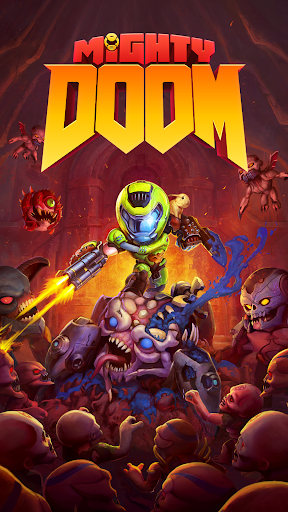
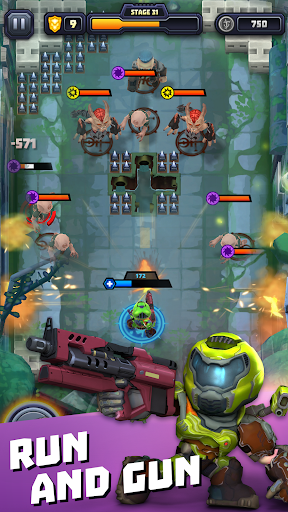
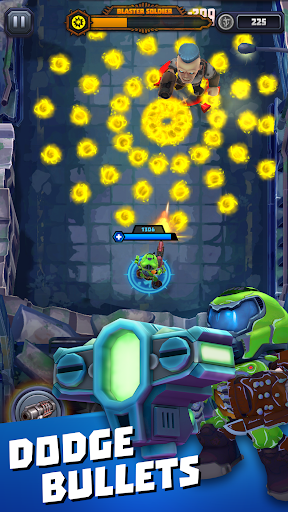
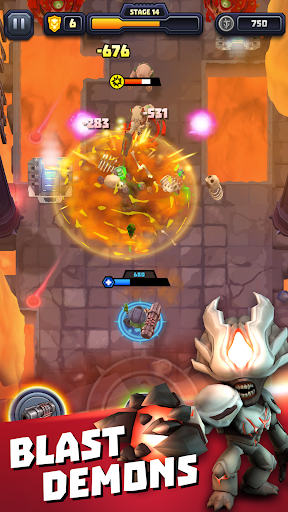
Shoot through mini demon hordes in Mighty DOOM. This single-touch, top-down shooter set in the animated DOOM universe puts you at the center of the fight as you rip and tear through demon hordes from the fiery depths of Hell.
Descend into mini versions of iconic DOOM worlds in this arcade action, top down shooter. Blast your way through hundreds of exciting levels and become mighty. Battle challenging bosses as you level up, gain powerful skills, loot new gear, and upgrade legendary guns.
RUN AND GUN
- Shoot your weapon at all times, whether moving or standing still.
- Dive into a shooter with simple touch controls and dodge ranged enemies, keep melee demons at bay and go in for the Glory Kill.
- Put your demon slaying skills to the test with challenging gameplay that’s easy to learn but takes great demon-slaying skill to master.
THE ULTIMATE GUN GAME
- Become the ultimate demon slayer as you equip three unique weapons and swap them on the fly to unleash your might..
- Choose from 13 legendary weapons like the Rocket Launcher to blast groups of demons with a single shot.
- Shoot weapons like the Unmakyr or BFG to inflict maximum carnage.
FAST ARCADE ACTION IN EVERY LEVEL
- Shoot ‘em up through mini versions of iconic DOOM locations.
- Fight through as many waves of pocket-sized demons and challenge your slaying skills in an epic boss fight.
- If you should fall, rise to fight again and push further through the enemy horde.
BECOME MIGHTY
- Level up your Mini Slayer and prepare for the next demon battle.
- Use equipment to upgrade and craft legendary gear.
- Gain buffs tied to your weapon choices and enhance your demon slaying skills
- Unlock devastating abilities and insane combos as you conquer Hell’s armies.
- Upgrade and arm your Mini Slayer with iconic weapons like the Plasma Rifle, Chain Gun, and Super Shotgun.
GET READY FOR THE NEXT EPIC BOSS FIGHT
- Demon slaying action kicks into overdrive with each boss fight.
- Battle bosses with their own unique attacks and strategies.
- Challenge mini versions of legendary DOOM bosses like the Baron of Hell, Hell Priest, Baron of Hell, and more.
Rip and tear anywhere when you become the Mini Slayer and conquer hundreds of challenging levels in Mighty DOOM.
Show more

1. Stáhněte si instalační program MEmu a dokončete instalaci

2. Spusťte MEmu a poté otevřete Google Play na ploše

3. Vyhledejte Mighty DOOM v Google Play
Install
4. Stáhněte a nainstalujte Mighty DOOM
5. Po dokončení instalace klikněte na ikonu pro spuštění

6. Užijte si hraní Mighty DOOM na PC s MEmu
MEmu je zdarma a ten nejlepší Android emulátor. 50 milionů lidí si užívá jeho nejlepší herní zážitky. Technologie virtualizace MEmu ti dovolí plynule hrát Android hry na PC a to i ty nejnáročnější.
Větší obrazovka s lepší grafikou; Dlouhá výdrž bez omezení baterie nebo mobilních dat.
Plná podpora mapování kláves pro přesné ovládání klávesnice a myši nebo gamepadu.
Více herních účtů nebo úkolů na jednom počítači najednou s Multi-Instance Managerem.
Play Mighty DOOM on PC by following steps: