The Crown Saga: Pi’s Adventure
Aktualizováno
Aktuální verze
1.0.6
Od vývojáře

With all your passion for playing The Crown Saga: Pi’s Adventure, you hands are not supposed to be limited on a tiny screen of your phone. Play like a pro and get full control of your game with keyboard and mouse. MEmu offers you all the things that you are expecting. Download and play The Crown Saga: Pi’s Adventure on PC. Play as long as you want, no more limitations of battery, mobile data and disturbing calls. The brand new MEmu 9 is the best choice of playing The Crown Saga: Pi’s Adventure on PC. Prepared with our expertise, the exquisite preset keymapping system makes The Crown Saga: Pi’s Adventure a real PC game. MEmu multi-instance manager makes playing 2 or more accounts on the same device possible. And the most important, our exclusive emulation engine can release full potential of your PC, make everything smooth.
Show more
Vychutnejte si vynikající zážitek z přehrávání The Crown Saga: Pi’s Adventure na PC s MEMU App Player. Je to silný bezplatný emulátor pro Android, který vám umožní hrát tisíce her v systému Android. In an era when the Demon King reigned over all, lived a wolf girl named Pi.
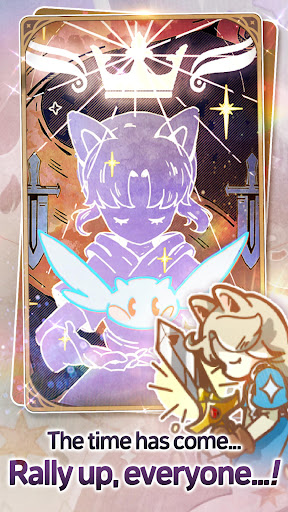
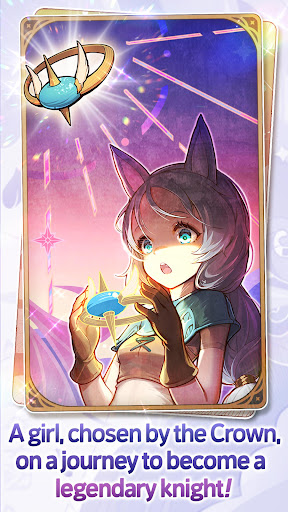
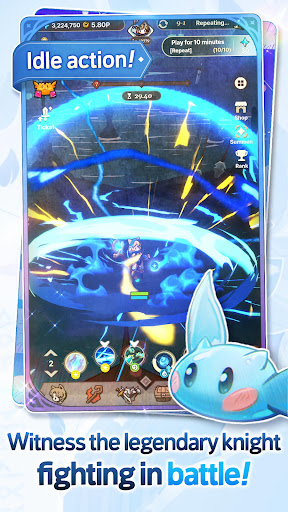
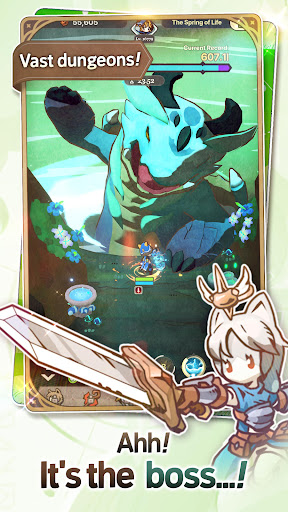
In an era when the Demon King reigned over all, lived a wolf girl named Pi.
But all of a sudden... She was chosen by the Crown?!
It shall now be Pi's destiny to become a legendary knight and save Natureland.
Will Pi be able to complete her quests and turn into a legendary knight so she can bring back peace...?
- Excerpt from Mokko's training journal
—--------------------------------------------------
■ Battle in astounding 3D action
Engage in auto battles with fleets of monsters!
Strike down bolts of thunder and blast flame attacks!
Endlessly grow stronger and advance through quests!
■ Train and awaken the little knight
Want to become more powerful? Keep on training!
At the end of all your training and upgrades, lies awakening...!
■ Clear and loot the growth and challenge dungeons
Dodge and attack! Take full control!
Defeat the Spirit Knight in the blink of an eye!
Clear the dungeons and gather loot for your growth!
■ Praise or be praised!
Praise the strongest knight, or become the strongest knight to be praised!
Contest for the top solo and guild rankings!
The most powerful guild shall be granted buff effects...!
■ Endless ways to upgrade
Spirits: Hatch Spirit Orbs and upgrade potentials!
Costumes: Collect all the unique costumes!
Equipment: Complete the sword of the glorious knight!
Skills: Endlessly upgrade the 5 attribute types—Fire, Water, Earth, Wind, and Light!"
Show more

1. Stáhněte si instalační program MEmu a dokončete instalaci

2. Spusťte MEmu a poté otevřete Google Play na ploše

3. Vyhledejte The Crown Saga: Pi’s Adventure v Google Play
Install
4. Stáhněte a nainstalujte The Crown Saga: Pi’s Adventure
5. Po dokončení instalace klikněte na ikonu pro spuštění

6. Užijte si hraní The Crown Saga: Pi’s Adventure na PC s MEmu
MEmu je zdarma a ten nejlepší Android emulátor. 50 milionů lidí si užívá jeho nejlepší herní zážitky. Technologie virtualizace MEmu ti dovolí plynule hrát Android hry na PC a to i ty nejnáročnější.
Větší obrazovka s lepší grafikou; Dlouhá výdrž bez omezení baterie nebo mobilních dat.
Plná podpora mapování kláves pro přesné ovládání klávesnice a myši nebo gamepadu.
Více herních účtů nebo úkolů na jednom počítači najednou s Multi-Instance Managerem.
Play The Crown Saga: Pi’s Adventure on PC by following steps: