
Exile: Wasteland Survival PRO
Aktualizováno
Aktuální verze
0.57.0
Od vývojáře

With all your passion for playing Exile: Wasteland Survival PRO, you hands are not supposed to be limited on a tiny screen of your phone. Play like a pro and get full control of your game with keyboard and mouse. MEmu offers you all the things that you are expecting. Download and play Exile: Wasteland Survival PRO on PC. Play as long as you want, no more limitations of battery, mobile data and disturbing calls. The brand new MEmu 9 is the best choice of playing Exile: Wasteland Survival PRO on PC. Prepared with our expertise, the exquisite preset keymapping system makes Exile: Wasteland Survival PRO a real PC game. MEmu multi-instance manager makes playing 2 or more accounts on the same device possible. And the most important, our exclusive emulation engine can release full potential of your PC, make everything smooth.
Show more
Vychutnejte si vynikající zážitek z přehrávání Exile: Wasteland Survival PRO na PC s MEMU App Player. Je to silný bezplatný emulátor pro Android, který vám umožní hrát tisíce her v systému Android. Exile is an addictive survival RPG in a wild wasteland where your main goal is to stay alive.
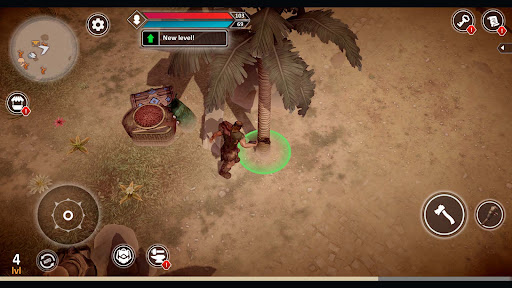
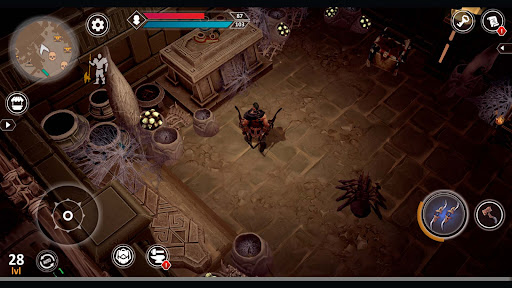
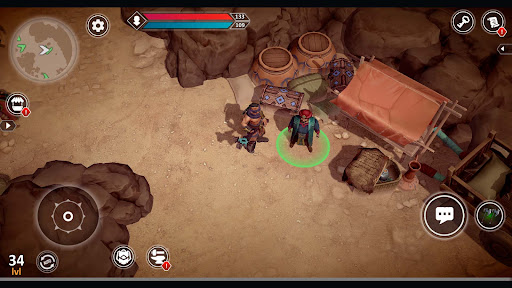
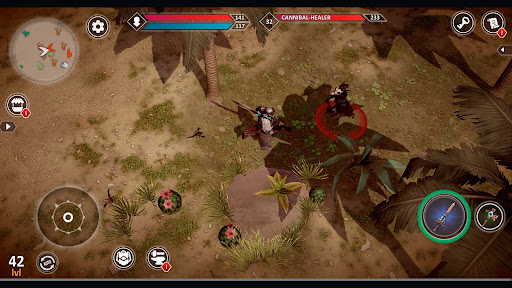
Exile is an addictive survival RPG in a wild wasteland where your main goal is to stay alive. Wilderness of the desert spares no one. In this primitive open world, only the strongest survive.
The story tells of how the Great Ancient Civilization, which reached the peak of its development & could not stay on it. This action adventure games includes not only a survival simulator, but also an exciting multiplayer RPG open world. Global warming turn the whole world into a wasteland entailed the irreparable loss of the former great heritage of the Ancients. You are one of the few who were able to survive the natural disaster. The world has rolled back from an advanced civilization to a primitive era, where the preservation of a bonfire comes first in the rules of survival games. In this role-playing game online you will be able to play the role of Conan the warrior, who will have to craft, build and fight so that the next day does not become the last on this earth.
1. CRAFT AND BUILD TO SURVIVE
Base building is one of the important parts of the open world survival games. The survivor needs craft skills, to build a base that will withstand the adversity of dangerous enemies & animals. Craft weapons and armor to hack and slash enemies in the wasteland and defend your base.
2. CREATE YOUR OWN SURVIVOR
In this survival RPG you can create your own Conan warrior. The role-playing game mode will allow you to customize your survivor down to the smallest detail, starting from hair color and finishing choices of magic ancient patterns on the body. Give your desert warrior a rare name & start your action adventure RPG in the cruel fantasy open world.
3. EXPLORE WASTELAND LOCATIONS
The wasteland is fraught with many dangers. Desert survival simulator 3d will confront the survivor with terrible enemies: formidable tribal giants, terrify scorpions, predatory hyenas & terrify tigers. There is always a choice, either to hack and slash down enemies to the last, or to escape, the main goal is to survive and delay the last day on earth as far as possible.
4. RULES OF SURVIVAL GAMES
Exile is a survival simulator close to reality, where a warrior can be killed not only by enemies, but also by hunger, thirst or natural disasters. But if you adhere to the basic rules of survival, then your Conan warrior will be able to survive for a long time in the open world RPG of the wilderness. Always keep an eye on the bonfire; in a primitive world you cannot survive without it. Improve your crafting skills, base building and battles, they will help you in the action adventure games online.
Exile is a wasteland survival RPG with an open world and multiplayer. A realistic survival simulator that will immerse you in the desert adventure of the primitive fantasy world.
Contact email: help@pgstudio.io
Follow our Facebook page to share your experience in survival games: https://www.facebook.com/exilesurvival
Show more

1. Stáhněte si instalační program MEmu a dokončete instalaci

2. Spusťte MEmu a poté otevřete Google Play na ploše

3. Vyhledejte Exile: Wasteland Survival PRO v Google Play
Install
4. Stáhněte a nainstalujte Exile: Wasteland Survival PRO
5. Po dokončení instalace klikněte na ikonu pro spuštění

6. Užijte si hraní Exile: Wasteland Survival PRO na PC s MEmu
MEmu je zdarma a ten nejlepší Android emulátor. 50 milionů lidí si užívá jeho nejlepší herní zážitky. Technologie virtualizace MEmu ti dovolí plynule hrát Android hry na PC a to i ty nejnáročnější.
Větší obrazovka s lepší grafikou; Dlouhá výdrž bez omezení baterie nebo mobilních dat.
Plná podpora mapování kláves pro přesné ovládání klávesnice a myši nebo gamepadu.
Více herních účtů nebo úkolů na jednom počítači najednou s Multi-Instance Managerem.
Play Exile: Wasteland Survival PRO on PC by following steps: