FRONTLINE COMMANDO: D-DAY
Aktualizováno
Aktuální verze
3.0.4
Od vývojáře

With all your passion for playing FRONTLINE COMMANDO: D-DAY, you hands are not supposed to be limited on a tiny screen of your phone. Play like a pro and get full control of your game with keyboard and mouse. MEmu offers you all the things that you are expecting. Download and play FRONTLINE COMMANDO: D-DAY on PC. Play as long as you want, no more limitations of battery, mobile data and disturbing calls. The brand new MEmu 9 is the best choice of playing FRONTLINE COMMANDO: D-DAY on PC. Prepared with our expertise, the exquisite preset keymapping system makes FRONTLINE COMMANDO: D-DAY a real PC game. MEmu multi-instance manager makes playing 2 or more accounts on the same device possible. And the most important, our exclusive emulation engine can release full potential of your PC, make everything smooth.
Show more
Vychutnejte si vynikající zážitek z přehrávání FRONTLINE COMMANDO: D-DAY na PC s MEMU App Player. Je to silný bezplatný emulátor pro Android, který vám umožní hrát tisíce her v systému Android. FRONTLINE COMMANDO: D-DAY puts you in the Allied landing with clear objectives and simple controls.
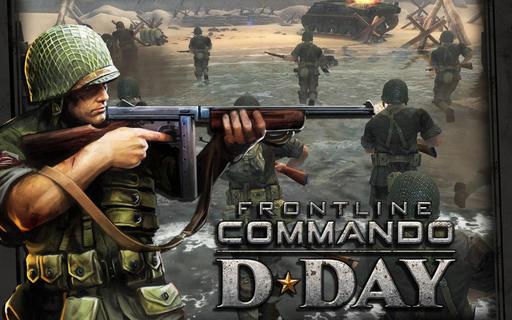
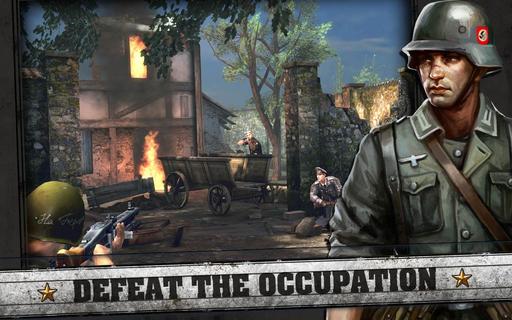
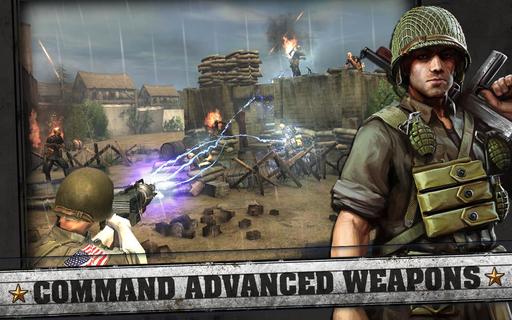
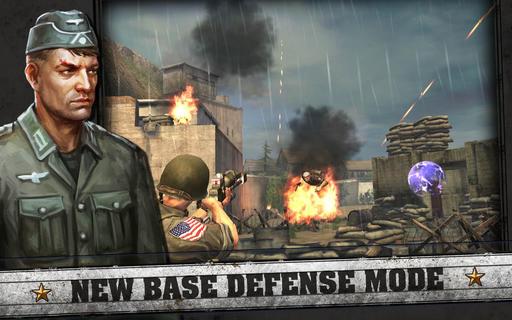
FRONTLINE COMMANDO: D-DAY puts you in the Allied landing with clear objectives and simple controls. It suits players who want a focused single player World War II experience on mobile. The game guides you through beach assaults and town liberations, and it emphasizes moving between cover to stay alive. At the same time, visuals and sound aim for a high quality feel without complicating the interface. If you need the FRONTLINE COMMANDO: D-DAY APK, check device compatibility and storage before installing.FRONTLINE COMMANDO: D-DAY FeaturesLarge single player campaignsFRONTLINE COMMANDO: D-DAY covers five beach landings across 145 missions, including Juno, Sword, Utah, Gold, and Omaha. Objectives range from knocking out tanks and cannons to defending positions with stationary guns. Full voiceovers and high quality visuals help you follow the action while keeping mission flow clear.Cover-based movement and hazardsMovement matters during these missions. You run between cover points to avoid incoming fire, with destructible cover that forces you to reposition. Mines and barriers appear in the path, so you time sprints and climbs to reach safer ground and engage the next wave. These systems set you up to use a range of weapons and support fire.Weapons and support optionsYou can take up historic rifles for accurate shots or switch to a machine gun for sustained fire. Artillery strikes are available to clear entrenched positions. A bazooka lets you break armored threats and push the line forward.Player information and requirements Free to play with optional in-app purchases; you can disable purchases in device settings. Ads may appear during play. A network connection is required to play; ensure your device is online when you download FRONTLINE COMMANDO: D-DAY. Some social features may be available for chat or messages. The game reads contacts only to help you invite friends. The getLine1Number permission is not used and scheduled for removal. Not intended for children. For issues, use the in-game Help feature. See privacy details at glu.com/privacy.Get started on your deviceFRONTLINE COMMANDO: D-DAY offers directed missions, responsive movement, and classic World War II weaponry. Review settings and requirements, then install the FRONTLINE COMMANDO: D-DAY latest version to begin. Follow mission prompts and move between cover to progress at a steady pace.
Show more

1. Stáhněte si instalační program MEmu a dokončete instalaci

2. Spusťte MEmu a poté otevřete Google Play na ploše

3. Vyhledejte FRONTLINE COMMANDO: D-DAY v Google Play
Install
4. Stáhněte a nainstalujte FRONTLINE COMMANDO: D-DAY
5. Po dokončení instalace klikněte na ikonu pro spuštění

6. Užijte si hraní FRONTLINE COMMANDO: D-DAY na PC s MEmu
MEmu je zdarma a ten nejlepší Android emulátor. 50 milionů lidí si užívá jeho nejlepší herní zážitky. Technologie virtualizace MEmu ti dovolí plynule hrát Android hry na PC a to i ty nejnáročnější.
Větší obrazovka s lepší grafikou; Dlouhá výdrž bez omezení baterie nebo mobilních dat.
Plná podpora mapování kláves pro přesné ovládání klávesnice a myši nebo gamepadu.
Více herních účtů nebo úkolů na jednom počítači najednou s Multi-Instance Managerem.
Play FRONTLINE COMMANDO: D-DAY on PC by following steps: