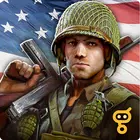
FRONTLINE COMMANDO: D-DAY
Bijgewerkt
Huidige Versie
3.0.4
Aangeboden door

Met al je passie voor het spelen van FRONTLINE COMMANDO: D-DAY, zouden je handen niet beperkt moeten zijn tot een klein scherm van je telefoon. Speel als een professional en krijg volledige controle over je spel met toetsenbord en muis. MEmu biedt je alles wat je verwacht. Download en speel FRONTLINE COMMANDO: D-DAY op PC. Speel zo lang als je wilt, geen beperkingen meer van batterij, mobiele data en storende oproepen. De gloednieuwe MEmu 9 is de beste keuze om FRONTLINE COMMANDO: D-DAY op PC te spelen. Voorbereid met onze expertise, maakt het uitmuntende vooraf ingestelde keymapping systeem van FRONTLINE COMMANDO: D-DAY een echt PC-spel. MEmu multi-instance manager maakt het spelen van 2 of meer accounts op hetzelfde apparaat mogelijk. En het belangrijkste, onze exclusieve emulatie-engine kan het volledige potentieel van je PC benutten, waardoor alles soepel verloopt.
Meer tonen
Download FRONTLINE COMMANDO: D-DAY op je pc met de MEmu Android-emulator. Geniet van spelen op een groot scherm. High-end, immersive tablet gameplay!
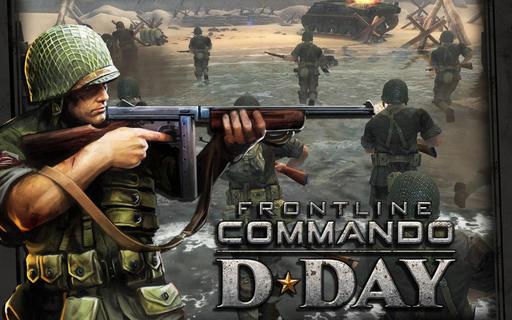
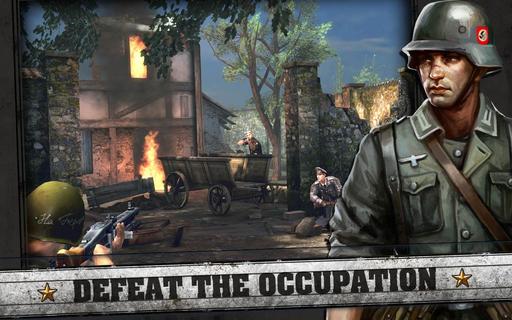
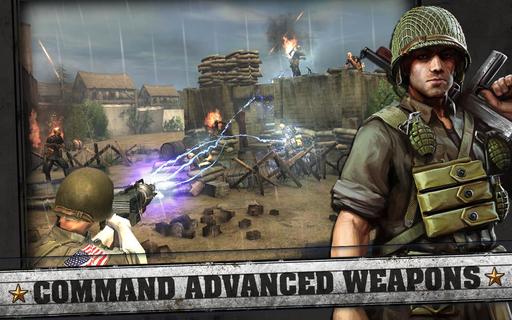
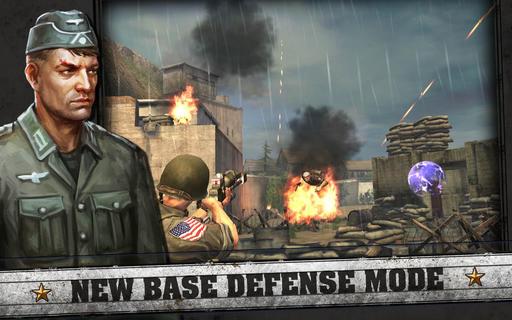
High-end, immersive tablet gameplay!Lead the charge on D-Day as the tip of the spear in the largest Allied invasion of WW2! Defeat the occupation forces and take back France; storm the beaches, clear the trenches and liberate towns as you battle through the countryside of Normandy.SEE AND FEEL THE ACTION!Experience the ultimate 3rd person shooter with stunning console quality visuals, precise controls, advanced physics, destructible environments and full voiceovers. Jump into the heat of battle and push your device to the limit!HUGE SINGLE-PLAYER CAMPAIGN!Experience 5 separate campaigns with 145 separate missions based on the actual beach landings; Juno, Sword, Utah, Gold and Omaha. Destroy powerful tanks and cannons to allow allied forces to advance. Grab a stationary gun and unload against fortified positions. Man the Ack-Ack anti-aircraft guns to take down bombers and their escorts before they can release their payloads.RUN THROUGH THE WARZONE!Battle your way into the heart of enemy territory! Run through the battlefield dodging mines and leaping barriers as you move to the next cover point to avoid enemy fire. Emerge from destructible cover points to engage waves of enemies!COMMAND AN ARSENAL OF DEADLY WEAPONS!Take to the frontline with an array of classic weapons from World War 2. Grab a historic rifle to take down enemies accurately or, if you prefer, a machine-gun to unleash a hail of bullets. Call in Artillery strikes against entrenched enemy soldiers or shoulder a bazooka to reduce a tank to rubble. PLEASE NOTE:- This game is free to play, but you can choose to pay real money for some extra items, which will charge your Google account. You can disable in-app purchasing by adjusting your device settings.-This game is not intended for children.- Please buy carefully.- Advertising appears in this game.- This game may permit users to interact with one another (e.g., chat rooms, player to player chat, messaging) depending on the availability of these features. Linking to social networking sites are not intended for persons in violation of the applicable rules of such social networking sites.- A network connection is required to play.- For information about how Glu collects and uses your data, please read our privacy policy at: www.Glu.com/privacy- If you have a problem with this game, please use the gameâs âHelpâ feature. FOLLOW US atTwitter @glumobilefacebook.com/glumobileREAD_CONTACTS â The game reads your contacts only to allow you to invite your friends to play.getLine1Number - This permission was accidentally included but is not used by this game. We will remove in an update in near future.
Meer tonen

1. Download de MEmu-installatie en voltooi de setup

2. Start MEmu en open vervolgens Google Play op het bureaublad

3. Zoek FRONTLINE COMMANDO: D-DAY in Google Play
Install
4. Download en installeer FRONTLINE COMMANDO: D-DAY
5. Klik op het icoon om te starten na het voltooien van de installatie

6. Geniet van het spelen van FRONTLINE COMMANDO: D-DAY op PC met MEmu
MEmu Play is de beste Android Emulator en 100 miljoen mensen genieten al van de superieure Android-game-ervaring. De virtualisatietechnologie van MEmu stelt je in staat om duizenden Android-spellen soepel op je PC te spelen, zelfs de meest grafisch intensieve.
Groter scherm met betere graphics; Lange duur, zonder beperking van batterij of mobiele data.
Volledige Keymapping-ondersteuning voor nauwkeurige besturing van toetsenbord en muis of gamepad.
Meerdere game-accounts of taken op één PC tegelijk met Multi-Instance manager.
Speel FRONTLINE COMMANDO: D-DAY op PC door de volgende stappen te volgen: