HeavenBurnsRed
Aktualizováno
Aktuální verze
1727674752
Od vývojáře

With all your passion for playing HeavenBurnsRed, you hands are not supposed to be limited on a tiny screen of your phone. Play like a pro and get full control of your game with keyboard and mouse. MEmu offers you all the things that you are expecting. Download and play HeavenBurnsRed on PC. Play as long as you want, no more limitations of battery, mobile data and disturbing calls. The brand new MEmu 9 is the best choice of playing HeavenBurnsRed on PC. Prepared with our expertise, the exquisite preset keymapping system makes HeavenBurnsRed a real PC game. MEmu multi-instance manager makes playing 2 or more accounts on the same device possible. And the most important, our exclusive emulation engine can release full potential of your PC, make everything smooth.
Show more
Vychutnejte si vynikající zážitek z přehrávání HeavenBurnsRed na PC s MEMU App Player. Je to silný bezplatný emulátor pro Android, který vám umožní hrát tisíce her v systému Android. Heaven Burns Red, from the mind of Key's very own Jun Maeda, is a tale of the girls bearing humanity's last hope.
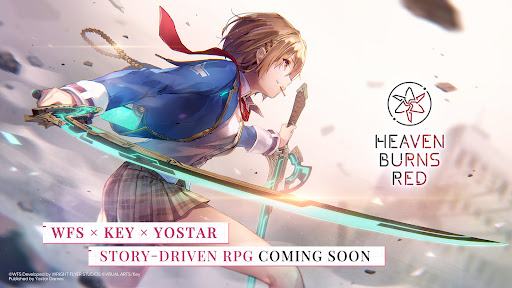
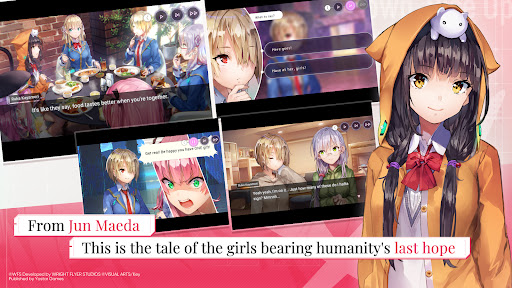
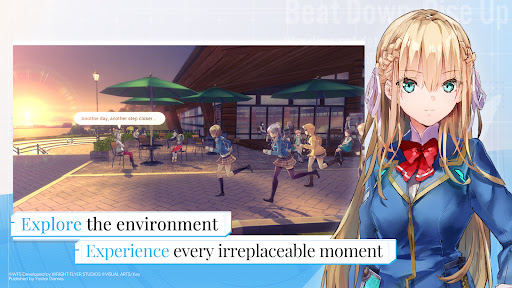
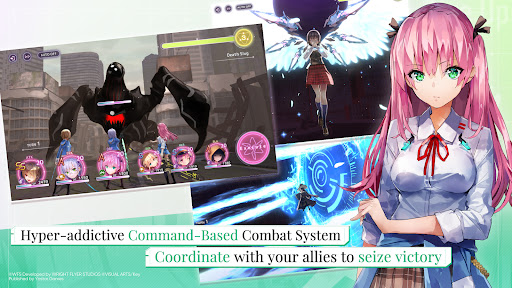
Heaven Burns Red, from the mind of Key's very own Jun Maeda, is a tale of the girls bearing humanity's last hope.
Experience every unforgettable moment as you fight with your life on the line in this heart-pounding, tear-jerking RPG!
◆ ABOUT HEAVEN BURNS RED
Heaven Burns Red is a joint effort between Jun Maeda of Key—the creative genius behind masterpieces such as Air, Clannad, Little Busters!, and Angel Beats!—and Wright Flyer Studios, the team behind Another Eden and Afterlost.
Maeda's first original game in 15 years, Heaven Burns Red tells the story of the group of girls set to save humanity from destruction.
Featuring:
・A fully-voiced story as presented by more than 50 Japanese voice actors
・Immersive, visually-stunning environments
・A simple-yet-addictive command-based combat system
◆ CAST
Ruka Kayamori (CV: Tomori Kusunoki, Vo.: XAI)
Yuki Izumi (CV: Ryoko Maekawa)
Megumi Aikawa (CV: Anju Inami)
Tsukasa Tojo (CV: Yurina Amami)
Karen Asakura (CV: Yu Serizawa, Vo.: Konomi Suzuki)
Tama Kunimi (CV: Aoi Koga)
◆ STAFF
Produced and Developed by
Wright Flyer Studios × Key
Original Concept & Main Scenario
Jun Maeda (AIR, CLANNAD, Little Busters!, Angel Beats!, and more)
Character Design/Key Visual
yuugen (Atelier series, Magia Record: Puella Magi Madoka Magica Side Story, Azur Lane, Outbreak Company and more)
Original Character Design
Na-Ga/Humuyun/Maroyaka
yuugen
Music Production
Jun Maeda
Theme Song and Insert Songs
Jun Maeda × yanaginagi
Development
Wright Flyer Studios (ANOTHER EDEN, AFTERLOST, and more)
Published by Yostar Games
◆ SYSTEM REQUIREMENTS
Android OS 7.1 or above, 4 GB memory or more (Not all devices are supported)
* No support or refunds can be provided if incompatible devices are used.
* Even if you meet the above requirements, it is not guaranteed the game will function without issues on your specific hardware or network.
◆ RELATED INFORMATION
Customer Service Email: hbr.cs@yostar.com
Official Homepage: https://heavenburnsred.yo-star.com/#/
Facebook: https://www.facebook.com/hbr.en.official
X (Twitter): https://x.com/hbr_official_en
YouTube: https://www.youtube.com/@heavenburnsred_en_official
Show more

1. Stáhněte si instalační program MEmu a dokončete instalaci

2. Spusťte MEmu a poté otevřete Google Play na ploše

3. Vyhledejte HeavenBurnsRed v Google Play
Install
4. Stáhněte a nainstalujte HeavenBurnsRed
5. Po dokončení instalace klikněte na ikonu pro spuštění

6. Užijte si hraní HeavenBurnsRed na PC s MEmu
MEmu je zdarma a ten nejlepší Android emulátor. 50 milionů lidí si užívá jeho nejlepší herní zážitky. Technologie virtualizace MEmu ti dovolí plynule hrát Android hry na PC a to i ty nejnáročnější.
Větší obrazovka s lepší grafikou; Dlouhá výdrž bez omezení baterie nebo mobilních dat.
Plná podpora mapování kláves pro přesné ovládání klávesnice a myši nebo gamepadu.
Více herních účtů nebo úkolů na jednom počítači najednou s Multi-Instance Managerem.
Play HeavenBurnsRed on PC by following steps: