Pictonico!
Aktualizováno
Aktuální verze
1.0.0
Od vývojáře

With all your passion for playing Pictonico!, you hands are not supposed to be limited on a tiny screen of your phone. Play like a pro and get full control of your game with keyboard and mouse. MEmu offers you all the things that you are expecting. Download and play Pictonico! on PC. Play as long as you want, no more limitations of battery, mobile data and disturbing calls. The brand new MEmu 9 is the best choice of playing Pictonico! on PC. Prepared with our expertise, the exquisite preset keymapping system makes Pictonico! a real PC game. MEmu multi-instance manager makes playing 2 or more accounts on the same device possible. And the most important, our exclusive emulation engine can release full potential of your PC, make everything smooth.
Show more
Vychutnejte si vynikající zážitek z přehrávání Pictonico! na PC s MEMU App Player. Je to silný bezplatný emulátor pro Android, který vám umožní hrát tisíce her v systému Android. Proměňte své fotky v minihry!
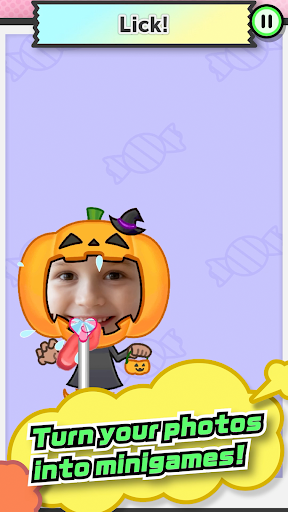
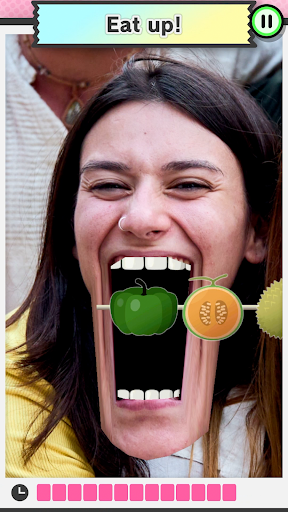
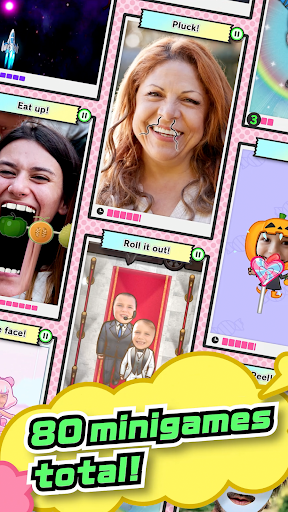
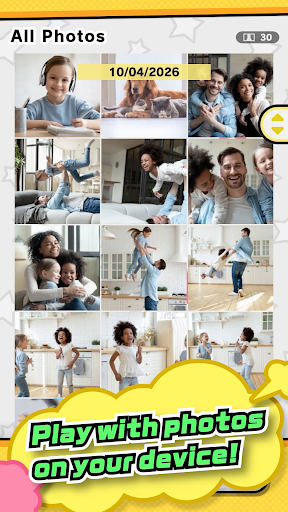
Proměňte své fotky v minihry!
Jasně, je to trochu hloupé... Ale nikdo neví, co se stane dál!
・ Tady jsou sportovní hvězdy vaší školy... kráčejí po červeném koberci!
・ Váš šéf má hlad a potřebuje vaši pomoc!
・ Zkuste smýt ty trapné vzpomínky ze střední školy.
・ Syn se nechce ztišit? Zavřete pusu!
・ Dva staří přátelé se znovu setkali při seskoku padákem!
・ Dědeček oblečený jako baletka? Nemůžete si nechat ujít tuhle focení.
・ Máma je naštvaná... Ale ty chloupky v nose si musí vytrhávat!
・ Táta zase dělá ten obličej. Počkejte, to je pleťová maska?
・ Nejlepší kamarád se stal finálním šéfem?! Úhybné manévry!
Ten klidný, vyrovnaný učitel byl celou dobu jen svaly?
Můžete si vyzkoušet několik miniher zdarma nebo si zakoupit herní svazky a odemknout si tak celkem až 80 miniher, od jednoduchých až po docela složité.
Připravte se na hlasitý smích, až se budete dívat na staré fotografie!
Můžete se dokonce na místě vyfotit s přáteli a ihned je začít používat.
*Hra je zdarma.
*Pro hraní je vyžadován nákup herního svazku, ale demoverzi některých miniher si můžete zahrát zdarma.
*Není vyžadováno trvalé online připojení, ale pro následující operace může být vyžadován dočasný přístup k síti, což může být spojeno s poplatky za data:
・ První spuštění
・ Zakoupení herních svazků
*Vaše fotografie nebudou odeslány společnosti Nintendo.
Uživatelská smlouva: https://pictonico.nintendo.com/app/eula.html
Show more

1. Stáhněte si instalační program MEmu a dokončete instalaci

2. Spusťte MEmu a poté otevřete Google Play na ploše

3. Vyhledejte Pictonico! v Google Play
Install
4. Stáhněte a nainstalujte Pictonico!
5. Po dokončení instalace klikněte na ikonu pro spuštění

6. Užijte si hraní Pictonico! na PC s MEmu
MEmu je zdarma a ten nejlepší Android emulátor. 50 milionů lidí si užívá jeho nejlepší herní zážitky. Technologie virtualizace MEmu ti dovolí plynule hrát Android hry na PC a to i ty nejnáročnější.
Větší obrazovka s lepší grafikou; Dlouhá výdrž bez omezení baterie nebo mobilních dat.
Plná podpora mapování kláves pro přesné ovládání klávesnice a myši nebo gamepadu.
Více herních účtů nebo úkolů na jednom počítači najednou s Multi-Instance Managerem.
Play Pictonico! on PC by following steps: