Pictonico!
อัปเดตเมื่อ
เวอร์ชันปัจจุบัน
ให้บริการโดย

เวลาคุณเล่น Pictonico!, คุณอาจรู้สึกว่ามือคุณอาจบังจอแล้วทำให้ไม่ได้เล่นแบบเต็มที่. เล่นแบบไร้ขีดจำกัดด้วยเม้าส์และคีย์บอร์ด. MEmu มีตัวเลือกหลายอย่างให้คุณใช้งานเกมที่คุณเล่นแบบที่คุณต้องการ. ดาวน์โหลดและเล่น Pictonico! บน PC. เล่นนานแค่ไหนก็ได้, ไม่ต้องชาร์จแบตเตอรี่, หรือเจอคนโทรเข้ามาระหว่างเล่น. MEmu 9 เป็นตัวเลือกสำหรับการเล่น Pictonico! บน PC. ทางทีมงานเราได้ปรับแต่งเกม, ปรับให้เล่นเกมบางเกมได้เหมือนเล่น Pictonico! เป็นเกม PC เช่นเล็งด้วยเม้าส์หรือใช้คีย์บอร์ด. ระบบของเรายังทำให้คุณสามารถเปิดเล่นได้มากกว่า 2 เกมพร้อมๆกันในคอมของคุณ. และที่สำคัญที่สุด, ระบบโปรแกรมของเราสามารถทำให้คุณใช้ระบบของ PC ทำให้เกมลื่นเหมือนกับใช้โทรศัพท์รุ่นล่าสุด. เราไม่ได้ดูแลเรื่องการเล่นเกม, แต่เราดูแลถึงความสนุกสนานที่คุณได้จากการเล่นด้วย.
แสดงเพิ่มเติม
ดาวน์โหลด Pictonico! บน PC ด้วย MEmu Android Emulator สนุกกับการเล่นบนหน้าจอขนาดใหญ่ Turn your photos into minigames!
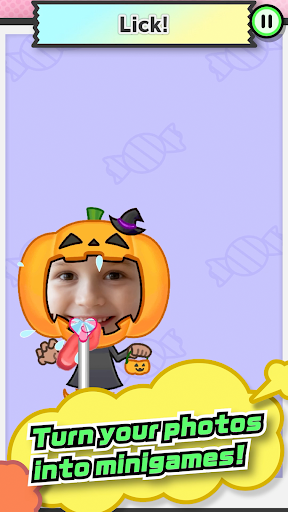
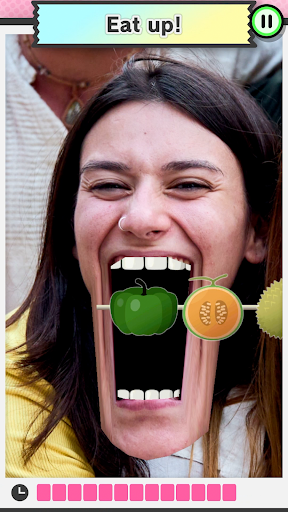
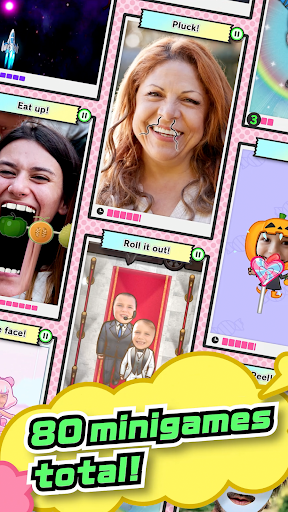
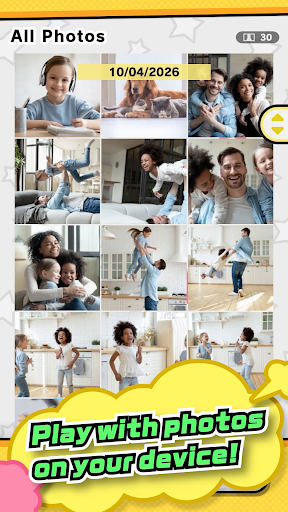
Turn your photos into minigames!
Sure, it's kind of silly... But there's no telling what will happen next!
・ Here come your school's sports stars...strutting down the red carpet!
・ Your boss is hungry and needs your help!
・ Try to wash away those embarrassing high-school memories.
・ Son won't quiet down? Zip his mouth!
・ Two old friends reconnect while skydiving!
・ Grandpa dressed like a ballerina? Can't miss this photo op.
・ Mom's angry... But that nose hair must be plucked!
・ Dad's making that face again. Wait, is that a facial mask?
・ Best friend turned final boss?! Evasive maneuvers!
・ That calm, collected teacher was all muscle this whole time?
You can try a few minigames for free, or purchase volumes to unlock up to 80 minigames in total, ranging from easy to pretty tricky.
Get ready to laugh out loud when you look back at old photos!
You can even take photos with friends on the spot and use them right away.
*This game is free-to-start.
*Purchase of a game volume is required for gameplay, but you can play a demo of some minigames for free.
*A constant online connection is not required, but temporary network access may be needed for the following operations, which may incur data charges:
・ First launch
・ Purchasing game volumes
*Your photos are not sent to Nintendo.
User Agreement: https://pictonico.nintendo.com/app/eula.html
แสดงเพิ่มเติม

1. ดาวน์โหลดตัวติดตั้ง MEmu และสิ้นสุดการติดตั้ง

2. เริ่ม MEmu จากนั้นเปิด Google Play บนหน้าแรก

3. ค้นหา Pictonico! ใน Google Play
Install
4. ดาวน์โหลดและติดตั้ง Pictonico!
5. เมื่อติดตั้งเสร็จให้คลิกที่ไอคอนเพื่อเริ่มใช้งาน

6. สนุกกับการเล่น Pictonico! บนพีซีด้วย MEmu
MEmu App Player เป็นอีมูเลเตอร์ Android ที่ดีที่สุดและผู้คนกว่า 50 ล้านคนเพลิดเพลินไปกับประสบการณ์การเล่นเกม Android ที่ยอดเยี่ยม เทคโนโลยีการจำลองเสมือนของ MEmu ช่วยให้คุณเล่นเกม Android หลายพันเกมได้อย่างราบรื่นบนพีซีของคุณแม้แต่เกมที่ต้องใช้กราฟิกมากที่สุด
จอใหญ่และกราฟฟิกสวยกว่า; เล่นได้นาน, ไม่ต้องใช้แบตเตอรี่โทรศัพท์หรือเน็ตโทรศัพท์.
ระบบปรับแต่งปุ่มคีย์บอร์ดและเม้าส์ตามที่คุณเลือก
เล่นมากกว่าหนึ่งเกมบน PC ในเวลาเดียวกันด้วยระบบหลายจอหรือ Multi-Instance manager.
Play Pictonico! on PC by following steps: