Witchcraft!
Aktualizováno
Aktuální verze
1.41
Od vývojáře

With all your passion for playing Witchcraft!, you hands are not supposed to be limited on a tiny screen of your phone. Play like a pro and get full control of your game with keyboard and mouse. MEmu offers you all the things that you are expecting. Download and play Witchcraft! on PC. Play as long as you want, no more limitations of battery, mobile data and disturbing calls. The brand new MEmu 9 is the best choice of playing Witchcraft! on PC. Prepared with our expertise, the exquisite preset keymapping system makes Witchcraft! a real PC game. MEmu multi-instance manager makes playing 2 or more accounts on the same device possible. And the most important, our exclusive emulation engine can release full potential of your PC, make everything smooth.
Show more
Vychutnejte si vynikající zážitek z přehrávání Witchcraft! na PC s MEMU App Player. Je to silný bezplatný emulátor pro Android, který vám umožní hrát tisíce her v systému Android. Čarodějnictví!
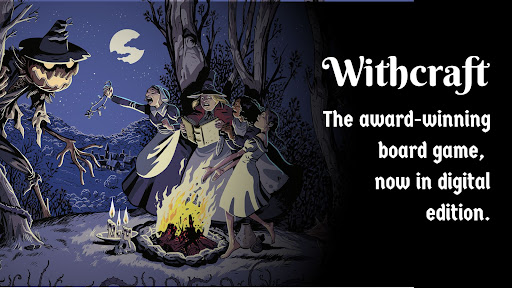
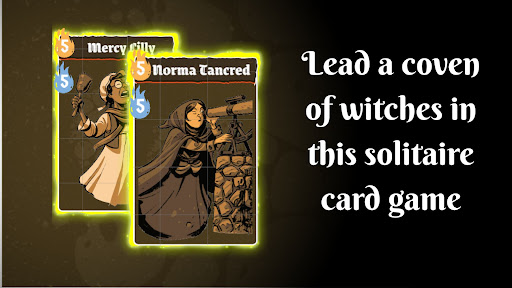
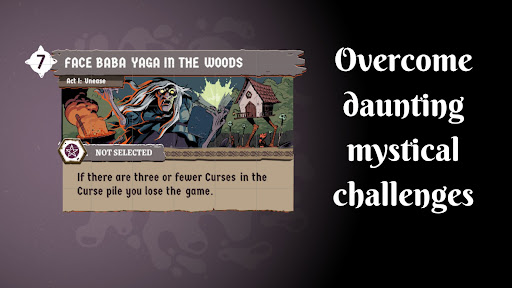

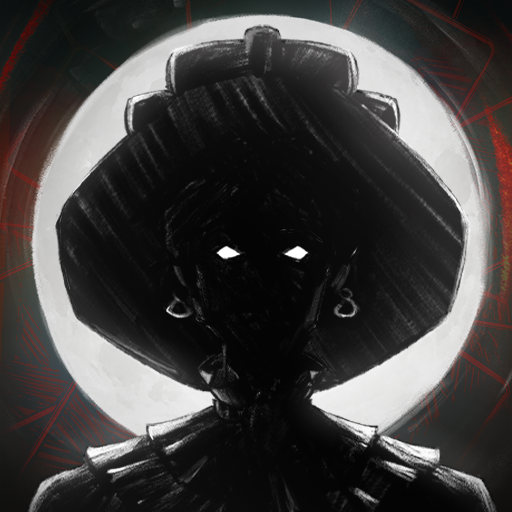
Čarodějnictví! — Sólová karetní hra o strategii a temné magii
Veďte svůj coven a ochraňte vesnici v této napínavé karetní hře solitaire, kde každá volba může být vaše poslední.
NEJLEPŠÍ ZÁŽITEK Z ČARODĚJNICTVÍ SOLITAIRE
Ve hře Witchcraft! padla na Wildegreny tma. Příšery číhají ve stínech, úroda chřadne a vesničané mizí beze stopy. Jako vůdce čarodějnického covenu musíte ovládat svou magii, abyste zachránili vesnici – ale pozor: odhalení sebe sama by vás mohlo poslat na hranici.
Tato karetní hra solitaire vás staví do neustálých dilemat, kde o všem rozhoduje rovnováha mezi mocí a tajemstvím. Dokážete zvládnout umění čarodějnictví, aniž byste byli chyceni?
KLÍČOVÉ VLASTNOSTI
Karetní hra Solitaire — Strategické 20–40minutové sezení, ideální pro hraní kdykoli
Vytvořte si svůj coven — Nabírejte čarodějnice z různých rodin, každá s jedinečnými schopnostmi
Čelte epickým výzvám — Bojujte s monstry, plňte úkoly a dokažte svou hodnotu
Přesvědčte porotu — Tři porotci rozhodnou: hrdina nebo zlá čarodějnice?
Propracovaná strategie — Ovládejte svou ruku, plánujte své tahy a pokoušejte štěstí
Režim kampaně — Ponořte se do temného čarodějnického světa, kde je magie skutečná
DIGITÁLNÍ DESKOVÁ HRA — PLNÝ ZÁŽITEK
Užijte si kompletní digitální adaptaci oceňované deskové hry od Salt and Pepper Games, nyní na svém mobilním zařízení. Zážitek z deskové hry nově navržený pro sólo hraní s úžasnými ilustracemi od Alberta Monteyse, které oživují magický a nebezpečný svět.
Tato desková hra s čarodějnickou tematikou, postavená na uznávané mechanice skrytých rolí z hry Resist!, vám přináší hloubku a napětí stolního hraní přímo do dlaně.
IDEÁLNÍ PRO
Fanoušky solitaire a strategických karetních her
Milovníky temné fantasy a čarodějnických témat
Sólové hráče hledající hluboké, pohlcující zážitky z karetních her
Nadšence deskových her hledající prémiovou digitální adaptaci
Hráče, kteří milují solitaire výzvy s čarodějnickou tematikou
OCENĚNÝ DESIGN
Navrženo Trevorem Benjaminem, Rogerem Tankersleym a Davidem Thompsonem – stejným týmem, který stojí za uznávanou hrou Resist!
Vyvinuto mantita | Vydáno Salt and Pepper Games
Stáhněte si Witchcraft! hned teď a dokažte, že magie není zlo. Čeká na vás dokonalá karetní hra s čarodějnickou tematikou solitaire – osud Wildegrens je ve vašich rukou.
Show more

1. Stáhněte si instalační program MEmu a dokončete instalaci

2. Spusťte MEmu a poté otevřete Google Play na ploše

3. Vyhledejte Witchcraft! v Google Play
Install
4. Stáhněte a nainstalujte Witchcraft!
5. Po dokončení instalace klikněte na ikonu pro spuštění

6. Užijte si hraní Witchcraft! na PC s MEmu
MEmu je zdarma a ten nejlepší Android emulátor. 50 milionů lidí si užívá jeho nejlepší herní zážitky. Technologie virtualizace MEmu ti dovolí plynule hrát Android hry na PC a to i ty nejnáročnější.
Větší obrazovka s lepší grafikou; Dlouhá výdrž bez omezení baterie nebo mobilních dat.
Plná podpora mapování kláves pro přesné ovládání klávesnice a myši nebo gamepadu.
Více herních účtů nebo úkolů na jednom počítači najednou s Multi-Instance Managerem.
Play Witchcraft! on PC by following steps: