Witchcraft!
Bijgewerkt
Huidige Versie
1.40
Aangeboden door

Met al je passie voor het spelen van Witchcraft!, zouden je handen niet beperkt moeten zijn tot een klein scherm van je telefoon. Speel als een professional en krijg volledige controle over je spel met toetsenbord en muis. MEmu biedt je alles wat je verwacht. Download en speel Witchcraft! op PC. Speel zo lang als je wilt, geen beperkingen meer van batterij, mobiele data en storende oproepen. De gloednieuwe MEmu 9 is de beste keuze om Witchcraft! op PC te spelen. Voorbereid met onze expertise, maakt het uitmuntende vooraf ingestelde keymapping systeem van Witchcraft! een echt PC-spel. MEmu multi-instance manager maakt het spelen van 2 of meer accounts op hetzelfde apparaat mogelijk. En het belangrijkste, onze exclusieve emulatie-engine kan het volledige potentieel van je PC benutten, waardoor alles soepel verloopt.
Meer tonen
Download Witchcraft! op je pc met de MEmu Android-emulator. Geniet van spelen op een groot scherm. Witchcraft!
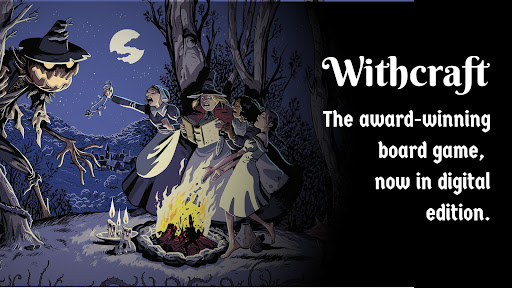
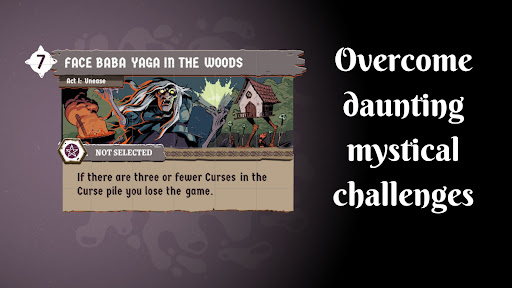

Witchcraft! — The Solo Card Game of Strategy & Dark Magic
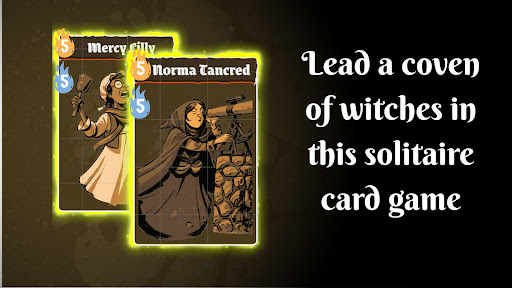
Lead your coven and protect the village in this thrilling solitaire card game where every choice could be your last.
THE ULTIMATE WITCHCRAFT SOLITAIRE EXPERIENCE
In Witchcraft!, darkness has fallen over Wildegrens. Monsters lurk in the shadows, harvests wither, and villagers vanish without a trace. As the leader of a witches' coven, you must wield your magic to save the village — but beware: exposing yourself could send you to the stake.
This solitaire card game puts you in constant dilemmas where the balance between power and secrecy decides everything. Can you master the art of witchcraft without getting caught?
KEY FEATURES
Solitaire card game — Strategic 20–40 minute sessions, perfect for playing anytime
Build your coven — Recruit witches from different families, each with unique abilities
Face epic challenges — Battle monsters, complete quests, and prove your worth
Convince the jury — Three judges will decide: hero or wicked witch?
Deep strategy — Manage your hand, plan your moves, and press your luck
Campaign mode — Immerse yourself in a dark witchcraft world where magic is real
DIGITAL BOARD GAME — FULL EXPERIENCE
Enjoy the complete digital adaptation of the award-winning board game by Salt and Pepper Games, now on your mobile device. A board game experience reimagined for solo play, featuring stunning illustrations by Albert Monteys that bring a magical and perilous world to life.
Built on the acclaimed hidden-role mechanics of Resist!, this witchcraft board game delivers the depth and tension of tabletop gaming in the palm of your hand.
PERFECT FOR
Fans of solitaire and strategic card games
Lovers of dark fantasy and witchcraft themes
Solo players seeking deep, immersive card game experiences
Board game enthusiasts looking for a premium digital adaptation
Players who love witchcraft-themed solitaire challenges
AWARD-WINNING DESIGN
Designed by Trevor Benjamin, Roger Tankersley, and David Thompson — the same team behind the acclaimed Resist!
Developed by mantita | Published by Salt and Pepper Games
Download Witchcraft! now and prove that magic isn't evil. The ultimate witchcraft solitaire card game awaits — the fate of Wildegrens is in your hands.
Meer tonen

1. Download de MEmu-installatie en voltooi de setup

2. Start MEmu en open vervolgens Google Play op het bureaublad

3. Zoek Witchcraft! in Google Play
Install
4. Download en installeer Witchcraft!
5. Klik op het icoon om te starten na het voltooien van de installatie

6. Geniet van het spelen van Witchcraft! op PC met MEmu
MEmu Play is de beste Android Emulator en 100 miljoen mensen genieten al van de superieure Android-game-ervaring. De virtualisatietechnologie van MEmu stelt je in staat om duizenden Android-spellen soepel op je PC te spelen, zelfs de meest grafisch intensieve.
Groter scherm met betere graphics; Lange duur, zonder beperking van batterij of mobiele data.
Volledige Keymapping-ondersteuning voor nauwkeurige besturing van toetsenbord en muis of gamepad.
Meerdere game-accounts of taken op één PC tegelijk met Multi-Instance manager.
Speel Witchcraft! op PC door de volgende stappen te volgen: