Word Jam - Screw Puzzle
Aktualizováno
Aktuální verze
0.5.0
Od vývojáře

With all your passion for playing Word Jam - Screw Puzzle, you hands are not supposed to be limited on a tiny screen of your phone. Play like a pro and get full control of your game with keyboard and mouse. MEmu offers you all the things that you are expecting. Download and play Word Jam - Screw Puzzle on PC. Play as long as you want, no more limitations of battery, mobile data and disturbing calls. The brand new MEmu 9 is the best choice of playing Word Jam - Screw Puzzle on PC. Prepared with our expertise, the exquisite preset keymapping system makes Word Jam - Screw Puzzle a real PC game. MEmu multi-instance manager makes playing 2 or more accounts on the same device possible. And the most important, our exclusive emulation engine can release full potential of your PC, make everything smooth.
Show more
Vychutnejte si vynikající zážitek z přehrávání Word Jam - Screw Puzzle na PC s MEMU App Player. Je to silný bezplatný emulátor pro Android, který vám umožní hrát tisíce her v systému Android. Welcome to Word Jam, the screw pin word game where mechanics meet vocabulary!
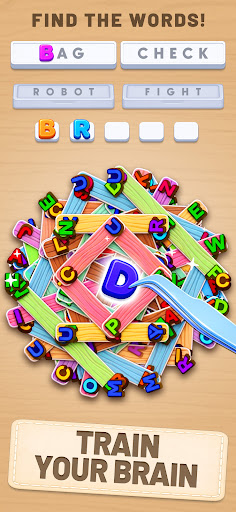
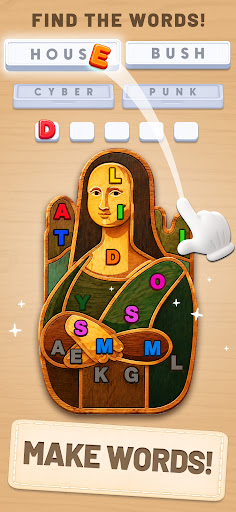
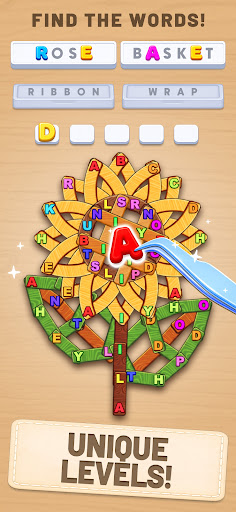
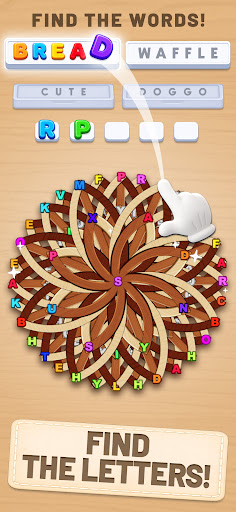
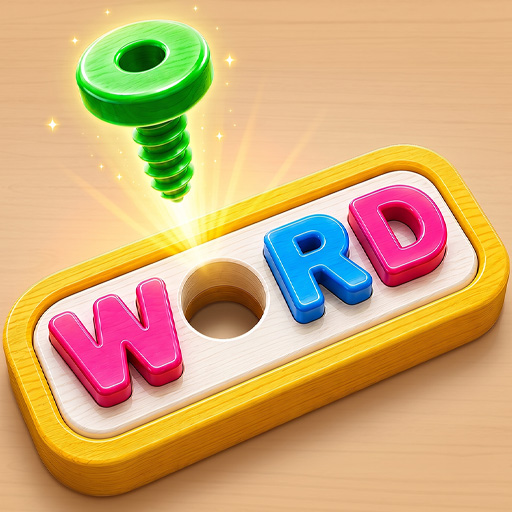
Welcome to Word Jam, the screw pin word game where mechanics meet vocabulary!
Unscrew nuts and bolts, drop wooden panels, and reveal hidden letters to form words. This word pin jam puzzle blends screw pin brain teaser fun with satisfying word-building that will keep you hooked!
How to Play:
Analyze — Study the board, spot the key screws holding letters in place
Unscrew — Remove each screw pin to let gravity drop the panels and uncover new layers
Collect & Spell — Gather letters in the right order to complete target words
Clear & Win — Finish all words and watch every panel fall in a rewarding cascade!
Game Features:
Dynamic Word Frames — Start with 2 frames and unlock up to 4 as word pin jam levels grow harder
Realistic Physics — Feel the sway, bounce, and impact as each screw pin comes loose
Color-Coded Wood Puzzle Layers — Navigate the 2D maze with clear, vibrant visuals
Brain Training — Every word pin jam stage sharpens your spelling and logic
Hundreds of Levels — From easy screw pin puzzles to tricky word pin jam brain teasers
Whether you love nuts and bolts puzzles, wood puzzle games, or classic word games, Word Jam delivers the perfect mix of strategy and satisfaction.
Download now and start your word pin jam adventure. Unscrew your way to word mastery!
Show more

1. Stáhněte si instalační program MEmu a dokončete instalaci

2. Spusťte MEmu a poté otevřete Google Play na ploše

3. Vyhledejte Word Jam - Screw Puzzle v Google Play
Install
4. Stáhněte a nainstalujte Word Jam - Screw Puzzle
5. Po dokončení instalace klikněte na ikonu pro spuštění

6. Užijte si hraní Word Jam - Screw Puzzle na PC s MEmu
MEmu je zdarma a ten nejlepší Android emulátor. 50 milionů lidí si užívá jeho nejlepší herní zážitky. Technologie virtualizace MEmu ti dovolí plynule hrát Android hry na PC a to i ty nejnáročnější.
Větší obrazovka s lepší grafikou; Dlouhá výdrž bez omezení baterie nebo mobilních dat.
Plná podpora mapování kláves pro přesné ovládání klávesnice a myši nebo gamepadu.
Více herních účtů nebo úkolů na jednom počítači najednou s Multi-Instance Managerem.
Play Word Jam - Screw Puzzle on PC by following steps: