
DeepL Translate
Aktualizováno
Aktuální verze
1.0.1
Od vývojáře

Přestaňte se obávat přebíjení při používání DeepL Translate na mobilním telefonu, uvolněte se z malé obrazovky a užívejte si aplikace na mnohem větším displeji. „Společnost MEmu vám nabízí všechny překvapivé funkce, které jste očekávali: rychlá instalace a snadné nastavení, intuitivní ovládání, žádná omezení baterií, mobilní data a rušivá volání. Zcela nový přístroj MEmu 9 je nejlepší volbou použití DeepL Translate ve vašem počítači. díky naší absorpci umožňuje správce více instancí otevření 2 nebo více účtů současně. A co je nejdůležitější, náš exkluzivní emulační modul může uvolnit plný potenciál vašeho počítače, učinit vše plynulým a příjemným.
Show more
Vychutnejte si vynikající zážitek z přehrávání DeepL Translate na PC s MEMU App Player. Je to silný bezplatný emulátor pro Android, který vám umožní hrát tisíce her v systému Android. DeepL Translate is the go-to translation tool for fast, accurate, and high-quality translations.
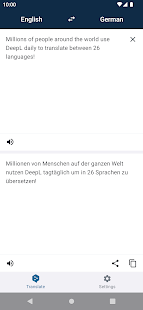
DeepL Translate is the go-to translation tool for fast, accurate, and high-quality translations. Millions of people use it every day to translate between 26 languages, improve their communication, and break down language barriers.
* Translate texts: Enter texts via keyboard and translate between 26 languages
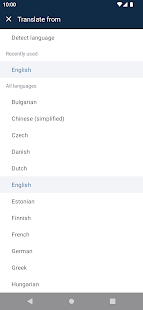
* Multiple languages: Translate Bulgarian, Chinese (simplified), Czech, Danish, Dutch, English (American), English (British), Estonian, Finnish, French, German, Greek, Hungarian, Italian, Japanese, Latvian, Lithuanian, Polish, Portuguese, Portuguese (Brazilian), Romanian, Russian, Slovak, Slovenian, Spanish, Swedish
* Fast translations: Translate texts quickly and reliably
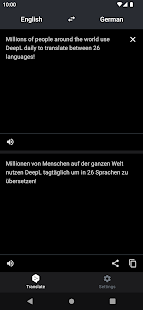
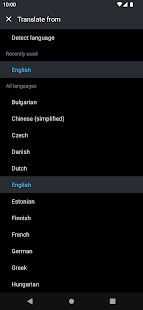
* Dark mode: Protect your eyes from bright light and save your battery life while translating
* Quick detection: Translations start after entering only a few letters
* High quality: DeepL translations outperform the competition by a factor of 3:1
* Zero cost: The DeepL Translate app is completely free
Translations between the following languages are supported:
Bulgarian, Chinese (simplified), Czech, Danish, Dutch, English (American), English (British), Estonian, Finnish, French, German, Greek, Hungarian, Italian, Japanese, Latvian, Lithuanian, Polish, Portuguese, Portuguese (Brazilian), Romanian, Russian, Slovak, Slovenian, Spanish, Swedish
About DeepL:
DeepL is a German company that aims to eliminate language barriers worldwide by using artificial intelligence.
Since 2017, it has offered DeepL Translator on www.DeepL.com, a machine translation system that achieves the best translation quality worldwide, according to blind tests. It also provides professional products for companies, business people, and translators. So far, over half a billion people have used DeepL’s services.
Show more

1. Stáhněte si instalační program MEmu a dokončete instalaci

2. Spusťte MEmu a poté otevřete Google Play na ploše

3. Vyhledejte DeepL Translate v Google Play
Install
4. Stáhněte a nainstalujte DeepL Translate
5. Po dokončení instalace klikněte na ikonu pro spuštění

6. Užívejte si používání DeepL Translate na PC s MEmu
MEmu je bezplatný a vynikající emulátor Androidu s 50 miliony uživatelů, který poskytuje vynikající zážitek z aplikací. Virtualizační technologie MEmu 9 vám umožňuje plynule spouštět aplikace pro Android na vašem počítači, a to i ty nejnáročnější.
Větší obrazovka s lepší grafikou; Dlouhá výdrž bez omezení baterie nebo mobilních dat.
Plná podpora mapování kláves pro přesné ovládání klávesnice a myši nebo gamepadu.
Více herních účtů nebo úkolů na jednom počítači najednou s Multi-Instance Managerem.
Use DeepL Translate on PC by following steps: