Backgammon
Aktualisiert
Aktuelle Version
1.7.8
Angeboten von

Bei all Ihrer Leidenschaft für das Spielen von Backgammon sollten Ihre Hände nicht auf einen winzigen Bildschirm Ihres Telefons beschränkt sein. Spielen Sie wie ein Profi und übernehmen Sie die volle Kontrolle über Ihr Spiel mit Tastatur und Maus. MEmu bietet Ihnen all die Dinge, die Sie erwarten. Laden Sie Backgammon herunter und spielen Sie es auf dem PC. Spielen Sie so lange, wie Sie wollen, ohne Grenzwerte für Akku, mobile Daten und störende Anrufe. Das brandneue MEmu 9 ist die beste Wahl, um Backgammon auf dem PC zu spielen. Das exquisite voreingestellte Tastaturbelegungssystem, das mit unserem Fachwissen vorbereitet wurde, macht Backgammon zu einem echten PC-Spiel. Der MEmu Multi-Instanz-Manager ermöglicht das Spielen von 2 oder mehr Konten auf demselben Gerät. Und das Wichtigste: Unsere exklusive Emulations-Engine kann das volle Potenzial Ihres PCs freisetzen und für reibungslose Abläufe sorgen.
Mehr anzeigen
Laden Sie Play Backgammon auf dem PC mit MEmu Android Emulator. Viel Spaß beim Spielen auf großmundieren. Roll the Dice and Conquer the Backgammon Board!
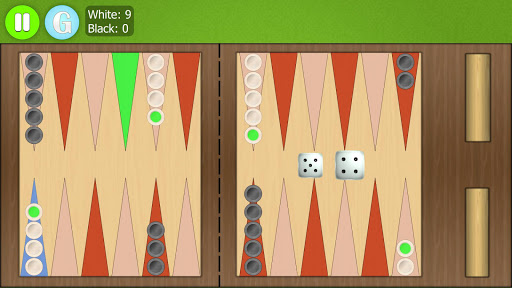
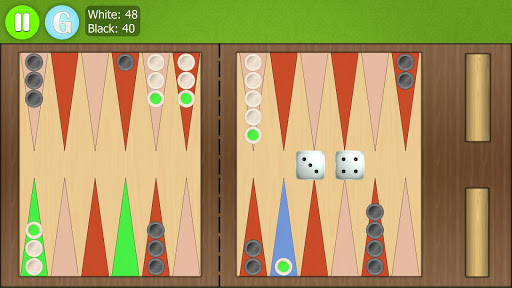
Roll the Dice and Conquer the Backgammon Board!
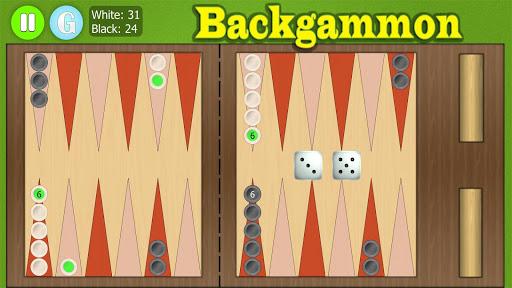
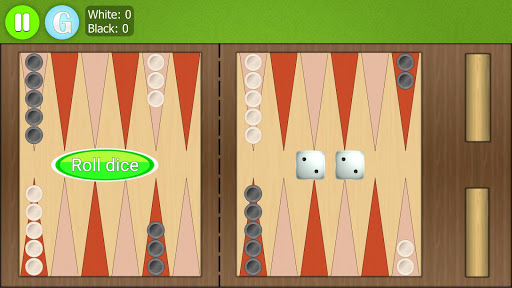
Move the pieces around the board according to dice rolls. Get all the pieces in the house to take them out according to your dice. Be the first player to get all the pieces out to win the game.
Unleash Your Inner Strategist
Engage in battles of wit against our AI opponent, renowned for its cunning and adaptability. Each move requires careful planning and foresight as you navigate the intricate board.
FEATURES
- Immersive Gameplay: Engage in challenging matches against a formidable AI that will test your strategic prowess.
- lots of customization options
- auto bear off
- easy to select and move pieces
- fluid animations
- HD graphics
- detailed statistics
- nice music and sound effects
Whether you're a seasoned backgammon enthusiast or a newcomer to the game, Backgammon offers an unparalleled game experience.
If you have any technical problems, please email us directly at support@gsoftteam.com. Please, don’t leave support problems in our comments – we no longer check those and it will take longer to fix any issues that you might encounter. Thank you for your understanding!
Mehr anzeigen

1. Laden das MEmu-Installationsprogramm herunter und beenden die Installation

2. MEmu starten und Google Play auf der Homepage öffnen

3. Suchen Backgammon in Google Play
Install
4. Herunterladen und Installieren Backgammon
5. Klicken nach Abschluss der Installation auf das Symbol, um es zu starten

6. Viel Spaß beim Spielen von Backgammon auf dem PC mit MEmu
MEmu App Player ist der beste kostenlose Android-Emulator und 50 Millionen Menschen genießen bereits seine hervorragende Android-Gaming-Erfahrung. Mit der MEmu-Virtualisierungstechnologie können Sie Tausende von Android-Spielen problemlos auf Ihrem PC spielen, selbst bei grafikintensiven Spielen.
BGrößeres Bild mit besserer Grafik; Keine unterbrechungen, keine sorgen um Akku
Komplette Tastenbelegung unterstützt mit Maus und Tastatur oder Controller
Mit dem „Multi-Instance-Manager“ können Sie mehrere Spielkonten oder Spiele gleichzeitig auf einem PC ausführen.
Play Backgammon on PC by following steps: