Tower Game – Castle Defense
Aktualisiert
Aktuelle Version
1
Angeboten von

Bei all Ihrer Leidenschaft für das Spielen von Tower Game – Castle Defense sollten Ihre Hände nicht auf einen winzigen Bildschirm Ihres Telefons beschränkt sein. Spielen Sie wie ein Profi und übernehmen Sie die volle Kontrolle über Ihr Spiel mit Tastatur und Maus. MEmu bietet Ihnen all die Dinge, die Sie erwarten. Laden Sie Tower Game – Castle Defense herunter und spielen Sie es auf dem PC. Spielen Sie so lange, wie Sie wollen, ohne Grenzwerte für Akku, mobile Daten und störende Anrufe. Das brandneue MEmu 9 ist die beste Wahl, um Tower Game – Castle Defense auf dem PC zu spielen. Das exquisite voreingestellte Tastaturbelegungssystem, das mit unserem Fachwissen vorbereitet wurde, macht Tower Game – Castle Defense zu einem echten PC-Spiel. Der MEmu Multi-Instanz-Manager ermöglicht das Spielen von 2 oder mehr Konten auf demselben Gerät. Und das Wichtigste: Unsere exklusive Emulations-Engine kann das volle Potenzial Ihres PCs freisetzen und für reibungslose Abläufe sorgen.
Mehr anzeigen
Laden Sie Play Tower Game – Castle Defense auf dem PC mit MEmu Android Emulator. Viel Spaß beim Spielen auf großmundieren. Are you ready to experience a game full of tactics, strategy, intelligence and adrenaline with castle defense games?
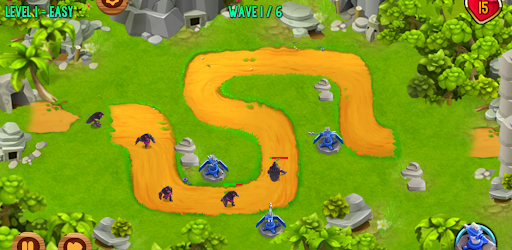
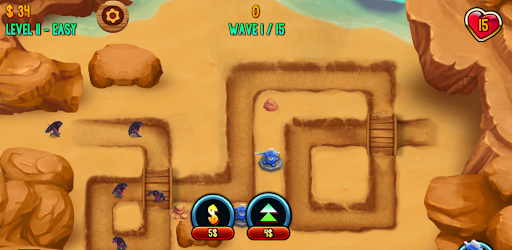
Are you ready to experience a game full of tactics, strategy, intelligence and adrenaline with castle defense games? If you like playing grow games, we are sure you will love this game where you have to defend against enemy invasion by improving your castle!
The tower game is basically based on a very simple logic. You must fight a defensive struggle against enemy troops who organize attacks to invade your territory. In this struggle, your biggest helpers are defense castles! You must position these fortresses with different features and powers in tactical areas and find the right combination to protect your territory!
Fortress battles are designed with every detail in mind for an epic adventure! You can strengthen your castles and take on opponents that get tougher and tougher with each level! And this castle defense game is completely free! So how will you make castle upgrades? You can upgrade your castles with the points you earn thanks to your struggle in the game.
In the tower defense game levels are getting harder starting from easy. Since you are a new player in the first levels, you can make a failed defense despite the easy levels, but don't let that scare you! You have to progress through the levels to learn what kind of tactical genius you have.
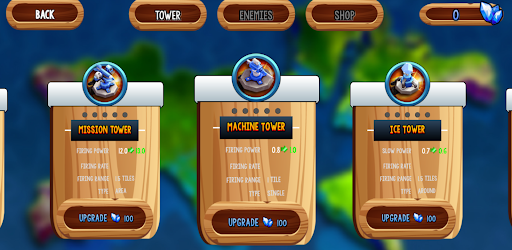
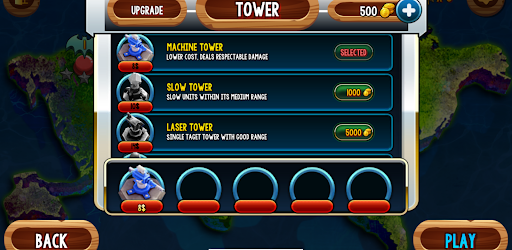
There are 5 towers in the tower defense simulator. These tower types;
- Mission Tower
- Machine Tower
- Ice Tower
- Laser Tower
- Slow Tower
Strategy games are a real savior when you're bored. Whether you're on the couch, traveling, or without an internet connection, this tower defense game will keep you entertained at your fingertips!
The tower defense game requires you to fight against waves of enemies with different abilities and powers. Don't worry about the difficulty of the opponents in the game, as you progress through the levels you will unlock new towers that will help you fend off enemy troops.
In our tower defense game, it's not just about building a tower, it's about strategically placing and improving them! Your enemies are ambitious to achieve their goals and the only obstacle in their way is the castles you place!
Mehr anzeigen

1. Laden das MEmu-Installationsprogramm herunter und beenden die Installation

2. MEmu starten und Google Play auf der Homepage öffnen

3. Suchen Tower Game – Castle Defense in Google Play
Install
4. Herunterladen und Installieren Tower Game – Castle Defense
5. Klicken nach Abschluss der Installation auf das Symbol, um es zu starten

6. Viel Spaß beim Spielen von Tower Game – Castle Defense auf dem PC mit MEmu
MEmu App Player ist der beste kostenlose Android-Emulator und 50 Millionen Menschen genießen bereits seine hervorragende Android-Gaming-Erfahrung. Mit der MEmu-Virtualisierungstechnologie können Sie Tausende von Android-Spielen problemlos auf Ihrem PC spielen, selbst bei grafikintensiven Spielen.
BGrößeres Bild mit besserer Grafik; Keine unterbrechungen, keine sorgen um Akku
Komplette Tastenbelegung unterstützt mit Maus und Tastatur oder Controller
Mit dem „Multi-Instance-Manager“ können Sie mehrere Spielkonten oder Spiele gleichzeitig auf einem PC ausführen.
Play Tower Game – Castle Defense on PC by following steps: