
BrokenLore: DONâT LIE
Aktualisiert
Aktuelle Version
Angeboten von

Bei all Ihrer Leidenschaft für das Spielen von BrokenLore: DONâT LIE sollten Ihre Hände nicht auf einen winzigen Bildschirm Ihres Telefons beschränkt sein. Spielen Sie wie ein Profi und übernehmen Sie die volle Kontrolle über Ihr Spiel mit Tastatur und Maus. MEmu bietet Ihnen all die Dinge, die Sie erwarten. Laden Sie BrokenLore: DONâT LIE herunter und spielen Sie es auf dem PC. Spielen Sie so lange, wie Sie wollen, ohne Grenzwerte für Akku, mobile Daten und störende Anrufe. Das brandneue MEmu 9 ist die beste Wahl, um BrokenLore: DONâT LIE auf dem PC zu spielen. Das exquisite voreingestellte Tastaturbelegungssystem, das mit unserem Fachwissen vorbereitet wurde, macht BrokenLore: DONâT LIE zu einem echten PC-Spiel. Der MEmu Multi-Instanz-Manager ermöglicht das Spielen von 2 oder mehr Konten auf demselben Gerät. Und das Wichtigste: Unsere exklusive Emulations-Engine kann das volle Potenzial Ihres PCs freisetzen und für reibungslose Abläufe sorgen.
Mehr anzeigen
Laden Sie Play BrokenLore: DONâT LIE auf dem PC mit MEmu Android Emulator. Viel Spaß beim Spielen auf großmundieren. Step into the life of Junko, a hikikomori whose carefully controlled world begins to unravel as the past resurfaces in ways she can no longer ignore.
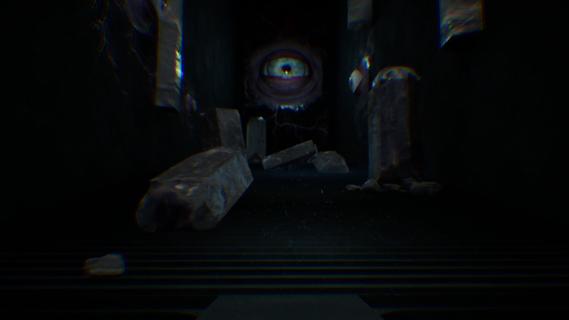
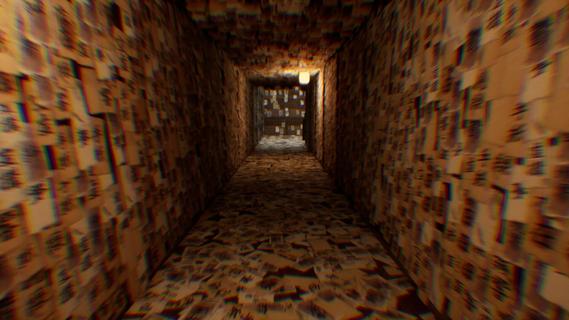


Step into the life of Junko, a hikikomori whose carefully controlled world begins to unravel as the past resurfaces in ways she can no longer ignore.Raised by a father who was always present but never truly there, Junko learned early to retreat inward. When her few attempts at connection were met with rejection and humiliation, she shut herself away from the outside world.As the boundaries between memory and reality begin to fracture, familiar places transform into reflections of her past. Through exploration, unsettling encounters, and the gradual unravelling of Junko's story, she must confront the people, experiences, and emotions she has spent years trying to escape before she loses herself completely.FeaturesJapanese First-person psychological horror: Explore, investigate, and survive within a grounded, slow-burn descent into paranoia and perception.Confined exploration: Search Junkoâs apartment and surrounding distorted spaces through messages, files, and environmental clues to uncover hidden truths.Tension: Stay out of sight and move carefully as an unseen presence begins to track your behaviour.Fractured reality: Shift between familiar environments and warped liminal spaces shaped by Junkoâs memories, where her memories and fears manifest.BrokenLore Series: DON'T LIE is part of the âBrokenLoreâ series of games that can be played and enjoyed as a standalone story.Wired Productions: Produced by psychological narrative specialists, Wired Productions - adding additional layers of narrative and depth, for a richer experience.
Mehr anzeigen

1. Laden das MEmu-Installationsprogramm herunter und beenden die Installation

2. MEmu starten und Google Play auf der Homepage öffnen

3. Suchen BrokenLore: DONâT LIE in Google Play
Install
4. Herunterladen und Installieren BrokenLore: DONâT LIE
5. Klicken nach Abschluss der Installation auf das Symbol, um es zu starten

6. Viel Spaß beim Spielen von BrokenLore: DONâT LIE auf dem PC mit MEmu
MEmu App Player ist der beste kostenlose Android-Emulator und 50 Millionen Menschen genießen bereits seine hervorragende Android-Gaming-Erfahrung. Mit der MEmu-Virtualisierungstechnologie können Sie Tausende von Android-Spielen problemlos auf Ihrem PC spielen, selbst bei grafikintensiven Spielen.
BGrößeres Bild mit besserer Grafik; Keine unterbrechungen, keine sorgen um Akku
Komplette Tastenbelegung unterstützt mit Maus und Tastatur oder Controller
Mit dem „Multi-Instance-Manager“ können Sie mehrere Spielkonten oder Spiele gleichzeitig auf einem PC ausführen.
Play BrokenLore: DONâT LIE on PC by following steps: