Deep Rock Galactic: Rogue Core
Aktualisiert
Aktuelle Version
Angeboten von

Bei all Ihrer Leidenschaft für das Spielen von Deep Rock Galactic: Rogue Core sollten Ihre Hände nicht auf einen winzigen Bildschirm Ihres Telefons beschränkt sein. Spielen Sie wie ein Profi und übernehmen Sie die volle Kontrolle über Ihr Spiel mit Tastatur und Maus. MEmu bietet Ihnen all die Dinge, die Sie erwarten. Laden Sie Deep Rock Galactic: Rogue Core herunter und spielen Sie es auf dem PC. Spielen Sie so lange, wie Sie wollen, ohne Grenzwerte für Akku, mobile Daten und störende Anrufe. Das brandneue MEmu 9 ist die beste Wahl, um Deep Rock Galactic: Rogue Core auf dem PC zu spielen. Das exquisite voreingestellte Tastaturbelegungssystem, das mit unserem Fachwissen vorbereitet wurde, macht Deep Rock Galactic: Rogue Core zu einem echten PC-Spiel. Der MEmu Multi-Instanz-Manager ermöglicht das Spielen von 2 oder mehr Konten auf demselben Gerät. Und das Wichtigste: Unsere exklusive Emulations-Engine kann das volle Potenzial Ihres PCs freisetzen und für reibungslose Abläufe sorgen.
Mehr anzeigen
Laden Sie Play Deep Rock Galactic: Rogue Core auf dem PC mit MEmu Android Emulator. Viel Spaß beim Spielen auf großmundieren. Deep Rock Galactic: Rogue Core is an intense cooperative first-person shooter (FPS) roguelite that plunges players into the perilous depths of alien-infested caves.
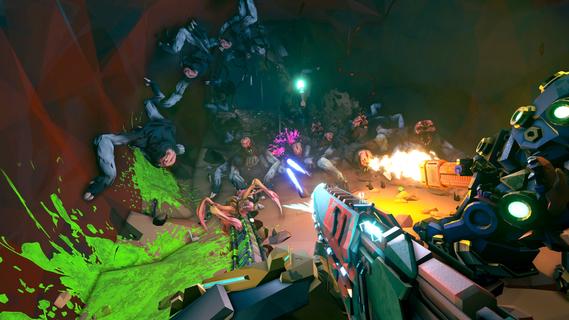
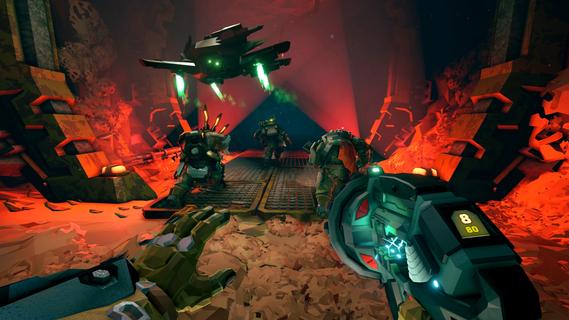
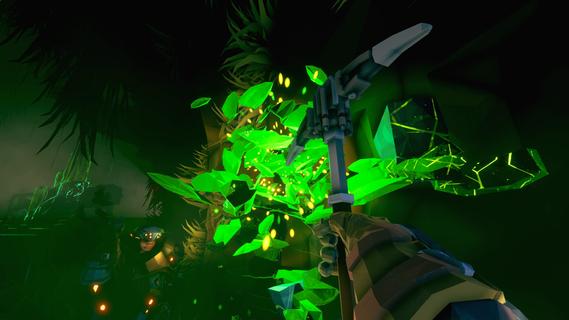
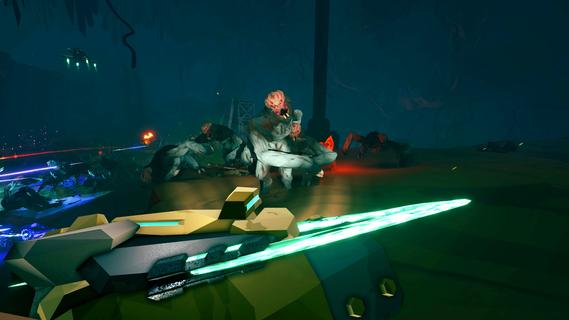
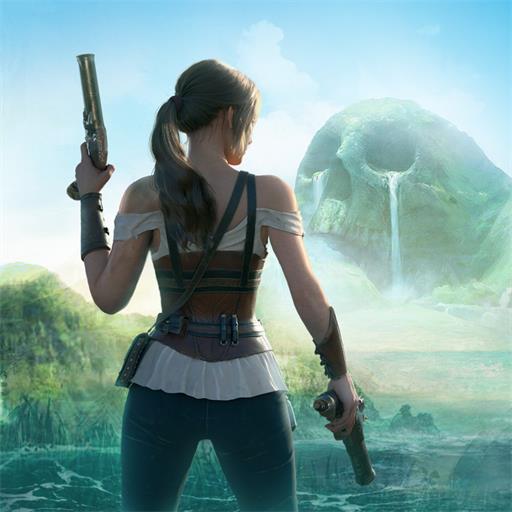
Deep Rock Galactic: Rogue Core is an intense cooperative first-person shooter (FPS) roguelite that plunges players into the perilous depths of alien-infested caves. Designed for 1 to 4 players, this action-packed game combines the charm of sci-fi dwarves with the relentless challenge of procedurally-generated environments and deadly creatures. As part of the elite dwarven Reclaimers, players embark on dangerous mining missions to extract valuable resources while battling terrifying Core Spawn lurking in the shadows. At its core, Deep Rock Galactic: Rogue Core offers a unique blend of fast-paced FPS gameplay and roguelite mechanics. Each mission takes place in procedurally-generated caves, ensuring no two playthroughs are the same. Players must adapt to ever-changing environments filled with narrow tunnels, vast caverns, and hidden dangers. The unpredictable nature of the caves keeps the tension high, as threats can emerge from any corner, requiring quick reflexes and strategic teamwork. Players choose from a roster of distinct dwarven classes, each with specialized skills and equipment tailored to different combat and support roles. Whether you prefer wielding heavy weaponry to blast through hordes of enemies, providing tactical support with gadgets, or expertly navigating the terrain with mobility tools, there is a class to suit every playstyle. This diversity encourages cooperation and coordination among teammates, as combining abilities is often key to surviving the hostile underground. The roguelite elements add an extra layer of challenge and replayability. Death is permanent, and each run requires players to start fresh, but with opportunities to unlock new gear, upgrades, and abilities that enhance future attempts. This progression system rewards skillful play and experimentation, motivating players to refine their tactics and explore deeper into the caverns. Combat in Deep Rock Galactic: Rogue Core is visceral and satisfying. Players face off against Core Spawn, alien monstrosities that vary in size, speed, and lethality. From swarming insect-like creatures to massive, heavily armored beasts, the game demands constant vigilance and adaptability. Environmental hazards such as cave-ins, toxic gases, and explosive minerals further complicate missions, forcing players to think on their feet and use the environment to their advantage. Mining and resource collection are central to the gameplay loop. Players must gather precious minerals and rare materials scattered throughout the caves to complete mission objectives and upgrade their equipment. Balancing the urgency of resource extraction with the need to survive waves of enemies creates a tense and rewarding experience. The cooperative multiplayer aspect is a standout feature. Communication and teamwork are essential, as players coordinate their movements, share resources, and cover each other during intense firefights. Whether playing with friends or joining random squads, the social dynamics add depth and excitement to every expedition. Graphically, the game embraces a stylized sci-fi aesthetic with detailed cave environments and character designs that highlight the dwarves’ rugged charm. The atmospheric lighting and sound design immerse players in the claustrophobic, dangerous underground world, heightening the sense of adventure and peril. In summary, Deep Rock Galactic: Rogue Core is a thrilling co-op FPS roguelite that offers a perfect mix of action, strategy, and exploration. With its procedurally-generated caves, diverse classes, challenging enemies, and rewarding progression system, it delivers a compelling experience for fans of cooperative shooters and roguelites alike. Prepare to delve into the depths, fight for survival, and embrace the dwarven motto: “For Rock and Stone!”
Mehr anzeigen

1. Laden das MEmu-Installationsprogramm herunter und beenden die Installation

2. MEmu starten und Google Play auf der Homepage öffnen

3. Suchen Deep Rock Galactic: Rogue Core in Google Play
Install
4. Herunterladen und Installieren Deep Rock Galactic: Rogue Core
5. Klicken nach Abschluss der Installation auf das Symbol, um es zu starten

6. Viel Spaß beim Spielen von Deep Rock Galactic: Rogue Core auf dem PC mit MEmu
MEmu App Player ist der beste kostenlose Android-Emulator und 50 Millionen Menschen genießen bereits seine hervorragende Android-Gaming-Erfahrung. Mit der MEmu-Virtualisierungstechnologie können Sie Tausende von Android-Spielen problemlos auf Ihrem PC spielen, selbst bei grafikintensiven Spielen.
BGrößeres Bild mit besserer Grafik; Keine unterbrechungen, keine sorgen um Akku
Komplette Tastenbelegung unterstützt mit Maus und Tastatur oder Controller
Mit dem „Multi-Instance-Manager“ können Sie mehrere Spielkonten oder Spiele gleichzeitig auf einem PC ausführen.
Play Deep Rock Galactic: Rogue Core on PC by following steps: