
Den of Wolves
Aktualisiert
Aktuelle Version
Angeboten von

Bei all Ihrer Leidenschaft für das Spielen von Den of Wolves sollten Ihre Hände nicht auf einen winzigen Bildschirm Ihres Telefons beschränkt sein. Spielen Sie wie ein Profi und übernehmen Sie die volle Kontrolle über Ihr Spiel mit Tastatur und Maus. MEmu bietet Ihnen all die Dinge, die Sie erwarten. Laden Sie Den of Wolves herunter und spielen Sie es auf dem PC. Spielen Sie so lange, wie Sie wollen, ohne Grenzwerte für Akku, mobile Daten und störende Anrufe. Das brandneue MEmu 9 ist die beste Wahl, um Den of Wolves auf dem PC zu spielen. Das exquisite voreingestellte Tastaturbelegungssystem, das mit unserem Fachwissen vorbereitet wurde, macht Den of Wolves zu einem echten PC-Spiel. Der MEmu Multi-Instanz-Manager ermöglicht das Spielen von 2 oder mehr Konten auf demselben Gerät. Und das Wichtigste: Unsere exklusive Emulations-Engine kann das volle Potenzial Ihres PCs freisetzen und für reibungslose Abläufe sorgen.
Mehr anzeigen
Laden Sie Play Den of Wolves auf dem PC mit MEmu Android Emulator. Viel Spaß beim Spielen auf großmundieren. Den of Wolves is an intense cooperative first-person shooter that combines strategic planning, fast-paced action, and immersive cyberpunk storytelling.
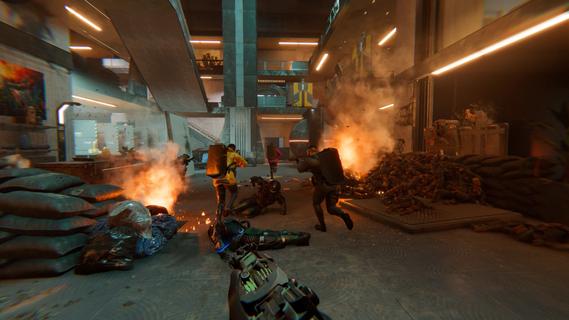
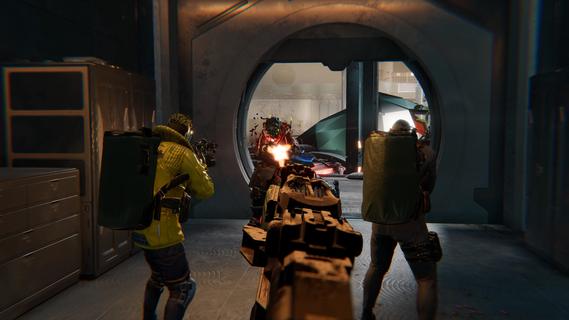
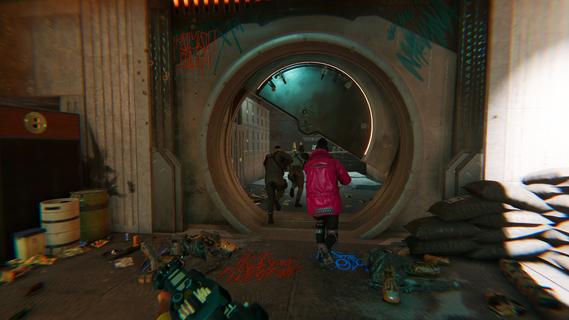
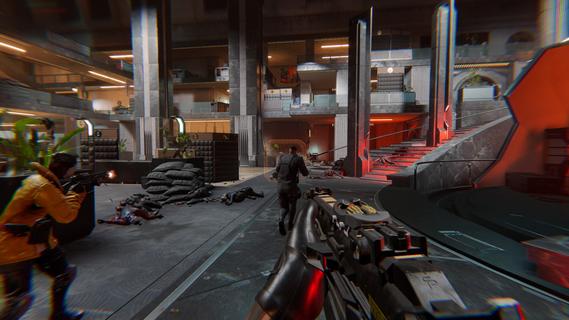
Den of Wolves is an intense cooperative first-person shooter that combines strategic planning, fast-paced action, and immersive cyberpunk storytelling. Set in the dystopian world of Midway City in the year 2097, players take on the roles of skilled criminals-for-hire navigating corporate warfare between ruthless megacorporations. As part of a four-player crew, you orchestrate high-stakes heists that range from espionage and sabotage to assassinations and data theft. The game emphasizes teamwork and adaptability, beginning each mission with thorough intel gathering and plan design. Players carefully select their gear and roles to tackle dynamic objectives that can switch from stealthy infiltration to all-out firefights in an instant. A hallmark feature is the variety of gadgets and weapons at your disposal, including deployable shields that block bullets while allowing you to shoot through them, sentry drones for tactical support, and advanced hacking tools that open unique gameplay possibilities. One of Den of Wolves’ most innovative mechanics is “The Dive”—a mind-bending experience where players hack into an enemy’s neural network and enter surreal virtual environments. These dives transport your squad into abstract cyberspaces or unexpected settings like prehistoric landscapes, mixing platforming challenges with combat sequences, adding layers of intensity and unpredictability to the heist missions. Midway City itself is a richly detailed, sprawling corporate metropolis built on international waters, inhabited by hundreds of fictional corporations, each contributing to the game’s dense lore. This living world enhances the narrative, making each mission feel part of a larger conflict in a society driven by unchecked technological growth and power struggles. The gameplay also demands strategic coordination during key moments such as vault drilling, where players must balance offense and defense, protecting the drill while fending off waves of increasingly aggressive enemies. This pressure-cooker environment tests communication, reflexes, and quick tactical thinking, rewarding effective teamwork and improvisation. Graphics and sound design further elevate the experience with a gritty cyberpunk aesthetic, highly customizable characters sporting stylized masks, and immersive audio effects that heighten the adrenaline-fueled heist atmosphere. Developed by 10 Chambers, the studio behind GTFO and led by the creator of Payday, Den of Wolves aims to balance hardcore challenge with accessibility, welcoming both veterans and newcomers to co-op tactical shooters. Currently planned for Early Access on PC via Steam, Den of Wolves promises high replayability through diverse mission setups and evolving in-game scenarios. Whether orchestrating intricate plans with your friends or reacting on the fly to chaos, this game delivers a thrilling fusion of stealth, strategy, and action in a futuristic world of corporate espionage and criminal intrigue.
Mehr anzeigen

1. Laden das MEmu-Installationsprogramm herunter und beenden die Installation

2. MEmu starten und Google Play auf der Homepage öffnen

3. Suchen Den of Wolves in Google Play
Install
4. Herunterladen und Installieren Den of Wolves
5. Klicken nach Abschluss der Installation auf das Symbol, um es zu starten

6. Viel Spaß beim Spielen von Den of Wolves auf dem PC mit MEmu
MEmu App Player ist der beste kostenlose Android-Emulator und 50 Millionen Menschen genießen bereits seine hervorragende Android-Gaming-Erfahrung. Mit der MEmu-Virtualisierungstechnologie können Sie Tausende von Android-Spielen problemlos auf Ihrem PC spielen, selbst bei grafikintensiven Spielen.
BGrößeres Bild mit besserer Grafik; Keine unterbrechungen, keine sorgen um Akku
Komplette Tastenbelegung unterstützt mit Maus und Tastatur oder Controller
Mit dem „Multi-Instance-Manager“ können Sie mehrere Spielkonten oder Spiele gleichzeitig auf einem PC ausführen.
Play Den of Wolves on PC by following steps: