Divine Throne: Idle RPG
Aktualisiert
Aktuelle Version
1.0.9
Angeboten von

Bei all Ihrer Leidenschaft für das Spielen von Divine Throne: Idle RPG sollten Ihre Hände nicht auf einen winzigen Bildschirm Ihres Telefons beschränkt sein. Spielen Sie wie ein Profi und übernehmen Sie die volle Kontrolle über Ihr Spiel mit Tastatur und Maus. MEmu bietet Ihnen all die Dinge, die Sie erwarten. Laden Sie Divine Throne: Idle RPG herunter und spielen Sie es auf dem PC. Spielen Sie so lange, wie Sie wollen, ohne Grenzwerte für Akku, mobile Daten und störende Anrufe. Das brandneue MEmu 9 ist die beste Wahl, um Divine Throne: Idle RPG auf dem PC zu spielen. Das exquisite voreingestellte Tastaturbelegungssystem, das mit unserem Fachwissen vorbereitet wurde, macht Divine Throne: Idle RPG zu einem echten PC-Spiel. Der MEmu Multi-Instanz-Manager ermöglicht das Spielen von 2 oder mehr Konten auf demselben Gerät. Und das Wichtigste: Unsere exklusive Emulations-Engine kann das volle Potenzial Ihres PCs freisetzen und für reibungslose Abläufe sorgen.
Mehr anzeigen
Laden Sie Play Divine Throne: Idle RPG auf dem PC mit MEmu Android Emulator. Viel Spaß beim Spielen auf großmundieren. JETZT VORANMELDEN!
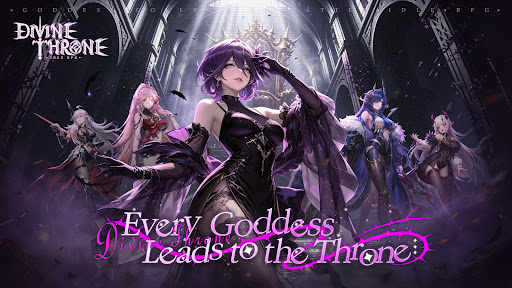


JETZT VORANMELDEN! Schalte die S+ Göttin „Danu“ und den exklusiven Avatar-Rahmen „Obsidian-Halo“ frei!
EXKLUSIVE VORANMELDE-MEILENSTEINE
Schließe dich Abenteurern weltweit an! Registriere dich noch heute vor, um dir diese limitierten Schätze zu sichern und das Schlachtfeld vom ersten Tag an zu dominieren:
50.000 erreicht: 100 Diamanten, 5 Sternenbeweise, 300 Schmiedekristalle
100.000 erreicht: Rubinseite (Chatblase), 1x 2 Stunden AFK-Göttinnen-EP, 300 Glücksstaub
200.000 erreicht: 300 Diamanten, 3x Eid-Token, 500 Kodexfragmente
300.000 Ultimative Belohnung: 1x Danu (S+ Göttin der höchsten Stufe!), 5x Sternenbeweise, 200 Aufstiegssteine
Als der höchste Thron zerbrach, brach die göttliche Ordnung zusammen und die Gesetze aller Reiche begannen zu verfallen. Vergessene Göttinnen erwachen aus den Mythen, getrieben nicht nur vom Schicksal, sondern auch von einer lauernden Dunkelheit in ihrem Inneren. Während Fraktionen in einen erbarmungslosen Kampf um den Thron stürzen, wirst du – der Träger verbotener Verträge – diese Göttinnen an deinen Willen binden, die Ordnung der Welt neu gestalten … oder sie in den ewigen Untergang führen.
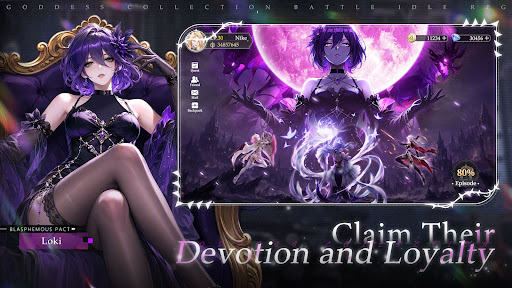
● Gewinne ihre Hingabe und Loyalität
Verdiene dir ihr Vertrauen und ihre Hingabe durch Verträge, vertiefe deine Bindungen und schalte exklusive Geschichten und Kräfte frei.
● Stelle dein ultimatives Göttinnen-Team zusammen
Rekrutiere Göttinnen aus verschiedenen Fraktionen, verbessere und entwickle sie weiter, um dein ultimatives Team aufzubauen.
● Befehlige mythische Bestien im Kampf
Sammle und stärke furchterregende Bestien, um dein Team zu unterstützen und deine Kampfstrategien zu verbessern.
● Verkette Fähigkeiten, um verbotene Macht zu entfesseln
Kombiniere Fähigkeiten, um mächtige Fähigkeitsketten und Boni auszulösen und so überwältigende verbotene Macht zu entfesseln.
● Melde dich an, um exklusive Inhalte zu erhalten. Belohnungen
Starte mit massiven Beschwörungsbelohnungen, erhalte mühelos mächtige Charaktere und baue dein Kernteam schnell auf.
[Mehr Informationen über uns]
Offizielle Facebook-Seite: https://www.facebook.com/DTIRPG/
Facebook-Gruppe: https://www.facebook.com/groups/997637649939737/
Discord: https://discord.gg/zwRVFBBfvg
Mehr anzeigen

1. Laden das MEmu-Installationsprogramm herunter und beenden die Installation

2. MEmu starten und Google Play auf der Homepage öffnen

3. Suchen Divine Throne: Idle RPG in Google Play
Install
4. Herunterladen und Installieren Divine Throne: Idle RPG
5. Klicken nach Abschluss der Installation auf das Symbol, um es zu starten

6. Viel Spaß beim Spielen von Divine Throne: Idle RPG auf dem PC mit MEmu
MEmu App Player ist der beste kostenlose Android-Emulator und 50 Millionen Menschen genießen bereits seine hervorragende Android-Gaming-Erfahrung. Mit der MEmu-Virtualisierungstechnologie können Sie Tausende von Android-Spielen problemlos auf Ihrem PC spielen, selbst bei grafikintensiven Spielen.
BGrößeres Bild mit besserer Grafik; Keine unterbrechungen, keine sorgen um Akku
Komplette Tastenbelegung unterstützt mit Maus und Tastatur oder Controller
Mit dem „Multi-Instance-Manager“ können Sie mehrere Spielkonten oder Spiele gleichzeitig auf einem PC ausführen.
Play Divine Throne: Idle RPG on PC by following steps: