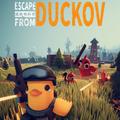
Escape From Duckov
Aktualisiert
Aktuelle Version
Angeboten von

Bei all Ihrer Leidenschaft für das Spielen von Escape From Duckov sollten Ihre Hände nicht auf einen winzigen Bildschirm Ihres Telefons beschränkt sein. Spielen Sie wie ein Profi und übernehmen Sie die volle Kontrolle über Ihr Spiel mit Tastatur und Maus. MEmu bietet Ihnen all die Dinge, die Sie erwarten. Laden Sie Escape From Duckov herunter und spielen Sie es auf dem PC. Spielen Sie so lange, wie Sie wollen, ohne Grenzwerte für Akku, mobile Daten und störende Anrufe. Das brandneue MEmu 9 ist die beste Wahl, um Escape From Duckov auf dem PC zu spielen. Das exquisite voreingestellte Tastaturbelegungssystem, das mit unserem Fachwissen vorbereitet wurde, macht Escape From Duckov zu einem echten PC-Spiel. Der MEmu Multi-Instanz-Manager ermöglicht das Spielen von 2 oder mehr Konten auf demselben Gerät. Und das Wichtigste: Unsere exklusive Emulations-Engine kann das volle Potenzial Ihres PCs freisetzen und für reibungslose Abläufe sorgen.
Mehr anzeigen
Laden Sie Play Escape From Duckov auf dem PC mit MEmu Android Emulator. Viel Spaß beim Spielen auf großmundieren. Escape From Duckov is a unique single-player top-down looter-shooter game that puts a humorous twist on the extraction shooter genre.
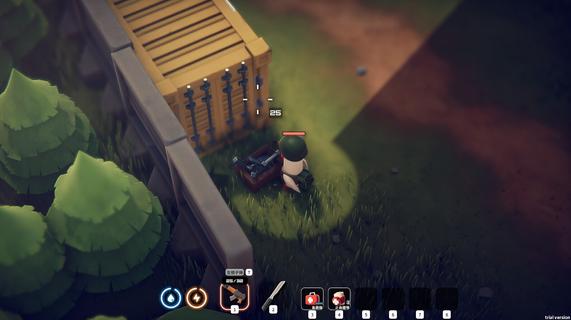
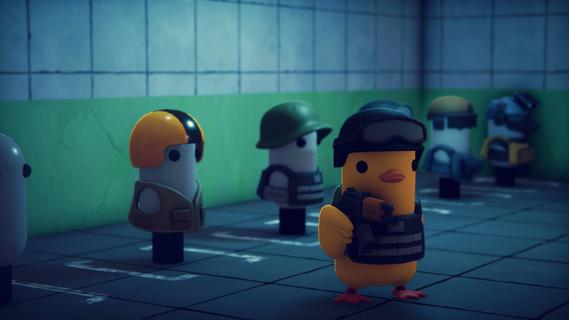
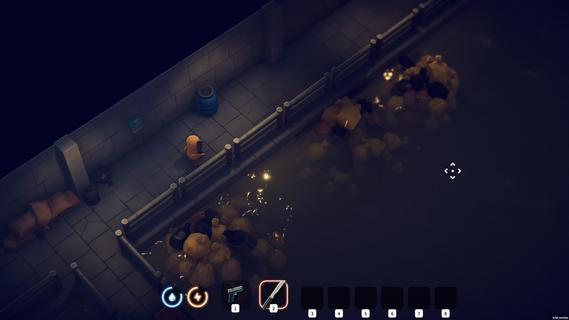
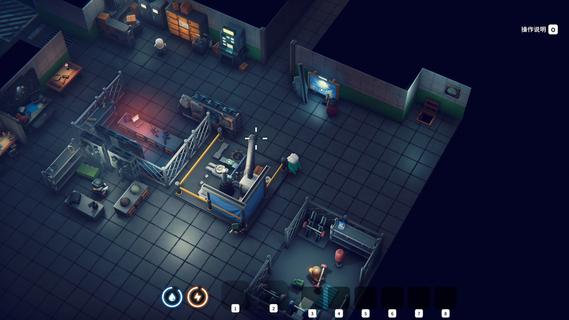
Escape From Duckov is a unique single-player top-down looter-shooter game that puts a humorous twist on the extraction shooter genre. In this game, players control a young rogue duck soldier in a bizarre, war-torn world filled with other militant birds. Your mission is to loot various weapons—from knives and shotguns to assault rifles—fight off enemy avians, and build and upgrade your own underground base to survive the dangers that lurk outside. The gameplay is fast-paced and tactical, requiring careful looting and combat skills. A key challenge is inventory management: if you get knocked down, you lose all the items you've gathered, making each encounter risky and intensifying the survival aspect. However, if you build your infrastructure properly, you have a solid home base to fall back on, allowing you to quickly rise again after setbacks. Escape From Duckov also features a distinctive base-building system. You can develop your underground shelter by constructing workbenches, medical stations, and other facilities that help enhance your combat abilities and store your valuables safely. Upgrading your base is crucial to protecting your resources from enemy raids and increasing your chances of survival. The game adds depth through NPC interactions where you can befriend other birds to bolster your team, but beware—friendships can be fragile, and betrayals are possible. The world of Duckov is both whimsical and dangerous, filled with unpredictable enemies and opportunities for strategic gameplay. Visually, the game stands out with its charming yet chaotic art style, combining comic absurdity with classic shooter mechanics. It offers a unique blend of humor and intense gameplay, making it accessible for newcomers to extraction shooters while still appealing to hardcore fans of the genre. Escape From Duckov is available on PC via Steam and Epic Games Store, offering players instant access without the need for downloads or registrations. Whether you're looting, fighting, building, or escaping, this game promises a fun and challenging experience where you become the mightiest bird soldier in a world gone wild. In summary, Escape From Duckov delivers a refreshing and entertaining take on the looter-shooter genre with:Fast-paced top-down shooting and looting Intense survival mechanics with permanent item loss upon defeat Strategic base building and resource management Tactical combat against enemy birds and creatures Humorous, whimsical setting with unique characters and story elements Prepare to dive into the chaotic world of Duckov, where every decision counts, and survival means rising from the ashes stronger than ever.
Mehr anzeigen

1. Laden das MEmu-Installationsprogramm herunter und beenden die Installation

2. MEmu starten und Google Play auf der Homepage öffnen

3. Suchen Escape From Duckov in Google Play
Install
4. Herunterladen und Installieren Escape From Duckov
5. Klicken nach Abschluss der Installation auf das Symbol, um es zu starten

6. Viel Spaß beim Spielen von Escape From Duckov auf dem PC mit MEmu
MEmu App Player ist der beste kostenlose Android-Emulator und 50 Millionen Menschen genießen bereits seine hervorragende Android-Gaming-Erfahrung. Mit der MEmu-Virtualisierungstechnologie können Sie Tausende von Android-Spielen problemlos auf Ihrem PC spielen, selbst bei grafikintensiven Spielen.
BGrößeres Bild mit besserer Grafik; Keine unterbrechungen, keine sorgen um Akku
Komplette Tastenbelegung unterstützt mit Maus und Tastatur oder Controller
Mit dem „Multi-Instance-Manager“ können Sie mehrere Spielkonten oder Spiele gleichzeitig auf einem PC ausführen.
Play Escape From Duckov on PC by following steps: