Escape Simulator 2
Aktualisiert
Aktuelle Version
Angeboten von

Bei all Ihrer Leidenschaft für das Spielen von Escape Simulator 2 sollten Ihre Hände nicht auf einen winzigen Bildschirm Ihres Telefons beschränkt sein. Spielen Sie wie ein Profi und übernehmen Sie die volle Kontrolle über Ihr Spiel mit Tastatur und Maus. MEmu bietet Ihnen all die Dinge, die Sie erwarten. Laden Sie Escape Simulator 2 herunter und spielen Sie es auf dem PC. Spielen Sie so lange, wie Sie wollen, ohne Grenzwerte für Akku, mobile Daten und störende Anrufe. Das brandneue MEmu 9 ist die beste Wahl, um Escape Simulator 2 auf dem PC zu spielen. Das exquisite voreingestellte Tastaturbelegungssystem, das mit unserem Fachwissen vorbereitet wurde, macht Escape Simulator 2 zu einem echten PC-Spiel. Der MEmu Multi-Instanz-Manager ermöglicht das Spielen von 2 oder mehr Konten auf demselben Gerät. Und das Wichtigste: Unsere exklusive Emulations-Engine kann das volle Potenzial Ihres PCs freisetzen und für reibungslose Abläufe sorgen.
Mehr anzeigen
Laden Sie Play Escape Simulator 2 auf dem PC mit MEmu Android Emulator. Viel Spaß beim Spielen auf großmundieren. Escape Simulator 2 is the highly anticipated sequel to the best-selling first-person escape room game, delivering a fresh and immersive puzzle-solving experience for solo players and groups of up to eight.
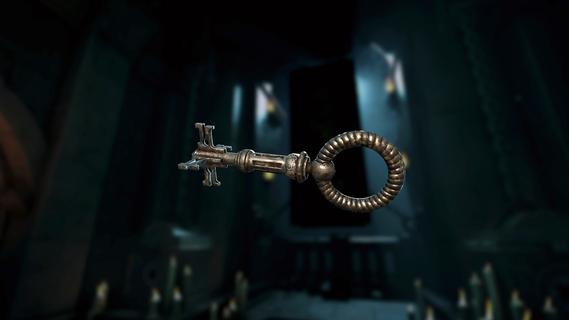
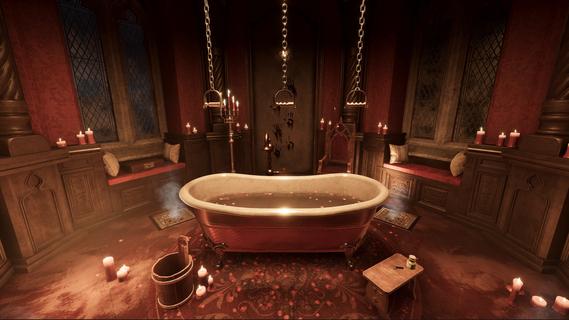
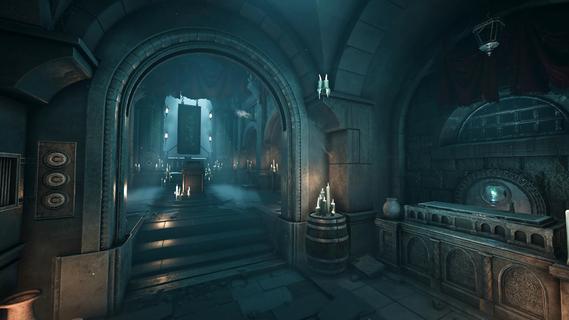
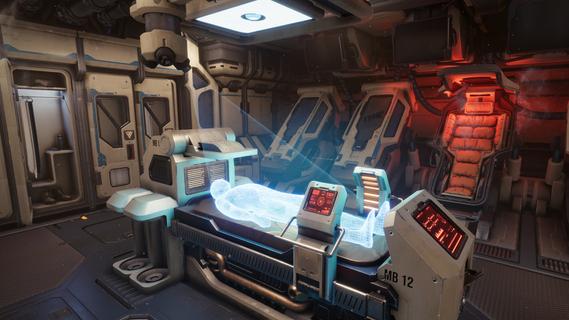
Escape Simulator 2 is the highly anticipated sequel to the best-selling first-person escape room game, delivering a fresh and immersive puzzle-solving experience for solo players and groups of up to eight. Building on the original’s success, this new installment expands the scope and complexity of escape rooms with larger, more detailed environments and a darker, more mysterious tone-though it remains firmly rooted in puzzle adventure rather than horror. The game features twelve brand-new escape rooms divided into three themed packs. Players can explore the eerie corridors and hidden chambers of Dracula’s Castle, unravel the secrets aboard the stranded Starship EOS, or brave the treacherous challenges of a pirate island to uncover a cursed treasure. Each environment is meticulously crafted with intricate puzzles, hidden clues, and interactive objects designed to encourage deep exploration and creative problem-solving. One of the standout features of Escape Simulator 2 is its enhanced physics and interaction system. Players can pick up, examine, and manipulate nearly every object in the rooms, wipe away dust to reveal hidden messages, operate machinery, and even sit down to take a breather, all contributing to a tactile and realistic escape room atmosphere. The improved rendering engine and animations heighten immersion, making each puzzle feel like a tangible challenge. Escape Simulator 2 supports both solo play and multiplayer, allowing up to eight players to collaborate in real time. This cooperative mode encourages teamwork and communication, as players share discoveries and combine their skills to solve complex puzzles. A new lobby system facilitates easy matchmaking and group formation, making it simple to jump into games with friends or other puzzle enthusiasts. For creators, the game introduces Room Editor 2.0, a powerful and intuitive toolkit that lets players design, build, and share their own custom escape rooms. This upgraded editor includes a new lighting engine, a building constructor, and an animation editor, providing unprecedented control over the look and feel of user-generated content. The community can share their creations online, fostering a vibrant ecosystem of puzzles and challenges that extend the game’s replayability indefinitely. Behind the scenes, the developers collaborated with real-life escape room designers and veteran community builders to craft puzzles that are both challenging and rewarding. The sequel also features a rewritten netcode for smoother multiplayer experiences, as well as technical upgrades that improve performance and visual fidelity. Escape Simulator 2 is not a horror game; it avoids jump scares and gore, focusing instead on atmosphere and mystery. Its darker tone adds depth to the storytelling and puzzle design without compromising accessibility. Whether you prefer to tackle puzzles alone or enjoy the social dynamics of cooperative play, the game offers a rich and engaging escape room experience. Set to launch on PC via Steam, Escape Simulator 2 promises to push the boundaries of the escape room genre with its blend of immersive environments, sophisticated puzzles, and creative freedom. It invites players to dive into captivating mysteries, test their wits, and collaborate with friends in an unforgettable adventure of escape and discovery.
Mehr anzeigen

1. Laden das MEmu-Installationsprogramm herunter und beenden die Installation

2. MEmu starten und Google Play auf der Homepage öffnen

3. Suchen Escape Simulator 2 in Google Play
Install
4. Herunterladen und Installieren Escape Simulator 2
5. Klicken nach Abschluss der Installation auf das Symbol, um es zu starten

6. Viel Spaß beim Spielen von Escape Simulator 2 auf dem PC mit MEmu
MEmu App Player ist der beste kostenlose Android-Emulator und 50 Millionen Menschen genießen bereits seine hervorragende Android-Gaming-Erfahrung. Mit der MEmu-Virtualisierungstechnologie können Sie Tausende von Android-Spielen problemlos auf Ihrem PC spielen, selbst bei grafikintensiven Spielen.
BGrößeres Bild mit besserer Grafik; Keine unterbrechungen, keine sorgen um Akku
Komplette Tastenbelegung unterstützt mit Maus und Tastatur oder Controller
Mit dem „Multi-Instance-Manager“ können Sie mehrere Spielkonten oder Spiele gleichzeitig auf einem PC ausführen.
Play Escape Simulator 2 on PC by following steps: