Grub Guardian
Aktualisiert
Aktuelle Version
2.01.1
Angeboten von

Bei all Ihrer Leidenschaft für das Spielen von Grub Guardian sollten Ihre Hände nicht auf einen winzigen Bildschirm Ihres Telefons beschränkt sein. Spielen Sie wie ein Profi und übernehmen Sie die volle Kontrolle über Ihr Spiel mit Tastatur und Maus. MEmu bietet Ihnen all die Dinge, die Sie erwarten. Laden Sie Grub Guardian herunter und spielen Sie es auf dem PC. Spielen Sie so lange, wie Sie wollen, ohne Grenzwerte für Akku, mobile Daten und störende Anrufe. Das brandneue MEmu 9 ist die beste Wahl, um Grub Guardian auf dem PC zu spielen. Das exquisite voreingestellte Tastaturbelegungssystem, das mit unserem Fachwissen vorbereitet wurde, macht Grub Guardian zu einem echten PC-Spiel. Der MEmu Multi-Instanz-Manager ermöglicht das Spielen von 2 oder mehr Konten auf demselben Gerät. Und das Wichtigste: Unsere exklusive Emulations-Engine kann das volle Potenzial Ihres PCs freisetzen und für reibungslose Abläufe sorgen.
Mehr anzeigen
Laden Sie Play Grub Guardian auf dem PC mit MEmu Android Emulator. Viel Spaß beim Spielen auf großmundieren. A Guardian Defense game unlike any other, new from KingsIsle Entertainment!
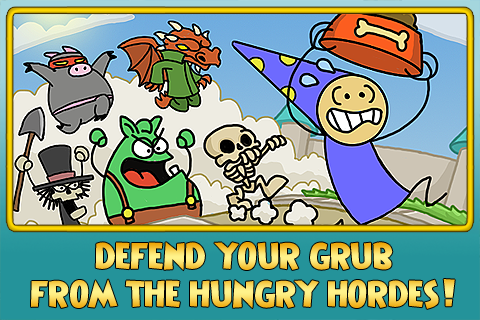
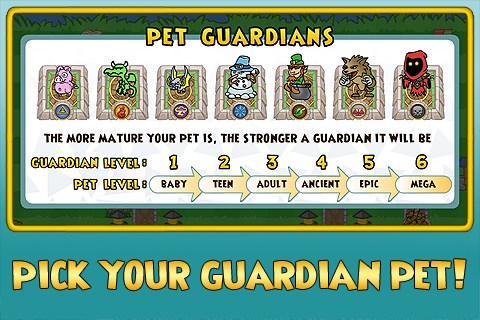
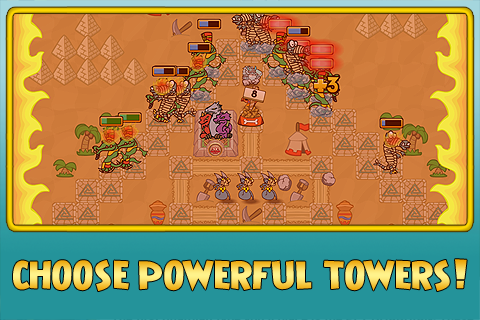
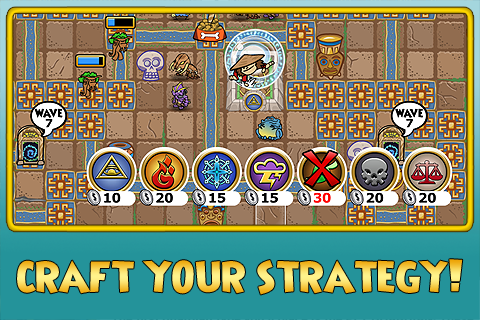
A Guardian Defense game unlike any other, new from KingsIsle Entertainment!
Defend the grub against swarms of different enemies while you train your Wizard101 pet or play to receive free Wizard101 game codes.
28 Free maps ranging in difficulty from Easy to Wondra
Each pet has different strengths & abilities
New maps unlock as you progress
Different strategy needed for new enemies
Gold, Silver and Bronze medals for high scores
Ability to purchase premium in-game items and additional maps with Crowns
Grub Guardian is the first mini game that ties directly to your live Wizard101 account! Logging into Grub Guardian allows you to unlock new maps as well as train your pets for experience points. Please be aware - you will not be able to log into Grub Guardian and Wizard101 at the same time. If you do not have a Wizard101 account, you can create one, but non-logged in players can still play a limited number of Grub Guardian maps for Wizard101 game codes.
Mehr anzeigen

1. Laden das MEmu-Installationsprogramm herunter und beenden die Installation

2. MEmu starten und Google Play auf der Homepage öffnen

3. Suchen Grub Guardian in Google Play
Install
4. Herunterladen und Installieren Grub Guardian
5. Klicken nach Abschluss der Installation auf das Symbol, um es zu starten

6. Viel Spaß beim Spielen von Grub Guardian auf dem PC mit MEmu
MEmu App Player ist der beste kostenlose Android-Emulator und 50 Millionen Menschen genießen bereits seine hervorragende Android-Gaming-Erfahrung. Mit der MEmu-Virtualisierungstechnologie können Sie Tausende von Android-Spielen problemlos auf Ihrem PC spielen, selbst bei grafikintensiven Spielen.
BGrößeres Bild mit besserer Grafik; Keine unterbrechungen, keine sorgen um Akku
Komplette Tastenbelegung unterstützt mit Maus und Tastatur oder Controller
Mit dem „Multi-Instance-Manager“ können Sie mehrere Spielkonten oder Spiele gleichzeitig auf einem PC ausführen.
Play Grub Guardian on PC by following steps: