Learn English Sentence Master PC

Learn English Sentence Master auf dem PC herunterlanden

Learn English Sentence Master PC

Learn English Sentence Master

  • Aktualisiert

  • Aktuelle Version

    1.12

  • Angeboten von

    Learn English Sentence Master PC

Eigenschaften von Learn English Sentence Master auf dem PC

Bei all Ihrer Leidenschaft für das Spielen von Learn English Sentence Master sollten Ihre Hände nicht auf einen winzigen Bildschirm Ihres Telefons beschränkt sein. Spielen Sie wie ein Profi und übernehmen Sie die volle Kontrolle über Ihr Spiel mit Tastatur und Maus. MEmu bietet Ihnen all die Dinge, die Sie erwarten. Laden Sie Learn English Sentence Master herunter und spielen Sie es auf dem PC. Spielen Sie so lange, wie Sie wollen, ohne Grenzwerte für Akku, mobile Daten und störende Anrufe. Das brandneue MEmu 9 ist die beste Wahl, um Learn English Sentence Master auf dem PC zu spielen. Das exquisite voreingestellte Tastaturbelegungssystem, das mit unserem Fachwissen vorbereitet wurde, macht Learn English Sentence Master zu einem echten PC-Spiel. Der MEmu Multi-Instanz-Manager ermöglicht das Spielen von 2 oder mehr Konten auf demselben Gerät. Und das Wichtigste: Unsere exklusive Emulations-Engine kann das volle Potenzial Ihres PCs freisetzen und für reibungslose Abläufe sorgen.

Mehr anzeigen

Bilder & Videos von Learn English Sentence Master auf dem PC

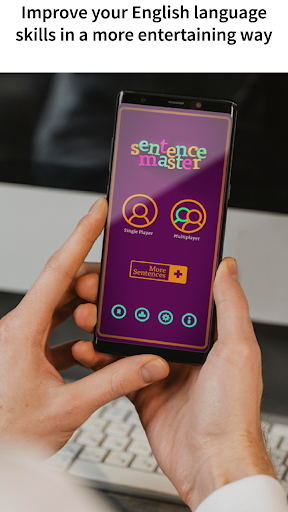
Laden Sie Play Learn English Sentence Master auf dem PC mit MEmu Android Emulator. Viel Spaß beim Spielen auf großmundieren. Learn English Grammar And Vocabulary With A GameSentence Master is a fun and educational game for English language students of all levels who want to learn English and improve their language skills in a more entertaining way.
Spiel Info

Learn English Grammar And Vocabulary With A Game

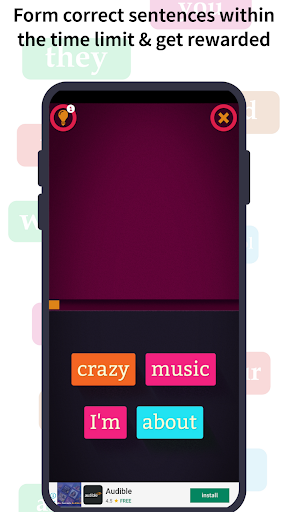
Sentence Master is a fun and educational game for English language students of all levels who want to learn English and improve their language skills in a more entertaining way. Practice English grammar by ordering the words to form correct sentences and sayings.
Rearrange Words To Play Sentence Maker And Builder

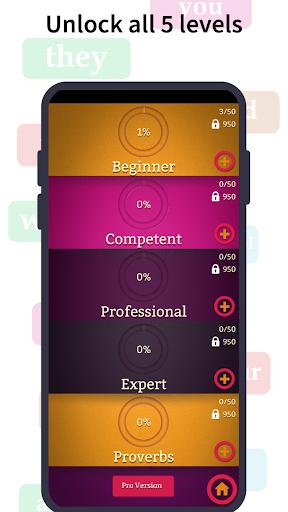
The game consists of putting the scrambled words from each level in order to form a correct sentence and learn English in a fun way. (Beginner, skilled, professional, expert, sayings.)

If you make a mistake and click the English word in the incorrect order, there is a time penalty.

Once you have completed the sentence you will receive a score based on how fast you were and your total number of errors.

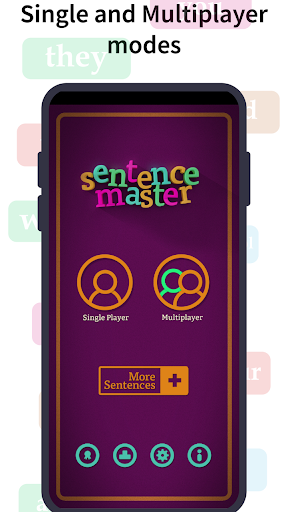
You can share your knowledge with other players worldwide thanks to online multiplayer mode.

Are you an English student who wants to improve your skills? Sentence Master will help you learn English and organize the words in your sentences correctly.

Are you an English expert who wants to show off your skills? Prove it in Competition mode on Google Play services.

Fun And Effective English Language Learning

Sentence Master is the first game of its kind designed and developed completely by educators to help students eliminate the most common mistake among English language learners, correct word order. With four levels from beginner to expert, Sentence Master is a challenge for everyone from the Beginner to the most seasoned English language communicators. The Proverbs and Sayings level is a great way to learn and remember popular English idioms and expressions. Learn English grammar and test your English grammar skills in a more entertaining way.

Sentence Master has always proved to be one of the best English language learning apps for both students and teachers. The app has made it fun and easy for students to learn English grammar and pronunciation. Students of all grades can learn and improve their English language skills with the help of Sentence Master. The app will be beneficial for students preparing for different language exams like IELTS, TOEFL, GMAT, SAT, ACT, etc. It helps students improve their English writing skills.

These are the levels:

Beginner: This level contains the easiest sentences with the fewest words to unscramble.

Competent: This is where things start to get harder. This level is great for students who are a bit further along on their English language learning adventure.

Professional: Great for students with a solid base in English who want to keep their skills up to date.

Expert: Only for those with the most proficient English skills. Are you one of them?

Proverbs and Sayings: Every language has its idioms and expressions. Learning the refrains of the language of Shakespeare has never been so fun.
Do you have what it takes to become the next Sentence Master? Try your luck in single-player mode or against friends and other players worldwide.

Learn English Grammar with a smile on your face.

Mehr anzeigen

So installierst du Learn English Sentence Master auf dem PC

  • Learn English Sentence Master PC

    1. Laden das MEmu-Installationsprogramm herunter und beenden die Installation

  • Learn English Sentence Master PC

    2. MEmu starten und Google Play auf der Homepage öffnen

  • Learn English Sentence Master PC

    3. Suchen Learn English Sentence Master in Google Play

  • Learn English Sentence Master PC Install

    4. Herunterladen und Installieren Learn English Sentence Master

  • Learn English Sentence Master PC

    5. Klicken nach Abschluss der Installation auf das Symbol, um es zu starten

  • Learn English Sentence Master PC
    Learn English Sentence Master PC Learn English Sentence Master PC

    6. Viel Spaß beim Spielen von Learn English Sentence Master auf dem PC mit MEmu

Warum MEmu für Learn English Sentence Master nutzen

MEmu App Player ist der beste kostenlose Android-Emulator und 50 Millionen Menschen genießen bereits seine hervorragende Android-Gaming-Erfahrung. Mit der MEmu-Virtualisierungstechnologie können Sie Tausende von Android-Spielen problemlos auf Ihrem PC spielen, selbst bei grafikintensiven Spielen.

  • BGrößeres Bild mit besserer Grafik; Keine unterbrechungen, keine sorgen um Akku

  • Komplette Tastenbelegung unterstützt mit Maus und Tastatur oder Controller

  • Mit dem „Multi-Instance-Manager“ können Sie mehrere Spielkonten oder Spiele gleichzeitig auf einem PC ausführen.

Bereit zum Spielen?

Learn English Sentence Master - FAQs

  • Wie kann man Learn English Sentence Master auf dem PC wiedergeben?

    Play Learn English Sentence Master on PC by following steps:

    • Download MEmu, then install and launch it
    • Login to Google Play Store, install the game
    • Enjoy playing the game on PC with MEmu
  • Was sind die Mindestsystemanforderungen, um Learn English Sentence Master auf dem PC auszuführen?
    • Intel or AMD Processor
    • Microsoft Windows 7 and above
    • 2GB of memory
    • 5GB of free disk space
    • Hardware Virtualization Technology