Logo Quiz
Aktualisiert
Aktuelle Version
2.1.9
Angeboten von

Bei all Ihrer Leidenschaft für das Spielen von Logo Quiz sollten Ihre Hände nicht auf einen winzigen Bildschirm Ihres Telefons beschränkt sein. Spielen Sie wie ein Profi und übernehmen Sie die volle Kontrolle über Ihr Spiel mit Tastatur und Maus. MEmu bietet Ihnen all die Dinge, die Sie erwarten. Laden Sie Logo Quiz herunter und spielen Sie es auf dem PC. Spielen Sie so lange, wie Sie wollen, ohne Grenzwerte für Akku, mobile Daten und störende Anrufe. Das brandneue MEmu 9 ist die beste Wahl, um Logo Quiz auf dem PC zu spielen. Das exquisite voreingestellte Tastaturbelegungssystem, das mit unserem Fachwissen vorbereitet wurde, macht Logo Quiz zu einem echten PC-Spiel. Der MEmu Multi-Instanz-Manager ermöglicht das Spielen von 2 oder mehr Konten auf demselben Gerät. Und das Wichtigste: Unsere exklusive Emulations-Engine kann das volle Potenzial Ihres PCs freisetzen und für reibungslose Abläufe sorgen.
Mehr anzeigen
Laden Sie Play Logo Quiz auf dem PC mit MEmu Android Emulator. Viel Spaß beim Spielen auf großmundieren. A logo quiz is a game in which players are shown images of logos and must guess the name of the company or brand associated with the logo.
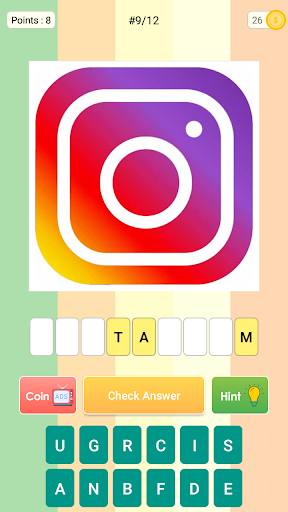
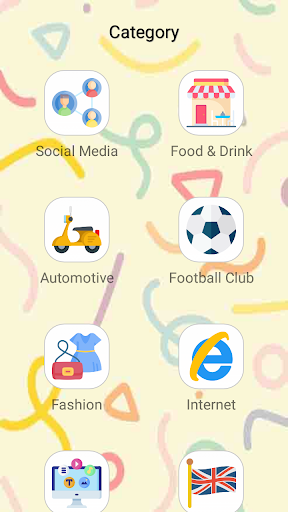
A logo quiz is a game in which players are shown images of logos and must guess the name of the company or brand associated with the logo.
To play, you simply need to identify the logo by typing the name of the company or brand into the game interface. The faster you guess correctly, the higher your score.
A logo quiz is a trivia game that tests your knowledge of popular brands and companies. It's a fun way to challenge yourself and see how well you know the logos of the products and services you use every day.
How to Play a Logo Quiz Game
Step 1: Choose a Game
There are many logo quiz games available for mobile devices and computers. Choose one that suits your skill level and interests.
Step 2: Start the Game
Launch the game and begin playing. You'll be shown a series of logos and must guess the name of the company or brand associated with each one.
Step 3: Guess the Logo
Type your answer into the game interface and submit it. The faster you guess correctly, the higher your score.
Logo quizzes can take many forms, including:
• Multiple Choice: where players choose the correct answer from a list of options
• Timed Quiz: where players must guess as many logos as possible within a set time limit
• Picture Quiz: where players are shown images of logos and must guess the name of the company or brand associated with each one
Tips to Improve Your Score in a Logo Quiz
Start with Known Logos
Begin with logos of brands you know well to build your confidence.
Pay Attention to Colors & Shapes
Colors and shapes can give away the identity of a logo even if the name of the company is not immediately obvious.
Use Hints Sparingly
Many quizzes provide hints to help you guess the answer, but these can impact your final score.
Logo quizzes are a fun and engaging way to test your knowledge of popular brands and companies. With these tips and tricks, you'll be sure to improve your score and impress your friends with your logo recognition skills.
Mehr anzeigen

1. Laden das MEmu-Installationsprogramm herunter und beenden die Installation

2. MEmu starten und Google Play auf der Homepage öffnen

3. Suchen Logo Quiz in Google Play
Install
4. Herunterladen und Installieren Logo Quiz
5. Klicken nach Abschluss der Installation auf das Symbol, um es zu starten

6. Viel Spaß beim Spielen von Logo Quiz auf dem PC mit MEmu
MEmu App Player ist der beste kostenlose Android-Emulator und 50 Millionen Menschen genießen bereits seine hervorragende Android-Gaming-Erfahrung. Mit der MEmu-Virtualisierungstechnologie können Sie Tausende von Android-Spielen problemlos auf Ihrem PC spielen, selbst bei grafikintensiven Spielen.
BGrößeres Bild mit besserer Grafik; Keine unterbrechungen, keine sorgen um Akku
Komplette Tastenbelegung unterstützt mit Maus und Tastatur oder Controller
Mit dem „Multi-Instance-Manager“ können Sie mehrere Spielkonten oder Spiele gleichzeitig auf einem PC ausführen.
Play Logo Quiz on PC by following steps: