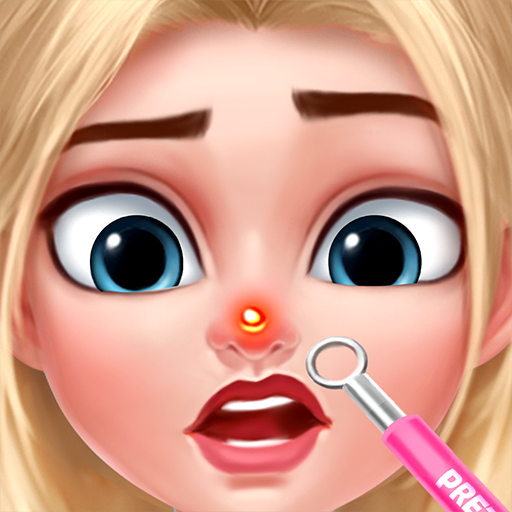
Merge Games: Makeup Makeover
Aktualisiert
Aktuelle Version
1.3
Angeboten von

Bei all Ihrer Leidenschaft für das Spielen von Merge Games: Makeup Makeover sollten Ihre Hände nicht auf einen winzigen Bildschirm Ihres Telefons beschränkt sein. Spielen Sie wie ein Profi und übernehmen Sie die volle Kontrolle über Ihr Spiel mit Tastatur und Maus. MEmu bietet Ihnen all die Dinge, die Sie erwarten. Laden Sie Merge Games: Makeup Makeover herunter und spielen Sie es auf dem PC. Spielen Sie so lange, wie Sie wollen, ohne Grenzwerte für Akku, mobile Daten und störende Anrufe. Das brandneue MEmu 9 ist die beste Wahl, um Merge Games: Makeup Makeover auf dem PC zu spielen. Das exquisite voreingestellte Tastaturbelegungssystem, das mit unserem Fachwissen vorbereitet wurde, macht Merge Games: Makeup Makeover zu einem echten PC-Spiel. Der MEmu Multi-Instanz-Manager ermöglicht das Spielen von 2 oder mehr Konten auf demselben Gerät. Und das Wichtigste: Unsere exklusive Emulations-Engine kann das volle Potenzial Ihres PCs freisetzen und für reibungslose Abläufe sorgen.
Mehr anzeigen
Laden Sie Play Merge Games: Makeup Makeover auf dem PC mit MEmu Android Emulator. Viel Spaß beim Spielen auf großmundieren. Wow, there is so much gossip we can talk about!
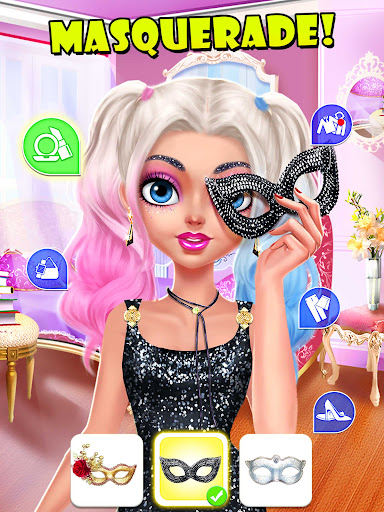
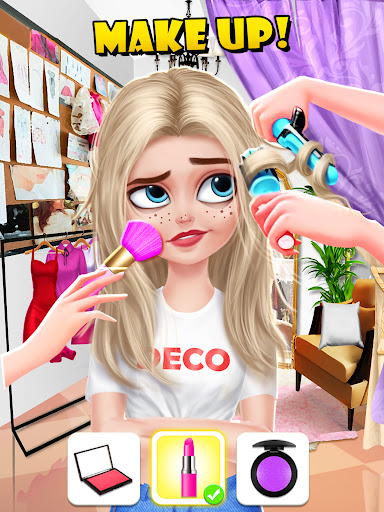
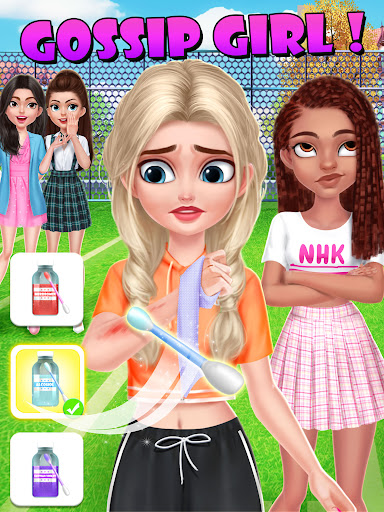
Wow, there is so much gossip we can talk about! Enjoy this Game!
How would our Upper East Sidders respond to your decisions? Are they really as glamorous as we can see? It's time for you to check out!
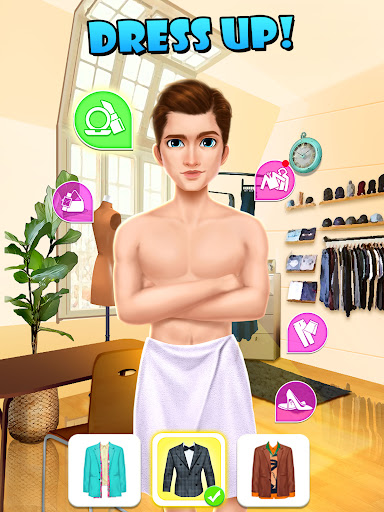
Each stage will need different tools, by playing merge games, you will get all the tools you need to help our characters to dress up and do their daily care.
How to play:
- By playing merge games, you will get the tool or fashionable clothing needed, try and dress up your character!
- Listen to the conversation to find out the gossips behind it.
- What's new on the Gossip board? Remember to check it out!
Important Message for Purchases:
- By downloading this App you agree to our Privacy Policy
- Please consider that this App may include third parties services for limited legally permissible purposes.
Crash, Freeze, Bugs, Comments, Feedback?
Please feel free to contact us: https://www.hugsnhearts.com/about-us
About Hugs N Hearts
Hugs N Hearts is an acclaimed mobile games developer who is enthusiastic about creating diverse and high-quality games. We aim to provide users the best gaming experiences with high quality graphics and game design.
We are always looking for opportunities to improve our games. Please feel free to leave us comment and let us know what you think.
Important Message to Parents
This app is free to play and all content is FREE with ads. There are certain in-game features that may require purchase using real money.
Discover more free games with Hugs N Hearts
- Subscribe to our youtube channel at:https://www.youtube.com/channel/UCUfX6DF6ZpBnoP6-vGHQZ0A
- Learn more about us at: https://www.hugsnhearts.com/
Mehr anzeigen

1. Laden das MEmu-Installationsprogramm herunter und beenden die Installation

2. MEmu starten und Google Play auf der Homepage öffnen

3. Suchen Merge Games: Makeup Makeover in Google Play
Install
4. Herunterladen und Installieren Merge Games: Makeup Makeover
5. Klicken nach Abschluss der Installation auf das Symbol, um es zu starten

6. Viel Spaß beim Spielen von Merge Games: Makeup Makeover auf dem PC mit MEmu
MEmu App Player ist der beste kostenlose Android-Emulator und 50 Millionen Menschen genießen bereits seine hervorragende Android-Gaming-Erfahrung. Mit der MEmu-Virtualisierungstechnologie können Sie Tausende von Android-Spielen problemlos auf Ihrem PC spielen, selbst bei grafikintensiven Spielen.
BGrößeres Bild mit besserer Grafik; Keine unterbrechungen, keine sorgen um Akku
Komplette Tastenbelegung unterstützt mit Maus und Tastatur oder Controller
Mit dem „Multi-Instance-Manager“ können Sie mehrere Spielkonten oder Spiele gleichzeitig auf einem PC ausführen.
Play Merge Games: Makeup Makeover on PC by following steps: