Quiz Superbuzzer 2
Aktualisiert
Aktuelle Version
2.4.400
Angeboten von

Bei all Ihrer Leidenschaft für das Spielen von Quiz Superbuzzer 2 sollten Ihre Hände nicht auf einen winzigen Bildschirm Ihres Telefons beschränkt sein. Spielen Sie wie ein Profi und übernehmen Sie die volle Kontrolle über Ihr Spiel mit Tastatur und Maus. MEmu bietet Ihnen all die Dinge, die Sie erwarten. Laden Sie Quiz Superbuzzer 2 herunter und spielen Sie es auf dem PC. Spielen Sie so lange, wie Sie wollen, ohne Grenzwerte für Akku, mobile Daten und störende Anrufe. Das brandneue MEmu 9 ist die beste Wahl, um Quiz Superbuzzer 2 auf dem PC zu spielen. Das exquisite voreingestellte Tastaturbelegungssystem, das mit unserem Fachwissen vorbereitet wurde, macht Quiz Superbuzzer 2 zu einem echten PC-Spiel. Der MEmu Multi-Instanz-Manager ermöglicht das Spielen von 2 oder mehr Konten auf demselben Gerät. Und das Wichtigste: Unsere exklusive Emulations-Engine kann das volle Potenzial Ihres PCs freisetzen und für reibungslose Abläufe sorgen.
Mehr anzeigen
Laden Sie Play Quiz Superbuzzer 2 auf dem PC mit MEmu Android Emulator. Viel Spaß beim Spielen auf großmundieren. An even more fun version of Superbuzzer, the LIVE MULTIPLAYER QUIZ with 3.
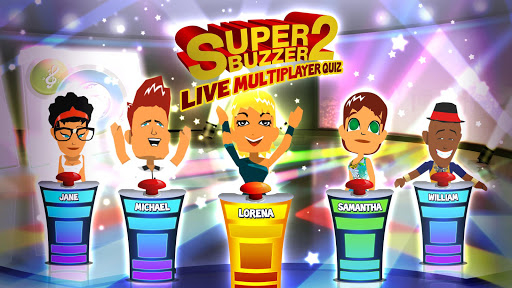
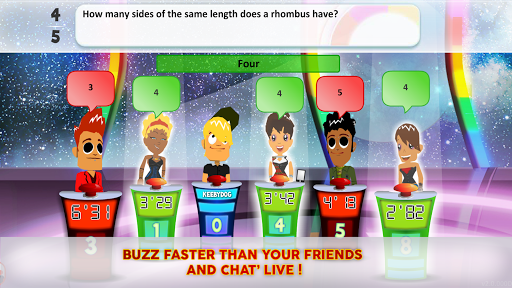
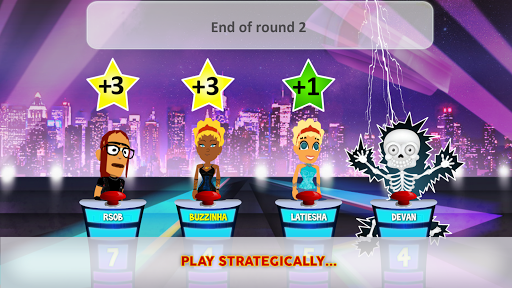
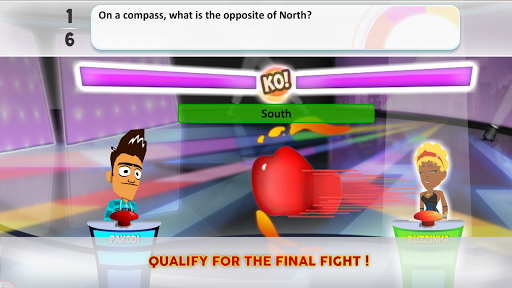
An even more fun version of Superbuzzer, the LIVE MULTIPLAYER QUIZ with 3.5 million players, featuring live THEMED QUIZZES and fab NEW GRAPHICS!
-> Play against 5 real players in real-time! Smash the buzzer before the others do and win the game!
-> Speed, strategy, excitement – there’s no end to the challenges that await you here!
-> Five levels of difficulty to suit all levels of general knowledge, from "Classic" to "All Stars"!
-> Play against friends or random opponents on iPhone or iPad!
WHAT'S NEW ON SUPERBUZZER 2?
* QUIZ OF THE DAY! Each day of the week is assigned a particular area of general knowledge - History and Geography, Media and Entertainment, Movies, Art and Literature, Sport, Music, or Science and Nature - so you can shine in quizzes focusing on your special subject. In no time at all, you'll be joining the All Stars!
* THEMED QUIZZES! Choose a topic that grabs you from a selection of 80 including Football, Asian Countries, Cookery, Video Games, Ancient History, Sci-fi, Maths, Celebrities and many more. Then invite friends or strangers to join you for a live trivia in your specialist subject.
* DIFFERENT VISUALS for each level, so your environment changes as you move up through the grades.
* BETTER AVATARS. Improved graphics and an avatar editor so you can customize every aspect of your avatar.
Other features:
CROSS-PLATFORM EXPERIENCE
Play in real-time against friends and random opponents, regardless of whether they play SUPERBUZZER Trivia Quiz Game on Android, Facebook, iPhone or iPad. This is multiplayer game experience at it’s best.
WEEKLY COMPETITIONS & HIGH-SCORE LISTS
New competitions start every Monday. Compete against your friends and take the lead in the high-score lists. Free games are the reward for the best quizzers! Compare yourself with your friends and SUPERBUZZER players all over the world in our high-score lists. Become the BUZZER CHAMPION!
UNLOCK A VARIETY OF TROPHIES/BADGES
There are over 100 trophies waiting to be unlocked. The more you win, the more you can decorate your profile with new titles, buzzers, gloves, and themes.
Are you a member of our Facebook community? Join us at https://www.facebook.com/Superbuzzer
If you are having technical issues or if you have any questions, we're here to help. Please send us an email to: support@thesuperbuzzer.com or use our support website: http://support.gerwinsoftware.com
Please Note:
SUPERBUZZER is completely free to play, however you can buy credits for real money. If you don't want to use this feature, please disable in-app purchases in your device's settings.
Mehr anzeigen

1. Laden das MEmu-Installationsprogramm herunter und beenden die Installation

2. MEmu starten und Google Play auf der Homepage öffnen

3. Suchen Quiz Superbuzzer 2 in Google Play
Install
4. Herunterladen und Installieren Quiz Superbuzzer 2
5. Klicken nach Abschluss der Installation auf das Symbol, um es zu starten

6. Viel Spaß beim Spielen von Quiz Superbuzzer 2 auf dem PC mit MEmu
MEmu App Player ist der beste kostenlose Android-Emulator und 50 Millionen Menschen genießen bereits seine hervorragende Android-Gaming-Erfahrung. Mit der MEmu-Virtualisierungstechnologie können Sie Tausende von Android-Spielen problemlos auf Ihrem PC spielen, selbst bei grafikintensiven Spielen.
BGrößeres Bild mit besserer Grafik; Keine unterbrechungen, keine sorgen um Akku
Komplette Tastenbelegung unterstützt mit Maus und Tastatur oder Controller
Mit dem „Multi-Instance-Manager“ können Sie mehrere Spielkonten oder Spiele gleichzeitig auf einem PC ausführen.
Play Quiz Superbuzzer 2 on PC by following steps: