Warriors and Adventure
Aktualisiert
Aktuelle Version
14
Angeboten von

Bei all Ihrer Leidenschaft für das Spielen von Warriors and Adventure sollten Ihre Hände nicht auf einen winzigen Bildschirm Ihres Telefons beschränkt sein. Spielen Sie wie ein Profi und übernehmen Sie die volle Kontrolle über Ihr Spiel mit Tastatur und Maus. MEmu bietet Ihnen all die Dinge, die Sie erwarten. Laden Sie Warriors and Adventure herunter und spielen Sie es auf dem PC. Spielen Sie so lange, wie Sie wollen, ohne Grenzwerte für Akku, mobile Daten und störende Anrufe. Das brandneue MEmu 9 ist die beste Wahl, um Warriors and Adventure auf dem PC zu spielen. Das exquisite voreingestellte Tastaturbelegungssystem, das mit unserem Fachwissen vorbereitet wurde, macht Warriors and Adventure zu einem echten PC-Spiel. Der MEmu Multi-Instanz-Manager ermöglicht das Spielen von 2 oder mehr Konten auf demselben Gerät. Und das Wichtigste: Unsere exklusive Emulations-Engine kann das volle Potenzial Ihres PCs freisetzen und für reibungslose Abläufe sorgen.
Mehr anzeigen
Laden Sie Play Warriors and Adventure auf dem PC mit MEmu Android Emulator. Viel Spaß beim Spielen auf großmundieren. "Warriors and adventure" grand opening!
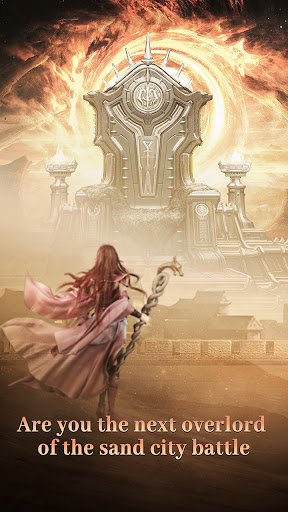
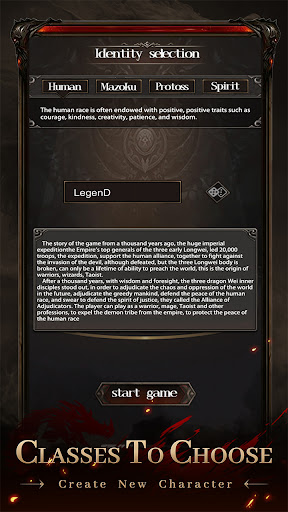
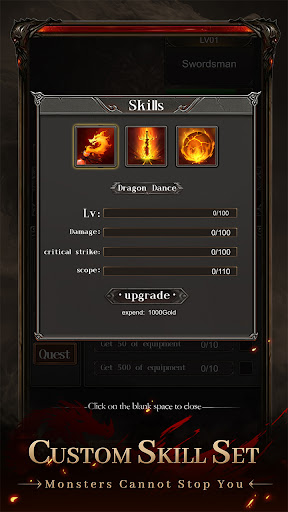
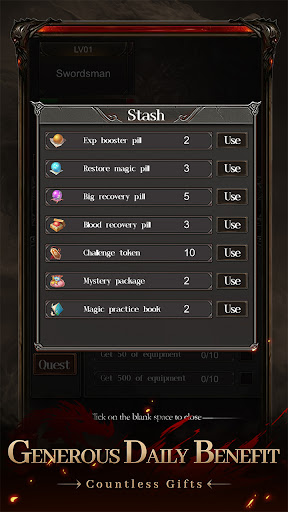
"Warriors and adventure" grand opening!
Here, the vast map is open for you to explore. You can be a brave warrior, a mysterious mage, or a holy and noble Taoist priest!
Here, you don't need to fight manually. You can automatically challenge by placing it, free your hands, and challenge easily!
Here, skills can be matched at will. Attributes can be refined as you wish. Legendary heroes are under your imagination!
Here, you can meet friends from all over the world. And start a 3V3 combat together! Fight against the invasion of monsters together and grab abundant rewards!
Infinite excitement is waiting for you, don't miss it!
Featured gameplay:
1. Challenge BOSS: BOSS is coming. We will stop them and claim its loots!
2. Bichon Mine: AFK Mining system. Dig it when you are free. Easily increase your combat power!
3. Ladder Hall: The challenge is unlimited. Higher combat power grants higher floors!
4. Demon Invasion: Guard the Marfa Continent and fight against the invasion of monsters!
5. Shadow forest: The mysterious forest, full of unknowns, might bring you different surprises and treasures!
Mehr anzeigen

1. Laden das MEmu-Installationsprogramm herunter und beenden die Installation

2. MEmu starten und Google Play auf der Homepage öffnen

3. Suchen Warriors and Adventure in Google Play
Install
4. Herunterladen und Installieren Warriors and Adventure
5. Klicken nach Abschluss der Installation auf das Symbol, um es zu starten

6. Viel Spaß beim Spielen von Warriors and Adventure auf dem PC mit MEmu
MEmu App Player ist der beste kostenlose Android-Emulator und 50 Millionen Menschen genießen bereits seine hervorragende Android-Gaming-Erfahrung. Mit der MEmu-Virtualisierungstechnologie können Sie Tausende von Android-Spielen problemlos auf Ihrem PC spielen, selbst bei grafikintensiven Spielen.
BGrößeres Bild mit besserer Grafik; Keine unterbrechungen, keine sorgen um Akku
Komplette Tastenbelegung unterstützt mit Maus und Tastatur oder Controller
Mit dem „Multi-Instance-Manager“ können Sie mehrere Spielkonten oder Spiele gleichzeitig auf einem PC ausführen.
Play Warriors and Adventure on PC by following steps: